Spatial Display
Mac Remote Desktop
Designed for iPhone, iPad, iPod touch
Free · In-app purchases
- Age rating4+
- CategoryProductivity
- DeveloperLith Games OÜ
- LanguagesEnglish+ 14 more
- Size107.4 MB
Links to the official App Store page
Download.org hosts no file of Spatial Display. The button opens its official App Store page, published by Lith Games OÜ. Listing last checked on Nov 20, 2026.
Screenshots

About
Your Mac desktop, in a spatial workspace on iPhone.
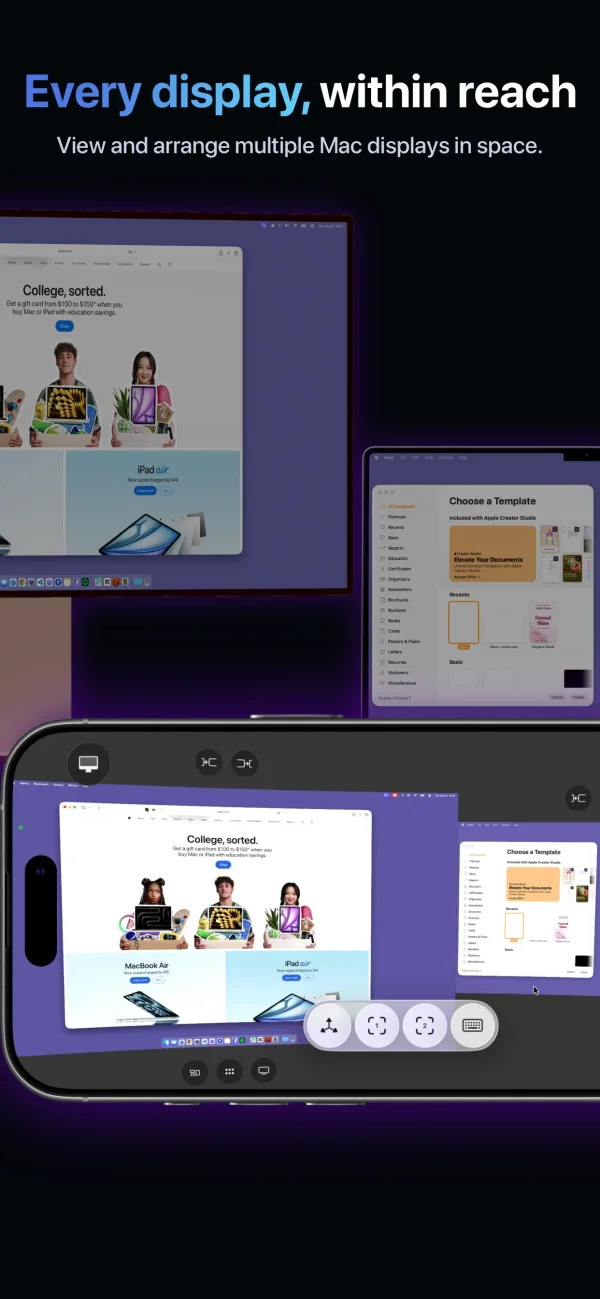
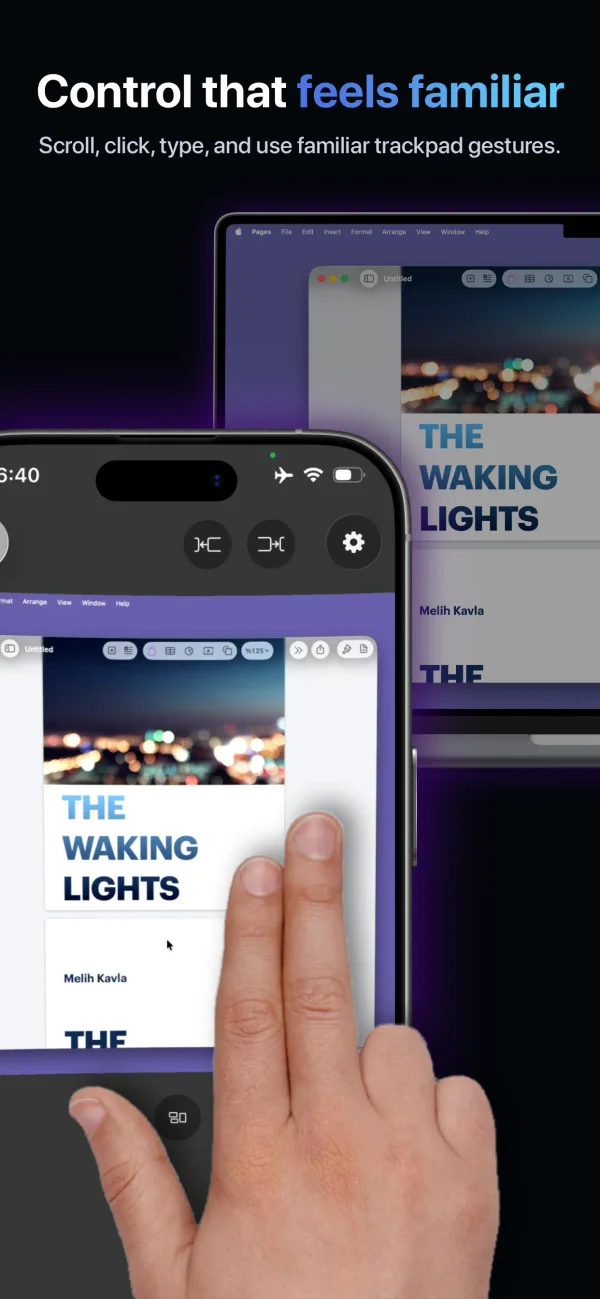
Spatial Display transforms your iPhone into a spatial workspace for your Mac. View and control multiple displays, switch between multiple Macs, and use familiar trackpad-style gestures, all from one compact app.
MULTI-MONITOR, MADE SPATIAL
Bring every selected Mac display into its own virtual screen. Recenter instantly, arrange screens at a comfortable distance, and move between them naturally in portrait or landscape.
TRACKPAD-STYLE CONTROL
• Tap, drag, and right-click
• Scroll smoothly with two fingers
• Swipe up with three fingers for Mission Control
• Swipe down with three fingers for App Exposé
• Swipe left or right with three fingers to change desktops and full-screen apps
• Use four-finger gestures for Show Desktop and App Launcher
SPATIAL AUDIO
Hear your Mac from the direction of its virtual screen. With compatible headphones, head tracking keeps the soundstage anchored as you move.
ONE IPHONE, MULTIPLE MACS
Sign in to multiple Macs with the same Apple or Google account and quickly choose which available computer to control.
BUILT FOR PRODUCTIVITY
• Direct-touch or crosshair pointer control
• Familiar Mac cursor shapes
• Hybrid keyboard with Mac modifiers, arrow keys, Esc, Tab, and F1-F12
• Quick actions for Mission Control, App Exposé, Show Desktop, Dock, and desktop switching
• Automatic reconnection when networks change
• Guided tutorials
GET STARTED
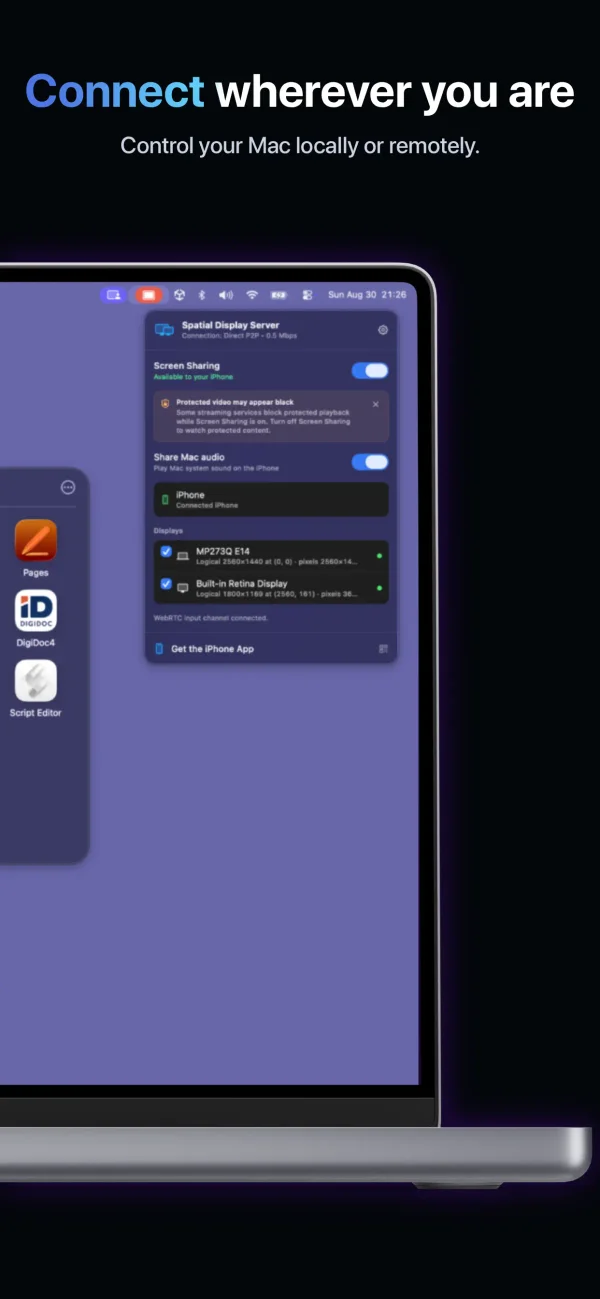
Download the free Spatial Display Server companion from the Mac App Store or directly from Lith Games:
https://lithgames.com/spatialdisplay
Install it on your Mac, sign in with the same account, select the displays you want to share, and connect from your iPhone.
Spatial Display works on the same Wi-Fi network or over the internet. Connections are encrypted and use a direct device-to-device path whenever available.
Requires a compatible iPhone and a Mac running Spatial Display Server. Some features require Spatial Display Pro. DRM-protected video may appear black while screen sharing is active.
Terms of Use: https://www.apple.com/legal/internet-services/itunes/dev/stdeula/
What’s new
Version 1.0.1 · Oct 4, 2026
English language support.
Bug fixes and improvements.
App privacy
What Lith Games OÜ declares on the App Store about how this app handles data.
-
Data used to track you
May be used to track you across apps and websites owned by other companies.
- Location
- Identifiers
- Usage data
-
Data linked to you
May be collected and linked to your identity.
- Purchases
- Location
- Contact info
- Identifiers
- Usage data
-
Data not linked to you
May be collected but is not linked to your identity.
- Diagnostics
Privacy practices may vary, for example with the features you use or your age.
Information
- Seller
- Lith Games OU
- Category
- Productivity
- Version
- 1.0.1
- Updated
- Oct 4, 2026
- Released
- Sep 24, 2026
- Size
- 107.4 MB
- Requires
- iOS 15.0 or later
- Age rating
- 4+
- Price
- Free
- In-app purchases
- Yes
- Languages
- English, Danish, Dutch, Finnish, French, German, Italian, Japanese, Korean, Norwegian Bokmål, Portuguese, Russian + 3 more
- Copyright
- © 2026 Lith Games OÜ
You might also like
-
 SnapDoc PDF - AI ScannerScan Documents, QR, objects
-
 Shopping List & Cart: GroviasGrocery Checklist & Planner
-
 ConvFast: AI Scanner & PDFConvert, expenses, 10 GB cloud
-
 Authenticator App: 2FA CodesOTP, MFA & Verification
-
 Reels Off: Reels BlockerWe block the reels
-
 Voice PrompterA teleprompter following you
-
 GLI: Goals & Focus TrackerLock In & Achieve Your Goals
-
 Wisp: AI Meeting NotesRecord, transcribe, summarize
-
 Habit Dice: Daily HabitsYour Fun Productivity Pet
-
 Pure Pomodoro: Focus TimerConcentrate & Study Timer