
Spatial Display
Mac Remote Desktop
Được thiết kế cho iPhone, iPad, iPod touch
Miễn phí · Mua hàng trong ứng dụng
- Độ tuổi4+
- Danh mụcHiệu Suất
- Nhà phát triểnLith Games OÜ
- Ngôn ngữTiếng Anh+ 14 ngôn ngữ khác
- Kích thước107,4 MB
Liên kết đến trang App Store chính thức
Download.org không lưu trữ tệp nào của Spatial Display. Nút này mở trang ứng dụng trên App Store, nơi Lith Games OÜ phát hành ứng dụng. Trang được kiểm tra lần cuối: 20/11/2026.
Ảnh chụp màn hình

Giới thiệu
Nhà phát triển chưa cung cấp nội dung này bằng ngôn ngữ của bạn.
Your Mac desktop, in a spatial workspace on iPhone.
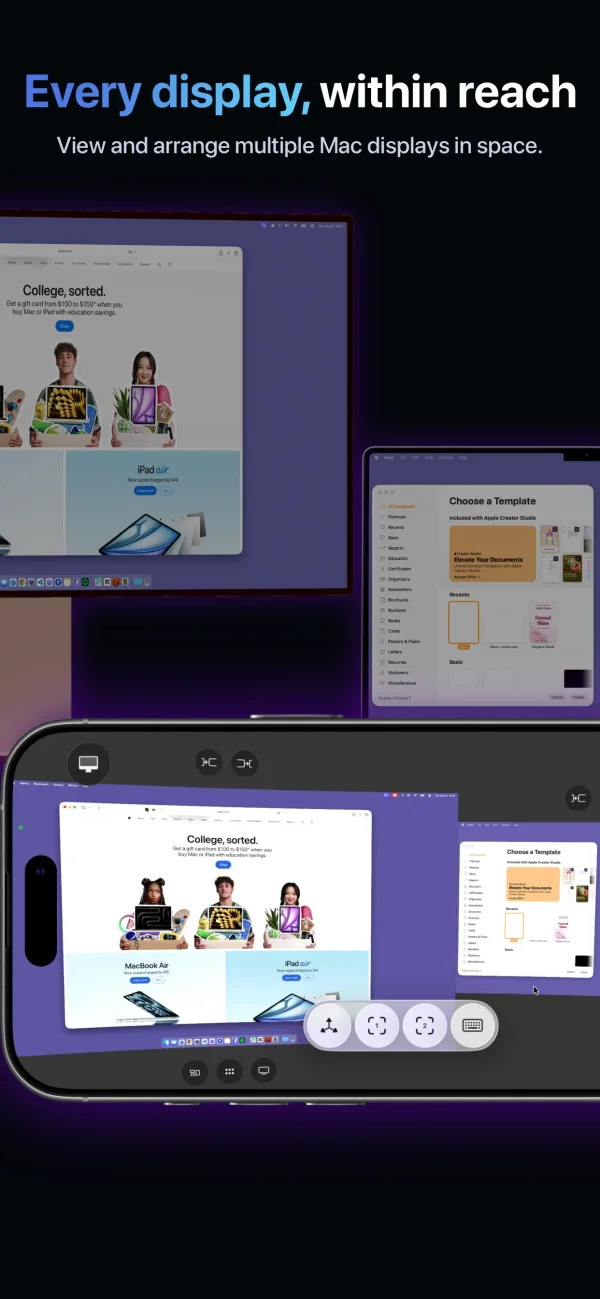
Spatial Display transforms your iPhone into a spatial workspace for your Mac. View and control multiple displays, switch between multiple Macs, and use familiar trackpad-style gestures, all from one compact app.
MULTI-MONITOR, MADE SPATIAL
Bring every selected Mac display into its own virtual screen. Recenter instantly, arrange screens at a comfortable distance, and move between them naturally in portrait or landscape.
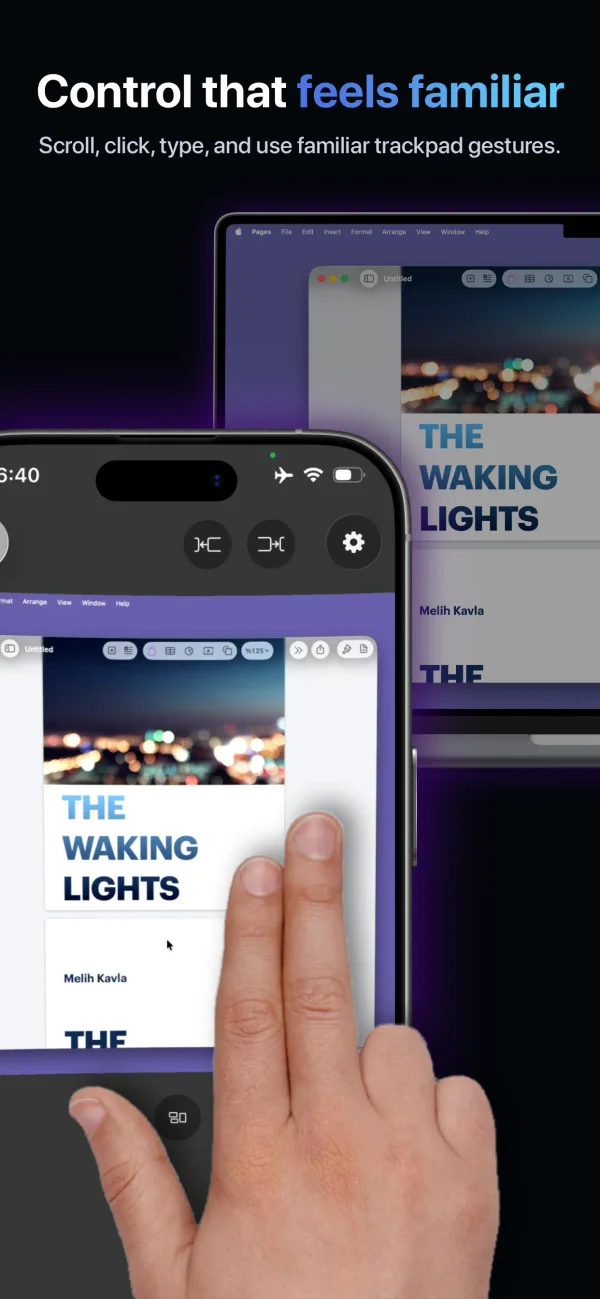
TRACKPAD-STYLE CONTROL
• Tap, drag, and right-click
• Scroll smoothly with two fingers
• Swipe up with three fingers for Mission Control
• Swipe down with three fingers for App Exposé
• Swipe left or right with three fingers to change desktops and full-screen apps
• Use four-finger gestures for Show Desktop and App Launcher
SPATIAL AUDIO
Hear your Mac from the direction of its virtual screen. With compatible headphones, head tracking keeps the soundstage anchored as you move.
ONE IPHONE, MULTIPLE MACS
Sign in to multiple Macs with the same Apple or Google account and quickly choose which available computer to control.
BUILT FOR PRODUCTIVITY
• Direct-touch or crosshair pointer control
• Familiar Mac cursor shapes
• Hybrid keyboard with Mac modifiers, arrow keys, Esc, Tab, and F1-F12
• Quick actions for Mission Control, App Exposé, Show Desktop, Dock, and desktop switching
• Automatic reconnection when networks change
• Guided tutorials
GET STARTED
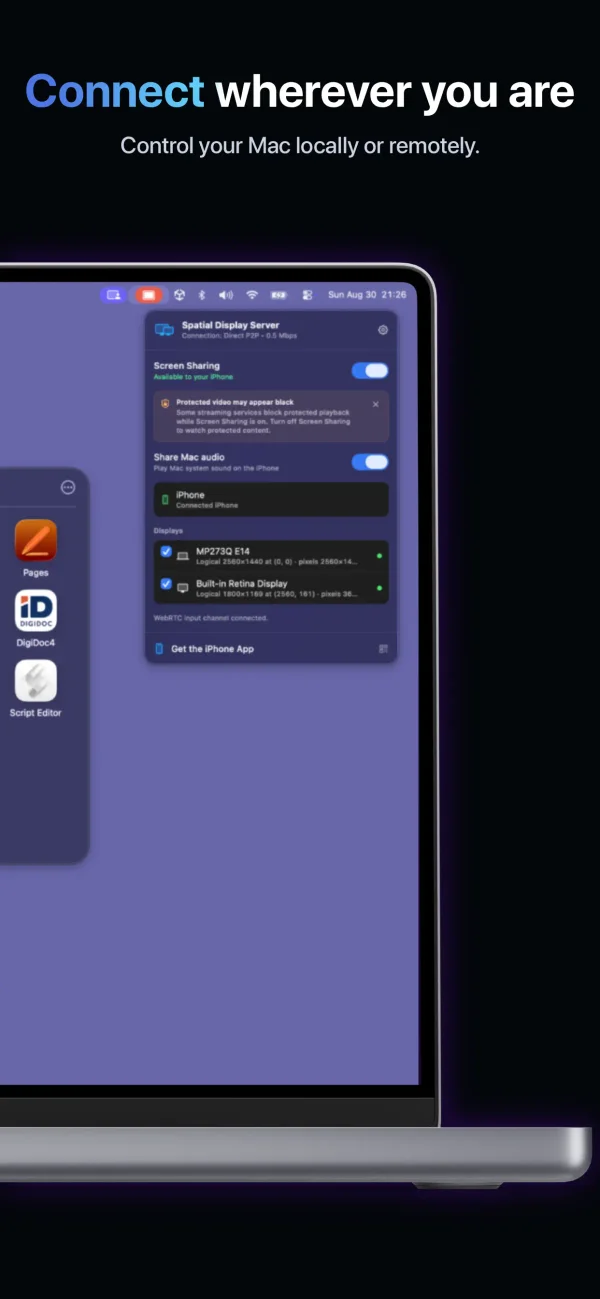
Download the free Spatial Display Server companion from the Mac App Store or directly from Lith Games:
https://lithgames.com/spatialdisplay
Install it on your Mac, sign in with the same account, select the displays you want to share, and connect from your iPhone.
Spatial Display works on the same Wi-Fi network or over the internet. Connections are encrypted and use a direct device-to-device path whenever available.
Requires a compatible iPhone and a Mac running Spatial Display Server. Some features require Spatial Display Pro. DRM-protected video may appear black while screen sharing is active.
Terms of Use: https://www.apple.com/legal/internet-services/itunes/dev/stdeula/
Có gì mới
Phiên bản 1.0.1 · 04/10/2026
English language support.
Bug fixes and improvements.
Quyền riêng tư của ứng dụng
Những gì Lith Games OÜ khai báo trên App Store về cách ứng dụng này xử lý dữ liệu.
-
Dữ liệu được sử dụng để theo dõi bạn
Có thể được sử dụng để theo dõi bạn trên các ứng dụng và trang web do công ty khác sở hữu.
- Vị trí
- Mã định danh
- Dữ liệu sử dụng
-
Dữ liệu liên kết với bạn
Có thể được thu thập và liên kết với danh tính của bạn.
- Mục mua
- Vị trí
- Thông tin liên hệ
- Mã định danh
- Dữ liệu sử dụng
-
Dữ liệu không liên kết với bạn
Có thể được thu thập nhưng không liên kết với danh tính của bạn.
- Chẩn đoán
Phương thức đảm bảo quyền riêng tư có thể khác nhau, chẳng hạn như tuỳ theo các tính năng bạn sử dụng hoặc độ tuổi của bạn.
Thông tin
- Người bán
- Lith Games OU
- Danh mục
- Hiệu Suất
- Phiên bản
- 1.0.1
- Cập nhật
- 04/10/2026
- Phát hành
- 24/09/2026
- Kích thước
- 107,4 MB
- Yêu cầu
- iOS 15.0 trở lên
- Độ tuổi
- 4+
- Giá
- Miễn phí
- Mua hàng trong ứng dụng
- Có
- Ngôn ngữ
- Tiếng Anh, Tiếng Đan Mạch, Tiếng Hà Lan, Tiếng Phần Lan, Tiếng Pháp, Tiếng Đức, Tiếng Ý, Tiếng Nhật, Tiếng Hàn, Tiếng Bokmål Na Uy, Tiếng Bồ Đào Nha, Tiếng Nga + 3 ngôn ngữ khác
- Bản quyền
- © 2026 Lith Games OÜ
Có thể bạn cũng thích
-
 SnapDoc PDF - AI ScannerHiệu Suất
-
 Shopping List & Cart: GroviasHiệu Suất
-
 ConvFast: AI Scanner & PDFHiệu Suất
-
 Authenticator App: 2FA CodesHiệu Suất
-
 Reels Off: Reels BlockerHiệu Suất
-
 Voice PrompterHiệu Suất
-
 GLI: Goals & Focus TrackerHiệu Suất
-
 Wisp: AI Meeting NotesHiệu Suất
-
 Habit Dice: Daily HabitsHiệu Suất
-
 Pure Pomodoro: Focus TimerHiệu Suất