Spatial Video Studio
2D to 3D for Apple Vision Pro
Designed for iPhone, iPad, Mac
Free · In-app purchases
- Age rating4+
- CategoryPhoto & Video
- DeveloperSPATIAL AI LABS LTD
- LanguagesEnglish+ 18 more
- Size299.3 MB
Links to the official App Store page
Download.org hosts no file of Spatial Video Studio. The button opens its official App Store page, published by SPATIAL AI LABS LTD. Listing last checked on Nov 14, 2026.
Screenshots



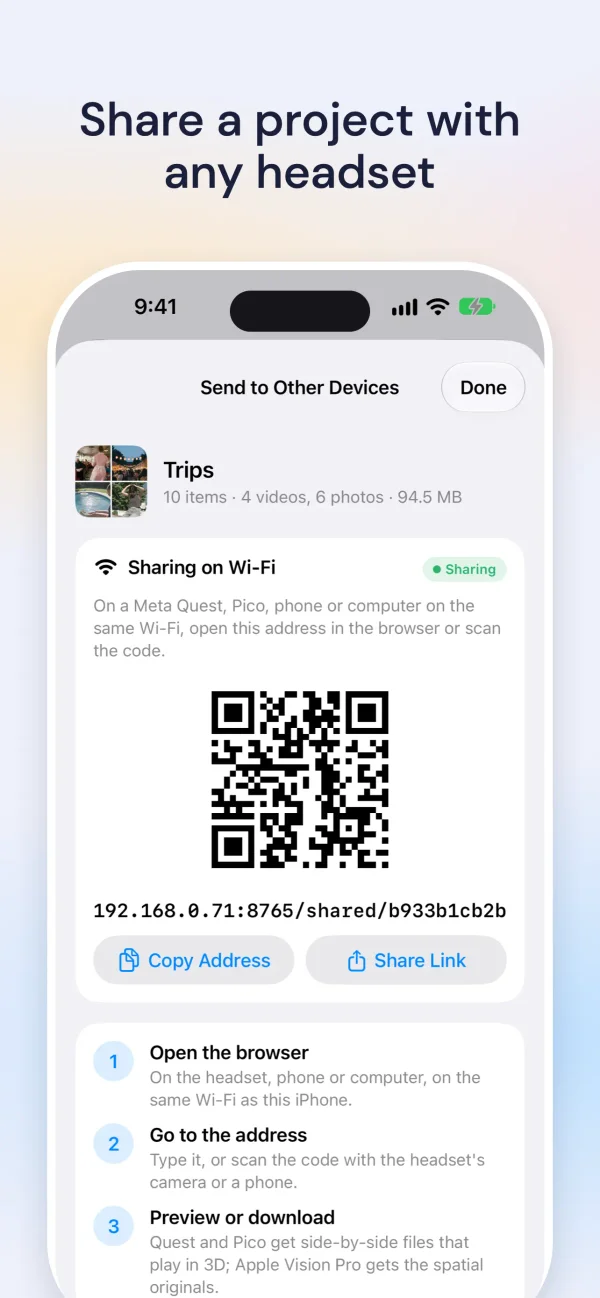
About
Turn the photos and videos in your library into 3D you can watch on Apple Vision Pro, Meta Quest or any 3D headset — right on your iPhone or iPad.
PLAY LIVE
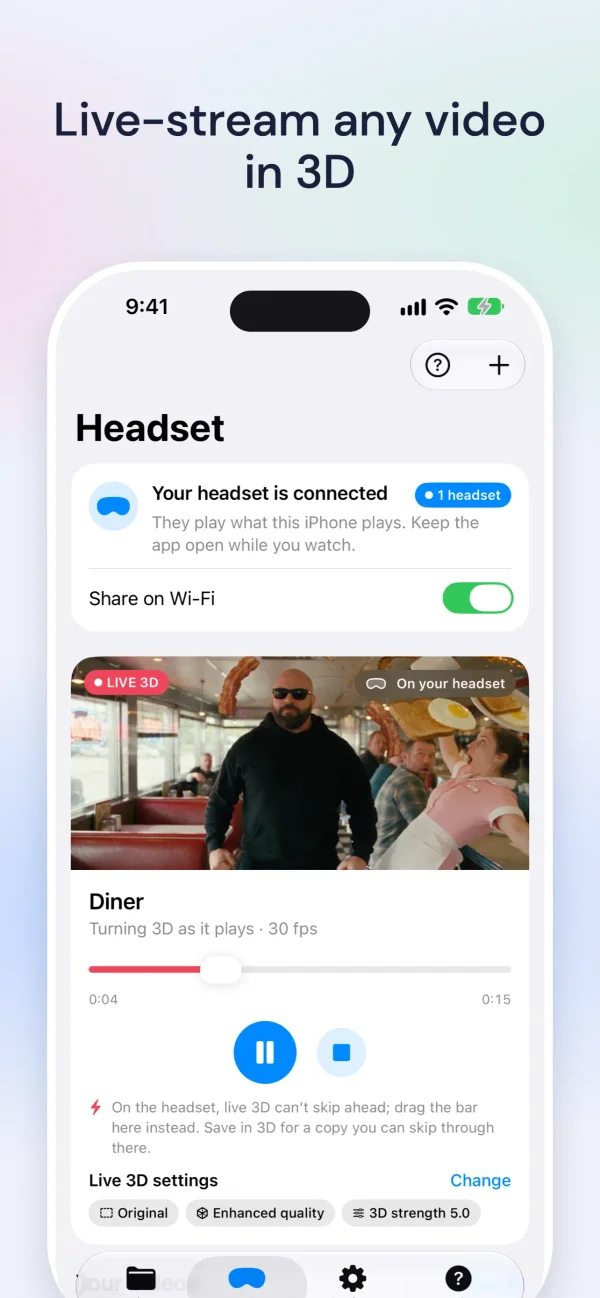
• Any video, any length. A whole film, 4K included, plays in Full HD 3D on your VR headset as your iPhone or iPad converts it, from your library, from Files or at a URL. Nothing to convert first, nothing saved, nothing to install on the headset.
• Far more than MP4 and MOV: MP4, MOV, MKV, AVI, WebM, FLV, WMV, TS and more; URLs over http, rtsp, rtmp, ftp, smb and sftp.
• Line up videos and URLs on your iPhone or iPad, then choose from the headset. Pin what you come back to; pinned items lead the list.
• On Apple Vision Pro, the Spatial Video Studio app finds your iPhone or iPad by itself and plays as spatial video, with nothing to type.
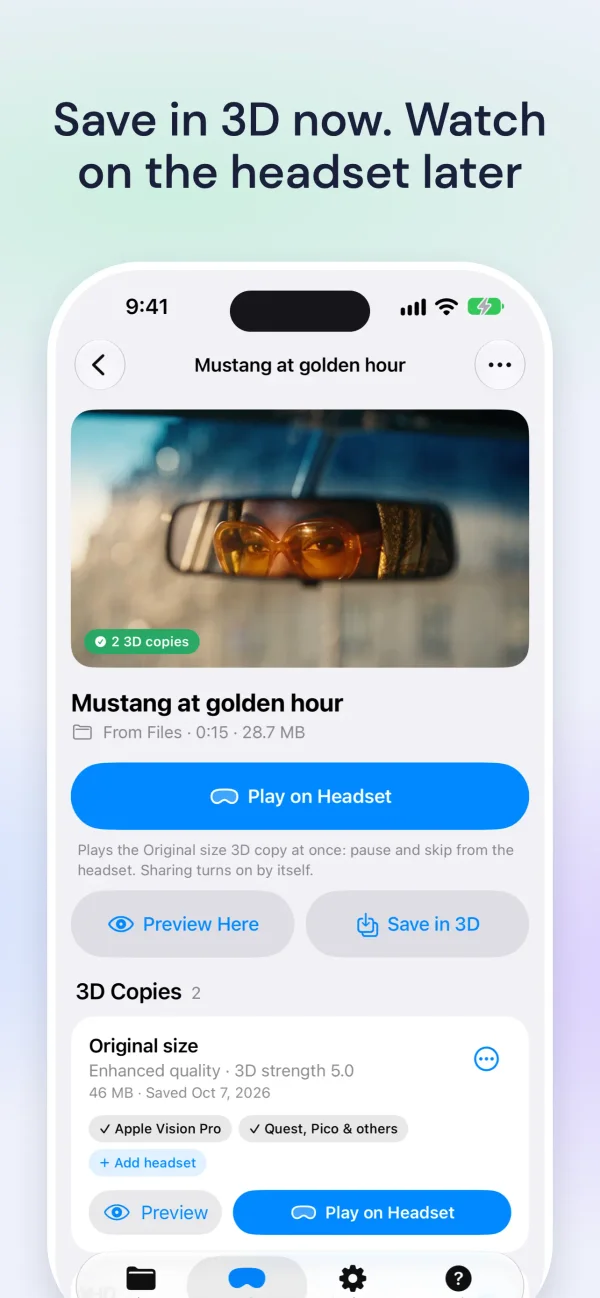
• Save in 3D: save a video in 3D now so it plays at once later, with seeking. Watched once, it plays again at once.
• One library for everything your headset can watch: videos to convert, videos saved in 3D, finished 3D files and URLs, in groups if you like.
• Videos on a NAS or another computer play live, join the library or are saved in 3D ahead of time, without copying them to your device. Servers on your network appear by themselves.
WHAT YOU CAN DO
• Convert to Apple's spatial format (spatial photos and MV-HEVC spatial video), or to side-by-side and top-bottom 3D for other headsets.
• Convert on your device — private, free, and works offline.
• Choose the picture size, up to 4K or 3K, have black bars cut automatically, and pick the file quality: Standard, High or Master.
• Set the 3D strength, pick a 3D quality (Standard, Enhanced or Detailed), and re-run any item to compare versions.
• Full Lifelike 3D, our best 3D, runs on the web with the same account.
• See how long a video will take before it starts, and switch apps while it converts.
• Check the depth before you commit: Anaglyph 3D with red/cyan glasses, or cross-eye. Pinch to zoom in on the details.
• Export to Photos, AirDrop or anywhere, and archive finished projects instead of deleting them.
MADE FOR IPHONE AND IPAD
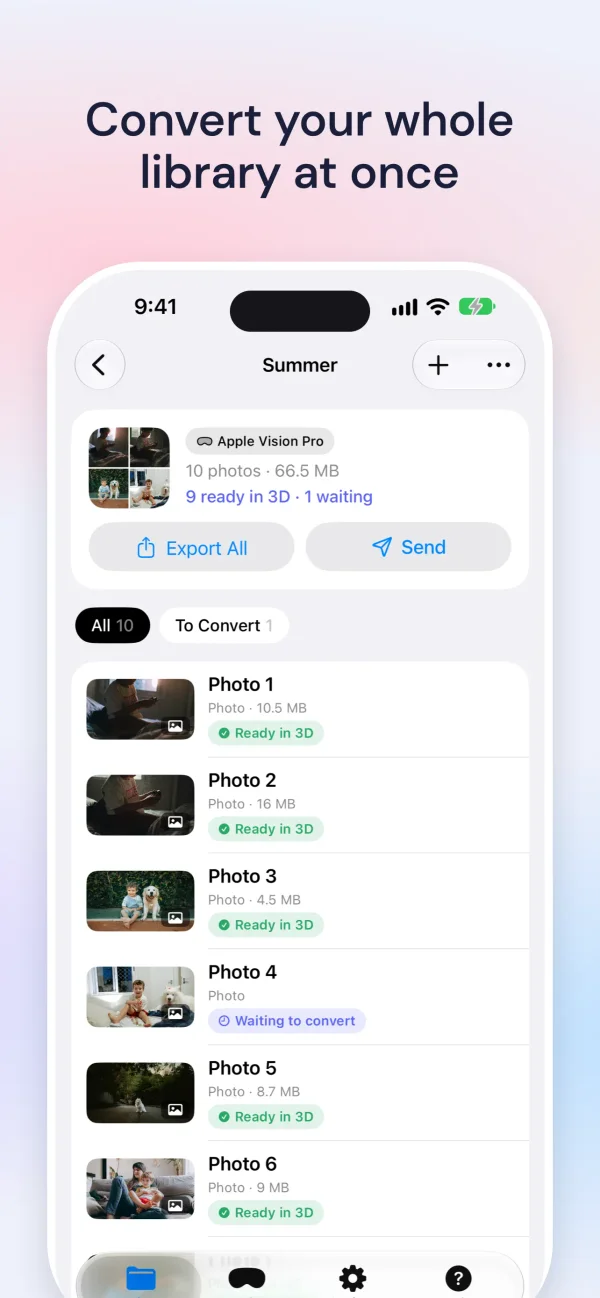
• Add photos and videos from your library or from Files.
• A layout that adapts from iPhone to iPad, Split View and Stage Manager.
• Save to Photos, or AirDrop straight to your headset.
Free to try: convert the first 3 minutes of any video to 3D, up to 1440p, save photos and your free clips, play them on any headset, and use Play Live for 30 minutes every four hours. Pro converts and exports whole videos in up to 4K, with unlimited Play Live, Save in 3D for whole videos, servers and the highest 3D quality.
Terms of Use
https://www.spatial-video-studio.com/en/terms
Privacy Policy
https://www.spatial-video-studio.com/en/privacy
What’s new
Version 10.6.0 · Nov 10, 2026
Version 10.6.0 brings clearer 3D on your screen, more control over every video, and new ways to sign in.
NEW IN 10.6.0
• Full Lifelike 3D on the web: our best 3D for any video, in your computer's or headset's browser. Find it in Settings › More.
• Choose the picture size for a project's videos, now with 3K, and have black bars cut automatically.
• File quality to match the web: Standard, High and Master (Pro).
• Save in 3D in the same sizes as projects, up to 4K.
• Each video's details show how long it took to convert and the size of its 3D picture.
• Long conversions no longer stop partway when the app goes to the background.
• A shorter tour that shows the 3D effect right on your screen.
• Sign in with Apple, Google, a passkey or an email code. No password to make up.
• Use Spatial Video Studio on the web with the same account, and manage your sign-in methods in Settings › Account.
• Restore Purchases now also finds a plan you bought while signed in another way, and moves it to this account.
Thank you for using Spatial Video Studio!
App privacy
What SPATIAL AI LABS LTD declares on the App Store about how this app handles data.
-
Data linked to you
May be collected and linked to your identity.
- Location
-
Data not linked to you
May be collected but is not linked to your identity.
- Usage data
- Diagnostics
Privacy practices may vary, for example with the features you use or your age.
Information
- Seller
- SPATIAL AI LABS LTD
- Category
- Photo & Video
- Version
- 10.6.0
- Updated
- Nov 10, 2026
- Released
- Jul 8, 2024
- Size
- 299.3 MB
- Requires
- iOS 18.0 or later
- Age rating
- 4+
- Price
- Free
- In-app purchases
- Yes
- Languages
- English, Arabic, Croatian, Dutch, Finnish, French, German, Hebrew, Hindi, Italian, Japanese, Korean + 7 more
- Copyright
- © 2026 Spatial AI Labs. All rights reserved.
You might also like
-
 Spatial Media ToolkitConvert 2D to 3D Photo & Video
-
 MVPlayer.appImmersive & 3D video player
-
 Immersive VideoThe BEST Immersive Video
-
 SpatialifySpatial Camera & Toolbox
-
 SpatialCameraSpatial Video & Photo Capture
-
 CosmiCut: Spatial Video EditorSpatial Video Workshop
-
 i3DMovieMakerPhoto & Video
-
 Spatial CameraCapture 3D Spatial Video & SBS
-
 Photo Printer - Print Any Size4x6, Wallet & Instant Pics
-
 Spatial Scene: ConverterImage Converter for 3D photo