
Spectro - Video Compressor
Fast, Pro Quality, Small Size
Designed for iPhone, iPad
Free · In-app purchases
- Age rating4+
- CategoryPhoto & Video
- DeveloperMengke WANG
- LanguagesEnglish+ 1 more
- Size28.0 MB
Links to the official App Store page
Download.org hosts no file of Spectro - Video Compressor. The button opens its official App Store page, published by Mengke WANG. Listing last checked on Nov 12, 2026.
Screenshots



About
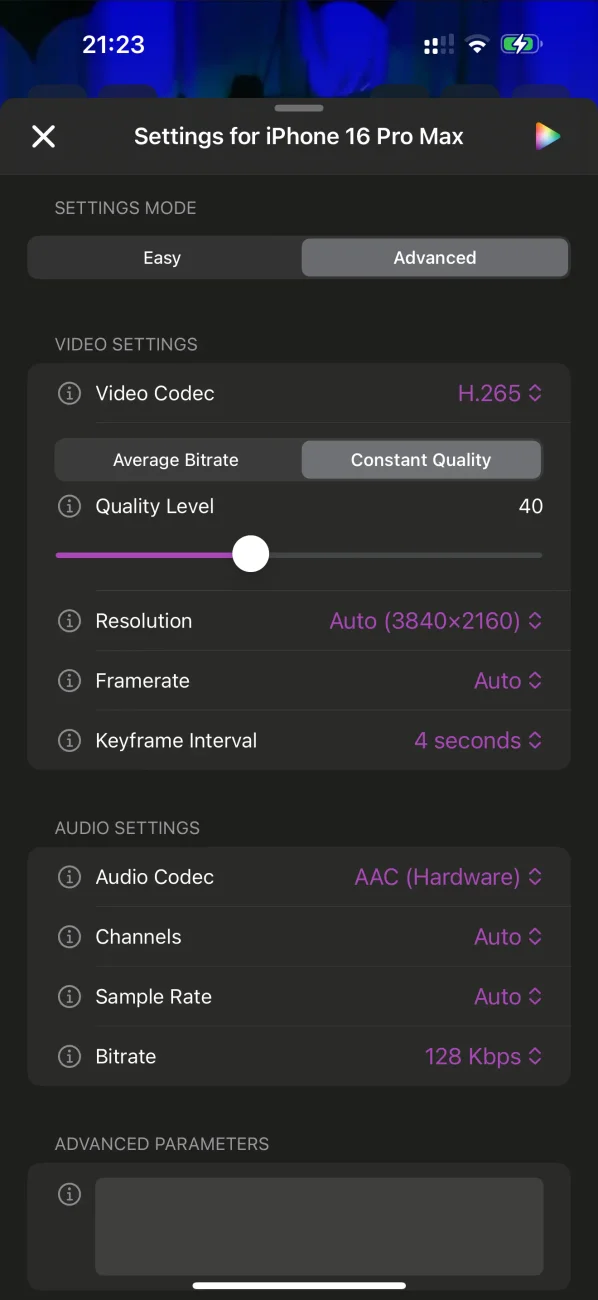
Spectro is the ultimate video compression tool designed to help you maximize storage space without sacrificing quality. Key features include:
• Smart Bitrate Optimization – Analyzes video content to determine the optimal bitrate, significantly reducing file sizes.
• Hardware Acceleration – Utilizes Apple’s media engine for fast compression, support Average Bitrate mode and Constant Quality mode.
• Advanced Encoding Algorithms – Preserves critical details while efficiently compressing less essential areas.
• Intuitive Video Management – Easily browse, organize, and sort videos with comprehensive file details.
• Advanced Playback Features – Supports Picture-in-Picture, autoplay, zoom control, lock screen playback, Apple Watch support, Kiosk read-only mode, and keyboard shortcuts.
• Metadata and Resource Viewer – Inspect all metadata and sub-resources of a video, play each resource individually, including hidden originals.
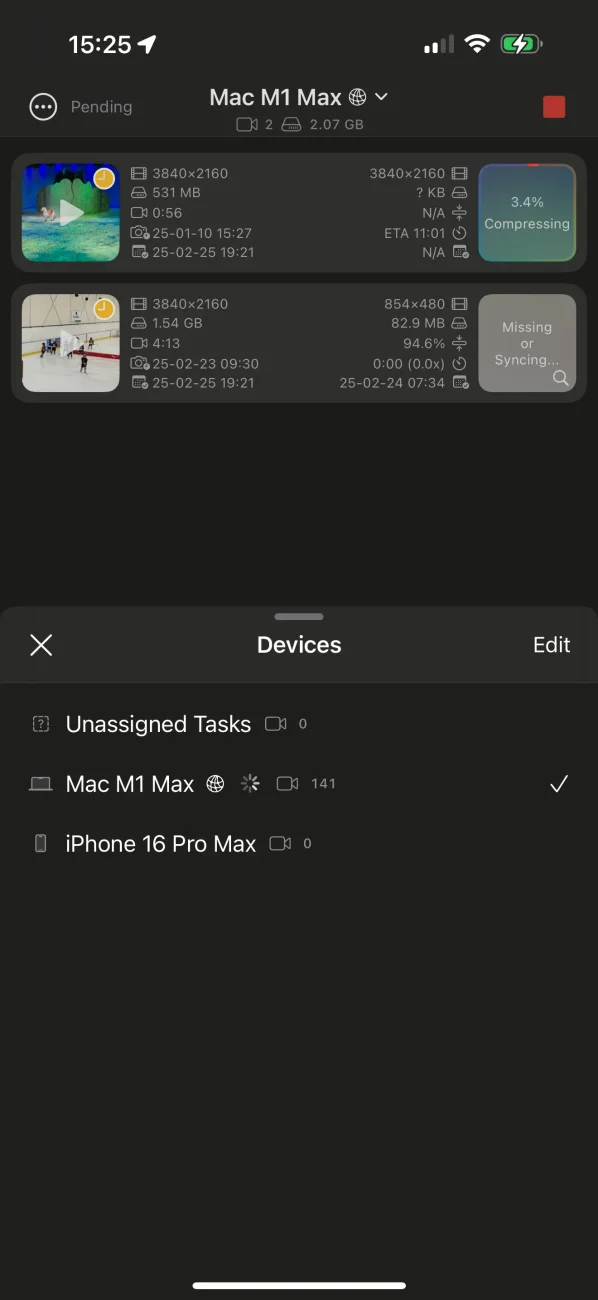
• Task Queue – Batch compress multiple videos, perfect for overnight processing.
• Multi-Device Support – Monitor compression progress across all Apple devices, view progress from your iPhone, and remotely manage tasks.
• Quality Comparison – Compare compressed videos with originals to check visual and audio quality, and easily manage or delete original files.
• Privacy First – Built-in privacy protection with Face ID/Touch ID support for photo library access.
Whether you're a professional video creator or an everyday user, Spectro provides an efficient, reliable solution for video compression and management.
Download now and start saving storage space!
Terms of Use (EULA): https://www.apple.com/legal/internet-services/itunes/dev/stdeula/
What’s new
Version 1.2.0 · Aug 4, 2025
New features:
• Multi-select Mode: The Delete button is now a menu for batch management.
• Cleaned Tasks Queue: Swipe or tap left/right keys to quickly switch between videos.
Improvements
• Device Picker: Displays the number of videos while editing.
• Library View: A favorite icon is now shown for favorited videos.
• Queues: Video file names are now displayed in the task queues.
Fixes
• Fixed an issue where the same video might be compressed twice.
• Video thumbnails and metadata will be updated when video is edited outside the app.
• Deleted tasks are now hidden if their associated compressed videos are also deleted.
• Prevented misleading completion notifications when a task is cancelled.
• Resolved an issue that sometimes showed incorrect video resolutions (e.g., 4K, 2K, FHD, HD, SD).
• Fixed several potential crash scenarios.
App privacy
What Mengke WANG declares on the App Store about how this app handles data.
-
Data not collected
The developer does not collect any data from this app.
Privacy practices may vary, for example with the features you use or your age.
Information
- Seller
- Mengke WANG
- Category
- Photo & Video
- Version
- 1.2.0
- Updated
- Aug 4, 2025
- Released
- Apr 17, 2025
- Size
- 28.0 MB
- Requires
- iOS 16.0 or later
- Age rating
- 4+
- Price
- Free
- In-app purchases
- Yes
- Languages
- English, Simplified Chinese
- Copyright
- © CocoaBob
You might also like
-
 X2D GPS CompanionAutomatic GEO Tagging for X2Ds
-
 Sorter: Photo Manager ProVersatile Album Organizer
-
 Swan Cam – AI Film CameraCinematic photos made easy
-
 Conflux - Video PlayerAll-Format Player · NAS Cloud
-
 PhotonCam: Pro Camera & EditorHDR, Depth, LUT, Batch Process
-
 Teleprompter for Video: OnClipScript Autocue & Auto Captions
-
 2Camera Dual Camera RecorderDouble Shot & Front and Rear
-
 DSLR Camera - Manual CameraPhoto, Video, Multi-Cam, Film
-
 FotorGear - Camera in PocketCCD HDR Professional Cam
-
 StormCam - Cinematic Log VideoCinematic Camera by MediaStorm