
- 対象年齢4+
- カテゴリ写真/ビデオ
- 開発元Mengke WANG
- 言語英語ほか1言語
- サイズ28.0 MB
App Storeの公式ページにリンクしています
Download.orgはSpectro - Video Compressorのファイルを一切ホストしていません。ボタンを押すと、Mengke WANGが公開しているApp Storeのアプリページが開きます。ページの最終確認:2026/11/12。
スクリーンショット



概要
開発元はこのテキストをお使いの言語で提供していません。
Spectro is the ultimate video compression tool designed to help you maximize storage space without sacrificing quality. Key features include:
• Smart Bitrate Optimization – Analyzes video content to determine the optimal bitrate, significantly reducing file sizes.
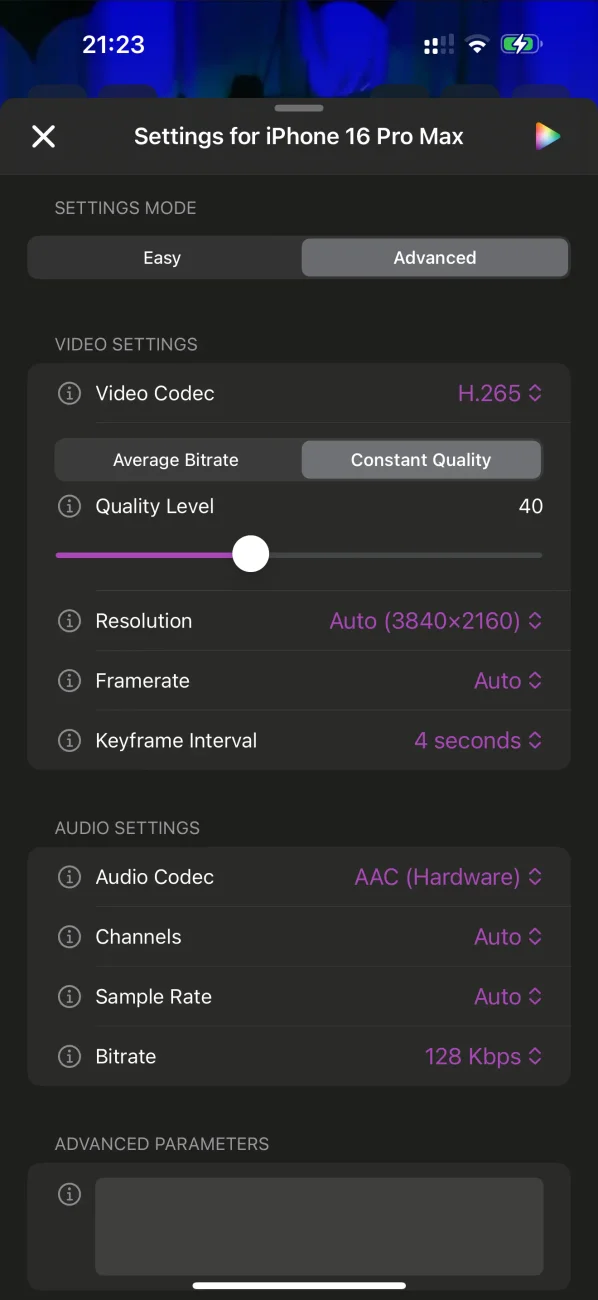
• Hardware Acceleration – Utilizes Apple’s media engine for fast compression, support Average Bitrate mode and Constant Quality mode.
• Advanced Encoding Algorithms – Preserves critical details while efficiently compressing less essential areas.
• Intuitive Video Management – Easily browse, organize, and sort videos with comprehensive file details.
• Advanced Playback Features – Supports Picture-in-Picture, autoplay, zoom control, lock screen playback, Apple Watch support, Kiosk read-only mode, and keyboard shortcuts.
• Metadata and Resource Viewer – Inspect all metadata and sub-resources of a video, play each resource individually, including hidden originals.
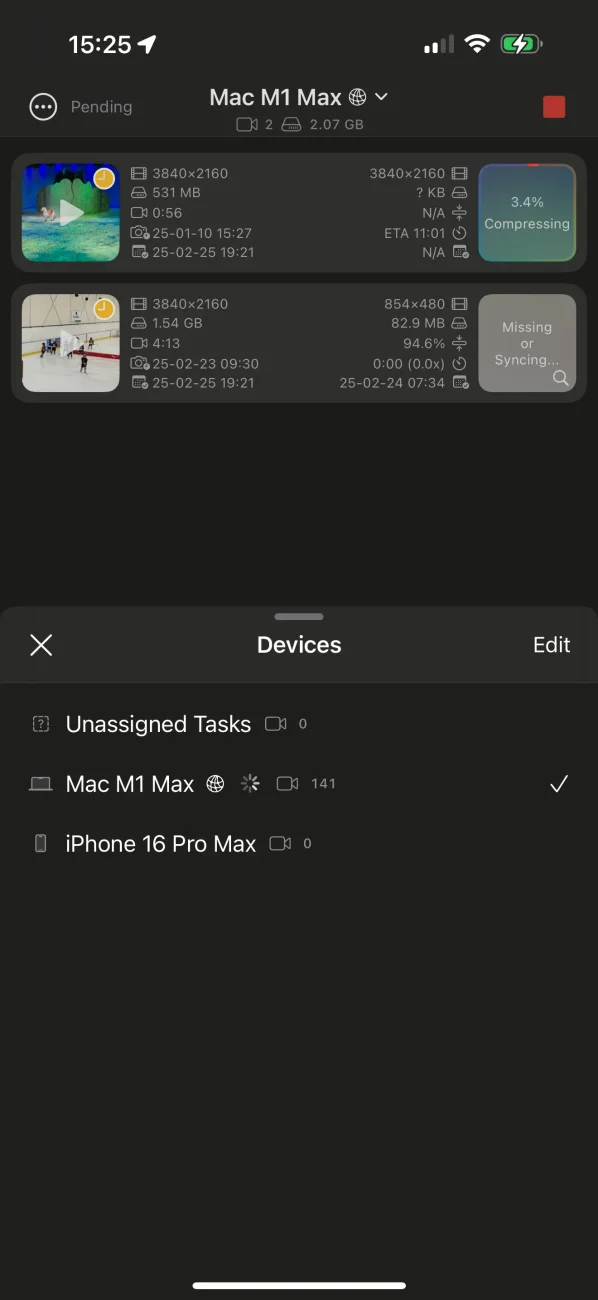
• Task Queue – Batch compress multiple videos, perfect for overnight processing.
• Multi-Device Support – Monitor compression progress across all Apple devices, view progress from your iPhone, and remotely manage tasks.
• Quality Comparison – Compare compressed videos with originals to check visual and audio quality, and easily manage or delete original files.
• Privacy First – Built-in privacy protection with Face ID/Touch ID support for photo library access.
Whether you're a professional video creator or an everyday user, Spectro provides an efficient, reliable solution for video compression and management.
Download now and start saving storage space!
Terms of Use (EULA): https://www.apple.com/legal/internet-services/itunes/dev/stdeula/
新機能
バージョン 1.2.0 · 2025/8/4
New features:
• Multi-select Mode: The Delete button is now a menu for batch management.
• Cleaned Tasks Queue: Swipe or tap left/right keys to quickly switch between videos.
Improvements
• Device Picker: Displays the number of videos while editing.
• Library View: A favorite icon is now shown for favorited videos.
• Queues: Video file names are now displayed in the task queues.
Fixes
• Fixed an issue where the same video might be compressed twice.
• Video thumbnails and metadata will be updated when video is edited outside the app.
• Deleted tasks are now hidden if their associated compressed videos are also deleted.
• Prevented misleading completion notifications when a task is cancelled.
• Resolved an issue that sometimes showed incorrect video resolutions (e.g., 4K, 2K, FHD, HD, SD).
• Fixed several potential crash scenarios.
アプリのプライバシー
このアプリのデータの取り扱いについて、Mengke WANGがApp Storeで申告している内容です。
-
データの収集なし
開発元はこのアプリからデータを収集しません。
プライバシーの取り扱いは、ご利用の機能やお客様の年齢などに応じて異なる場合があります。
情報
- 販売元
- Mengke WANG
- カテゴリ
- 写真/ビデオ
- バージョン
- 1.2.0
- 更新日
- 2025/8/4
- リリース
- 2025/4/17
- サイズ
- 28.0 MB
- 必要条件
- iOS 16.0以降
- 対象年齢
- 4+
- 価格
- 無料
- アプリ内課金
- あり
- 言語
- 英語, 簡体字中国語
- 著作権
- © CocoaBob
こちらもおすすめ
-
 X2D GPS Companion写真/ビデオ
-
 Sorter: Photo Manager Pro写真/ビデオ
-
 Swan Cam - AI構図フィルムカメラ初心者でも映画のような写真を簡単に
-
 Conflux - Video Player全形式・NAS・クラウド対応
-
 PhotonCam: プロカメラと写真編集HDR・被写界深度・LUT・一括編集
-
 Teleprompter for Video: OnClip写真/ビデオ
-
 2Camera Dual Camera Recorder2つのカメラで同時撮影二つのストーリーデュアルショット
-
 DSLR Camera - Manual Camera写真/ビデオ
-
 FotorGear - ポケットの中のプロ用カメラCCDレトロフィルム /枠とHDRプロ級の自然な写り
-
 StormCam - Cinematic Log Video写真/ビデオ