- Age rating4+
- CategoryProductivity
- DeveloperSergius Dyck
- LanguagesEnglish+ 2 more
- Size7.4 MB
Links to the official App Store page
Download.org hosts no file of Speech – PDF & Photo Reader. The button opens its official App Store page, published by Sergius Dyck. Listing last checked on Nov 21, 2026.
Screenshots
About
Speech – Text to Listen To
Not everyone can read every text with ease. Small type, low contrast or a large amount of text can make information harder to access. Sometimes, it is simply more comfortable to listen.
Speech is a free app for people who would like to have short passages or longer documents read aloud. It is designed especially for people with visual impairments, and for anyone who generally prefers to take in information through spoken language.
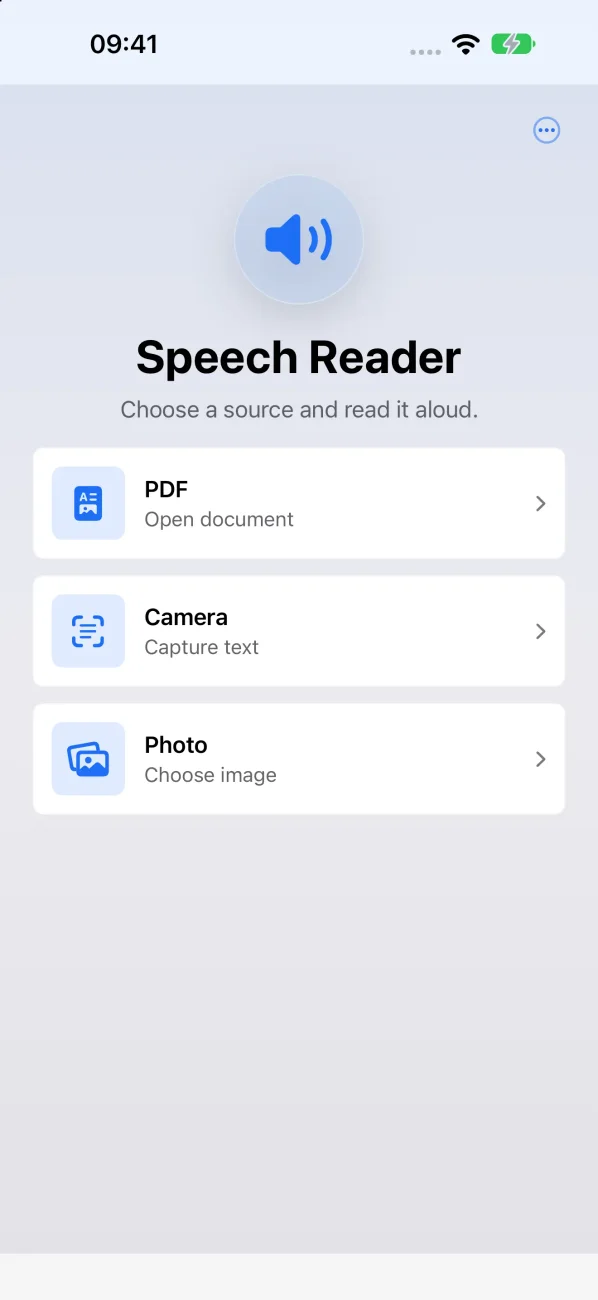
Open a PDF. Choose a photo. Take a picture of text.
Whether it is a letter, a printed page or a digital document: with Speech, you can open PDFs, choose existing photos or capture text directly with the camera.
Built-in text recognition also makes text in photos, scanned documents and images within PDFs accessible for reading aloud. Speech recognizes the text, extracts it from the source and reads it to you.
Listen — at your own pace
Have the entire text read aloud, or tap where you would like to begin. Pause whenever you need to and adjust the speaking rate to what feels comfortable for you.
Your iPhone’s capabilities in one place
Speech uses iOS text recognition and speech synthesis. The app brings these features together for one clear purpose: making text from different sources accessible and reading it aloud.
For everyone who prefers to listen. And especially for those who find reading easier this way.
What’s new
Version 1.2.1 · Sep 30, 2026
- Improved reading aloud of PDFs and photos, starting more precisely where you tap.
- Scroll and zoom while listening.
- A clearer photo view and easy browsing of images from PDFs.
- Easier access to settings, privacy information and support.
App privacy
What Sergius Dyck declares on the App Store about how this app handles data.
-
Data not collected
The developer does not collect any data from this app.
Privacy practices may vary, for example with the features you use or your age.
Information
- Seller
- Sergius Dyck
- Category
- Productivity
- Version
- 1.2.1
- Updated
- Sep 30, 2026
- Released
- Sep 25, 2026
- Size
- 7.4 MB
- Requires
- iOS 27.0 or later
- Age rating
- 4+
- Price
- Free
- Languages
- English, French, German
- Copyright
- © 2026 Sergius Dyck
You might also like
-
 Narrata: Listen to ArticlesGood writing, beautifully read
-
 Minditly: Quotes.Texts.Notes.Scan/OCR Type Tell or Save
-
 VoxPage: Read Aloud PDF ReaderOffline Text to Speech Voices
-
 Text to Speech Reader ThinkSayAI Voice Read Aloud PDFs
-
 AI Podcast Creator: PDF & TextTurn Notes & Articles to Audio
-
 TextVoice: Text to SpeechRead Aloud PDF, Scan & Offline
-
 PDF Text to Speech - DocuVoiceRead Aloud Books & Documents
-
 ReadBack - Text to SpeechRead Aloud Docs, PDFs & Text
-
 Enpass Password ManagerGenerate & Autofill Passwords
-
 Listen - Text to AudioRead to me