
SpeechTrack: Live Voice Clone
Text to Speech & Narration
Designed for iPhone, iPad, Mac
In-app purchases
- Age rating4+
- CategoryProductivity
- DeveloperWing Shun Vincent Chu
- LanguagesSimplified Chinese+ 4 more
- Size412.7 MB
Links to the official App Store page
Download.org hosts no file of SpeechTrack: Live Voice Clone. The button opens its official App Store page, published by Wing Shun Vincent Chu. Listing last checked on Nov 10, 2026.
Screenshots

About
SpeechTrack is an on-device voice studio and timed narration editor. Create a voice that speaks English and Mandarin from your own permitted audio, then type and hear it speak or build one polished audio track with exact timing.
VOICE STUDIO
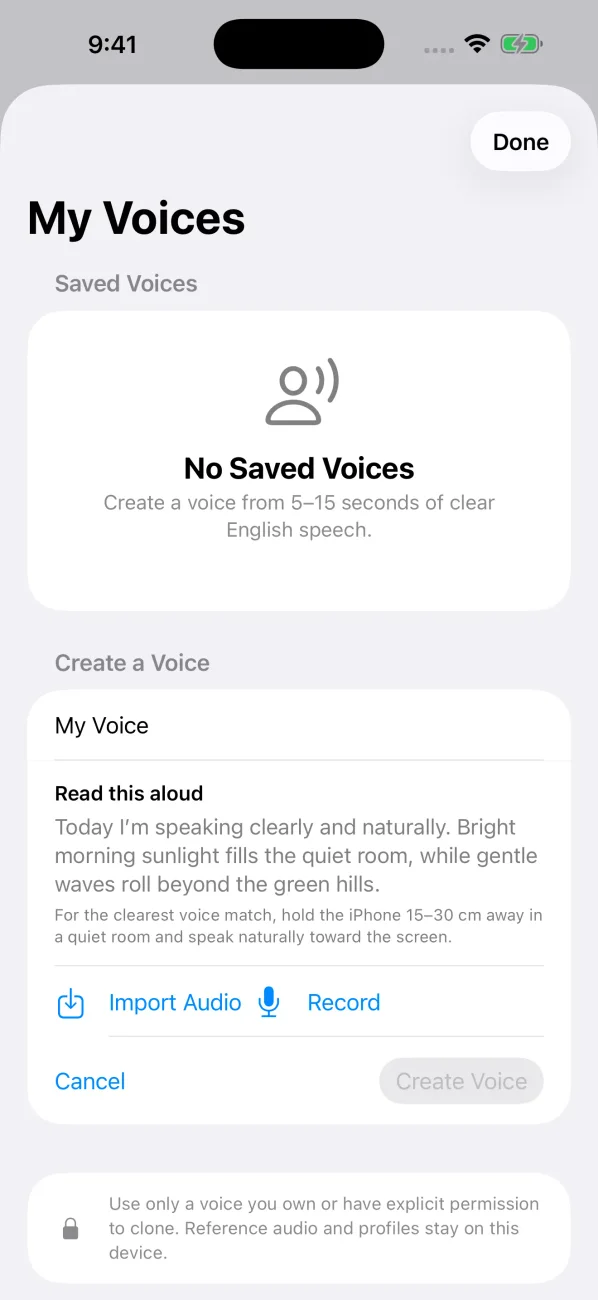
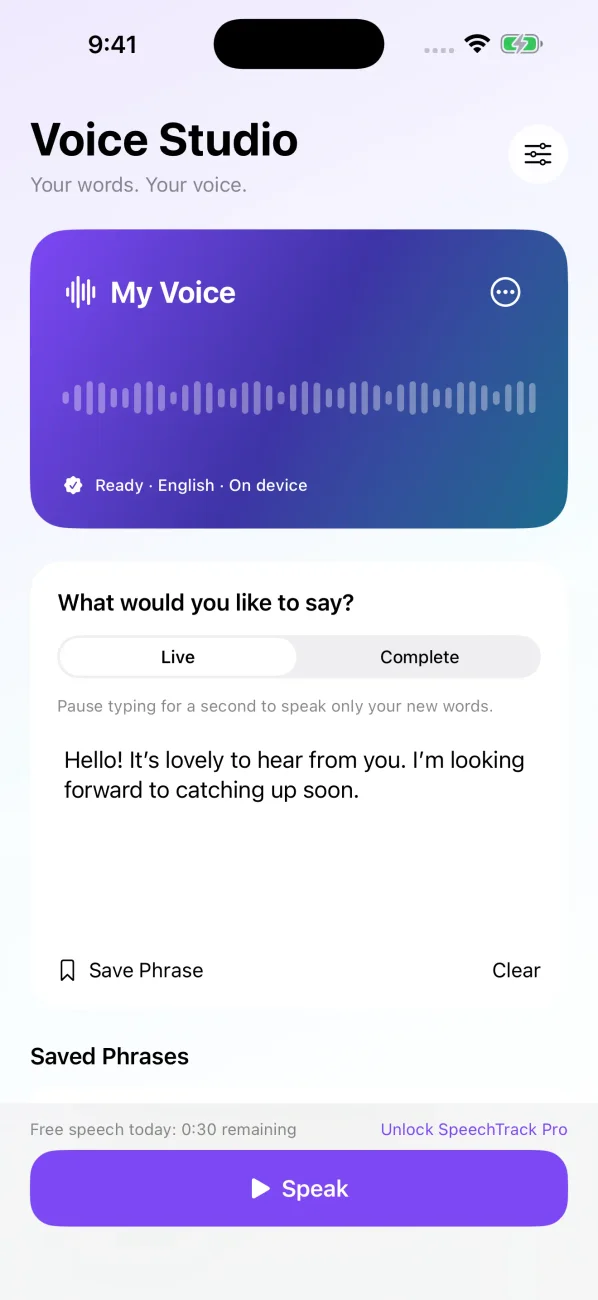
Use a 5–15 second clear English or Mandarin recording or imported audio file. In Live mode, new text speaks automatically after you pause typing. In Complete mode, prepare the whole message and speak when you are ready. Read Traditional or Simplified Chinese, including English words within Mandarin text. Save everyday phrases for reuse and choose from the same Voice Library as your projects. Studio remembers your selected voice; renames and reference updates apply everywhere. Voice samples, profiles, text, and generated audio stay on your device.
Free use includes one saved voice in the shared Voice Library and 30 seconds of generated Studio speech per day on each device, shared across Live and Complete. Voice setup and editing remain free, and time resets at local midnight. SpeechTrack Pro Lifetime removes the daily Studio speech limit and saved-voice limit for existing and new Pro customers.
TIMED NARRATION
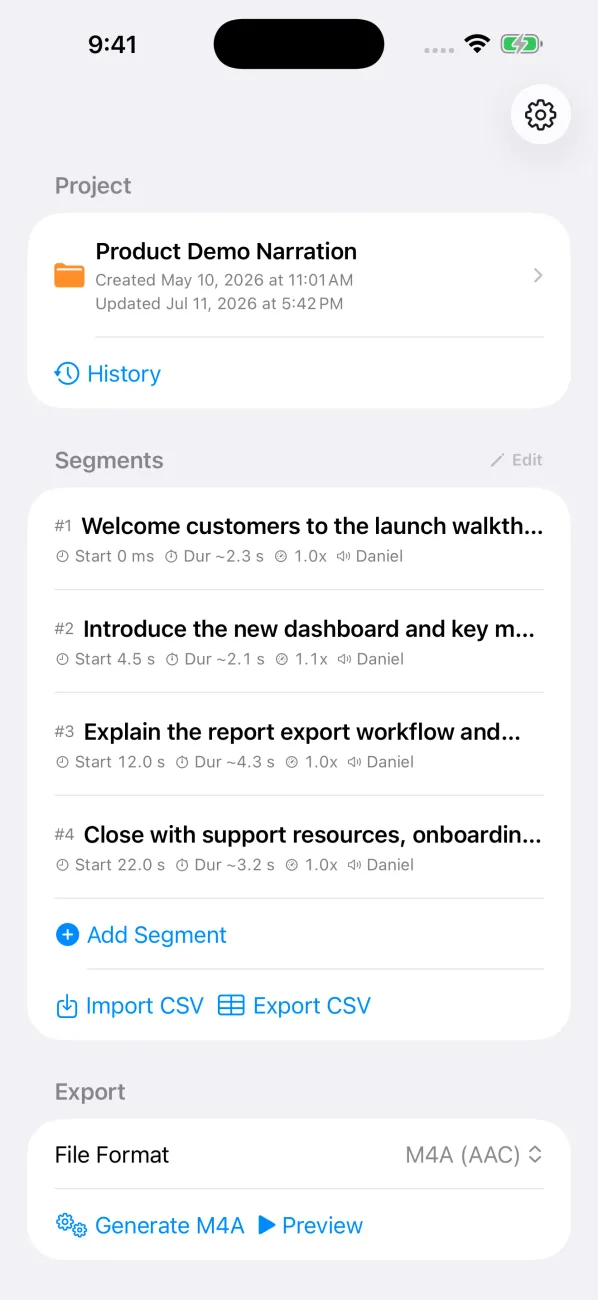
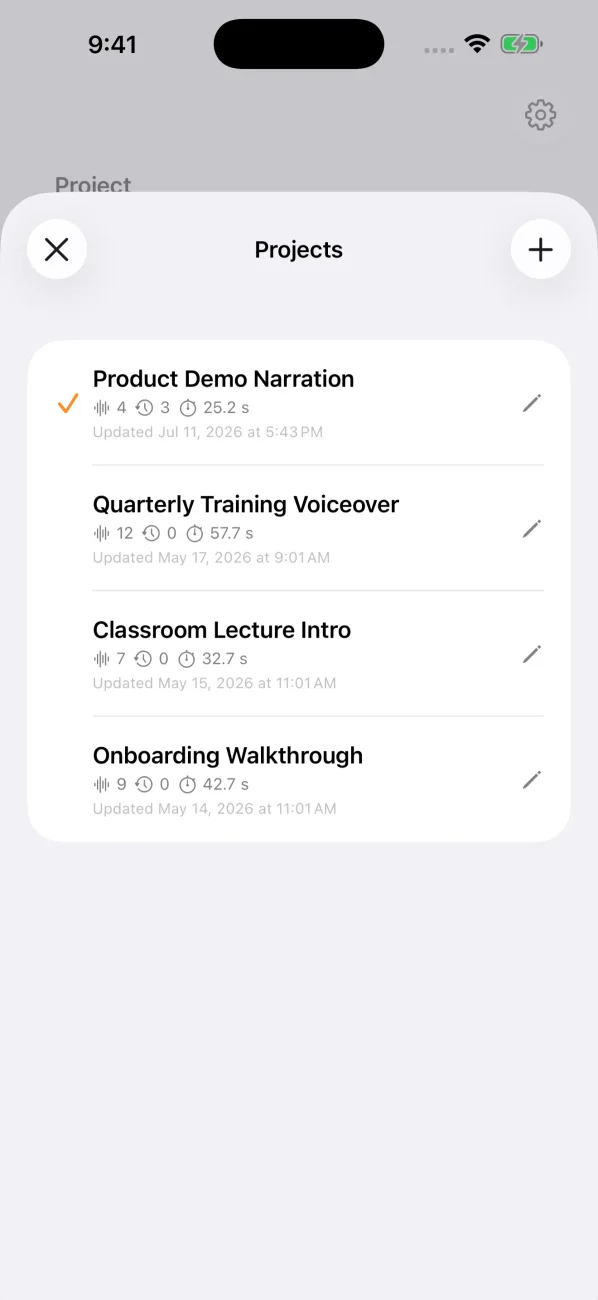
Write a script, place each segment on an exact timeline, choose a local Apple system voice or a voice you created, then preview or export the result. It is made for presentation rehearsals, product demos, training, classroom lectures, onboarding, and repeatable narration.
For project narration, free use lets you keep one cloned voice and create previews or exports with up to 30 seconds of estimated speech. Apple system and cloned voices both count; timeline silence does not. SpeechTrack Pro Lifetime removes both project limits.
FEATURES
• Live type-to-speech after a short typing pause
• Complete mode for full messages
• Reusable saved phrases
• On-device English and Mandarin voice creation from a short recording or audio file
• Local Apple system voices and adjustable speech speed
• Exact start times, with optional leading and trailing silence
• M4A, WAV, or AIFF export when supported by the device
• CSV import and export for spreadsheet workflows
• Saved project versions before you retime or rewrite
• Control whether overlapping segments mix or move into sequence
SpeechTrack works without an account or cloud voice service. Only create or copy a voice you own or have explicit permission to use.
What’s new
Version 2.4 · Oct 26, 2026
Version 2.4 brings Mandarin speech and a shared voice library:
• Create a voice that speaks English and Mandarin from 5–15 seconds of clear audio you own or have permission to use.
• Read Traditional or Simplified Chinese, with English words handled automatically within Mandarin text.
• Use the same saved voices in Voice Studio, projects, and the Mac command line. Existing Studio voices move into the shared library when you upgrade, and Studio remembers your selected voice across launches.
• Rename a voice or replace its reference recording once and use the update everywhere. Short voice IDs and origin labels make saved voices easier to identify.
• Confirm the voice consent and responsible-use declaration once per app session, with the option to review it at any time.
• On Mac, the command line can continue using available saved voices even if an older Studio voice cannot be restored.
Voice samples, profiles, text, and generated audio stay on your device.
App privacy
What Wing Shun Vincent Chu declares on the App Store about how this app handles data.
-
Data not collected
The developer does not collect any data from this app.
Privacy practices may vary, for example with the features you use or your age.
Information
- Seller
- Wing Shun Vincent Chu
- Category
- Productivity
- Version
- 2.4
- Updated
- Oct 26, 2026
- Released
- May 18, 2026
- Size
- 412.7 MB
- Requires
- iOS 17.0 or later
- Age rating
- 4+
- In-app purchases
- Yes
- Languages
- Simplified Chinese, Traditional Chinese, French, English, Japanese
- Copyright
- © Vincent Chu
You might also like
-
 ATCutter: Audio EditorCut recordings by editing text
-
 Commuter CalculatorTravel Cost Calculator
-
 md Viewer: Markdown & MermaidFaithful reports, offline
-
 Codictate: AI DictationPrivate Offline AI dictation
-
 DailyNodesGoal tracking, with Nodes!
-
 Free Time: Dopamine DetoxApp Blocker for Mindful Focus
-
 Focus Candle: App BlockerPomodoro Timer, ADHD Planner
-
 Pikko: ADHD & Energy PlannerSmart Focus & Flexible Tasks
-
 Donera: Screen Time ControlBeat Procrastination, Gently
-
 HabitMkr: Habit TrackerBuild better routines