
Speed Reader: Read Faster
RSVP - read any text
Designed for iPhone, iPad
Free · In-app purchases
- Age rating12+
- CategoryProductivity
- DeveloperNiklas Baudy
- LanguagesEnglish+ 28 more
- Size92.5 MB
Links to the official App Store page
Download.org hosts no file of Speed Reader: Read Faster. The button opens its official App Store page, published by Niklas Baudy. Listing last checked on Nov 20, 2026.
Screenshots

About
Read faster without turning reading into a game.
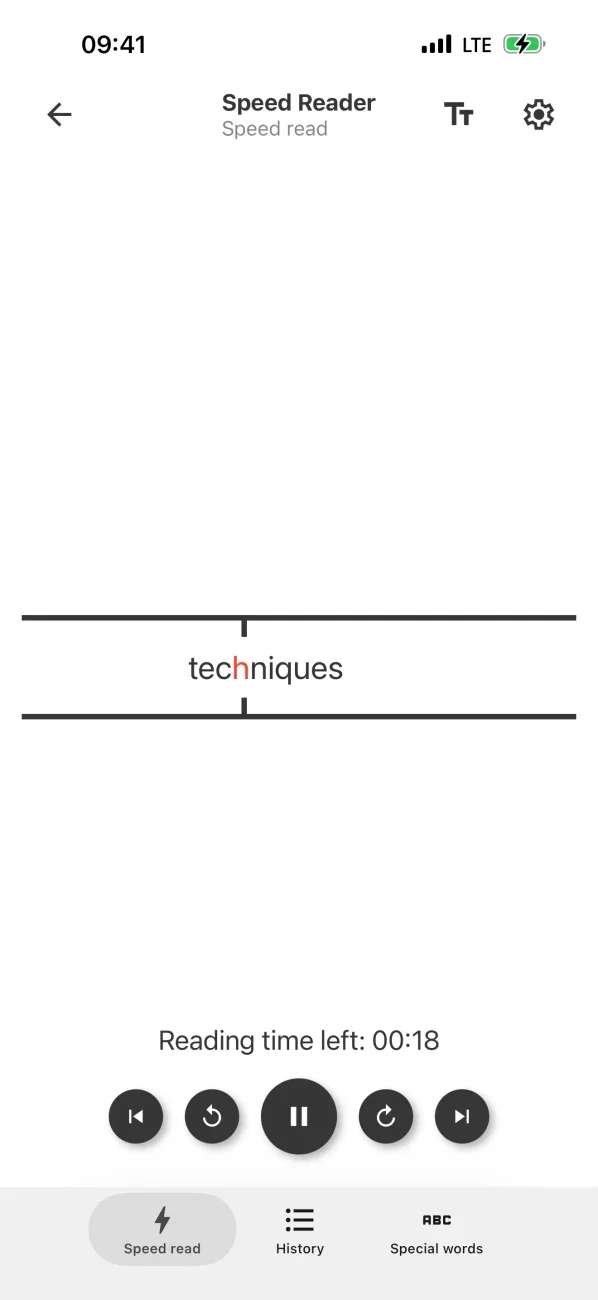
Speed Reader is a speed reading app that shows text one word at a time using RSVP and Spritz-style speed reading. Your eyes stay still. You start around 300 words per minute and can work up to 750 WPM or more when the pace feels right.
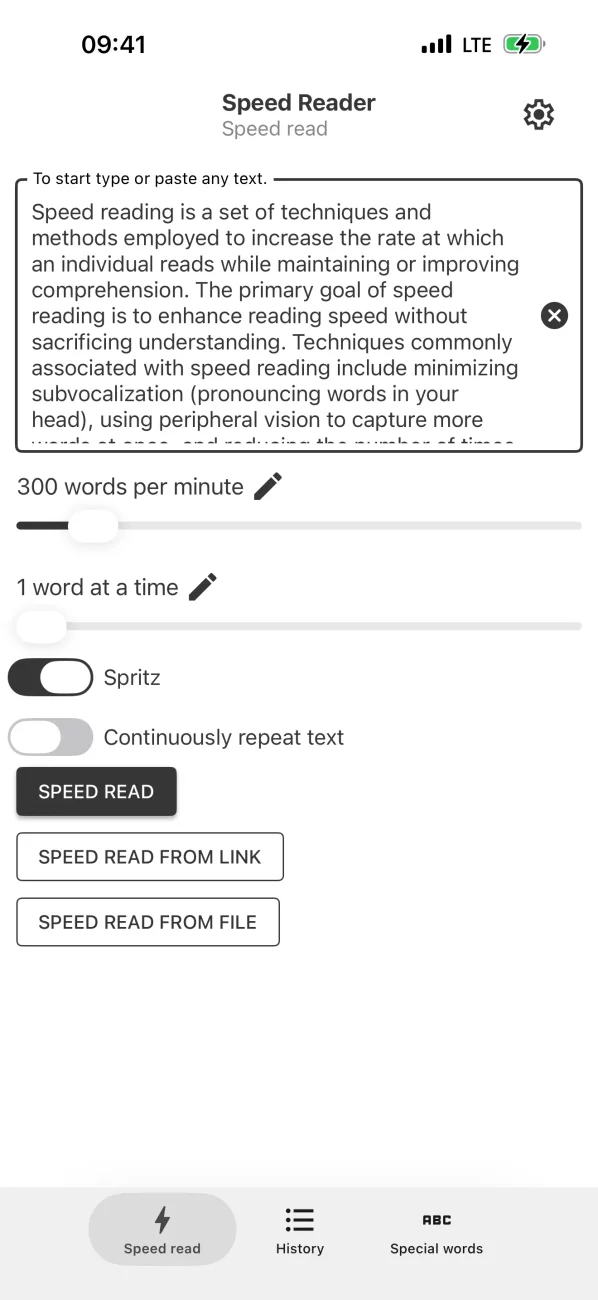
How it works: Paste text, share an article from another app, grab what’s on your clipboard, or paste a website link and the app will try to extract the article for you. Hit play. Words appear in a fixed spot so you spend less time scanning a page and more time actually reading.
Use it for:
• Articles and news you would otherwise skim on your phone
• Study texts and long assignments
• Emails, notes, and anything you can share or paste
• Full web pages, when you only have the link
• Your own writing, when you want to hear the rhythm at speed
Special words:
Speed reading should match how you read, not the other way around. Add any word or character as a special word — a period, a name, a heading — and decide what happens when it appears:
• Extra delay, so the end of a sentence actually lands
• Split the text there
• Stop the reading
Add as many special words as you want and tune each one. That is how you keep 750 WPM from turning into a blur.
Features:
• Adjustable words per minute
• Spritz speed reading with an optional focus point
• Speed reading lines for visual support
• 1 to 10 words on screen at once
• Pause whenever you need to stop
• Write or paste your own text
• Share text from other apps and start reading immediately
• Read from the clipboard
• Paste a link and extract the page to speed read
• Special words with delay, split, or stop
• Light and dark themes
This is not a course and not a book library. It is a fast reader for text you already have — in the app, from share, from the clipboard, or from a URL. The more you use Speed Reader, the easier higher WPM feels.
Try it when you want a speed reading app that reads your pages, not just a demo paragraph.
https://vanniktech.de/SpeedReading/privacy_policy.html
https://www.apple.com/legal/internet-services/itunes/dev/stdeula/
What’s new
Version 1.4.4 · Nov 18, 2026
Bug fixes.
Speed Reader still lets you:
• Paste text or a link and extract the article
• Share text from other apps and start RSVP immediately
• Set WPM (start around 300, work up to 750+)
• Add special words (like ".") to delay, split, or stop
• Read 1–10 words at a time, with pause, Spritz, and dark mode
Read faster on your phone — articles, study text, clipboard, or a URL.
App privacy
What Niklas Baudy declares on the App Store about how this app handles data.
-
Data used to track you
May be used to track you across apps and websites owned by other companies.
- Usage data
-
Data not linked to you
May be collected but is not linked to your identity.
- Identifiers
- Usage data
- Diagnostics
Privacy practices may vary, for example with the features you use or your age.
Information
- Seller
- Niklas Baudy
- Category
- Productivity
- Version
- 1.4.4
- Updated
- Nov 18, 2026
- Released
- Apr 18, 2023
- Size
- 92.5 MB
- Requires
- iOS 16.0 or later
- Age rating
- 12+
- Price
- Free
- In-app purchases
- Yes
- Languages
- English, Arabic, Bulgarian, Czech, Danish, Dutch, Estonian, Finnish, French, German, Greek, Hebrew + 17 more
- Copyright
- © 2026 - Niklas Baudy
You might also like
-
 Speed Reading UpReadRead Faster Books & Articles
-
 Text to Speech ePub PDF: StageOffline Read Aloud, Speed Read
-
 Handy Reader - Speed ReadingRead Books Text Article Faster
-
 RR - RapidReadsRead one word at a time
-
 Flash Reader: Speed ReadingRead 2x faster with RSVP focus
-
 Speedy Reader - RSVPRead faster with RSVP
-
 Spreeder - Speed ReaderFaster reading & brain trainer
-
 FocalRead: Speed ReadingFast EPUB & eBook reader
-
 Focus: Read BetterBetter Reading Experience
-
 iReadr — Speed ReaderRead Faster: Books, PDF & Web