- Age rating4+
- CategorySports
- DeveloperDominik Reichert
- LanguagesEnglish+ 4 more
- Size7.0 MB
Links to the official App Store page
Download.org hosts no file of SpeedBox Performance Tracking. The button opens its official App Store page, published by Dominik Reichert. Listing last checked on Nov 7, 2026.
Screenshots


About
How fast is your car, really? SpeedBox times acceleration runs like 0–60 mph or the quarter mile, automatically via GPS and with nothing but your iPhone.
Tap start, drive off, done: Timing begins on its own as soon as you pull away and stops at the finish. No stopwatch, no passenger needed. You keep your full attention on driving.
WHAT YOU GET
• Hard numbers instead of gut feeling: real performance data for your car
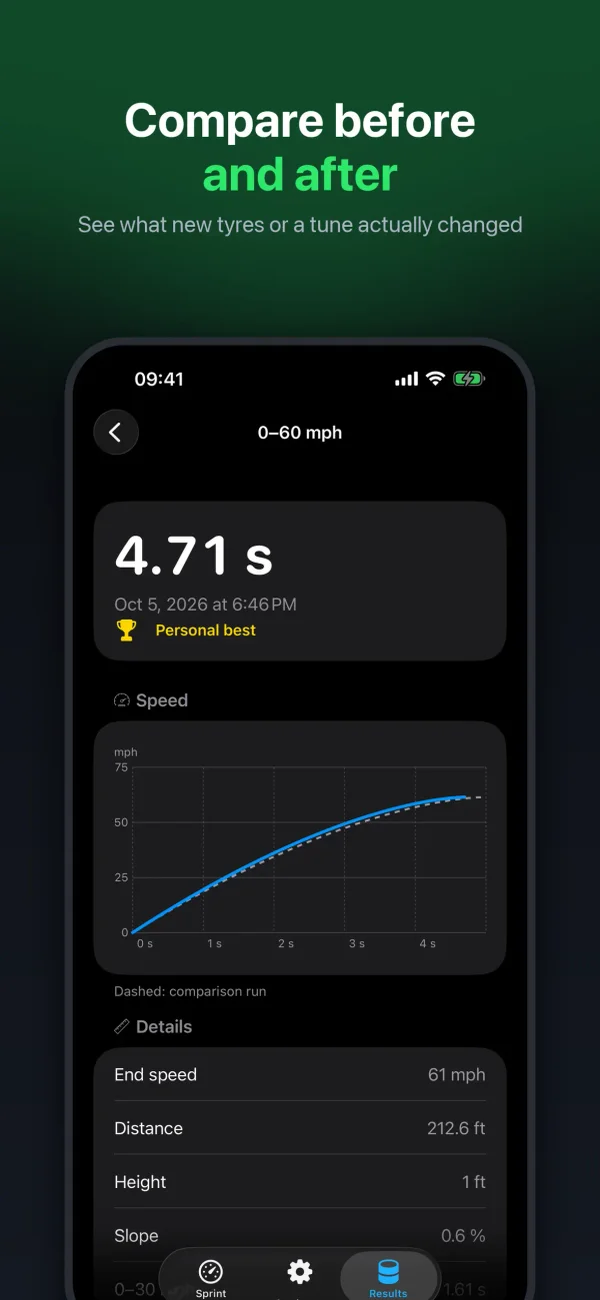
• Compare before and after, following a tune, new tyres or a software update
• Several runs back to back without resetting anything, ideal for track days and club racing
• Every result saved, with date, distance, elevation change and slope
• Compete with drivers worldwide: your best times go to the Game Center leaderboards
• A fraction of the price of professional GPS timing devices
NEW IN VERSION 3
• New measuring screen with a large gauge, easy to read in a mount, in landscape too
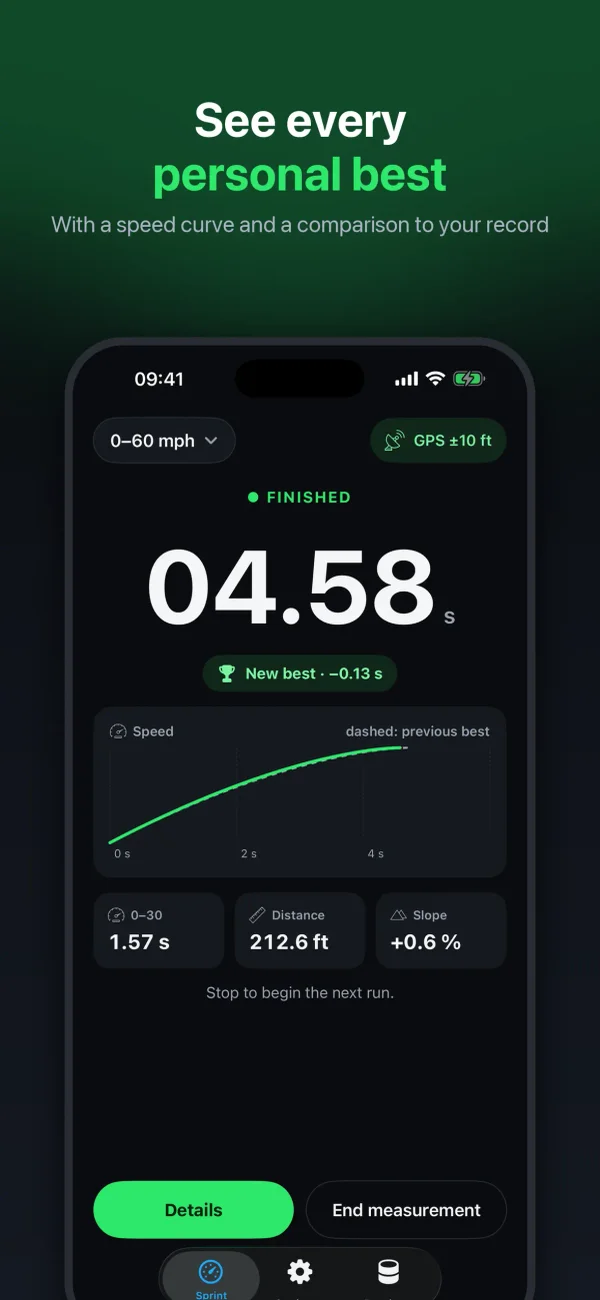
• Live comparison: while you drive, you see whether you're ahead of or behind your personal best
• A speed curve for every run, and two runs side by side
• Your route on a map
• More times from every run, such as 0–30 mph or the 1/8 mile, plus acceleration in g if you want it
• Video with your numbers: every run is saved to Photos as a clip with speed, time and result
• Weather for every run: temperature, air pressure and density altitude
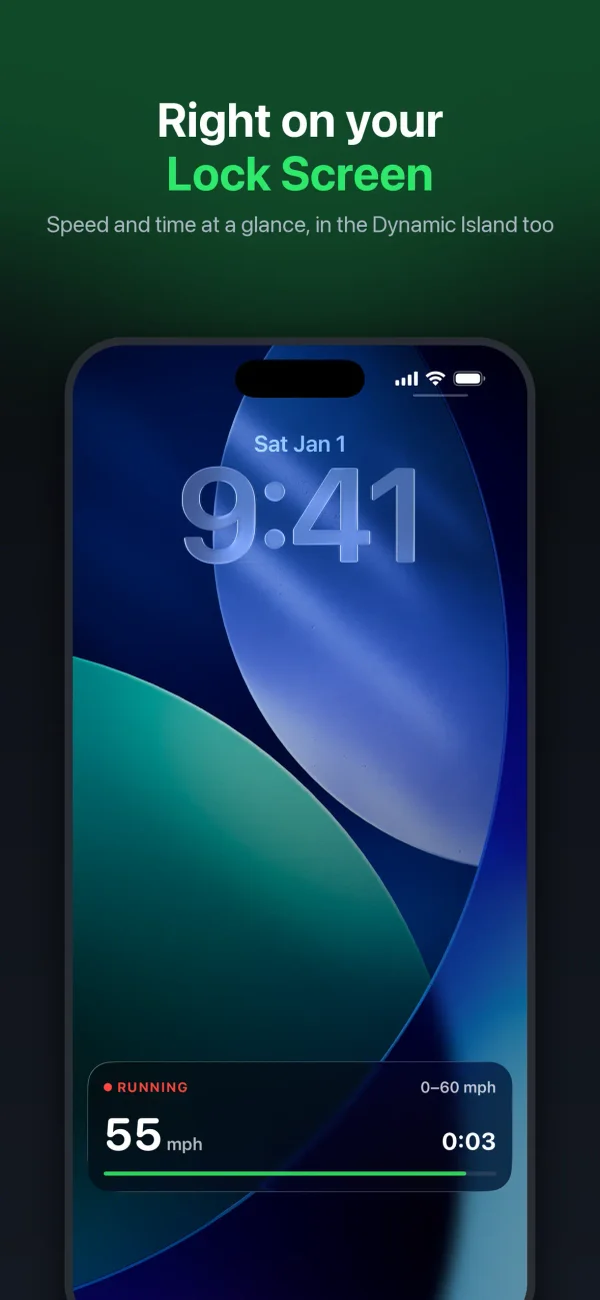
• Speed and time on the Lock Screen, in the Dynamic Island and in CarPlay
MEASUREMENTS
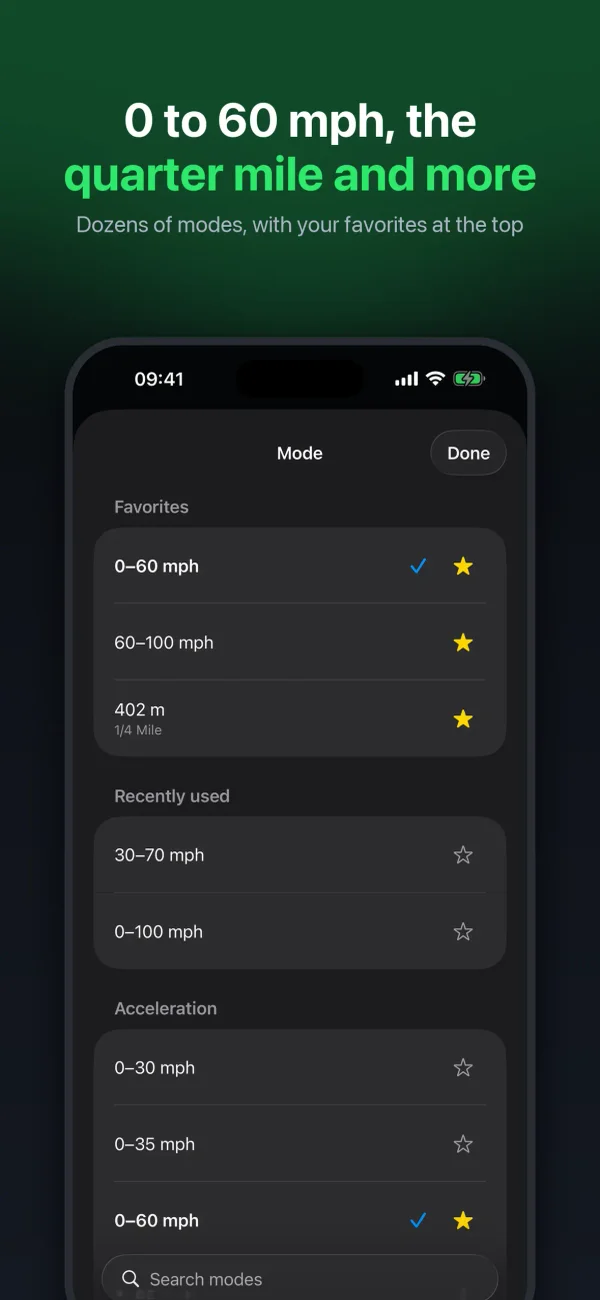
• The classics: 0–60 mph, 30–70 mph, 60–100 mph, 0–100 km/h and many more
• Distances: 150 m, 1/8 mile, quarter mile, 1/2 mile and 1 mile
• Special modes: drag race, Rolling 50 and top speed
• Choose mph or km/h
• Favorites and recently used modes always at hand
COMFORT
• Start countdown and sound signals at the start and finish
• Two designs: Track (dark, for your mount) and Classic (light)
• Slope compensation: fair, comparable results even uphill or downhill
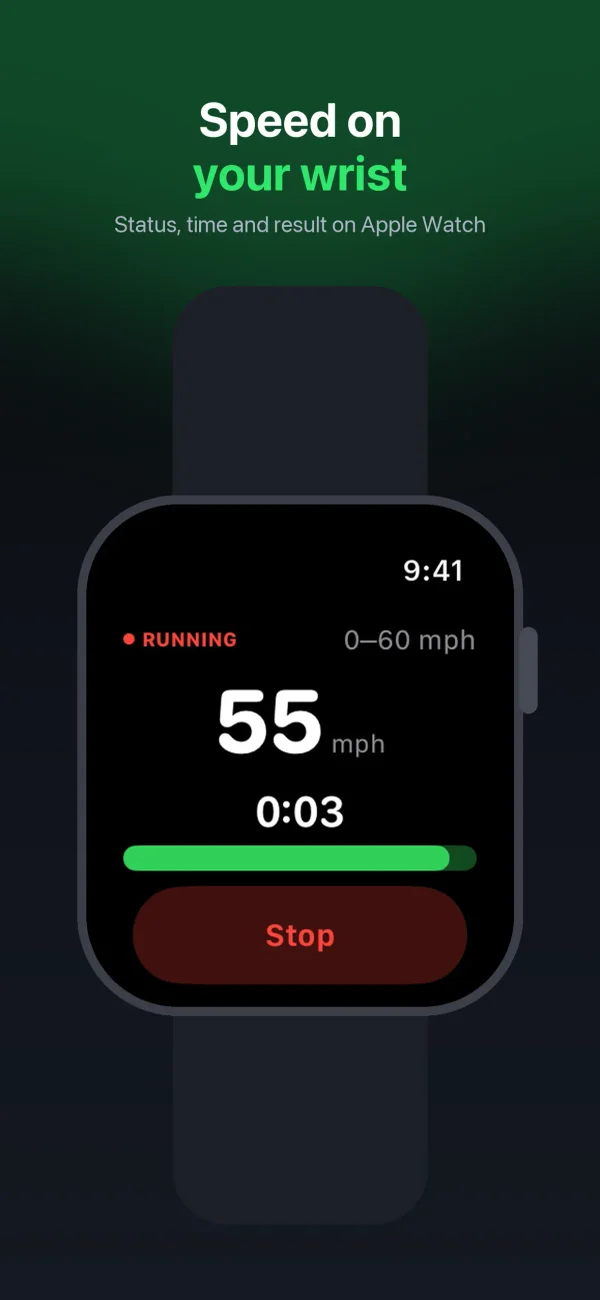
• Apple Watch: status, speed, time and result at a glance, start and stop timing right from your wrist
• Adapts automatically to your iPhone's light or dark appearance
• VoiceOver announces the start and the result
EVEN MORE PRECISE
An external 10 Hz Bluetooth GPS receiver makes timing considerably more accurate. SpeedBox supports the XGPS160.
HOW IT WORKS
1. Check GPS reception (top right, e.g. "GPS ±16 ft")
2. Choose a mode at the top left, e.g. 0–60 mph
3. Tap "Start measurement"
4. Drive off, SpeedBox times you automatically
Questions, ideas or requests for more modes? Write to support@speedboxapp.de or visit us on Instagram: @speedboxapp
Please don't use this app on public roads, only on closed race tracks!
Note: Continued use of GPS running in the background can dramatically decrease battery life.
What’s new
Version 3.0.1 · Oct 14, 2026
SpeedBox 3.0 has been rebuilt from the ground up: clearer, more precise and full of features you asked for.
New measuring screen
A large gauge that is easy to read in a mount, in landscape too. While you drive, you see whether you are ahead of or behind your personal best.
Results with every detail
Personal bests for each mode, a speed curve, side-by-side comparison and your route on a map. Plus more times from every run, such as 0–30 mph or the 1/8 mile, and acceleration in g if you want it.
Video with your numbers
Turn on video recording and every run is saved to Photos as a clip with speed, time and result.
Weather for every run
Temperature, air pressure and density altitude are saved with each run, so you can see why your car is quicker on some days.
Lock Screen, Dynamic Island and CarPlay
Keep speed and time in view even with another app open. Apple Watch shows status and result.
Also new
New modes such as 30–50 mph, 60–120 mph and 60–130 mph. Your existing results are kept.
Please only measure on closed roads or a race track.
App privacy
What Dominik Reichert declares on the App Store about how this app handles data.
-
Data not collected
The developer does not collect any data from this app.
Privacy practices may vary, for example with the features you use or your age.
Information
- Seller
- Dominik Reichert
- Category
- Sports
- Version
- 3.0.1
- Updated
- Oct 14, 2026
- Released
- Oct 16, 2015
- Size
- 7.0 MB
- Requires
- iOS 16.0 or later
- Age rating
- 4+
- Price
- $1.99
- Languages
- English, French, German, Portuguese, Spanish
- Copyright
- © Dominik Reichert
You might also like
-
 UpMeterSports
-
 The SmartHunterUsing AI to hunt smarter
-
 Harry's DynoSports
-
 The Sports Logsports diary
-
 Speedy - Drag TimerTime your 0-60 and 1/4 mile
-
 Mini-Golf Score Card - GolfieTrack Game Scores With Friends
-
 Russellville CCDover, Arkansas
-
 Lap Legend - GPS Timing & DataGPS + OBD + Video + Analysis
-
 Boost BuddyControl & Optimize Your Tuning
-
 RedPed 2 - E-Bike Tuning AppFür RedPed Tuning Module