
GPS Speedometer & Trip Log
Odometer, HUD, 3D Route Replay
Designed for iPhone
Free · In-app purchases
- Age rating4+
- CategoryNavigation
- Developer永刚 陈
- LanguagesEnglish+ 5 more
- Size14.0 MB
Links to the official App Store page
Download.org hosts no file of GPS Speedometer & Trip Log. The button opens its official App Store page, published by 永刚 陈. Listing last checked on Nov 25, 2026.
Screenshots

About
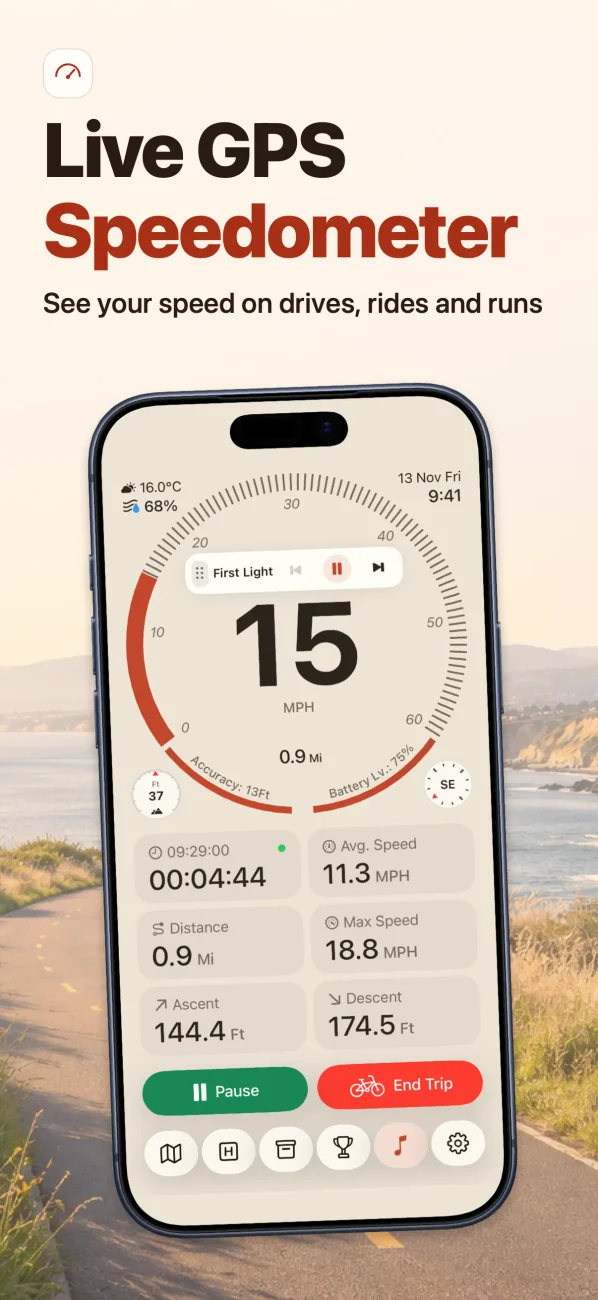
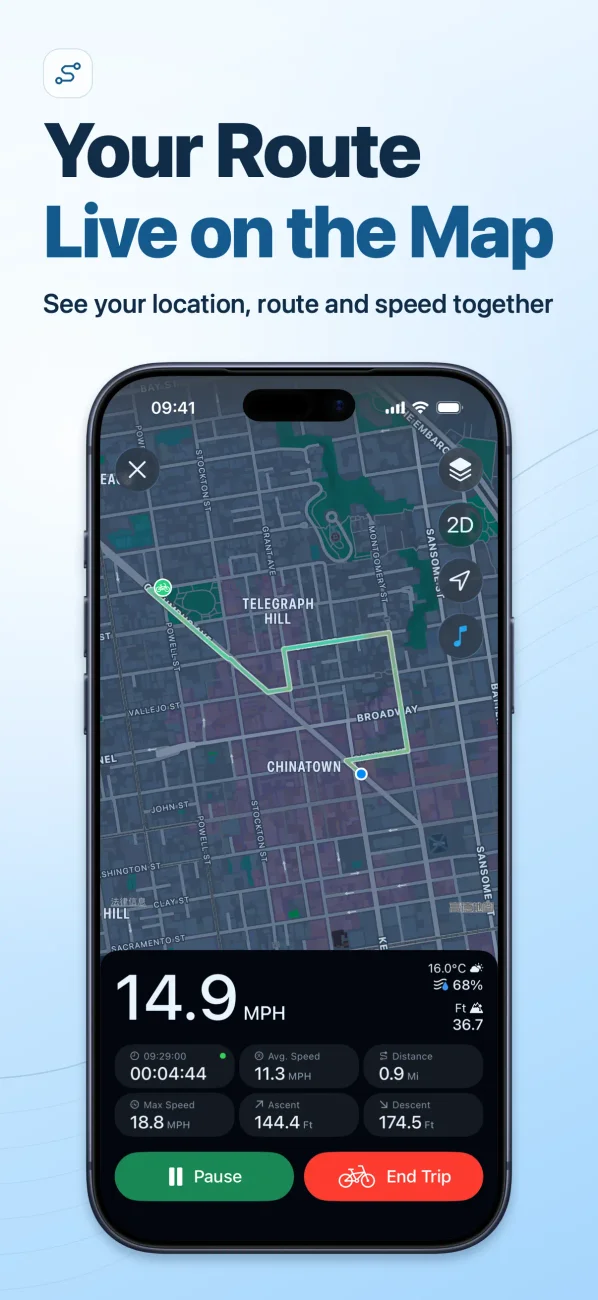
Turn your iPhone into a GPS speedometer and trip log. See your speed and distance as you move, record your route, and replay it in 3D when the trip is over.
APPLE WATCH WORKOUTS
Start an outdoor walk, run, or ride from your wrist. See your speed, pace, distance, route, and heart rate when available. Saved workouts sync to your iPhone trip history. You can also view an active iPhone trip on your Apple Watch.
LIVE SPEED & HUD
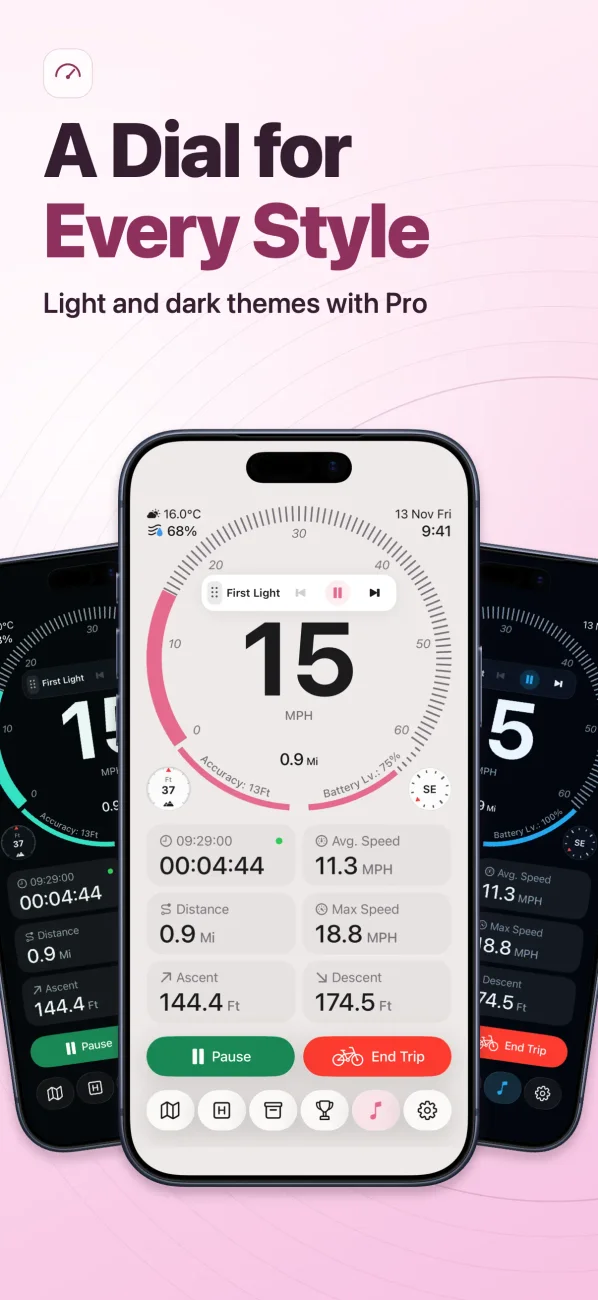
Read current, average, and top speed in mph, km/h, or knots. Switch to a large landscape HUD with an optional mirrored display for windshield reflection. Check altitude and compass heading, and open weather details such as wind and humidity when available. Pro lets you change gauge themes, set a speed threshold for alerts, and see hourly forecasts when available.
TRIP LOG & 3D REPLAY
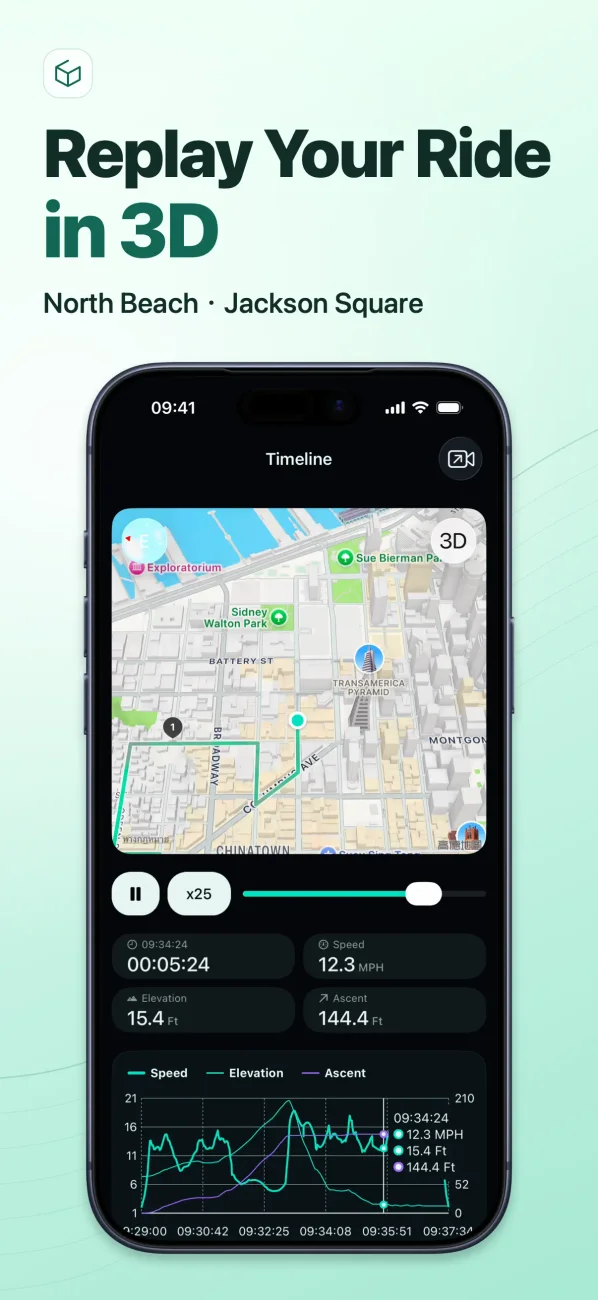
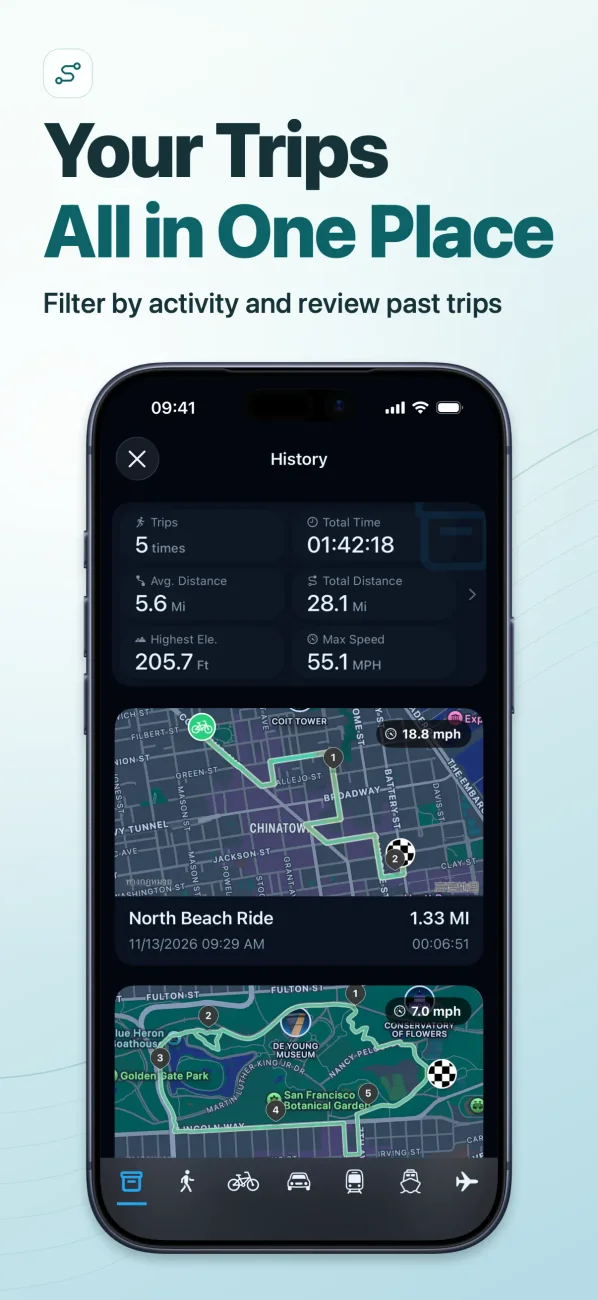
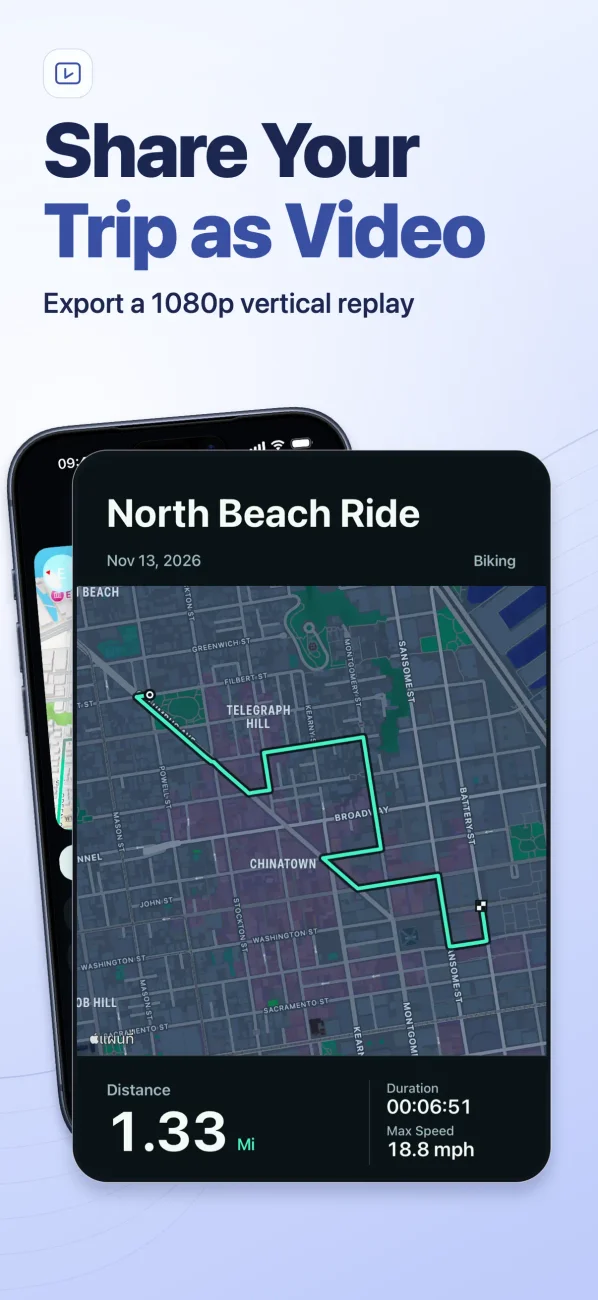
Choose from six modes: walk or run, bike, drive, train, boat, or fly. Track distance, elapsed time, and your route. Open a saved trip to review the map and speed or elevation charts, replay the route in 3D, or export it as a GPX file or route video. The walk/run mode also shows pace. With Pro, you can save unlimited trips and sync them through iCloud.
LOCK SCREEN & TRIP MUSIC
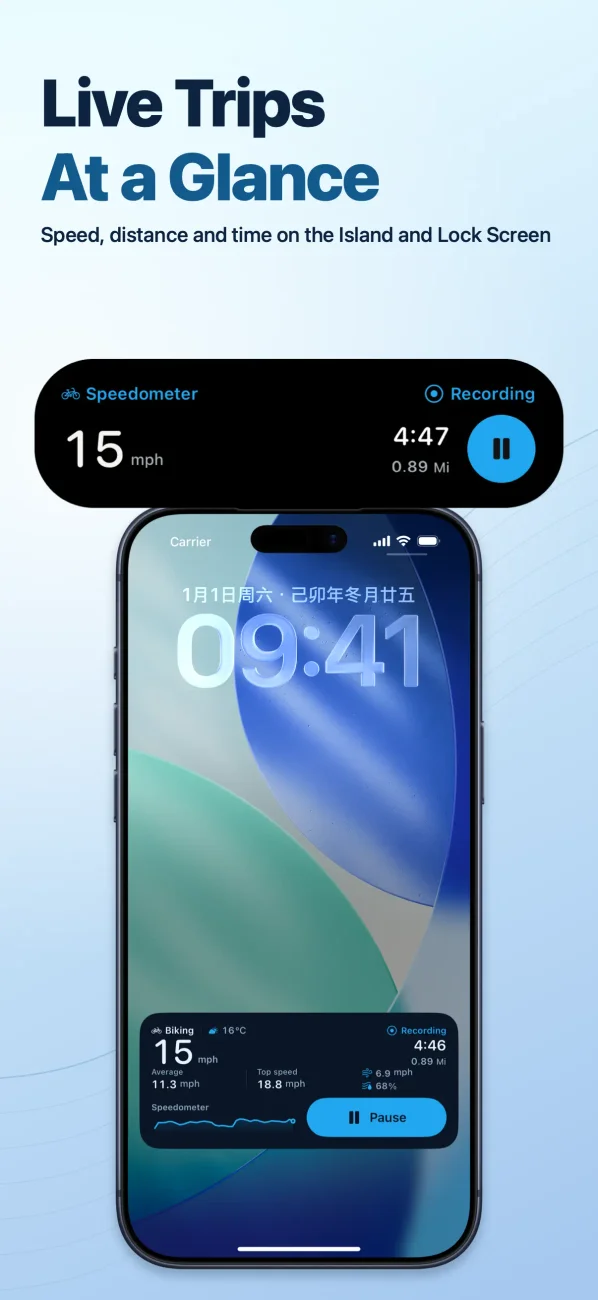
Follow a trip with Live Activities on the Lock Screen or Dynamic Island on supported devices. Choose a Simple, Detailed, or Health layout, or turn it off. Add Lock Screen or Home Screen widgets for a trip summary or quick access to the app. Use the draggable in-app music controls with songs and playlists from your music library or make your own collections. The interactive music widget requires iOS 17 or later.
OPTIONAL HEALTH DATA
With permission, walking and running can show steps. Walking, running, and cycling can show heart rate and active energy when samples are available. Health data read for trips stays on the device and is excluded from iCloud trip sync.
GPS speed and route recording require location access. Readings vary with signal and surroundings. Set up the app while parked.
Terms of Use: http://cpux.gmud.top/web/gpsfit/termsofservice.html
Privacy Policy: http://cpux.gmud.top/web/gpsfit/privacypolicy.html
Support: commonemails@163.com
What’s new
Version 1.3.3 · Nov 23, 2026
New on Apple Watch: track outdoor walks, runs, and rides from your wrist. Check your route and live readings during a workout, then find it in History on your iPhone.
• View an active iPhone trip on your Apple Watch.
• Turn on Workout Sounds for the countdown, start, pause, resume, and finish.
• Switch between 2D and 3D more clearly on the map, and share your trips using refined video templates.
App privacy
What 永刚 陈 declares on the App Store about how this app handles data.
-
Data not linked to you
May be collected but is not linked to your identity.
- Identifiers
Privacy practices may vary, for example with the features you use or your age.
Information
- Seller
- 永刚 陈
- Category
- Navigation
- Version
- 1.3.3
- Updated
- Nov 23, 2026
- Released
- Jun 3, 2024
- Size
- 14.0 MB
- Requires
- iOS 16.0 or later
- Age rating
- 4+
- Price
- Free
- In-app purchases
- Yes
- Languages
- English, Japanese, Russian, Simplified Chinese, Spanish, Thai
- Copyright
- © GPSFit
You might also like
-
 SpeedTracker - GPS SpeedometerGPS Speed HUD Trip Log Dash
-
 GPS Speedometer HUD & OdometerTrack Speed, Distance & HUD
-
 GeoLogger - GPS SpeedometerTrack Speed, Distance & Time
-
 Speedometer GPS & CompassSpeed,Map&Route-Record Trips
-
 Fast Meter - GPS SpeedometerReal-Time GPS Speedometer
-
 Offline Map: GPS Route TrackerHike, Drive & Trail Recorder
-
 Speedometer: Speed Tracker ProDigital Mph Meter & Odometer
-
 GPS Speedometer: Trip TrackerCar & Bike Speed Tracker
-
 GPS Speedmeter mph kmhSpeed Limit, Weather, HUD
-
 GPS Speedometer - Track SpeedGPS Digital Analog Speedometer