
Speedy Note Editor / iNote
Copy & Paste / Passcode
Designed for iPhone, iPad, iPod touch
Free · In-app purchases
- Age rating17+
- CategoryProductivity
- DeveloperKoichiro Umemiya
- LanguagesEnglish+ 15 more
- Size42.9 MB
Links to the official App Store page
Download.org hosts no file of Speedy Note Editor / iNote. The button opens its official App Store page, published by Koichiro Umemiya. Listing last checked on Nov 18, 2026.
Screenshots


About
Overview
iNote is a fast, folder-organized notepad app built for people who write quickly and manage a lot of notes.
It was born from real frustrations: "I want to batch-replace a word across multiple notes" and "I just want to open the app and start typing immediately."
Great for:
- Anyone who needs to edit many notes at once (batch find & replace)
- Anyone who copies, pastes, and duplicates notes often
- Anyone who wants notes organized into folders (binders)
- Anyone who wants full control over their data (plain text files)
Features
- Batch text find & replace
- Easy copy, paste, and duplicate
- Organize notes into folders (binders)
- All data saved as plain text (.txt), viewable directly in the Files app
- Built-in browser
- Passcode lock
We're keeping iNote simple while continuously adding the small conveniences that make note-taking faster.
What’s new
Version 1.6 · Oct 23, 2026
- Redesigned the Settings screen: items are organized and searchable (you can switch back to the previous design at the bottom of Settings).
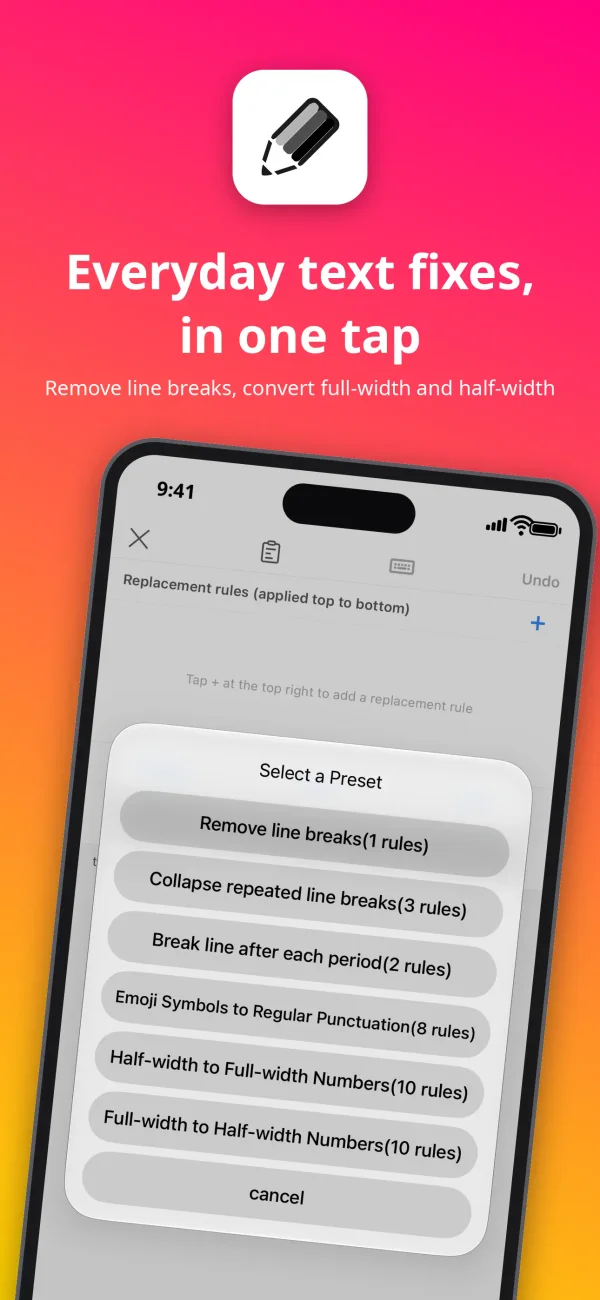
- Rebuilt the batch replace screen: line up replacement rules and apply them all at once from top to bottom, and see how many matches will be replaced before you run it. It also supports saving and loading your favorite rules, presets such as removing line breaks or converting full-width and half-width characters, applying a saved set to multiple notes at once, and undoing as many steps as you need.
- Added the ability to share a note as a file (AirDrop, email attachment, etc.).
- Added a pin feature to keep frequently used notes at the top of the list.
- Deleting a note now moves it to Trash instead of deleting it permanently. You can restore it within 30 days.
- You can now adjust the font size from a slider in Settings, or with a pinch gesture inside the editor.
- Added a live character count while editing.
- Added a setting to always open links in the same tab instead of a new one (on by default).
- Fixed an issue where searching the folder list froze for a few seconds after every character typed.
- Fixed a crash that occurred immediately on launch when you had existing notes saved.
- Improved a memory-related crash that could occur when handling a large number of notes.
- Fixed display errors in English and some other languages.
App privacy
What Koichiro Umemiya declares on the App Store about how this app handles data.
-
Data used to track you
May be used to track you across apps and websites owned by other companies.
- Identifiers
-
Data not linked to you
May be collected but is not linked to your identity.
- Identifiers
Privacy practices may vary, for example with the features you use or your age.
Information
- Seller
- Koichiro Umemiya
- Category
- Productivity
- Version
- 1.6
- Updated
- Oct 23, 2026
- Released
- Aug 3, 2021
- Size
- 42.9 MB
- Requires
- iOS 15.0 or later
- Age rating
- 17+
- Price
- Free
- In-app purchases
- Yes
- Languages
- English, French, German, Indonesian, Japanese, Korean, Polish, Portuguese, Simplified Chinese, Spanish, Swedish, Thai + 4 more
- Copyright
- © 2021 umebo.net
You might also like
-
 シンプルなメモ帳 検索、置換、文字数カウントができるProductivity
-
 コピペメモワンタップでコピーができるシンプルなメモ帳
-
 Wrix 2 - Ultra Text EditorUltra-High-Function TextEditor
-
 Copi Note - Note & PasswordEasy Copy-Paste notepad
-
 Split NotesTabbed, Multi-Pane Text Editor
-
 すぐノート - ノート・メモ帳・日記Productivity
-
 Memo: copy & share templatesEasily copy & share templates
-
 CopyPasteClipEasy copy and paste tool
-
 CopyMemo - Text SnippetsCopy & Paste Saved Templates
-
 Memogram(メモグラム) コピーが簡単なメモ帳アプリProductivity