
SpellEasy
Home Spelling Practice & Games
Designed for iPhone, iPad
Free · In-app purchases
- Age rating4+
- CategoryEducation
- DeveloperYu Ngon Ng
- LanguagesEnglish+ 10 more
- Size4.0 MB
Links to the official App Store page
Download.org hosts no file of SpellEasy. The button opens its official App Store page, published by Yu Ngon Ng. Listing last checked on Nov 22, 2026.
Screenshots


About
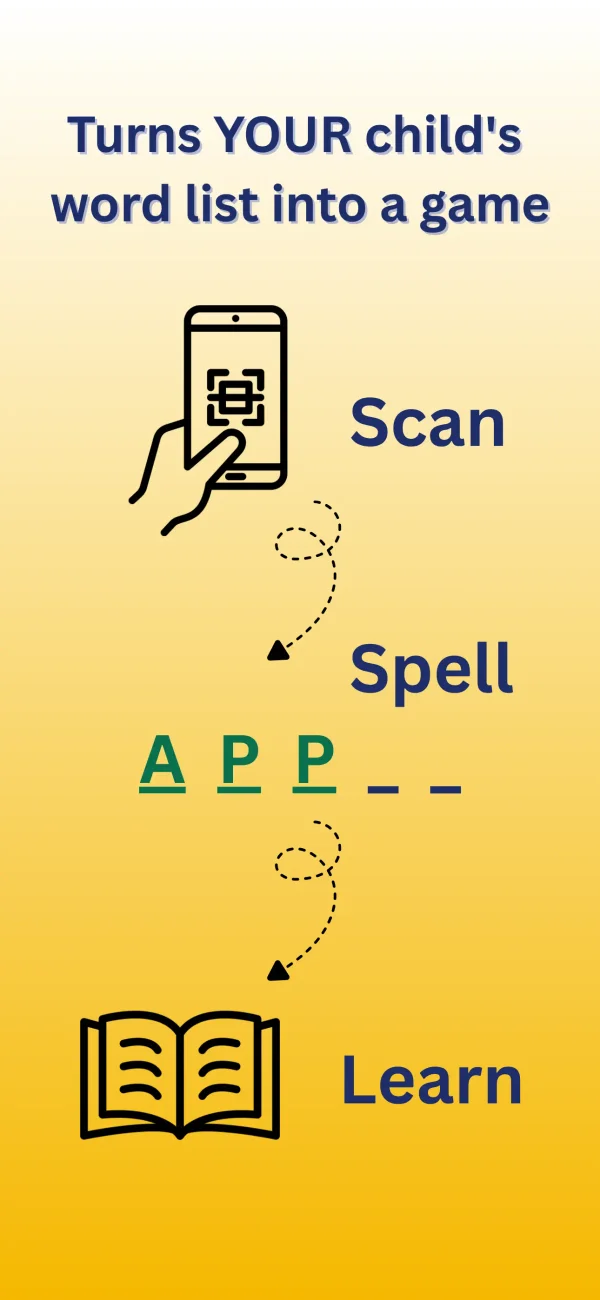
SpellEasy turns your child's school word list into a fun, interactive spelling game — no tutor needed.
Whether your child has a weekly spelling test or is preparing for Cambridge YLE exams, SpellEasy gives them the practice they need, at home, at their own pace.
HOW IT WORKS
1. Import your word list
- Type words one by one
- Paste a list of words
- Photograph a word list — SpellEasy reads it automatically with OCR
2. Study the words
Swipe through cards, hear each word pronounced clearly, and see translations and photos to build memory connections.
3. Spell it out
Tap letters to spell each word. Earn up to 3 stars per word. Hints and pronunciation replays keep kids confident without giving the answer away.
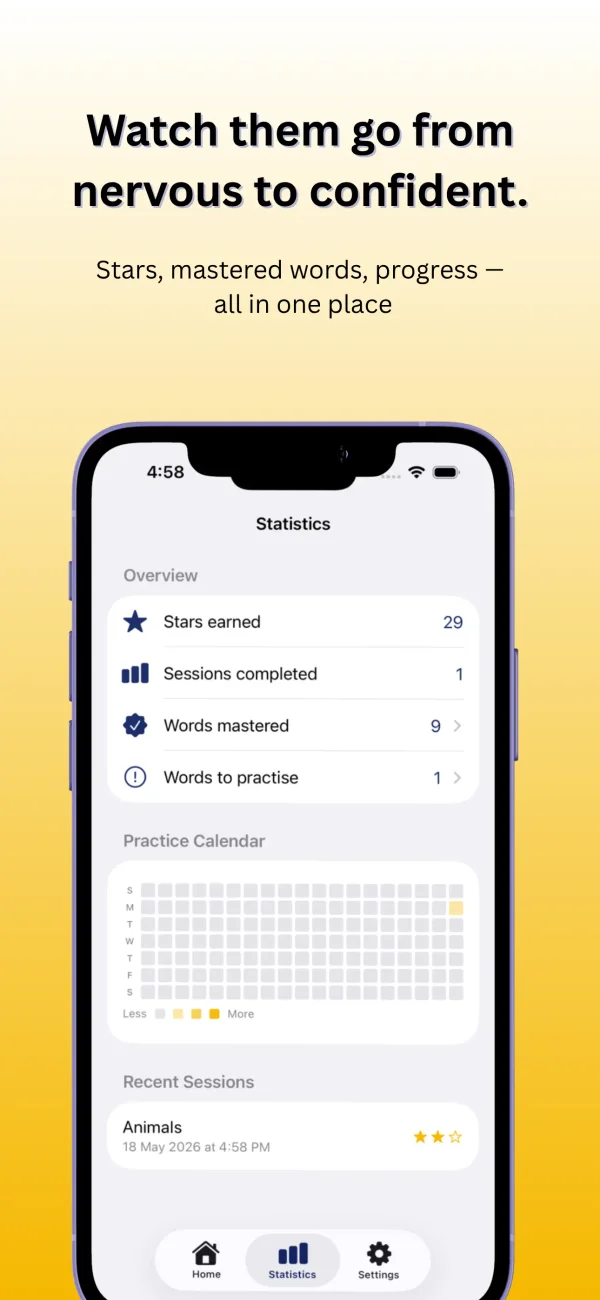
4. Track progress
Stars, mastered words, and a practice calendar — so you always know how your child is doing.
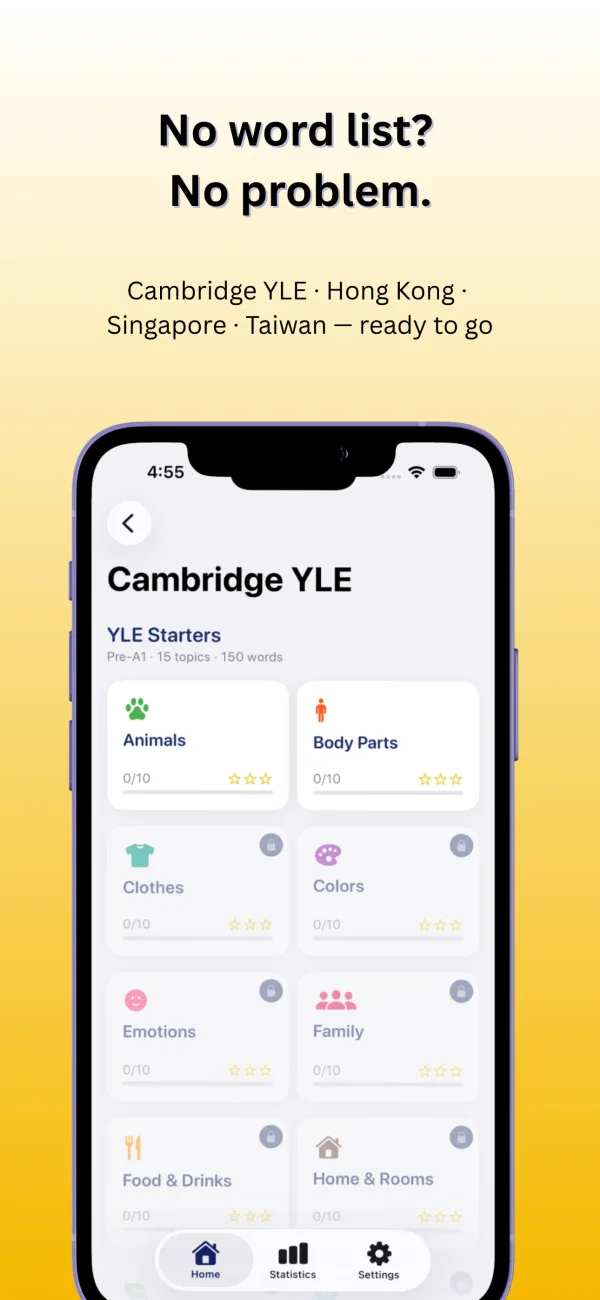
BUILT-IN WORD LISTS
Ready to practise without importing anything:
- Cambridge YLE: Starters, Movers, Flyers (750 words)
- Hong Kong Primary: K1 to P6 (800 words)
- Singapore Primary: MOE syllabus (800 words)
- Taiwan Elementary: MOE & GEPT Kids (800 words)
FEATURES
- Photo OCR: scan any word list from a textbook or worksheet
- Text-to-speech: hear words pronounced in clear, natural English
- Spelling hints: first letter, first & last, or all vowels revealed on demand
- Adjustable replays: hear the word 1x, 2x, 3x, or unlimited times
- Word images: visual clues to reinforce memory
- Stars & mastery: words marked mastered after a 3-star performance
- Practice calendar: track which days your child practised
- Save & resume: pause mid-session and continue later
- Categories: organise lists by subject, unit, or term
- No account needed: everything stays on your device
PREMIUM
Free users get unlimited custom word lists and 2 topics per built-in level.
Upgrade to SpellEasy Premium to unlock:
- All built-in word lists across every level and territory
- Spelling hints (first letter, first & last, vowels)
- More pronunciation replays (2x, 3x, or unlimited)
PRIVACY
SpellEasy works fully offline. No account, no ads, no data collection. Your child's word lists and progress never leave your device.
Privacy Policy: https://spelleasy.app/privacy/
Terms of Use: https://www.apple.com/legal/internet-services/itunes/dev/stdeula/
What’s new
Version 1.10 · Nov 20, 2026
New: VocabEasy. Snap a page of the book you're reading, tap the words you don't know, and see each meaning in its own sentence. Find it in More Apps on the Home screen.
App privacy
What Yu Ngon Ng declares on the App Store about how this app handles data.
-
Data not collected
The developer does not collect any data from this app.
Privacy practices may vary, for example with the features you use or your age.
Information
- Seller
- Yu Ngon Ng
- Category
- Education
- Version
- 1.10
- Updated
- Nov 20, 2026
- Released
- May 20, 2026
- Size
- 4.0 MB
- Requires
- iOS 17.0 or later
- Age rating
- 4+
- Price
- Free
- In-app purchases
- Yes
- Languages
- English, Arabic, French, Japanese, Korean, Portuguese, Simplified Chinese, Spanish, Thai, Traditional Chinese, Vietnamese
- Copyright
- © 2026 Yu Ngon Ng
You might also like
-
 默書100分 AceSpeller - AI默書神器Education
-
 DictateBoss: Voice DictationDictation, spelling & writing
-
 Wordy Pop: SpellingPractice words & dictation
-
 Dictation AI: HK Primary AppEnglish Spelling | Photo Scan
-
 默書易: Chinese DictationCantonese & Mandarin Practice
-
 默書皇 SpellBee - 默書練習助手默書練習助手
-
 Snap Spell: Spelling ListsWord Dictation, Test & Review
-
 香港小學默書通 Dictation BuddyPhoto to dictation practice
-
 字學貓樂園Education
-
 Learn Word LaEducation