Snap Spell: Spelling Lists
Word Dictation, Test & Review
Designed for iPhone
In-app purchases
- Age rating4+
- CategoryEducation
- DeveloperZheng Xu
- LanguagesEnglish+ 5 more
- Size70.7 MB
Links to the official App Store page
Download.org hosts no file of Snap Spell: Spelling Lists. The button opens its official App Store page, published by Zheng Xu. Listing last checked on Nov 26, 2026.
Screenshots

About
Snap Spell is an iPhone spelling-practice app. It turns the weekly spelling list your child brings home (or any English word list) into automatic dictation: each word is read aloud, your child gets time to write it, then the answers are checked and missed words come back for more practice. No ads.
Questions parents ask:
• Who is Snap Spell for?
Families with a weekly school spelling list or test, children learning English (ESL/EFL), spelling bee prep, and teachers and tutors who send lists home.
• Can an app read my child's spelling words aloud so I don't have to?
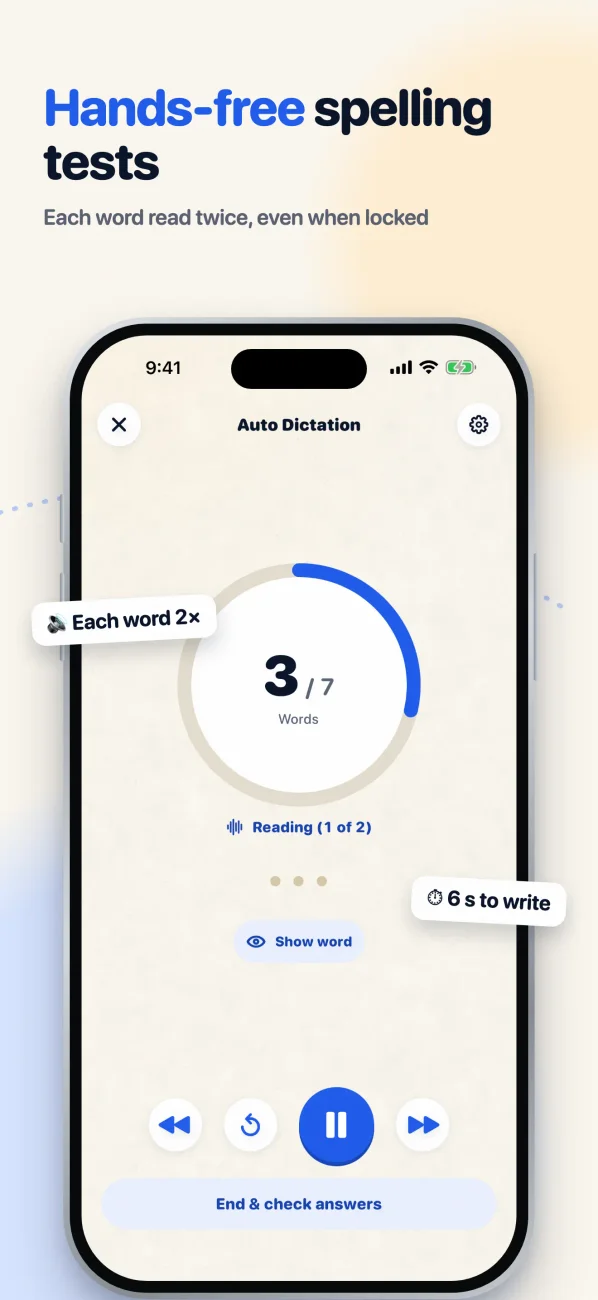
Yes. Tap Dictation on any list and choose 10, 20 or all the words. Each word is read aloud (1 to 3 times, your choice), with a pause of 3 to 15 seconds so your child can write on paper, and it keeps going with the screen locked. Then Check answers lets you mark each word right or wrong.
• Can it check what my child wrote?
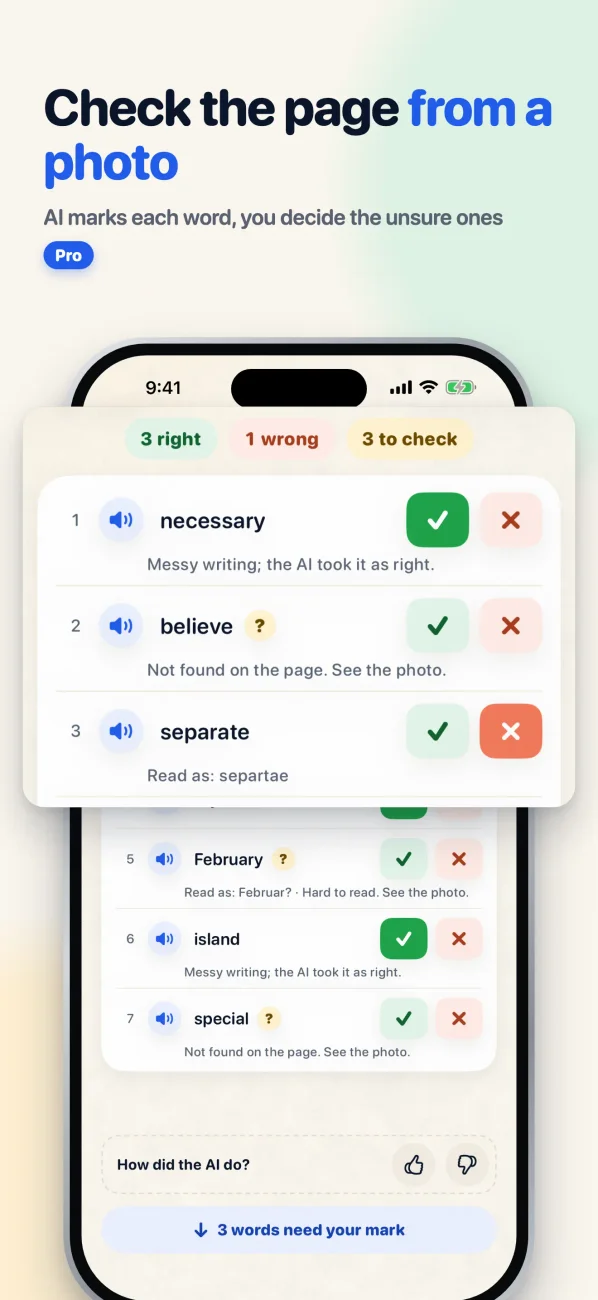
Yes. After a dictation, snap the page your child wrote on. AI marks each word and leaves any it can't read for you. This is part of Pro, with a few free tries to start.
• Can I use the list the teacher sent home?
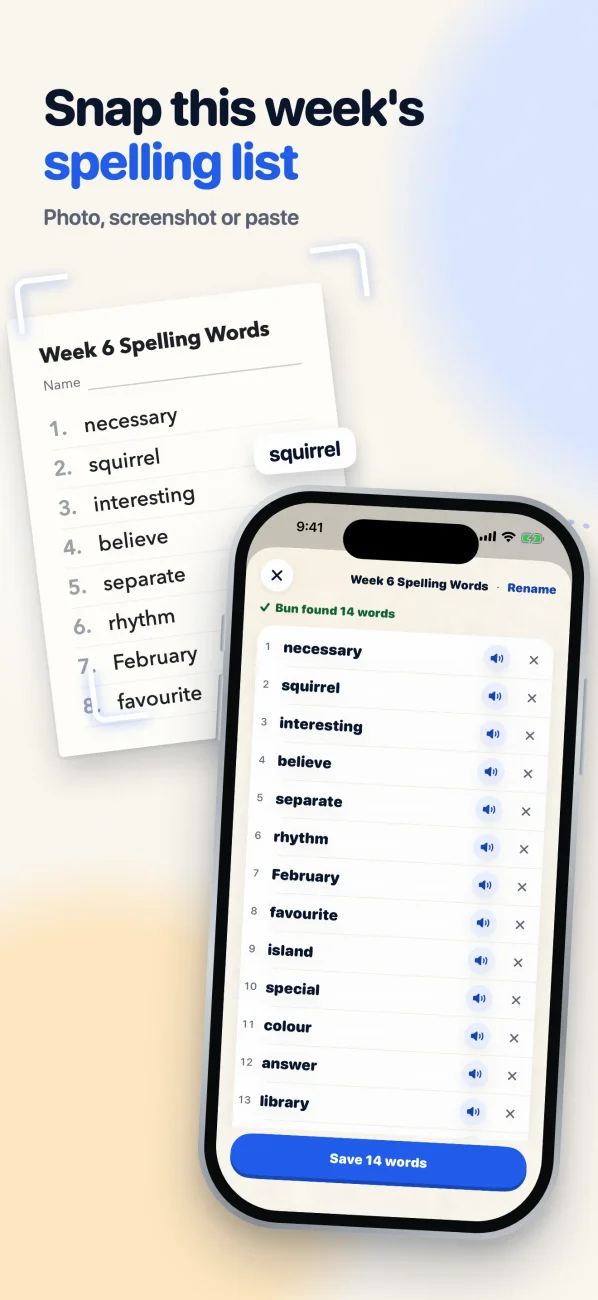
Yes. Scan the printed list, import a photo or screenshot, paste text, or type it in. You can also import PDF, Word, Excel, CSV and text files. With Pro, AI picks out just the spelling words from a photo and leaves out titles, dates and instructions. Check it and fix any mistakes before saving.
• Can my child practise alone?
Yes. In Spell it the app reads each word, your child types the spelling, and it is scored automatically. Rounds are short, and you can retry just the missed words.
• Do British and American spellings both count?
In Spell it, where your child types the answers, common British and American spellings both count (colour and color). Your school's spelling stays exactly as written.
• What happens to the words my child gets wrong?
They go into Tricky words and come back on a spaced review schedule until your child gets them right four times in a row. Free users can practise the latest missed words; the full review schedule is part of Pro.
• What can I use for free?
You can create 3 word lists in total, each with up to 100 words; deleting a list doesn't give you a free list back. Spell it, Auto Dictation with Apple voices and the latest Tricky words are free too, and you can try AI for free: 1 list from a photo, example sentences 3 times and 3 page checks. Everything else is part of Pro.
Also included:
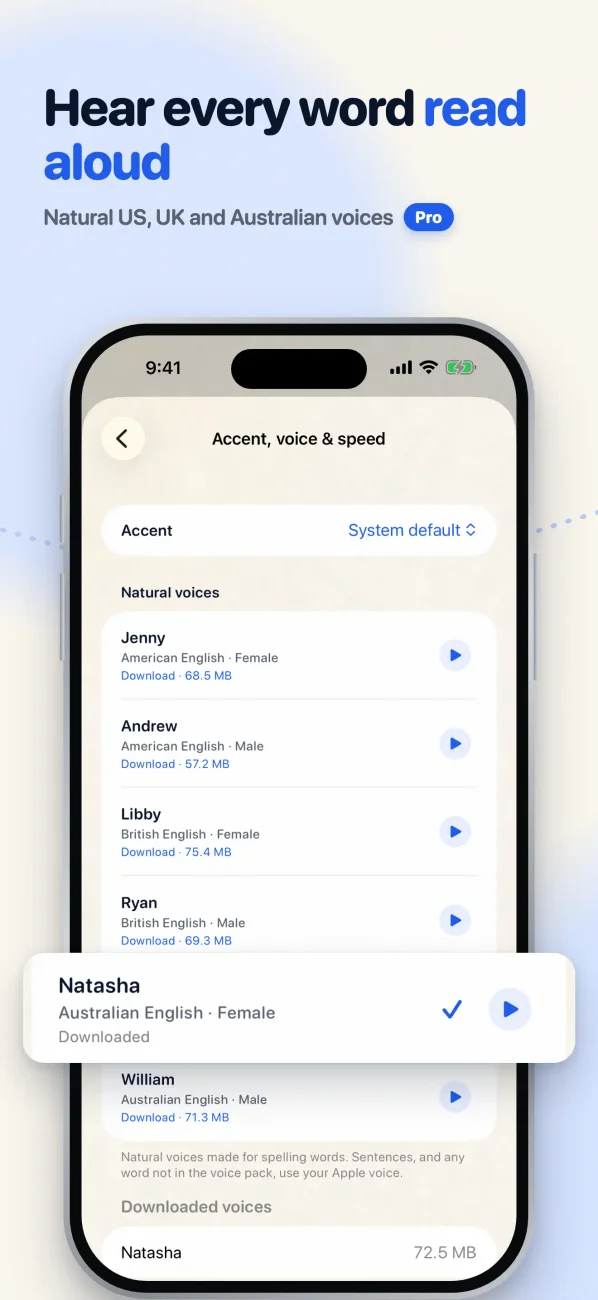
• Apple voices with adjustable speed are free. With Pro: natural voices in American, British and Australian accents (iOS 26 or later, downloaded on demand)
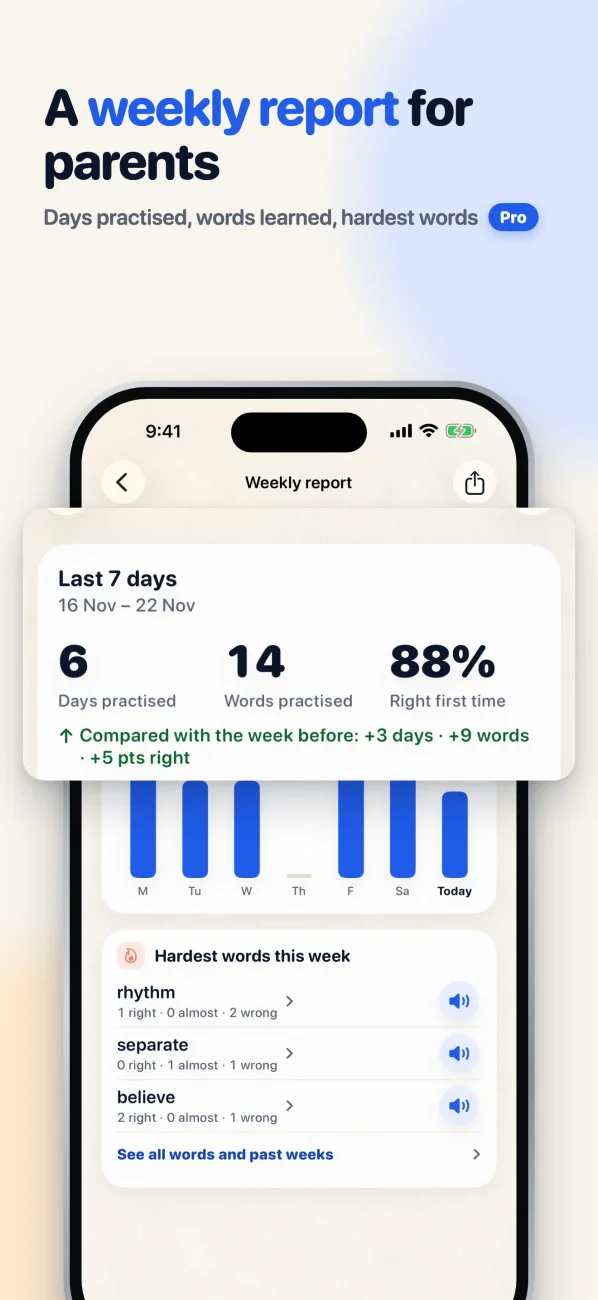
• A weekly report for parents: days practised and words mastered (the hardest-words card is Pro)
• Tap any word for a word card with a translation, plus a child-friendly meaning and example sentence for thousands of common words; with Pro, AI can write a sentence for any word
• Add a test day to a list and get a reminder the night before
• Teachers can share a list as a Snap Spell word pack, or a link to a PDF, Word or Excel file, that families open in the app
Free and Pro:
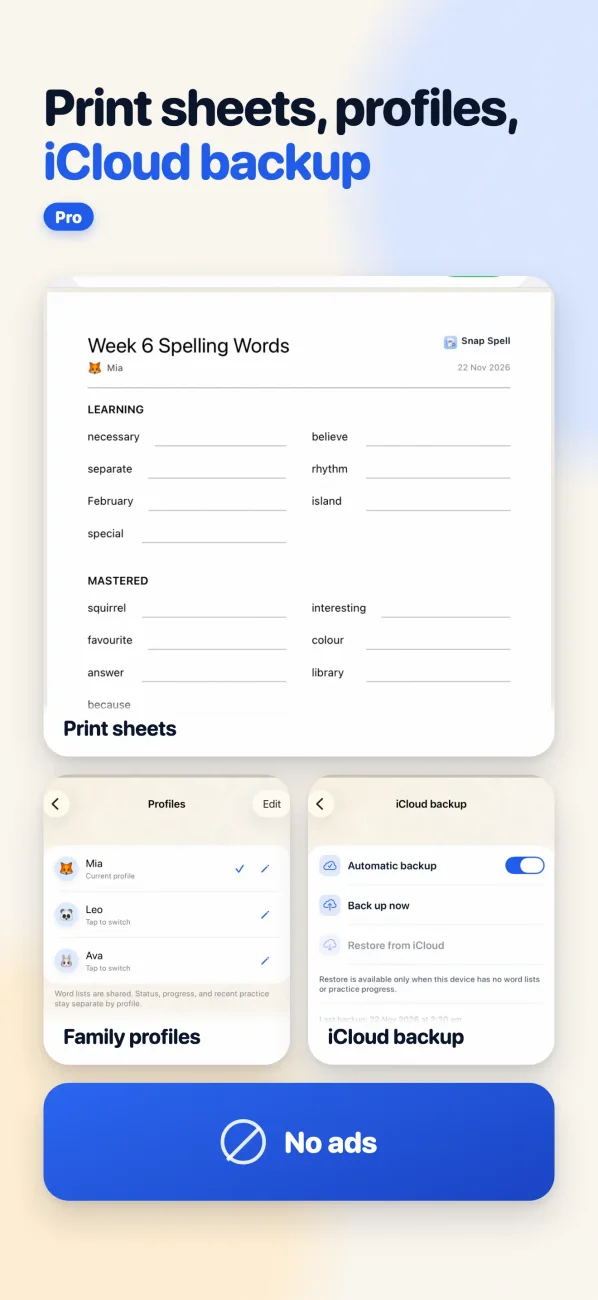
Snap Spell Pro unlocks unlimited word lists and list sizes, natural voices, AI help, recordings in your own voice, the full Tricky words review plan, detailed weekly reports, multiple family profiles, PDF practice sheets and iCloud backup. AI features have fair monthly limits on every Pro plan. Monthly and Yearly subscriptions renew automatically unless cancelled at least 24 hours before the end of the current period, and may include a free trial for eligible new subscribers. Manage or cancel at any time in your Apple Account settings.
Privacy Policy: https://www.marcx.app/snap-spell/privacy/
Terms of Use (EULA): https://www.apple.com/legal/internet-services/itunes/dev/stdeula/
What’s new
Version 2.3.1 · Nov 25, 2026
Improvements and bug fixes.
App privacy
What Zheng Xu declares on the App Store about how this app handles data.
-
Data linked to you
May be collected and linked to your identity.
- Purchases
- Identifiers
- Usage data
- Diagnostics
-
Data not linked to you
May be collected but is not linked to your identity.
- Contact info
- User content
- Identifiers
- Usage data
Privacy practices may vary, for example with the features you use or your age.
Information
- Seller
- Zheng Xu
- Category
- Education
- Version
- 2.3.1
- Updated
- Nov 25, 2026
- Released
- Jun 4, 2026
- Size
- 70.7 MB
- Requires
- iOS 18.0 or later
- Age rating
- 4+
- In-app purchases
- Yes
- Languages
- English, Japanese, Korean, Simplified Chinese, Spanish, Traditional Chinese
- Copyright
- © 2026 MarcX Studio. All rights reserved.
You might also like
-
 SnapSpell 背单词Education
-
 DreamDictation: Spelling TestListen, Write & Auto-Grade
-
 SpellEasyHome Spelling Practice & Games
-
 SpellBee: Spelling Bee TutorWord Test Practice & Dictation
-
 Better Speller - Spelling TestSpelling With Your Own Words!
-
 WordSprout: Spelling PracticeTurn spelling lists into games
-
 WonderSpell - Spelling TestsScan & Practice Spelling Words
-
 Spelling Practice: Spell4FunHear, spell, repeat. No ads
-
 Kiki: Vocabulary NotebookPersonal word list & AI import
-
 DucklisSpelling|Dictation