
- Age rating4+
- CategoryUtilities
- DeveloperVladislav Rzhevicky
- LanguagesEnglish
- Size1.4 MB
Links to the official App Store page
Download.org hosts no file of SplitBoard. The button opens its official App Store page, published by Vladislav Rzhevicky. Listing last checked on Nov 16, 2026.
Screenshots
About
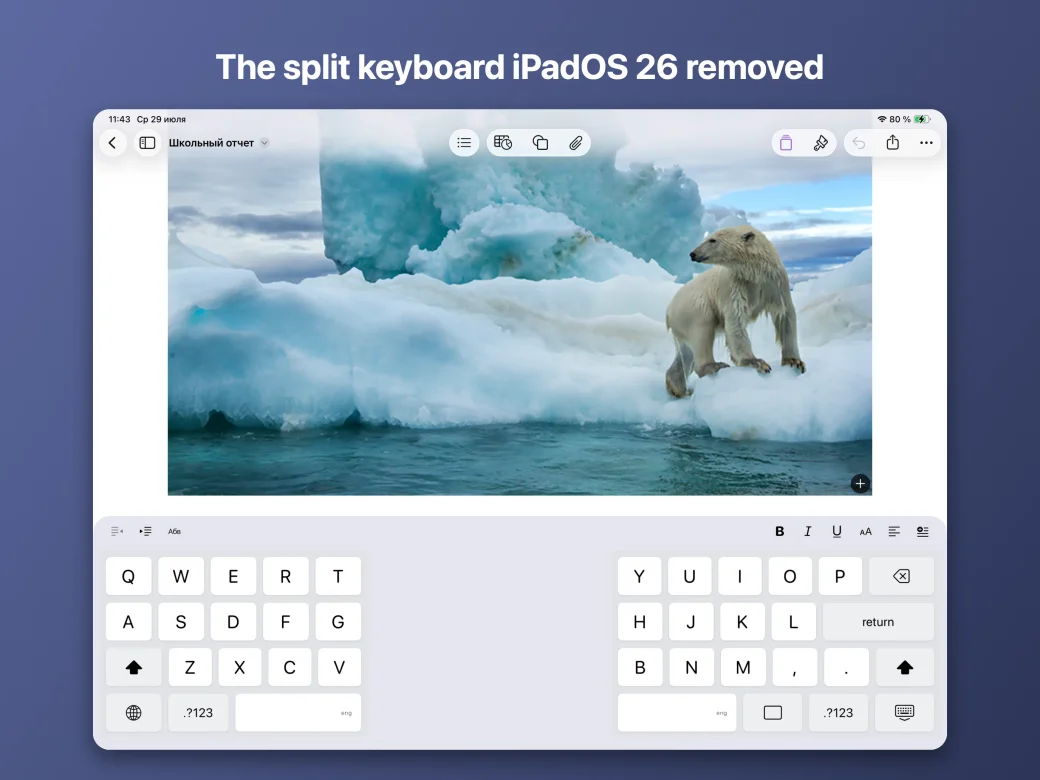
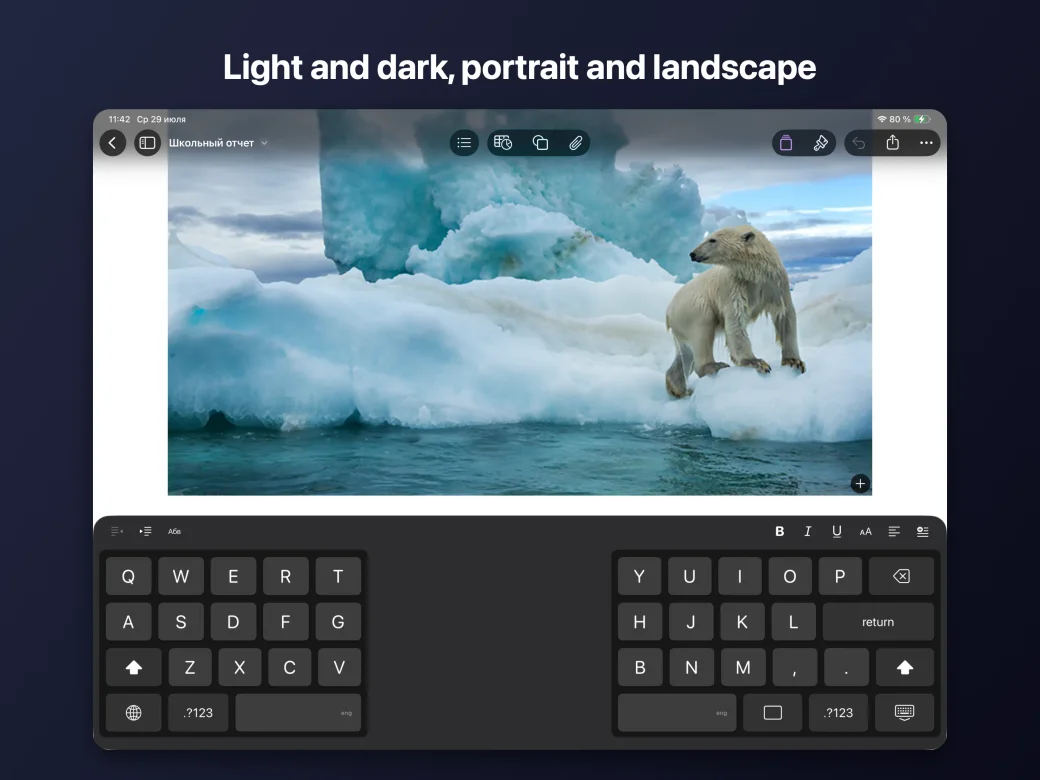
iPadOS 26 dropped the split keyboard. SplitBoard puts it back.
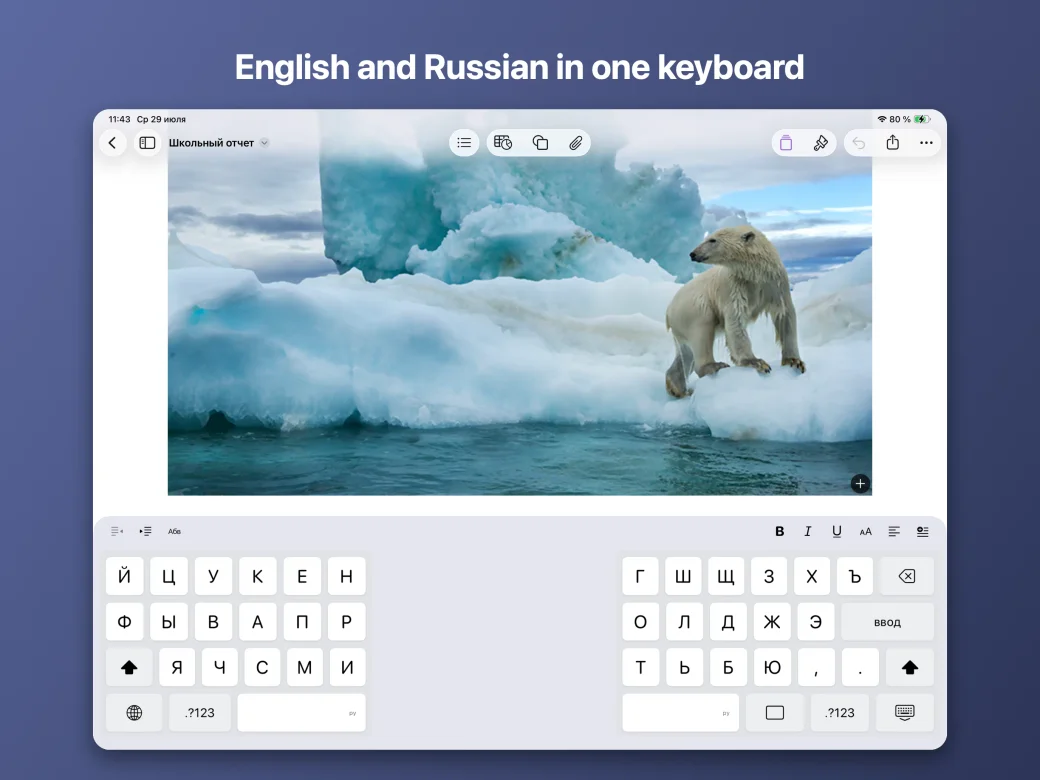
The keyboard breaks into two halves that sit against the left and right edges of the screen, close enough to reach with your thumbs while both hands hold the iPad. One key in the bottom row splits it, the same key puts it back together, and it opens next time the way you left it.
WHAT IT DOES
• Splits and merges from one key, no gestures to discover
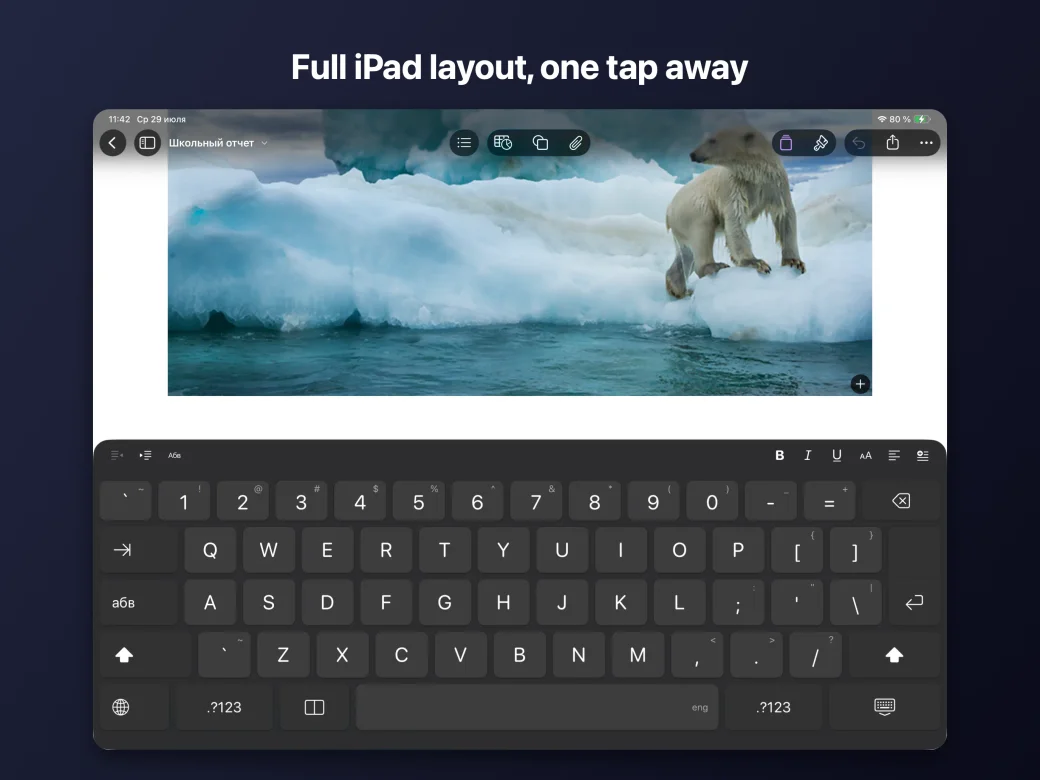
• Keeps the full iPad layout when merged: number row, tab, return
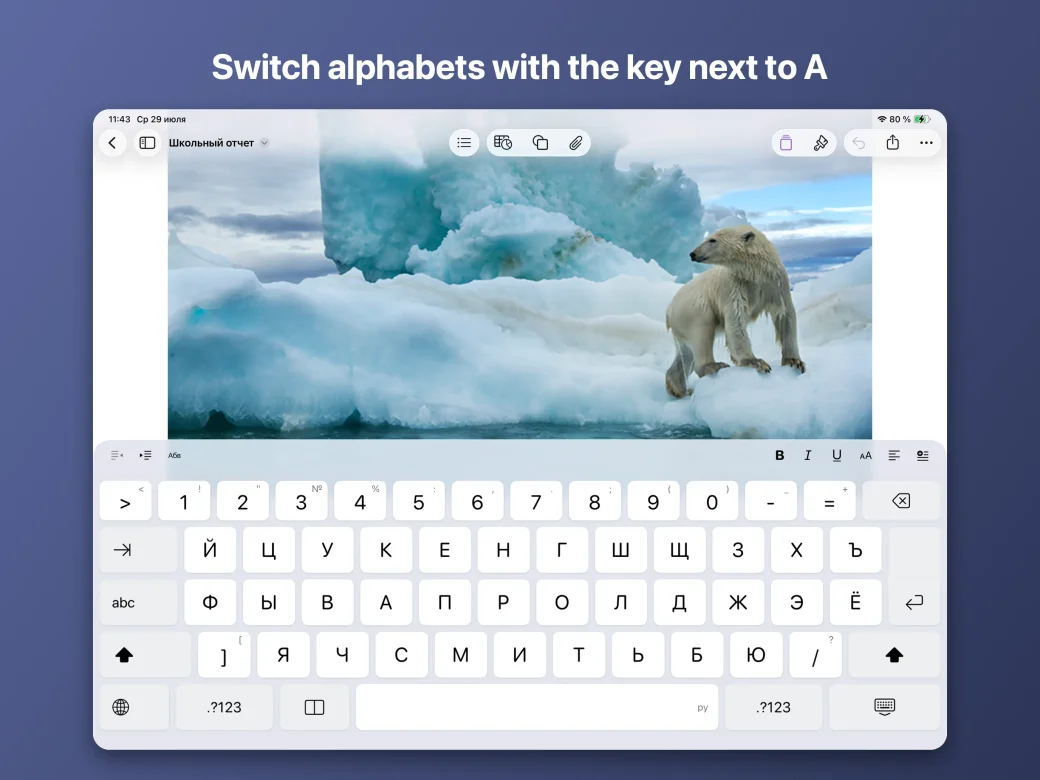
• Holds English and Russian at once, switched by the abc / абв key next to A
• Shows accented letters, quotes, dashes and currency signs when you hold a key
• Types the number or symbol printed on a key when you swipe down on it
• Capitalises after a full stop, turns a double space into ". ", locks caps on a double tap of shift
• Follows light and dark, works in portrait and landscape
PRIVACY
SplitBoard does not ask for Full Access. iOS keeps keyboards without it off the network, so what you type stays on the iPad. The app has no accounts and no analytics, and there is no networking code in it.
App privacy
What Vladislav Rzhevicky declares on the App Store about how this app handles data.
-
Data not collected
The developer does not collect any data from this app.
Privacy practices may vary, for example with the features you use or your age.
Information
- Seller
- Vladislav Rzhevicky
- Category
- Utilities
- Version
- 1.0
- Updated
- Aug 7, 2026
- Released
- Aug 7, 2026
- Size
- 1.4 MB
- Requires
- iOS 17.0 or later
- Age rating
- 4+
- Price
- Free
- Languages
- English
- Copyright
- © 2026 Ingebyd
You might also like
-
 ReachTypeCustomizable Split Keyboard
-
 The Banana Split KeyboardUtilities
-
 Typewise Custom KeyboardPrivate & Large Big Keys Type
-
 Screens 5: VNC Remote DesktopFast & Secure Computer Access
-
 HDMI Monitor - OrionExternal Display System
-
 Blip: Send Files in a ClickNo Size Limits. None.
-
 uBlock Origin LiteAn efficient content blocker
-
 Comet - AI Browser & AssistantBrowser and AI assistant
-
 Remote MouseHandy Computer Remote
-
 Microsoft SwiftKey AI KeyboardCopilot | Emojis | Tone change