SplitCam: Dual Recorder
Split Screen Video & Photo
Designed for iPhone
Free · In-app purchases
- Age rating4+
- CategoryPhoto & Video
- Developer慧慧 高
- LanguagesEnglish+ 1 more
- Size33.6 MB
Links to the official App Store page
Download.org hosts no file of SplitCam: Dual Recorder. The button opens its official App Store page, published by 慧慧 高. Listing last checked on Nov 18, 2026.
Screenshots




About
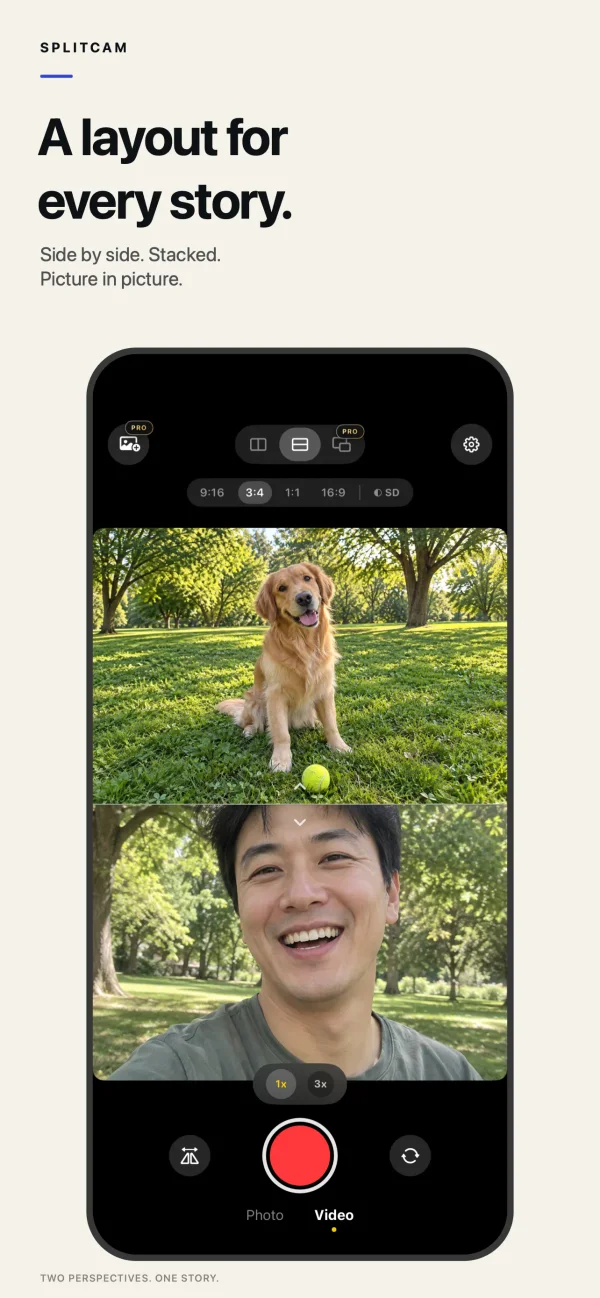
Capture what you see and how you feel, together. SplitCam uses your iPhone’s front and back cameras at the same time to create split-screen photos and videos. Keep the scenery and your reaction in one frame, from travel diaries to everyday moments.
TWO VIEWS, YOUR COMPOSITION
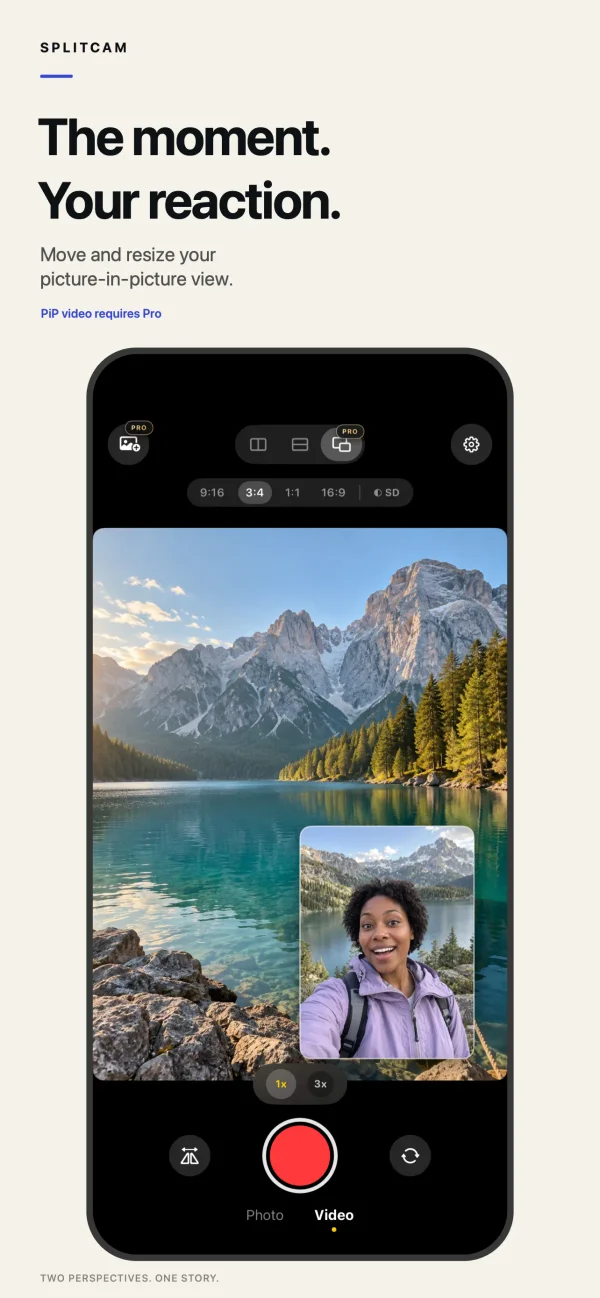
Choose side-by-side, stacked, or picture-in-picture layouts. Adjust the split, move and resize the PiP window, and swap the camera views to tell your story your way.
CREATE ALONGSIDE YOUR MEDIA
Import a photo or video from your library and add your own perspective in Duet mode. Make a reaction, a comparison, or a new take on a favorite moment.
SMALLER FILES WHEN YOU WANT THEM
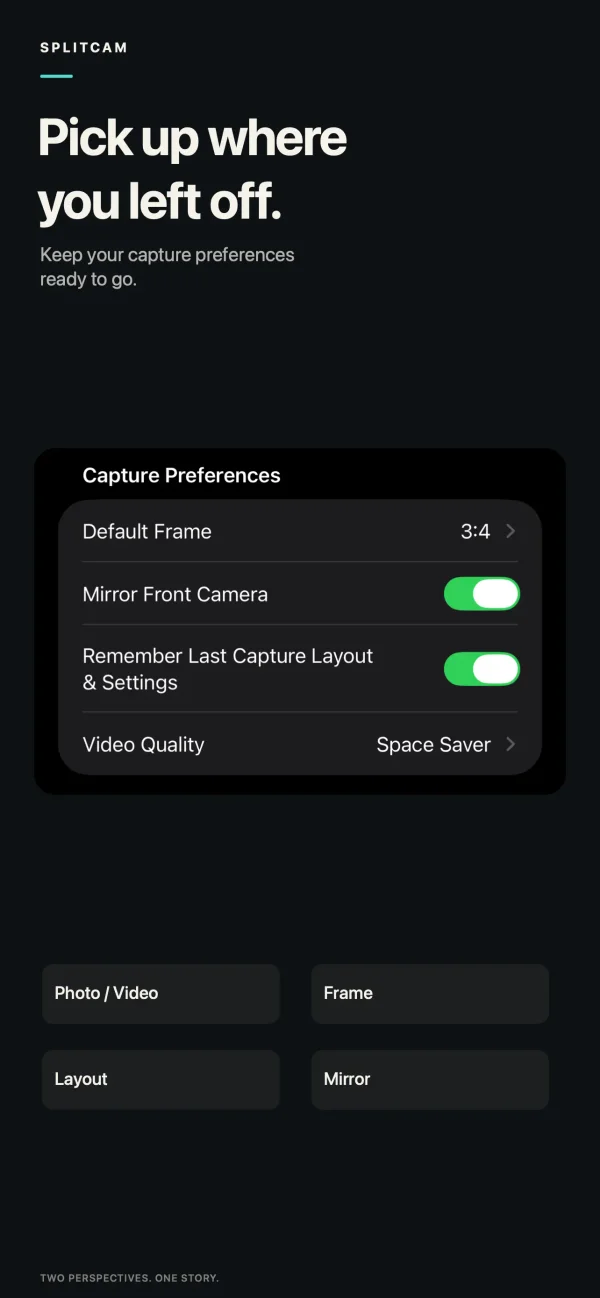
Choose Space Saver, Standard, or HD video quality. Space Saver uses a smaller video canvas and lower bitrate for lighter files. Settings shows estimated file sizes; actual sizes vary with the scene and recording length. Photo resolution is unaffected.
READY FOR YOUR NEXT SHOT
Choose 9:16, 3:4, 1:1, or 16:9. In 9:16, collapse the frame and quality controls for a clearer preview. Remember your last capture mode, layout, frame, camera swap, and mirror settings, so you can pick up where you left off.
MAKE IT YOURS
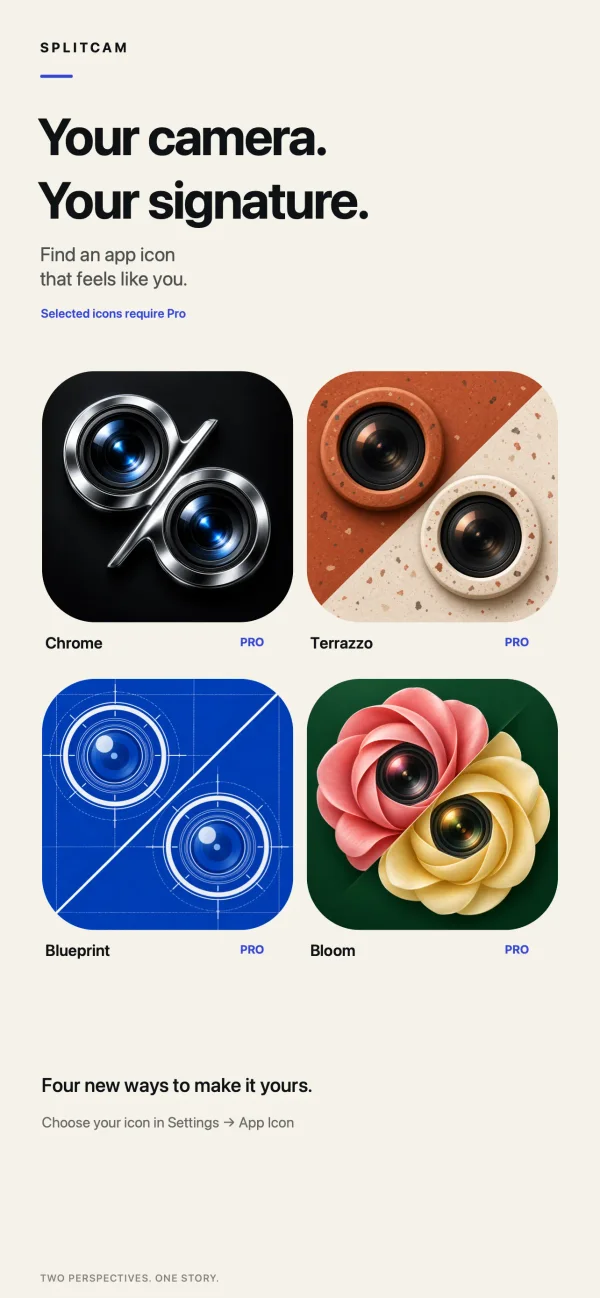
Choose from a collection of app icons, including Chrome, Terrazzo, Blueprint, and Bloom for Pro.
FREE AND PRO
Photo capture, including PiP photos, is free. Side-by-side and stacked video recording, plus all three video quality options, are also free. Pro unlocks PiP video recording, Duet video recording, and selected app icons.
Monthly and yearly auto-renewing subscriptions and a one-time lifetime purchase are available. Prices and any eligible trial are shown in the app before purchase. Subscriptions renew unless canceled; manage or cancel them in your Apple account’s Subscriptions settings. Restore Purchases is available at the bottom of the Pro page.
Requires iOS 16 or later and an iPhone that supports simultaneous front and back camera capture. Available camera options depend on your device.
Questions or ideas? captainlongevity@gmail.com
Privacy Policy: https://splitcam-legal.vercel.app/privacy-policy.html
Terms of Use: https://splitcam-legal.vercel.app/terms-of-use.html
What’s new
Version 1.8 · Sep 13, 2026
SplitCam 1.8:
- Inspired by your feedback: new Space Saver video quality records smaller files for easier sharing.
- Choose Space Saver, Standard, or HD, and see estimated file sizes in Settings. Video quality settings do not change photo resolution.
- Four new Pro app icons: Chrome, Terrazzo, Blueprint, and Bloom.
- A redesigned SplitCam Pro page with an animated dual-lens header and clearer plan and billing details.
- A simpler Settings page. Find Restore Purchases at the bottom of the Pro page.
Thanks for helping us make SplitCam better!
App privacy
What 慧慧 高 declares on the App Store about how this app handles data.
-
Data not collected
The developer does not collect any data from this app.
Privacy practices may vary, for example with the features you use or your age.
Information
- Seller
- 慧慧 高
- Category
- Photo & Video
- Version
- 1.8
- Updated
- Sep 13, 2026
- Released
- Mar 27, 2026
- Size
- 33.6 MB
- Requires
- iOS 16.0 or later
- Age rating
- 4+
- Price
- Free
- In-app purchases
- Yes
- Languages
- English, Simplified Chinese
- Copyright
- © 2026 Huihui Gao
You might also like
-
 PhotoDateStamp: TimestampLive Photos, EXIF & Frames
-
 DoubleIt CameraMulti exposure photo creator
-
 PicPure - Smart Photo CleanerClean Photos With Confidence
-
 RevoCamDual Camera Video Recorder
-
 DI Cam -Digital Instant CameraReal instant feel, easy use
-
 Blur Background - Studio BlurBlur and Background Cam Vlog
-
 ReflectionsCameraMirror and kaleidoscope camera
-
 Exiv - EXIF Viewer & EditorBatch clean, map &3D share
-
 MiroMiro: Wear the MagicPowered by Bink Labs
-
 GIF Aura - GIF & Live PhotoMake, Edit GIF & Live Photo