- Age rating4+
- CategoryFinance
- DeveloperThe Software Experience
- LanguagesEnglish
- Size1.5 MB
Links to the official App Store page
Download.org hosts no file of SplitCheck Bill Split. The button opens its official App Store page, published by The Software Experience. Listing last checked on Nov 15, 2026.
Screenshots


About
SplitCheck – Check Splitter / Tip Calculator
There may be other apps that allow you to split a check among different parties, but this app was designed to allow you to quickly enter your check and get the results fast and accurately. It does one thing and does it well. You don’t want your bother-in-law leaving the table before he knows what he owes. No more wondering why we’re still $5.00 short.
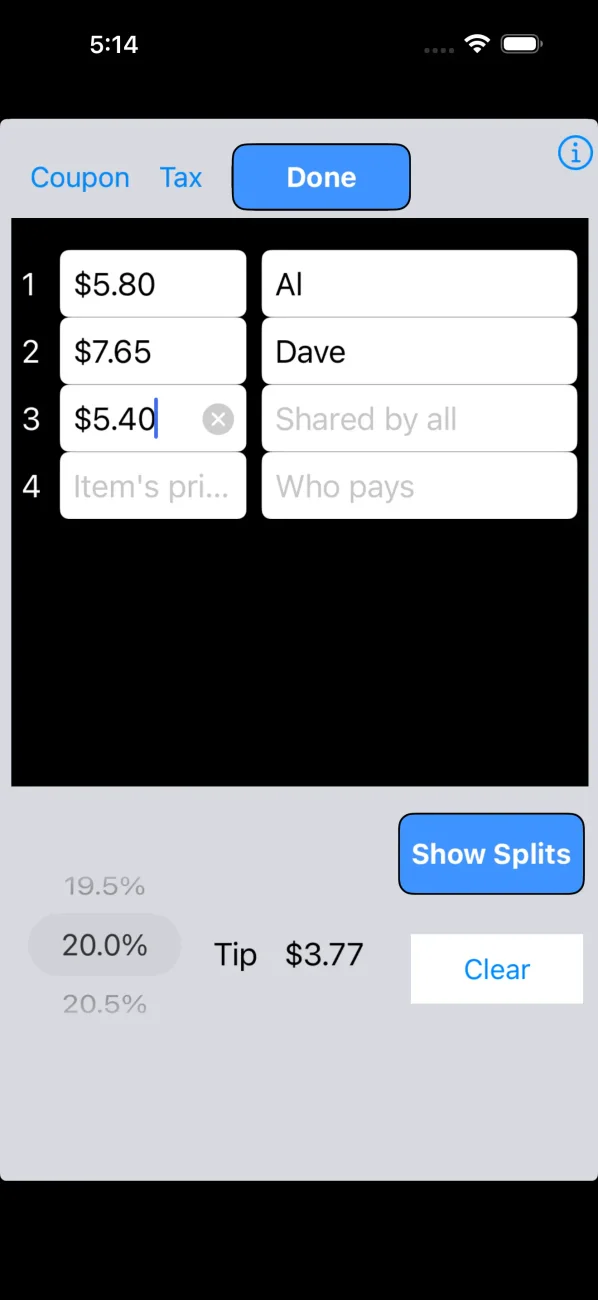
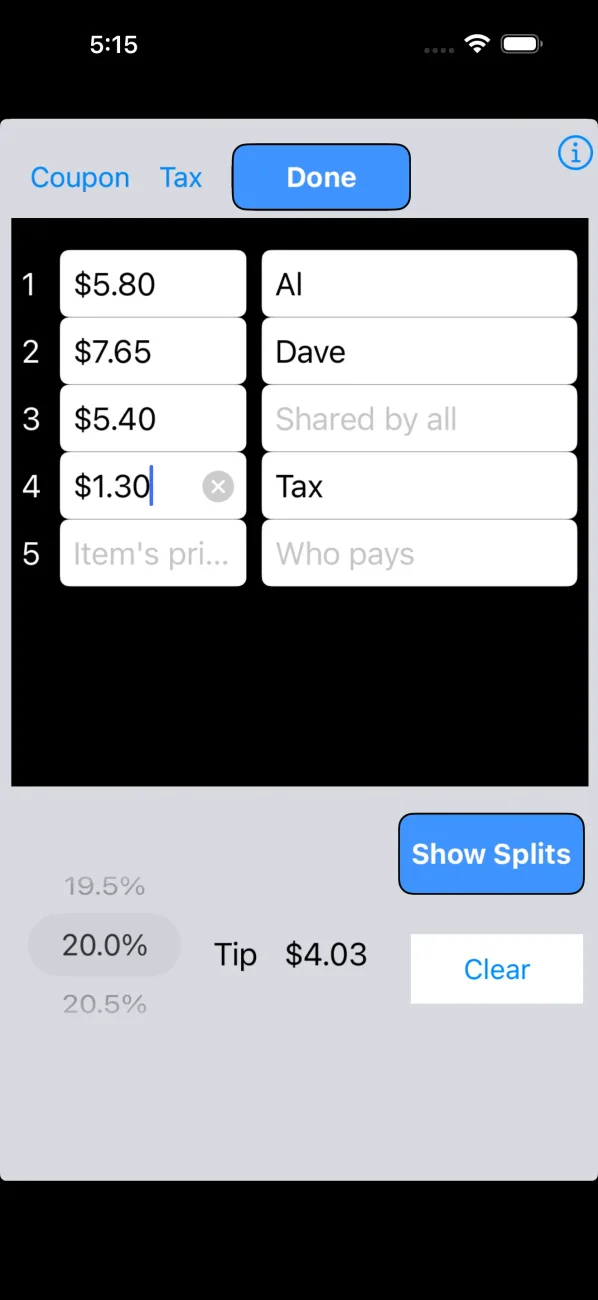
Enter items from your restaurant check into SplitCheck. As you enter an item’s price, another line is automatically entered below, ready for you to touch and enter that next item. The goal of the data entry method was to minimize ‘touches’ so data can be entered fast and easily. Enter who purchased the item next to the price of the item, either as you go or after all the items have been entered. Use initials, names, or numbers to make the entry easy. (It is case insensitive to make it even easier.) If an item was split, enter the same names or initials separated by a space. Depending on how many shared items are entered 50 or more payees can be entered! If an item is split among all parties, you can leave the payee’s box blank and the program assumes that the item is to be split among all uniquely entered payees.
Touch the ‘Tax’ button to enter the tax amount. The tax is proportionately calculated and applied based on the amounts each person spent.
Use the spinner to select a tip amount. The tip for each person is shown separately.
You can even apply a coupon value to one person or split among two or more people. Enter the value of the coupon and press ‘Coupon’. As with other entries, the value of the coupon can be assigned to one or more payees. (The tip will be calculated based on the bill without the coupon value subtracted.)
At any time touch ‘Show Splits’ to display how much each payee owes. The results are sorted by name with the bill, tip and total displayed for each. Touching ‘Details’ displays the breakdown for each payee.
1.5
Initial Release
What’s new
Version 1.7 · Dec 23, 2025
Updates for latest IOS versions.
App privacy
What The Software Experience declares on the App Store about how this app handles data.
-
Data not collected
The developer does not collect any data from this app.
Privacy practices may vary, for example with the features you use or your age.
Information
- Seller
- Alan Floeter
- Category
- Finance
- Version
- 1.7
- Updated
- Dec 23, 2025
- Released
- Feb 11, 2012
- Size
- 1.5 MB
- Requires
- iOS 15.6 or later
- Age rating
- 4+
- Price
- $0.99
- Languages
- English
- Copyright
- © 2022 The Software Experience, ltd
You might also like
-
 PocketDinerNever get screwed at lunch
-
 U-SplitBill splitting made easy
-
 KoTab: Scan. Claim. Settle.Split the bill in seconds
-
 Famzam: Split Bills & ExpensesGroup Expense & Bill Splitter
-
 Split Check - bills & receiptsReceipt scanner to settle tabs
-
 Check Mate – Split billsSplit restaurant bills easily
-
 Treasury: AI Budgeting & BillsMoney Manager, Expense Tracker
-
 IOU: Split Receipts & ExpenseTrack and settle with friends
-
 Tip Calculator - TipCalcTipping Guide & Split Bills
-
 Chipp: Split Bills & ExpensesScan receipts & settle up IOUs