Splitora - Sticker Splitter
Auto Split & AI Background
Designed for iPhone, iPad
Free
- Age rating4+
- CategoryGraphics & Design
- DeveloperWamutai
- LanguagesEnglish+ 6 more
- Size101.6 MB
Links to the official App Store page
Download.org hosts no file of Splitora - Sticker Splitter. The button opens its official App Store page, published by Wamutai. Listing last checked on Nov 23, 2026.
Screenshots
About
Turn AI-created sticker sheets into assets for LINE stickers and emoji.
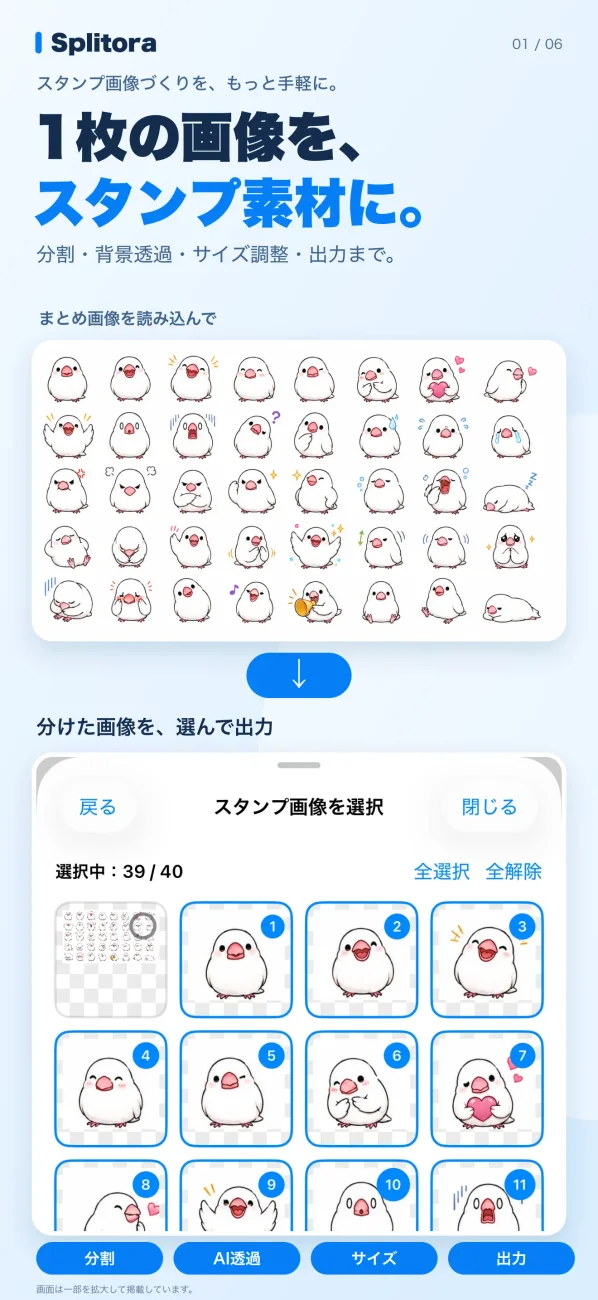
Splitora brings image splitting, background removal, trimming, sizing, positioning and transparent PNG/ZIP export into one app.
BATCH AUTO EDIT
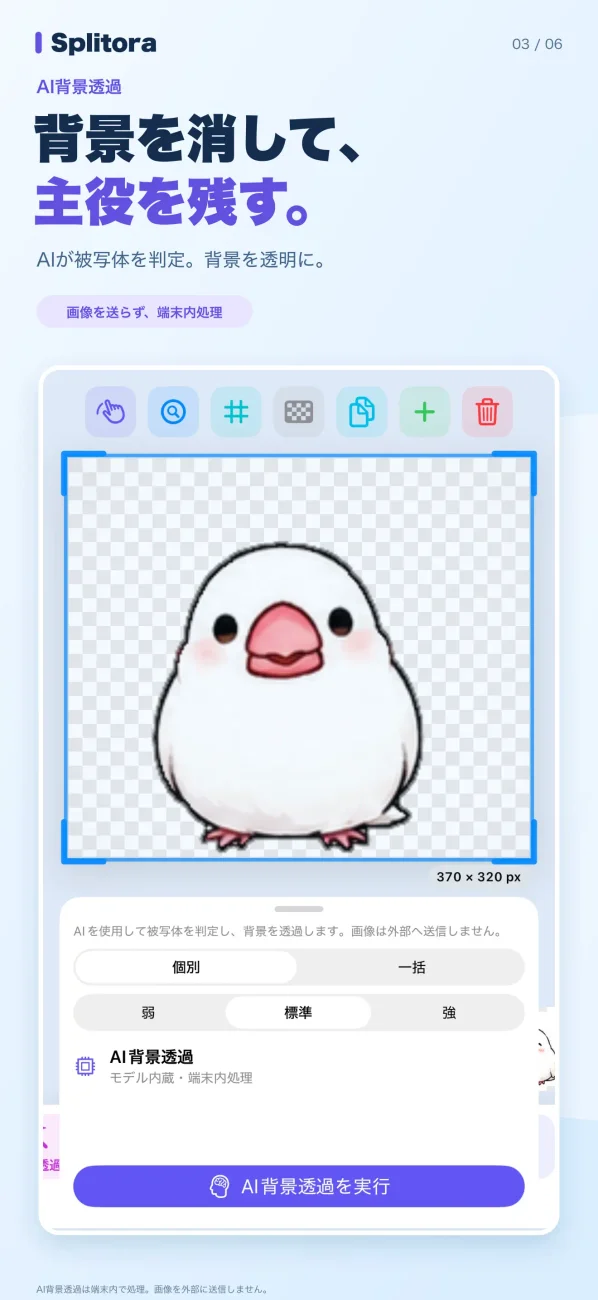
Split a sheet, remove backgrounds, trim, maximize and center the results in one workflow. It starts with on-device AI and may try alternate settings or color-based removal. Results depend on the image; inspect them before adding or exporting.
FLEXIBLE SPLITTING
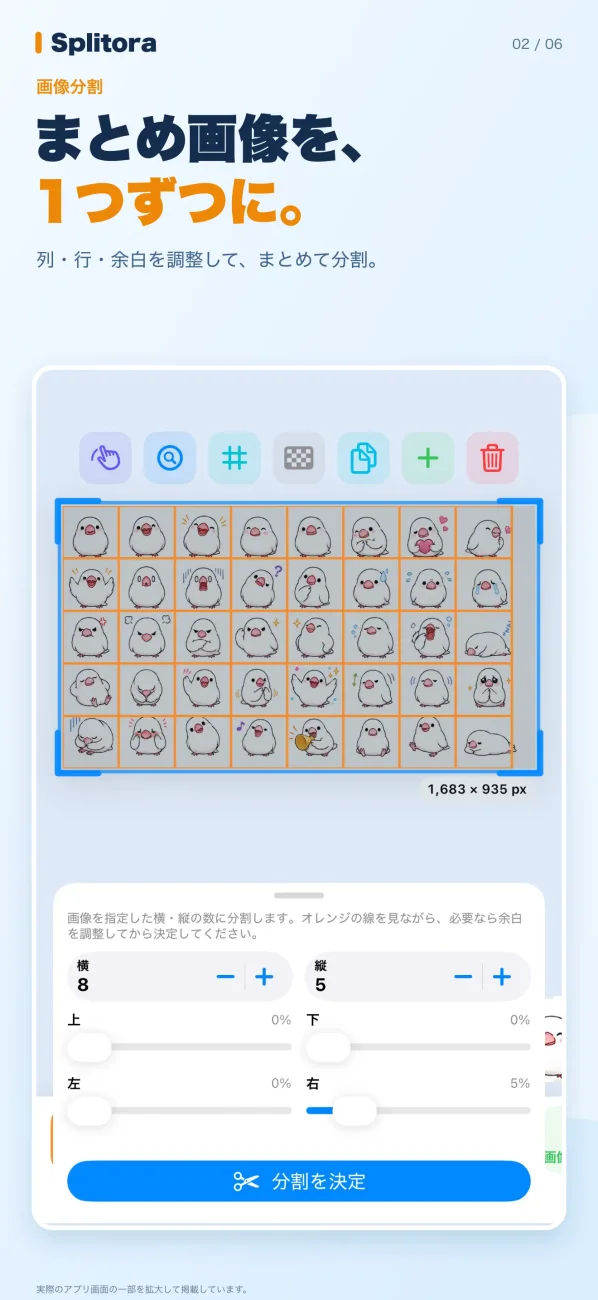
Choose equal division, manual adjustment or automatic detection. Use sliders for row/column counts and move split lines to fit your artwork.
EDIT AND REFINE
Use AI or color-based background removal, deletion/restoration brushes and an eraser. Add outlines to enclosed regions and adjust their color and width. Crop, maximize and use nine-point alignment individually or in batches. Reorder images from the list.
AI background removal requires iOS/iPadOS 17 or later. Images are processed on the device, not sent to an external AI service.
EXPORT FOR STICKERS AND EMOJI
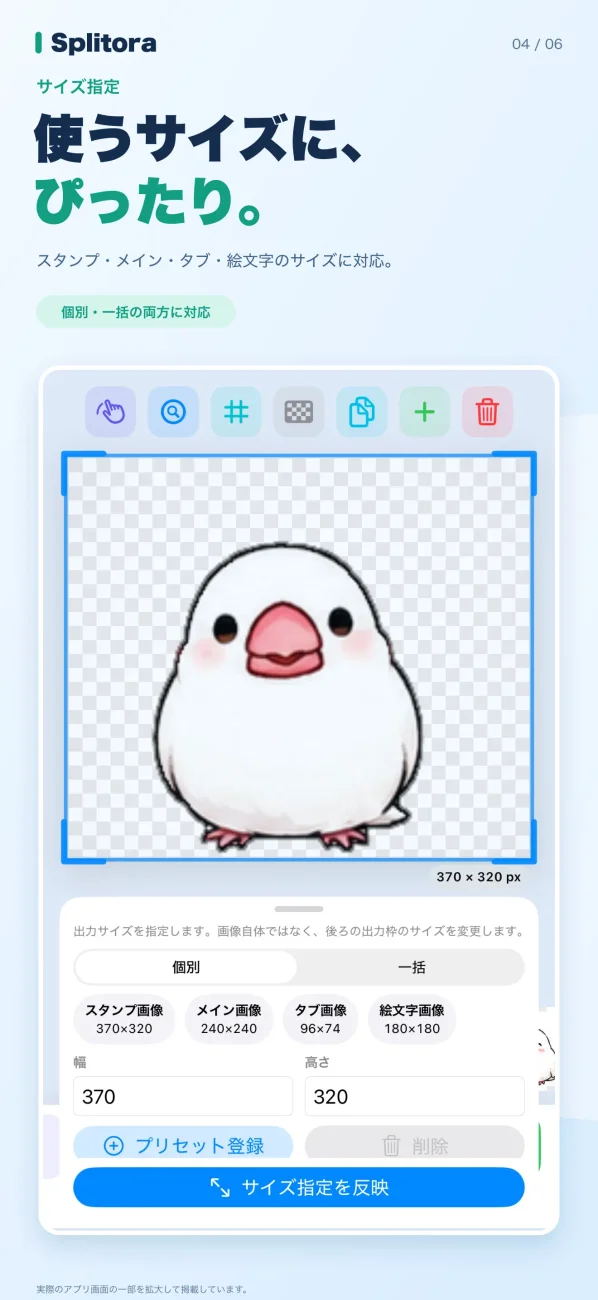
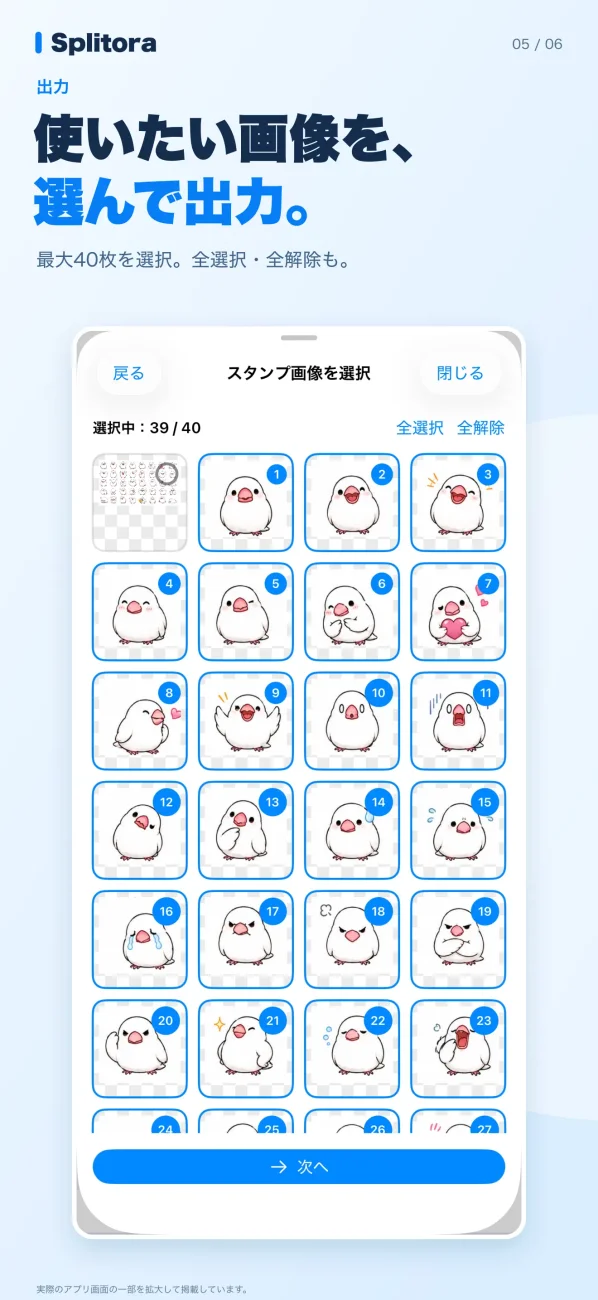
Choose a main image, a tab image and up to 40 sticker images; for emoji, choose a tab image and up to 40 emoji images. Preflight checks help you review the export. Save to Photos, Files or share as PNG/ZIP.
Output frames include stickers 370×320, main 240×240, sticker tab 96×74, emoji 180×180 and custom sizes.
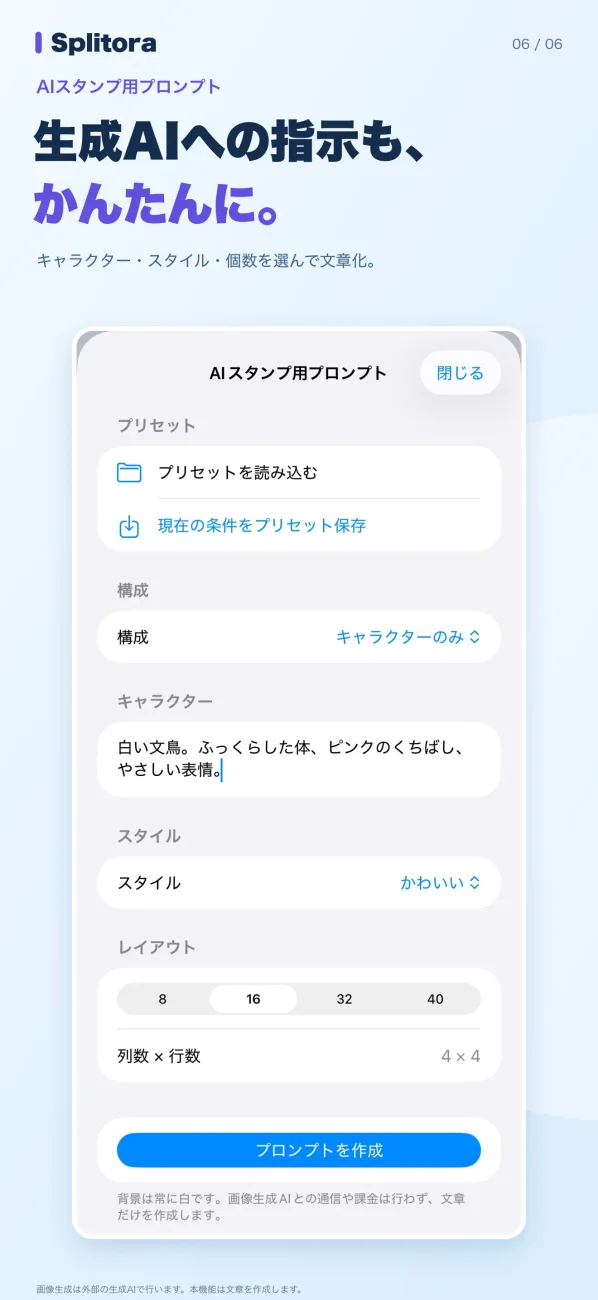
PROMPT BUILDER
Prepare text for an image-generation service and save/load presets. This feature does not generate images itself.
Available on iPhone, iPad and Apple-silicon Mac using the iPad app.
Splitora is an independent editing tool. It does not submit or sell stickers on your behalf or guarantee approval by LINE.
What’s new
Version 2.1.1 · Nov 21, 2026
You can now turn iCloud sync on or off in Settings. You can also delete all your Splitora projects and their previous image versions from iCloud while keeping projects already saved on your device.
We fixed two issues: old images could stay in iCloud after you deleted a project, and deleted projects could reappear when another device synced. If you sync across devices, update Splitora on each one.
App privacy
What Wamutai declares on the App Store about how this app handles data.
-
Data used to track you
May be used to track you across apps and websites owned by other companies.
- Location
- Identifiers
- Usage data
-
Data linked to you
May be collected and linked to your identity.
- Location
- Identifiers
- Usage data
- Diagnostics
-
Data not linked to you
May be collected but is not linked to your identity.
- Diagnostics
Privacy practices may vary, for example with the features you use or your age.
Information
- Seller
- Wamutai
- Category
- Graphics & Design
- Version
- 2.1.1
- Updated
- Nov 21, 2026
- Released
- May 19, 2026
- Size
- 101.6 MB
- Requires
- iOS 16.6 or later
- Age rating
- 4+
- Price
- Free
- Languages
- English, Indonesian, Japanese, Korean, Portuguese, Simplified Chinese, Traditional Chinese
- Copyright
- © Wamutai
You might also like
-
 RakuRaku Stamp - Create StampEasy Stickers from Photos
-
 AI Sticker Makercustom emojis and stickers.
-
 スタンプ画像作っちゃおGraphics & Design
-
 スタンプメーカー 2026 - AIでスタンプ作成Graphics & Design
-
 StampMAX Sticker & Emoji MakerCutout, resize ,make ZIP files
-
 AI Sticker Makers for LINETurn photos into stickers.
-
 Pixel Precise - Image EditorPrecisely Edit Any Pixel
-
 Cutout Sticker MakerOn-Device Photo Outlines
-
 GridSticker - Sticker MakerWhatsApp, Telegram & iMessage
-
 Photo Divider-HDR LosslessCropImage Split Crop & Grid Maker