Spot Bluetooth Finder
Lost AirPods & AirTag Tracker
Designed for iPhone, iPad, iPod touch
Free · In-app purchases
- Age rating4+
- CategoryUtilities
- DeveloperRodney Cyprian
- LanguagesEnglish+ 12 more
- Size46.1 MB
Links to the official App Store page
Download.org hosts no file of Spot Bluetooth Finder. The button opens its official App Store page, published by Rodney Cyprian. Listing last checked on Nov 23, 2026.
Screenshots
About
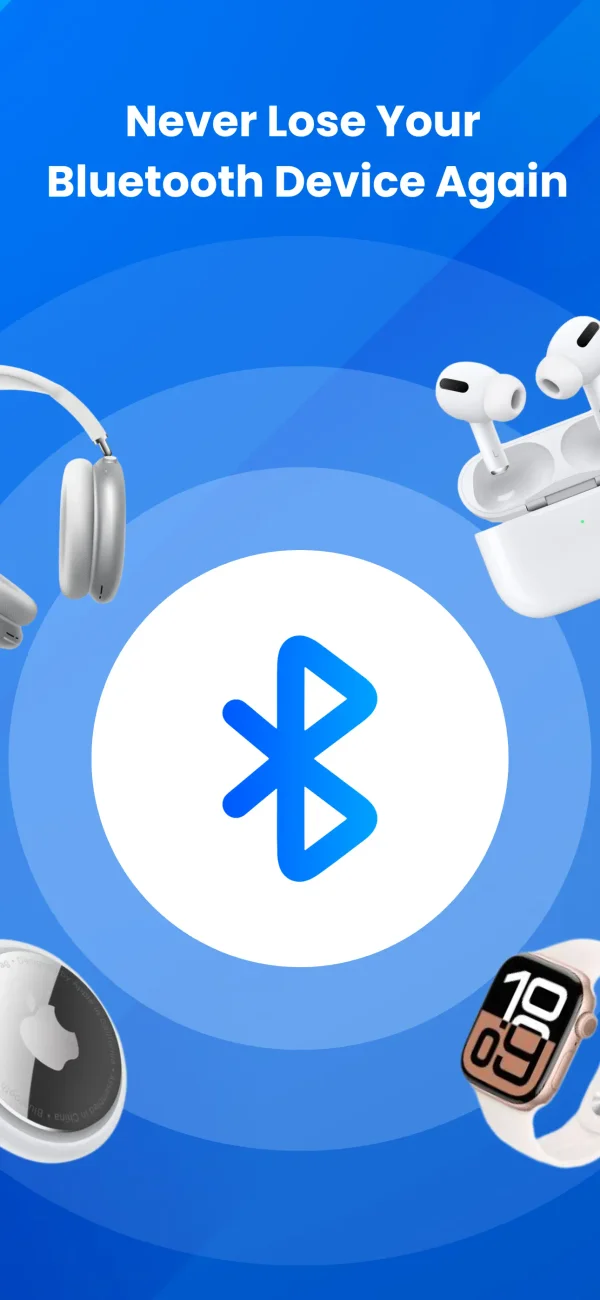
Device Finder – Bluetooth Tracker & AirPods Finder helps you locate lost AirPods, earbuds, headphones, Apple Watch, AirTag, speakers, fitness trackers, and more in seconds.
FIND MY BLUETOOTH DEVICE INSTANTLY
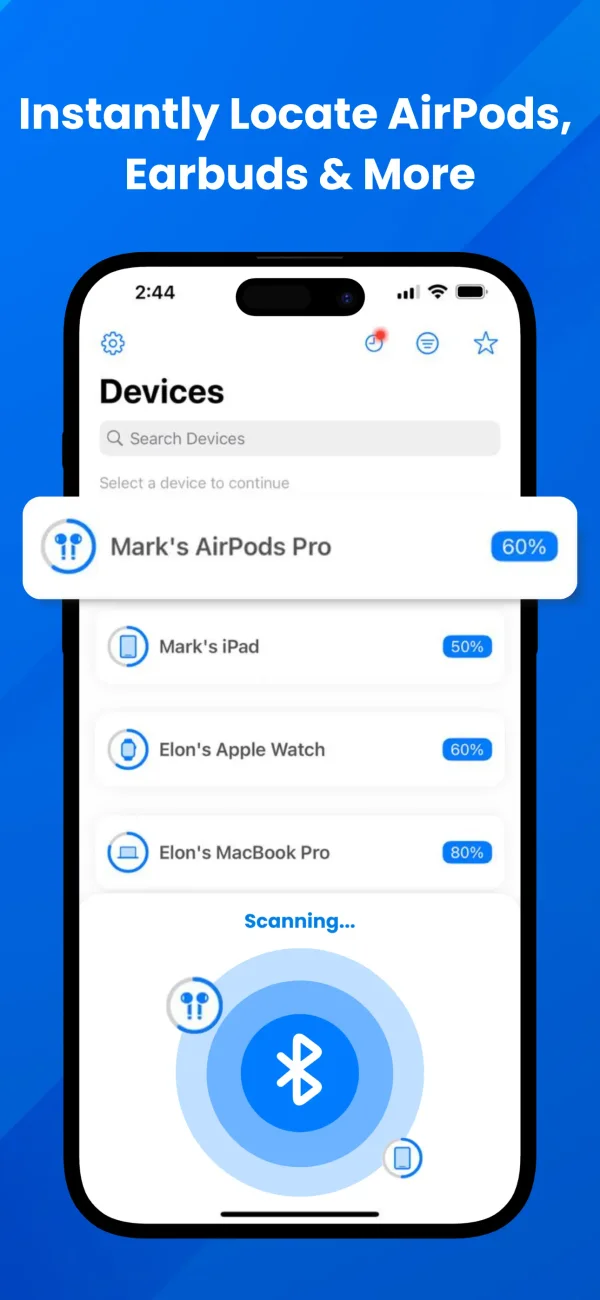
- Use the smart Bluetooth scanner to detect all nearby devices.
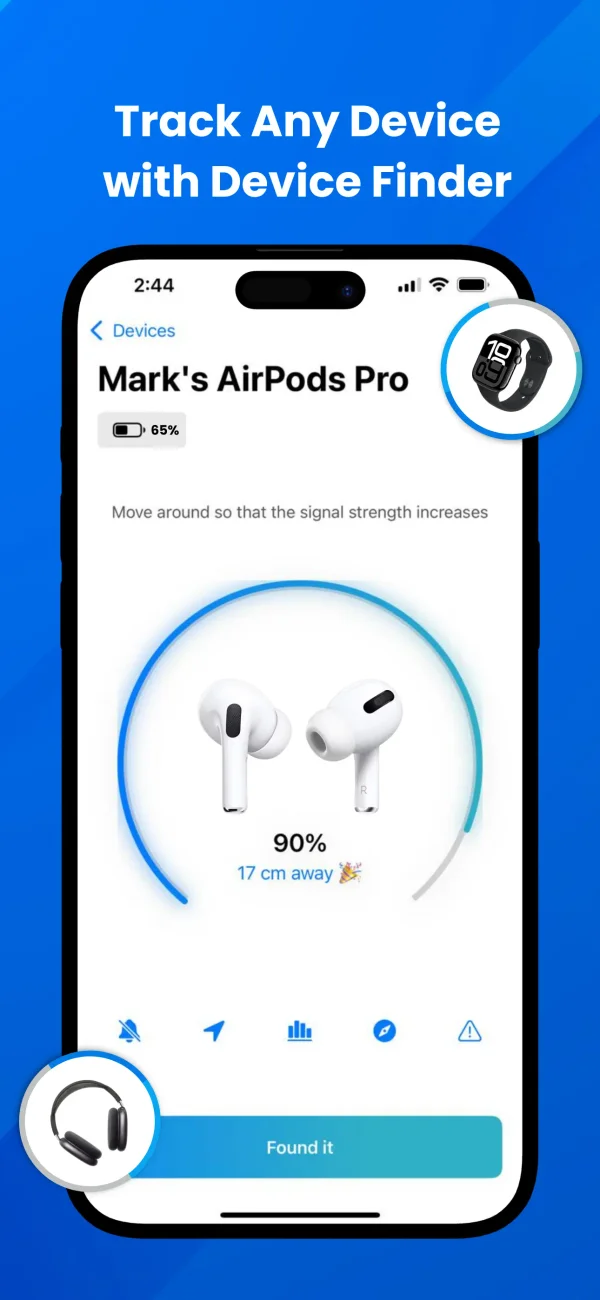
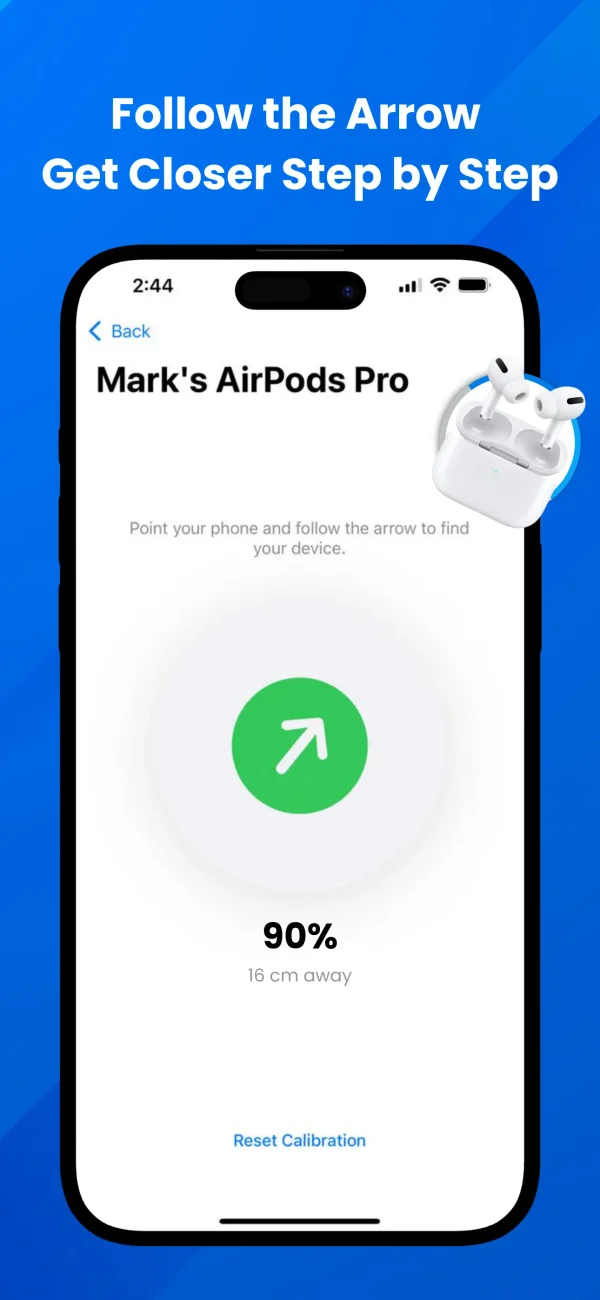
- Precision device radar and distance score guide you right to your lost gear.
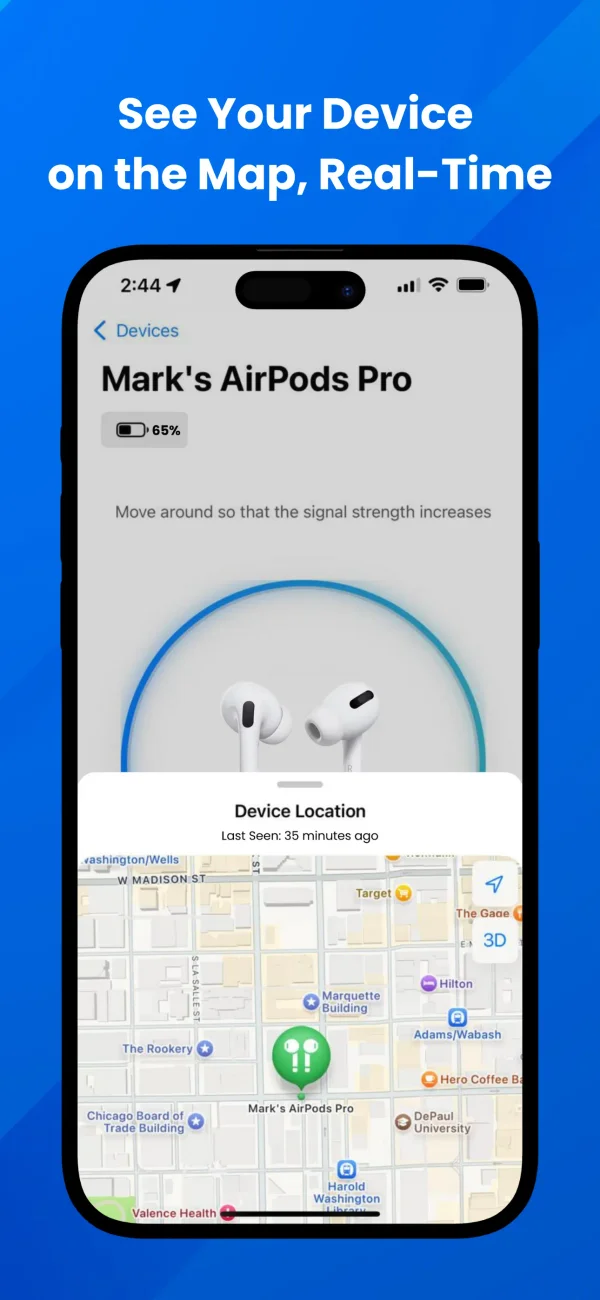
- Real-time signal strength and live map make finding easy—even in crowded spaces.
KEY FEATURES
- Bluetooth finder: Scan and display all Bluetooth devices nearby—AirPods, earbuds, Apple Watch, AirTag, iPad, speakers, headphones, fitness trackers (Fitbit, Beats, etc.), and more.
- Device radar and distance meter: Visual radar and a score out of 100 help you get closer with every step.
- Find on map: See the last known location of your device for easier recovery.
- Vibration and sound alerts: Receive alerts when your device is within range.
- Favorites and rename: Pin essential gear to the top and assign custom names for quick access.
- Scan history: View previously detected and saved devices.
- Sort and filter: List devices by proximity or name for fast results.
- Background tracking: Get notified if your tracked device is lost or disconnected.
HOW IT WORKS
1. Open Device Finder and tap the Bluetooth icon to scan.
2. Select the lost device from the list.
3. Move around while watching the distance score and radar.
4. Follow the map and alerts until you find your gear!
WHY CHOOSE DEVICE FINDER?
- Works with all Bluetooth Low Energy (BLE) devices.
- Simple, clean, and intuitive design.
- Accurate, real-time Bluetooth tracking with advanced radar and map views.
- Designed for iPhone and iPad. Optimized for iOS 17/18.
- Helpful onboarding tutorials for first-time users.
SUPPORTED DEVICES
AirPods, AirPods Pro, AirTag, Apple Watch, iPhone, iPad, Beats, Fitbit, Samsung earbuds, wireless headphones, speakers, tablets, laptops, fitness trackers, and all Bluetooth-enabled devices.
PREMIUM ACCESS
Unlock all features with one of these options:
- $2.99 USD per week (auto-renewable subscription)
- $9.99 USD lifetime access (one-time purchase)
Subscriptions renew automatically unless canceled 24 hours before the end of the current period. Manage in Account Settings. Any unused free trial portion is forfeited upon purchase.
Download Device Finder now to never lose your Bluetooth devices again!
Privacy Policy:
https://devicefinder.app/privacy-policy
Terms of Service:
https://devicefinder.app/terms-of-use
Disclaimer:
Device Finder is not affiliated with Apple, Fitbit, or other device manufacturers.
AirPods is a trademark of Apple Inc., registered in the U.S. and other countries.
Fitbit is a trademark of Fitbit Inc.
What’s new
Version 3.1.5 · Nov 17, 2026
• Redesigned Home: cleaner device cards with a live signal ring and strength badge.
• New scanning screen: a pulsing radar shows when the app is searching for devices.
• Favorites now move to the top smoothly, without rows getting stuck open.
• Refreshed Settings: options grouped into clear sections, with new icons.
• Bug fixes and performance improvements.
App privacy
What Rodney Cyprian declares on the App Store about how this app handles data.
-
Data used to track you
May be used to track you across apps and websites owned by other companies.
- Identifiers
-
Data not linked to you
May be collected but is not linked to your identity.
- Diagnostics
Privacy practices may vary, for example with the features you use or your age.
Information
- Seller
- Rodney Cyprian
- Category
- Utilities
- Version
- 3.1.5
- Updated
- Nov 17, 2026
- Released
- Jul 31, 2023
- Size
- 46.1 MB
- Requires
- iOS 16 or later
- Age rating
- 4+
- Price
- Free
- In-app purchases
- Yes
- Languages
- English, Arabic, French, German, Indonesian, Italian, Japanese, Korean, Portuguese, Russian, Simplified Chinese, Spanish + 1 more
- Copyright
- © Rodney Cyprian
You might also like
-
 Spot 2.0 Bluetooth FinderUtilities
-
 Find My Lost Device & TrackerAirpods finder, track, locate
-
 Bluetooth Device Tag Find AppFind lost earbuds & headphones
-
 Bluetooth Lost BLE FinderFind My Earbuds & Headphones
-
 Find Bluetooth Device FinderMy headphones earbuds tracker
-
 Find Lost BLE Device TrackerHelps Locate Earbuds & More
-
 Find My Bluetooth Devices +Bluetooth Scanner & Finder
-
 Air Finder: Track BLE ScannerLost device tracker detector
-
 Find My Lost Device - TrackerThe Bluetooth & Airpods Finder
-
 Device Tracker: Find & DetectLocate My AirPods & Devices