
Spreach - Audio Reading
Audio reading and text speech
Designed for iPhone, iPad
Free · In-app purchases
- Age rating4+
- CategoryUtilities
- DeveloperMASES KRIKORIAN
- LanguagesEnglish
- Size395.0 MB
Links to the official App Store page
Download.org hosts no file of Spreach - Audio Reading. The button opens its official App Store page, published by MASES KRIKORIAN. Listing last checked on Nov 21, 2026.
Screenshots


About
Spreach: Next-Generation Text-to-Speech
Transform the way you read, listen, and learn with Spreach, a powerful, privacy-first text-to-speech application. Powered by advanced on-device AI, Spreach seamlessly converts your documents, web articles, and physical pages into incredibly lifelike human speech—all without relying on the cloud.
Whether you are commuting, multitasking, or looking for an accessibility tool you can trust, Spreach delivers a premium listening experience that puts your privacy and your wallet first.
Key Features
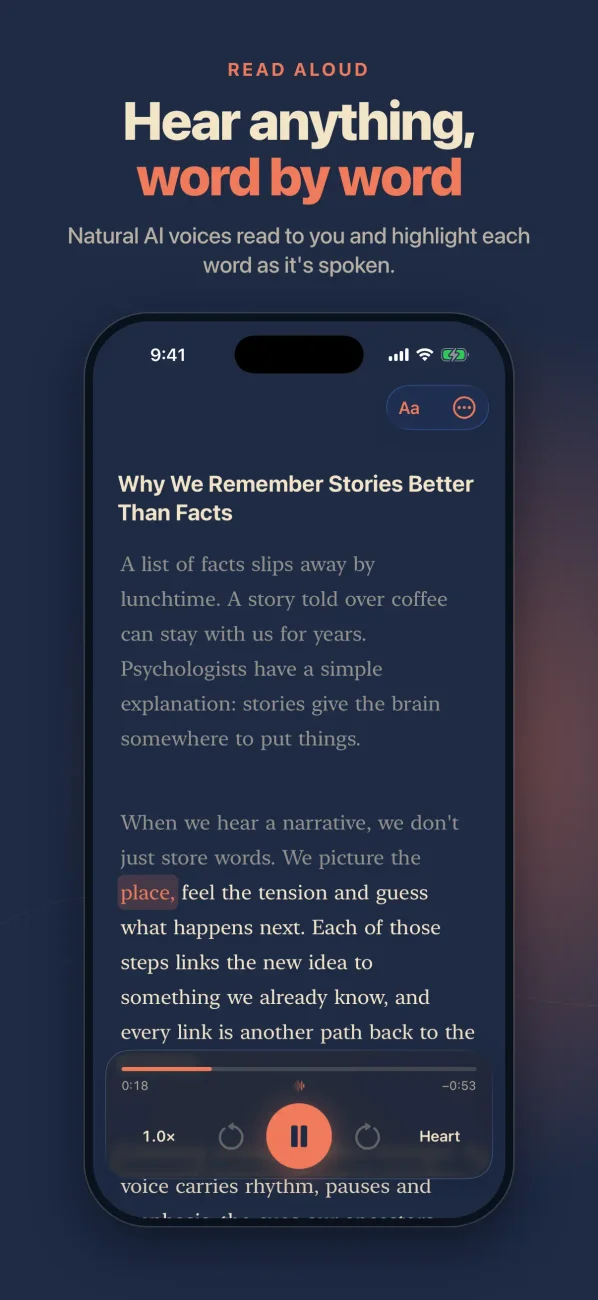
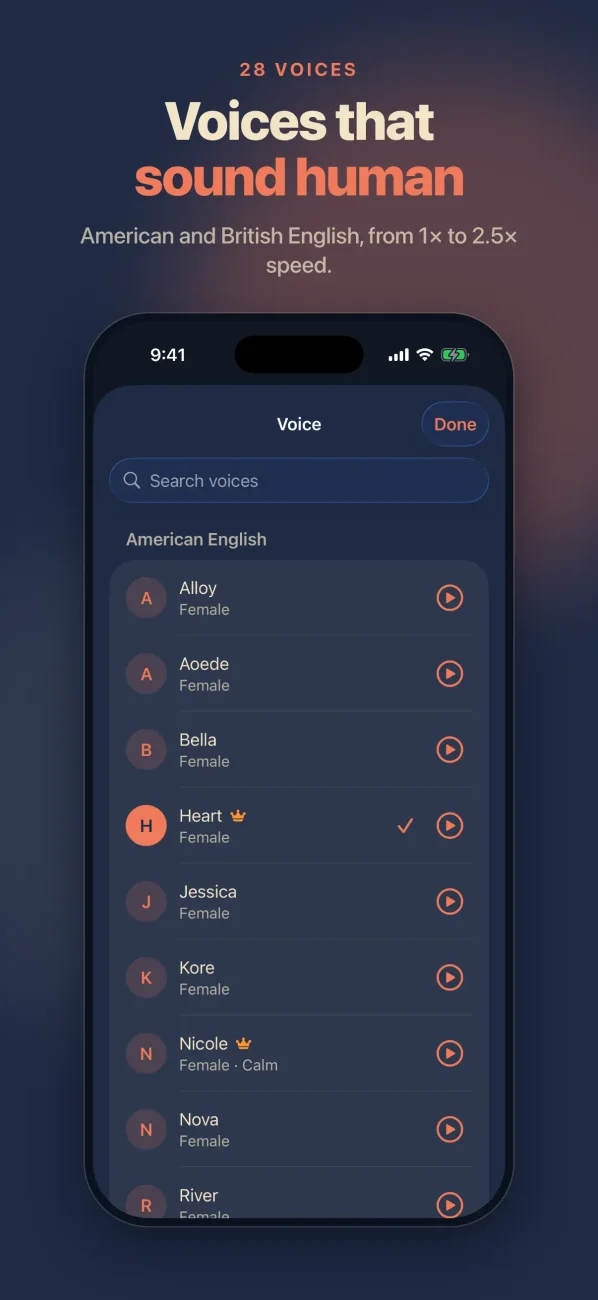
- Realistic AI Voices: Experience text-to-speech that actually sounds human. Spreach features a diverse library of natural, highly expressive voices that make listening to long documents an absolute pleasure.
- 100% Offline Functionality: Take your reading anywhere. Because the AI engine runs entirely locally on your device, Spreach requires absolutely zero internet connection to generate speech.
- Uncompromising Security: Your data never leaves your device. By processing everything locally, Spreach guarantees complete privacy for your sensitive documents, personal files, and reading habits.
- Pay Once, Listen Forever: Say goodbye to expensive, recurring subscriptions. Spreach operates on a transparent model with absolutely no monthly fees or hidden costs.
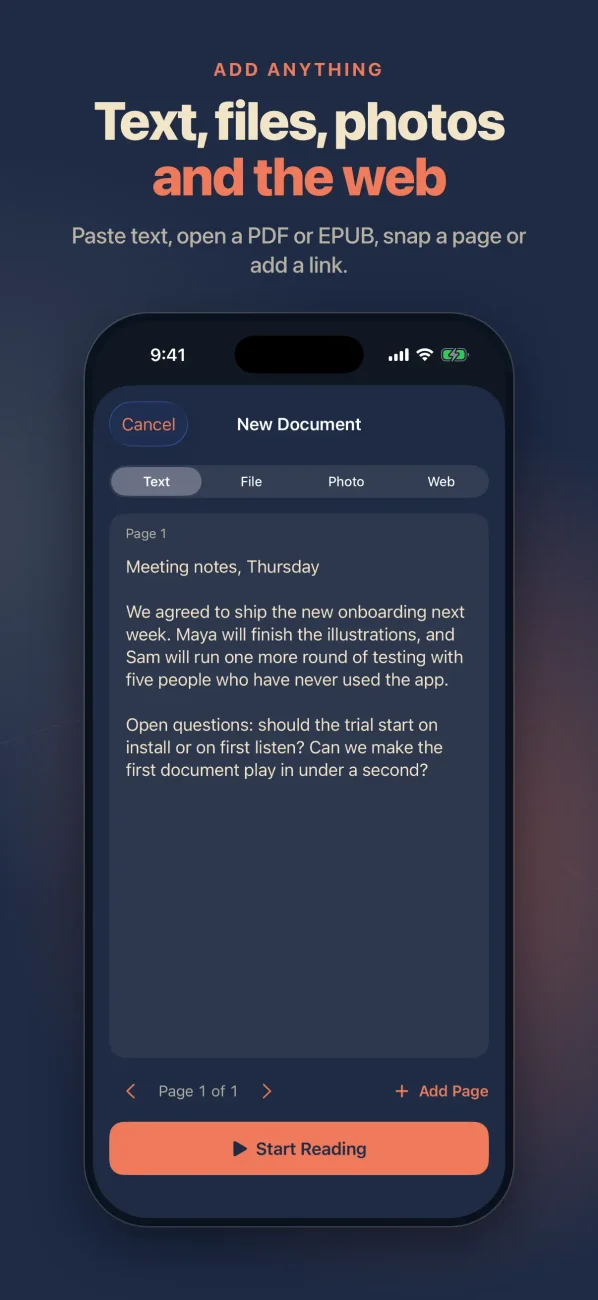
- Versatile Content Import: Spreach adapts to wherever your text lives. Easily listen to virtually any format:
- Scan Pictures: Use your device's camera to snap a photo of a book, receipt, or physical document, and Spreach will instantly read it aloud.
- Import PDFs & EPUBs: Seamlessly upload digital documents, reports, and manuals.
- Web Reading: Input a URL, and Spreach will extract and narrate web articles, bypassing visual clutter.
What’s new
Version 1.4 · Nov 2, 2026
Spreach 1.4 is a complete redesign, with a new look, faster reading and a smarter Desktop Companion.
- All-new design built around your Library, the Reader and a floating player
- New Library home screen with Continue Reading, search, swipe actions and a quick menu for every document
- Documents zoom open into the Reader
- New Document sheet for adding text, files, photos or web pages in one place
- Redesigned Reader with easy-to-read serif text and a smooth highlight that glides from word to word
- New glass player panel with scrubbing, speed, voice, sentence and page controls
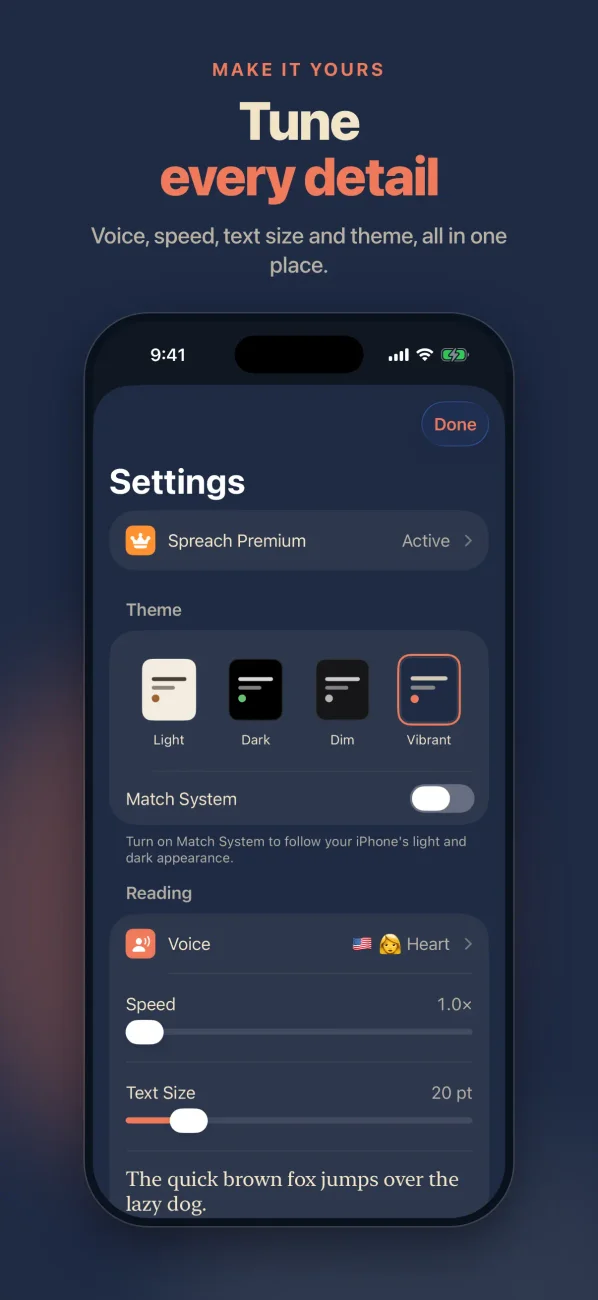
- New look for Settings, Premium, the voice picker, editing, Go to Page, onboarding and saved audio
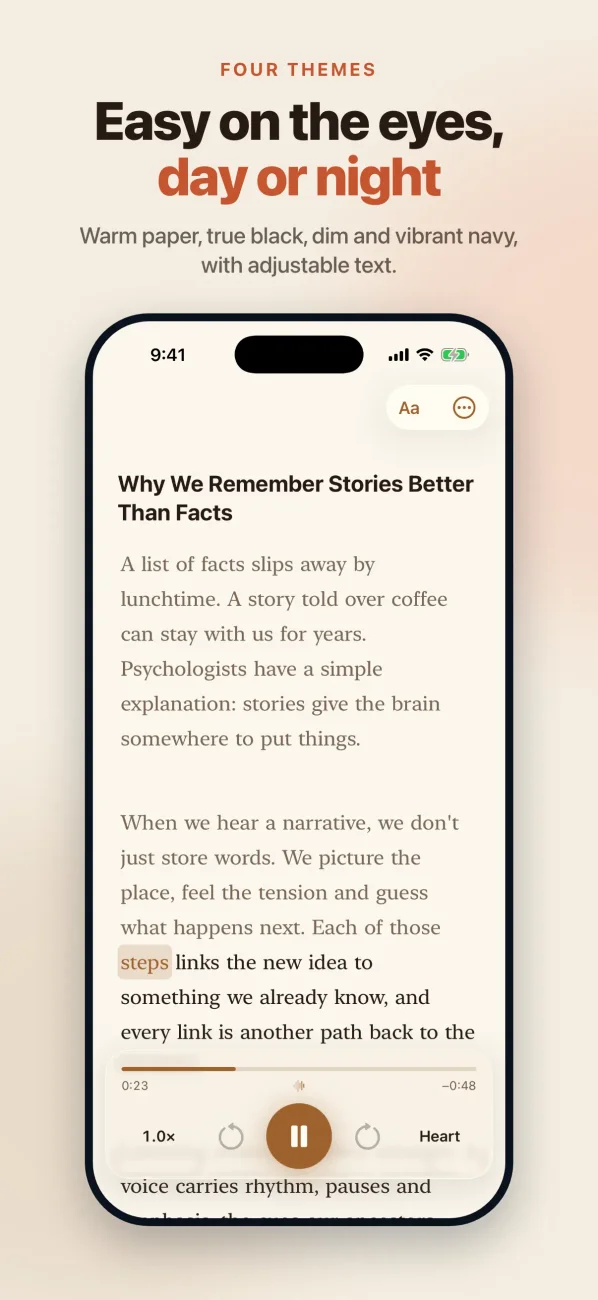
- Four themes: Light (warm cream), Dark, Dim and Vibrant, plus Match System to follow your iPhone's appearance
- New app icon and brand colors: navy, coral and cream
- Choose whether to save a document's audio: save it all for instant, offline listening, or make it on demand to save storage
- Change a document's Save Audio setting at any time from its menu
- Going back a sentence plays instantly, without making the audio again
- Opening a document always uses your current voice and speed; other saved versions play from Manage Saved Audio
- Generate on Desktop: send a whole document or selected pages to your computer, follow its progress in your Library, and load the finished audio onto your iPhone
- Pair with your computer using a 6-digit code, and Spreach reconnects automatically when you open the app
- Desktop connections are now encrypted and tied to the computer you paired with; you're told if a computer's identity changes
- Fixed the word highlight sometimes running ahead of the voice
- Fixed the highlight lagging behind after a pause in playback
- Stray punctuation from PDFs and scanned pages now plays as a short pause instead of confusing the voice
- Faster, smoother scrolling and playback in long documents and books
Using Desktop Companion? Update Spreach on your computer first, then pair again with the new 6-digit code.
App privacy
What MASES KRIKORIAN declares on the App Store about how this app handles data.
-
Data not collected
The developer does not collect any data from this app.
Privacy practices may vary, for example with the features you use or your age.
Information
- Seller
- MASES KRIKORIAN
- Category
- Utilities
- Version
- 1.4
- Updated
- Nov 2, 2026
- Released
- Mar 5, 2026
- Size
- 395.0 MB
- Requires
- iOS 18.6 or later
- Age rating
- 4+
- Price
- Free
- In-app purchases
- Yes
- Languages
- English
- Copyright
- © 2026 Mases Krikorian
You might also like
-
 Scout PhotoOffline Finder, OCR & Cleaner
-
 AdErasr: Ad BlockerBlock Ads & Trackers in Safari
-
 DynDnsPulseAuto-update your domain IP
-
 Koko MessagesLeave Messages at Real Places
-
 Web TweakerAd block, dark mode, cookies
-
 File Transfer & Share: StashSend Large Files, Encrypted
-
 PolyChat - Offline AI ChatSecure Private Local AI Chat
-
 ASCII-FYConvert photos to ASCII art.
-
 Compress Photos: CompressAllPhoto and image compressor.
-
 Unzip Tool - ZIP RAR 7ZFile Manager & Video Player