Web Tweaker
Ad block, dark mode, cookies
Designed for iPhone, iPad, iPod touch
Free
- Age rating4+
- CategoryUtilities
- DeveloperHarpreet Ghtora
- LanguagesEnglish
- Size19.6 MB
Links to the official App Store page
Download.org hosts no file of Web Tweaker. The button opens its official App Store page, published by Harpreet Ghtora. Listing last checked on Nov 23, 2026.
Screenshots



About
Web Tweaker is a set of small, independent fixes for Safari on iPhone and iPad. Turn on the ones you want; each works on every website, and each is its own switch.
BLOCK ADS
A native Safari content blocker built from EasyList, EasyPrivacy and Peter Lowe’s list stops ads, trackers and analytics before they load, and the extension hides leftover ad slots. No slowdown: blocking happens inside Safari’s own engine. Scores 100% on the adblock.turtlecute.org test.
BLOCK YOUTUBE ADS
Video ads, promoted videos and banners are removed before the player sees them. An ad that still plays is skipped.
BETTER YOUTUBE PLAYER
Swipe down on a video for Picture in Picture, like the app. Fullscreen uses the native player, so leaving Safari hands the video to Picture in Picture. Background playback you can resume from the lock screen or Control Center. Highest available quality.
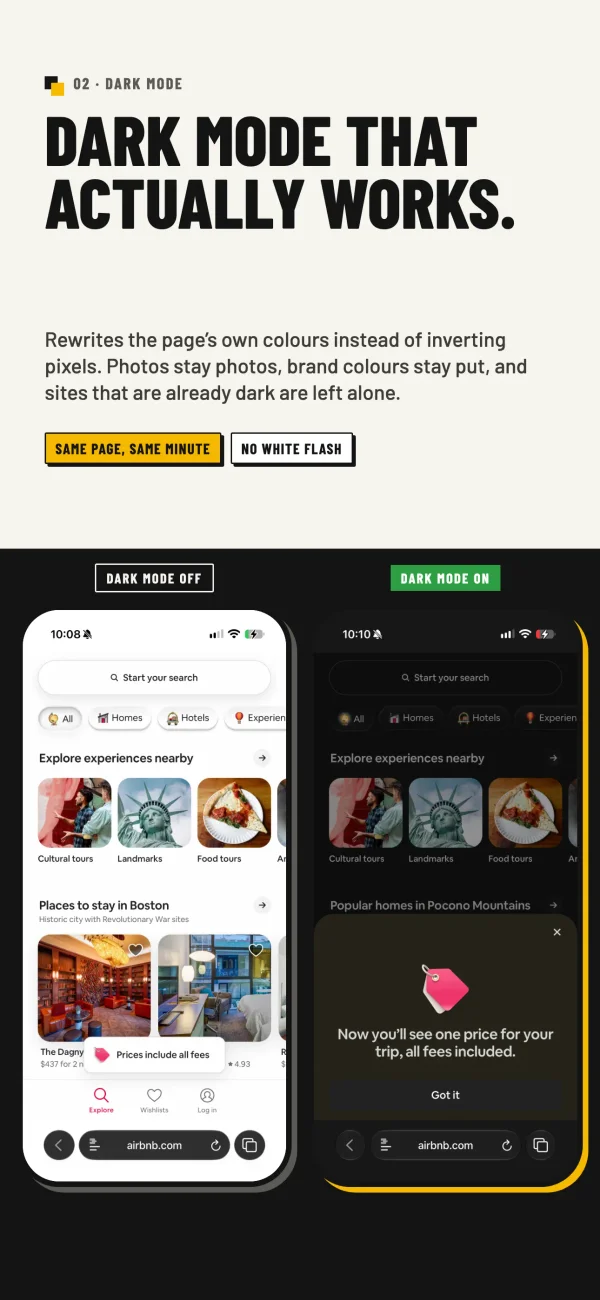
DARK MODE FOR EVERY SITE
A real dynamic dark theme, not a colour filter. Photos, videos, logos and brand colours stay as they are; sites that are already dark are left alone; pages never flash white.
READER MODE AUTOMATICALLY
Article pages open in a clean reader view the moment they load: headline, byline, text and pictures. One tap shows the original page.
HIDE “GET THE APP” PROMPTS
YouTube, X, Reddit and others stop pushing you into their apps. The banners and sheets are dismissed, the “Open app” buttons hidden, app links stay in Safari. Google’s “AI Mode” promo and the “Sign in with Google” pop-up go too.
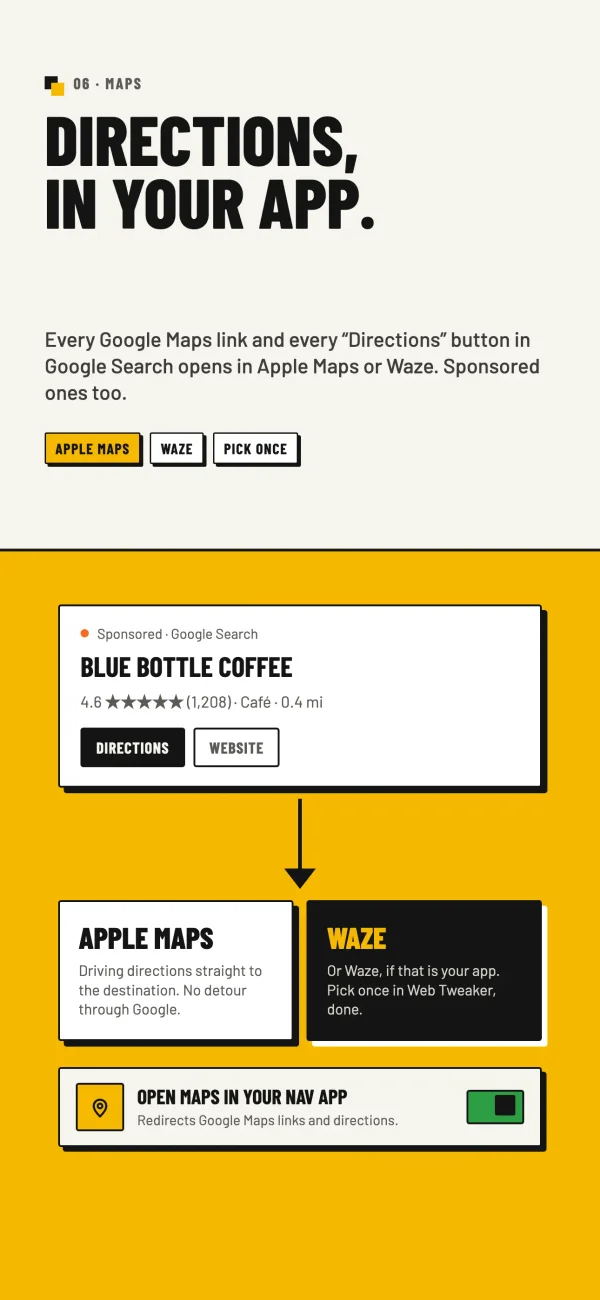
OPEN MAPS IN YOUR NAV APP
Google Maps links and the “Directions” buttons in Google Search open in Apple Maps or Waze. Sponsored results too.
COOKIE BANNERS, ANSWERED
Consent prompts are rejected (or accepted, your choice) for you, including the ones inside iframes.
CLEAN LINKS
utm_, fbclid, gclid and similar tracking parameters are removed from links.
UNBLOCK COPY AND RIGHT-CLICK
Copy, paste, select text and open menus on sites that disable them.
STOP AUTOPLAYING MEDIA
Videos and audio that start on their own are paused.
PRIVACY
Everything runs on your device. No account, no tracking, no data collected.
What’s new
Version 1.4 · Nov 12, 2026
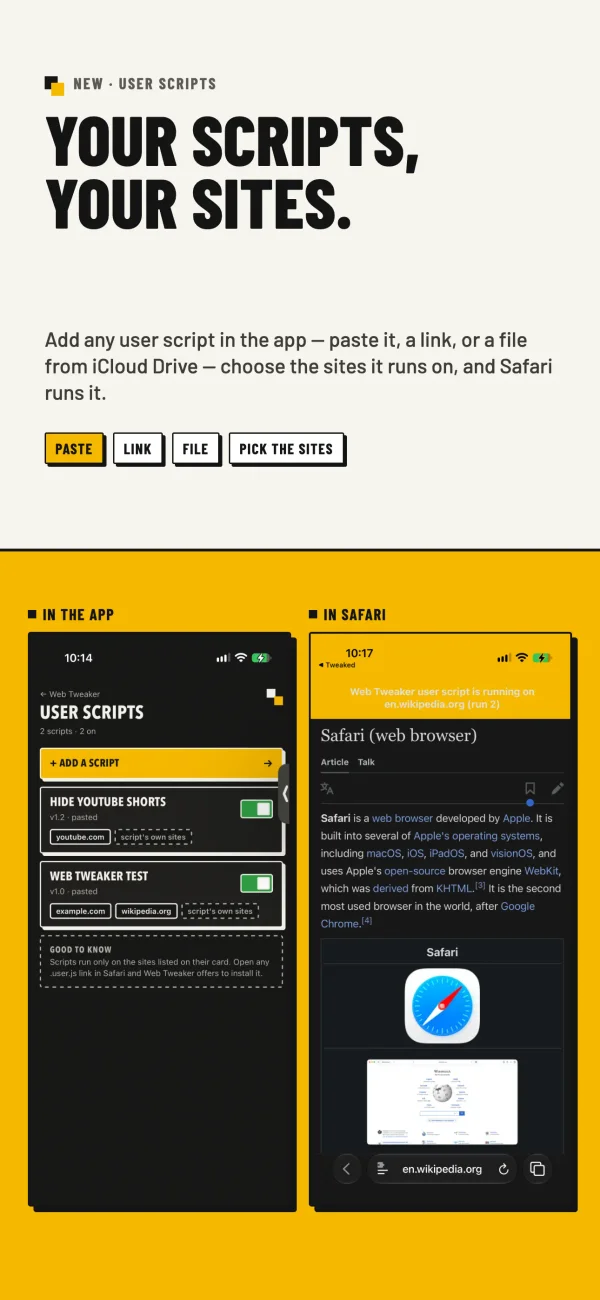
User scripts. Run your own scripts on the sites you choose. Add one in the Web Tweaker app: start from a preset (hide YouTube Shorts, comments, community posts, suggested videos or games; hide X trends; hide Reddit promoted posts), paste a script, fetch it from a link, or pick a file from Files or iCloud Drive. The editor checks the script before it is added. Pick the sites it runs on, and pause it per site from the Safari popup. Open any .user.js link in Safari and Web Tweaker offers to add it.
Dark mode can now follow the system: Always, or only when the device is dark.
Fixes: Directions on a place opened from "near me" results now goes to your navigation app. The Share and Rate buttons work again. The settings list scrolls on the Mac.
App privacy
What Harpreet Ghtora declares on the App Store about how this app handles data.
-
Data not collected
The developer does not collect any data from this app.
Privacy practices may vary, for example with the features you use or your age.
Information
- Seller
- Harpreet Ghtora
- Category
- Utilities
- Version
- 1.4
- Updated
- Nov 12, 2026
- Released
- Jul 8, 2025
- Size
- 19.6 MB
- Requires
- iOS 15.0 or later
- Age rating
- 4+
- Price
- Free
- Languages
- English
- Copyright
- © Harpreet Ghotra
You might also like
-
 SiteShift: Unfolded BrowsingMatch browsing to screen size.
-
 anyPWAWeb apps: ad block, PiP, audio
-
 Sink It for GoogleBetter search engine results
-
 THLPlayUtilities
-
 Playbar for SafariWeb Video Playback Assistant
-
 OutSpan - Fullscreen BrowsingWide web pages and ad blocker
-
 Lens: Simple, Private BrowserThe web, without the noise
-
 EFKey – Swipe & AI KeyboardTranslate, dictate, gestures
-
 Litterbox - Post PeekerRead the post, skip the site
-
 Wider - Fullscreen BrowsingMore room for the internet