
SSH, SFTP, databases: Boopbeep
Host toolkit, local or remote
Designed for iPhone, iPad
$1.99
- Age rating4+
- CategoryDeveloper Tools
- DeveloperGabriel Lopez Santana
- LanguagesEnglish
- Size24.4 MB
Links to the official App Store page
Download.org hosts no file of SSH, SFTP, databases: Boopbeep. The button opens its official App Store page, published by Gabriel Lopez Santana. Listing last checked on Nov 17, 2026.
Screenshots
About
Boopbeep is a native SSH, SFTP, and database client for iOS and iPadOS.
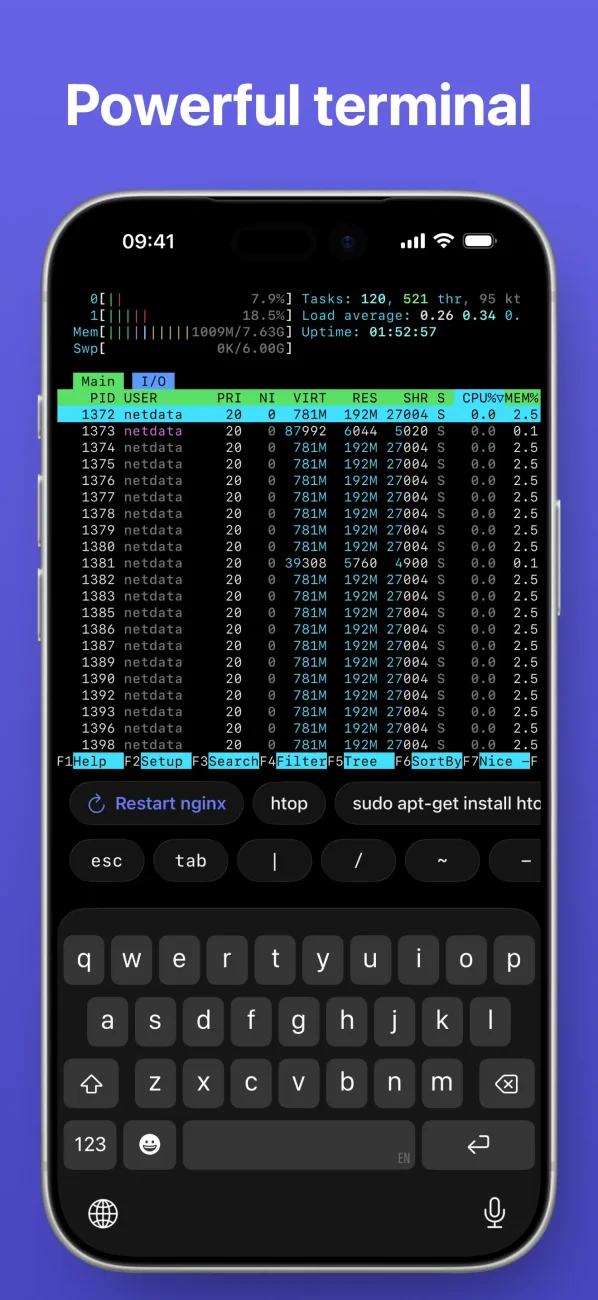
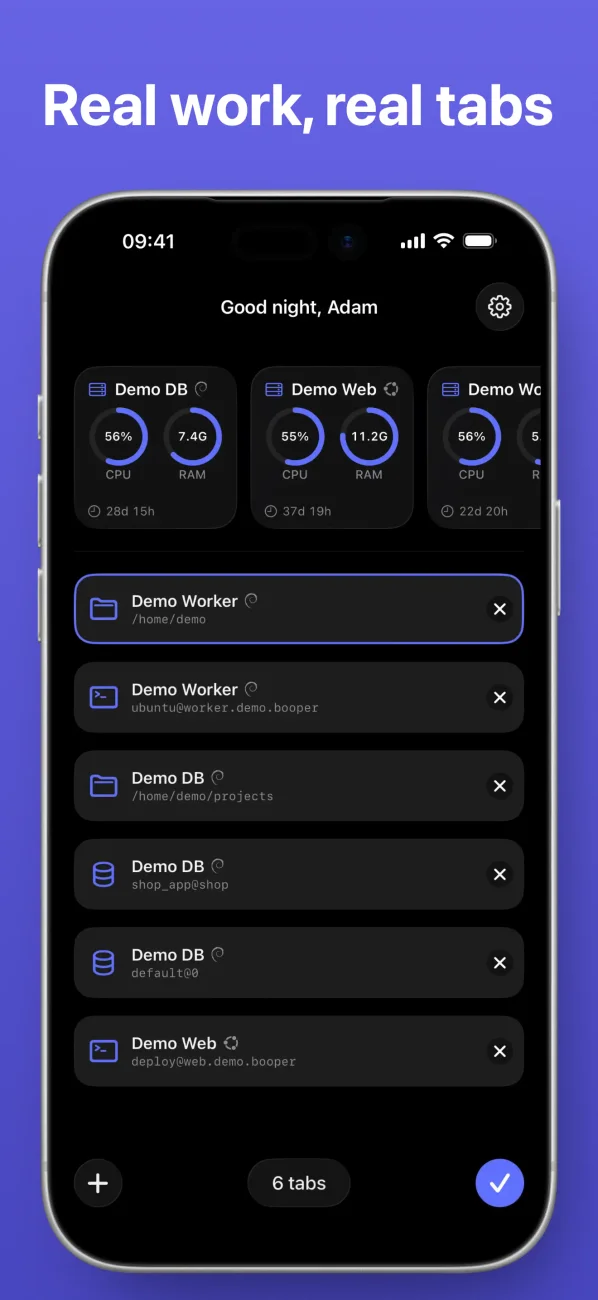
Real PTY terminals — vim, tmux, htop, nano, less, anything that needs one. 24-bit ANSI color. Persistent sessions across tabs. A glassy, reorderable key strip with Esc, Tab, arrows, pipes, and Ctrl/F-keys one tap above the keyboard. Pinch to zoom, custom fonts (with Powerline and Nerd Font support), tune cursor blink, bell, scrollback, emulation.
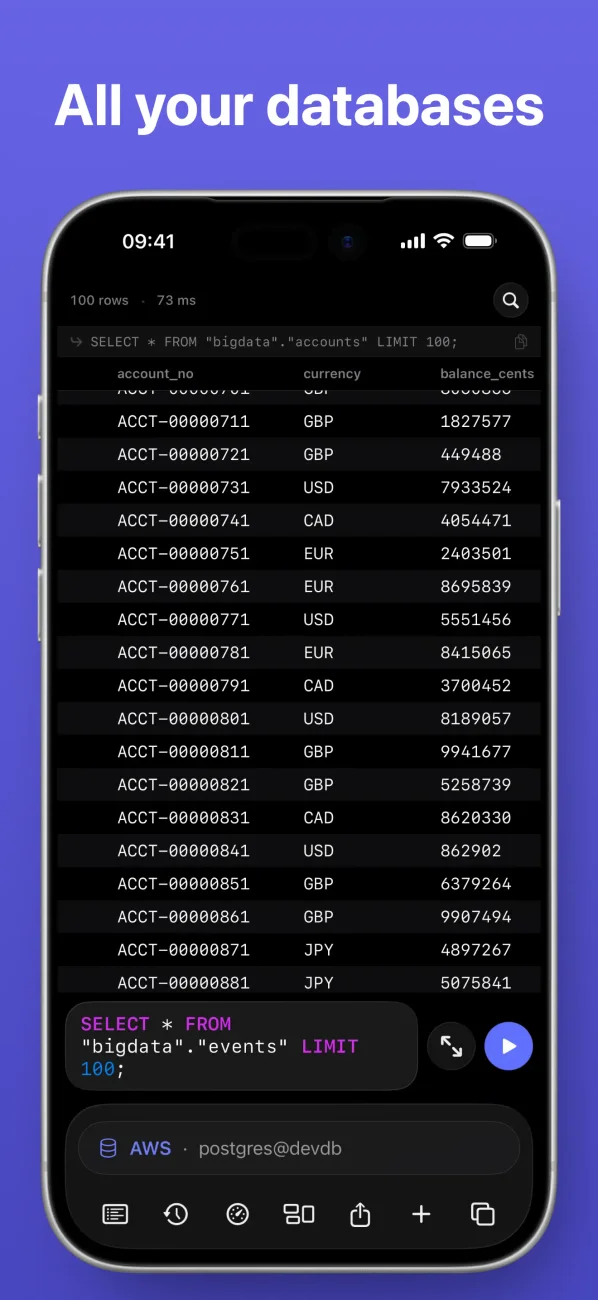
Eight databases over SSH — Postgres, MySQL, MariaDB, SQLite, Redis, MongoDB, Consul KV, etcd — tunneled through the same connection. Type-aware result grid, schema browser, query history, session monitor, ER diagram. Passwordless local auth supported.
Live host widgets — CPU, memory, disk, load — polled over SSH. Distro logos (Ubuntu, Debian, Arch, Fedora, Alpine, macOS, BSD, more) next to host names everywhere.
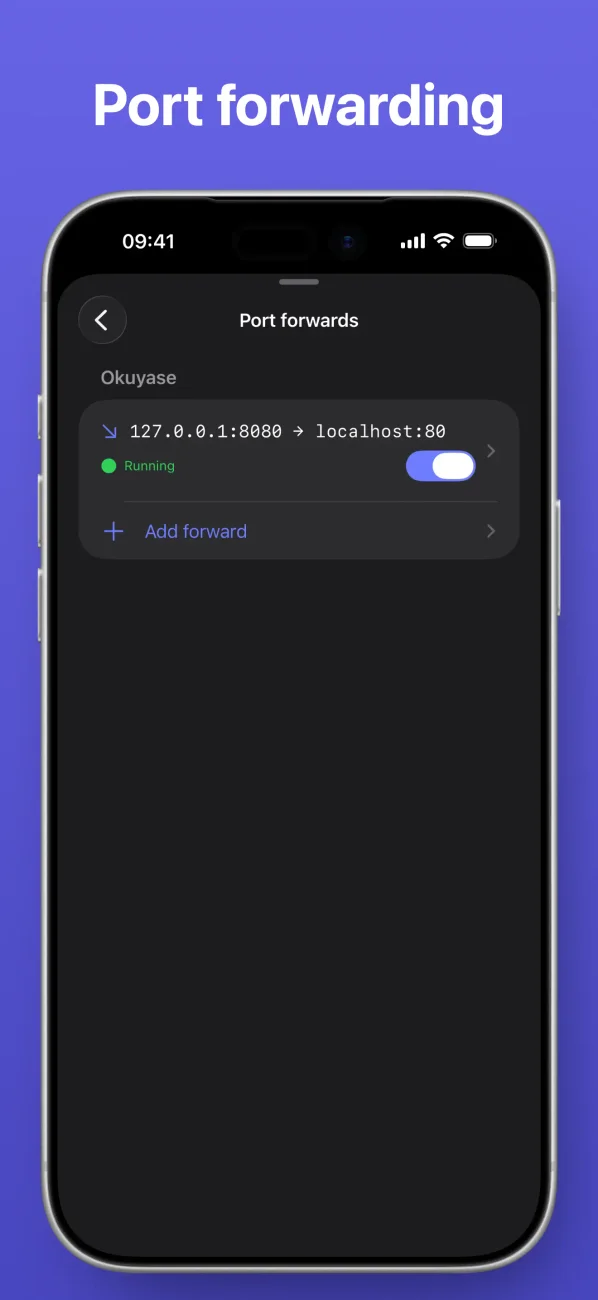
Port forwarding, built in. Local (-L) and remote (-R) TCP tunnels through SSH — no exposed ports, no extra binaries.
EVERY FEATURE, INCLUDED
Pay once. No subscriptions, no Pro tier, no feature gates.
TERMINAL (SSH)
• Multiple tabs, persistent sessions per host
• Real PTY — vim, tmux, htop, less, nano
• Reorderable key strip: Esc, Tab, |, /, ~, arrows, Ctrl, F1–F12
• Pinch to zoom, custom fonts (with Powerline and Nerd Font support), scrollback, cursor blink, bell (audio + haptic), keep-alive, emulation
• Prevent device sleep, auto-close tab on logout
• Per-host command history above the keyboard
• Tab labels show running TUI (htop, vim, tmux) or last command
FILES (SFTP)
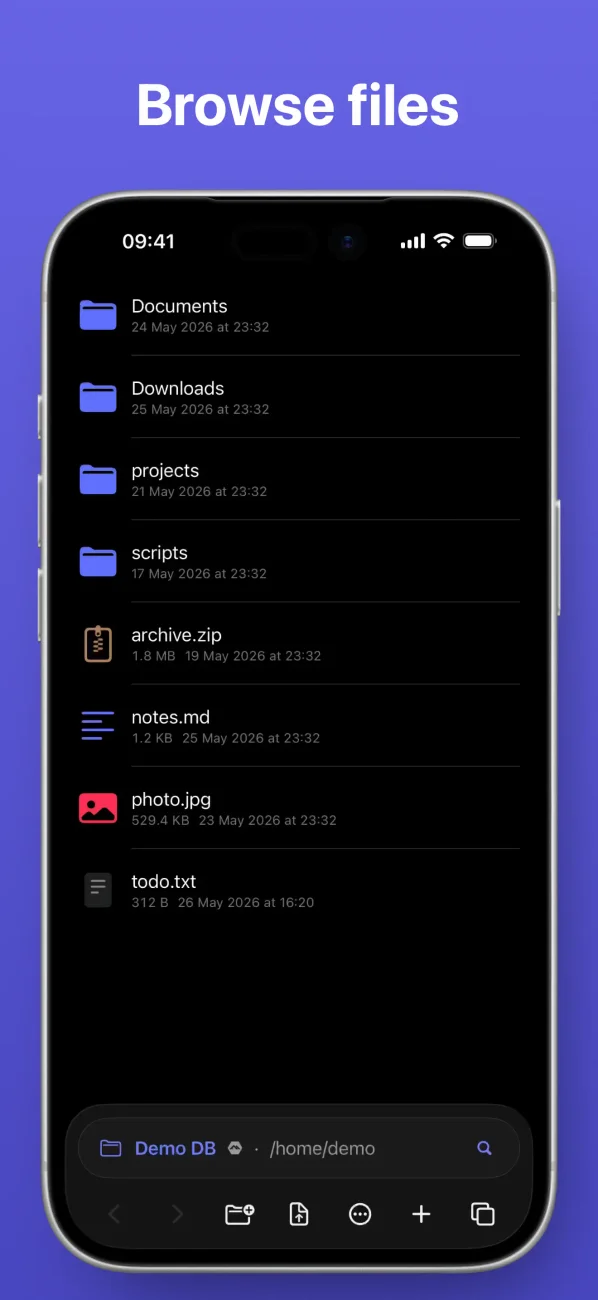
• Tabs, list/grid, breadcrumbs, sort by name/date/size/kind
• Drag-and-drop to other apps, Open with…
• Folder and recursive search
• Archive: zip, tar, tar.gz, tar.bz2, tar.xz, 7z, rar, gz, bz2, xz
• Upload, download, move, copy, delete, duplicate
• Auto-download size limit, hidden files, POSIX permissions
DATABASES
• Eight engines tunneled over SSH — no exposed ports
• Passwordless local auth where supported
• Live SQL highlighting, multi-statement scripts
• Type-aware result grid — timestamps, numerics, UUIDs, JSON, BYTEA — NULL styling, filter, sort, auto-sized columns
• Cell preview (text + hex), export rows as CSV / JSON
• Schema browser — tables, views, functions, triggers, Redis keys, Mongo collections, KV paths — counts, sizes, TTLs
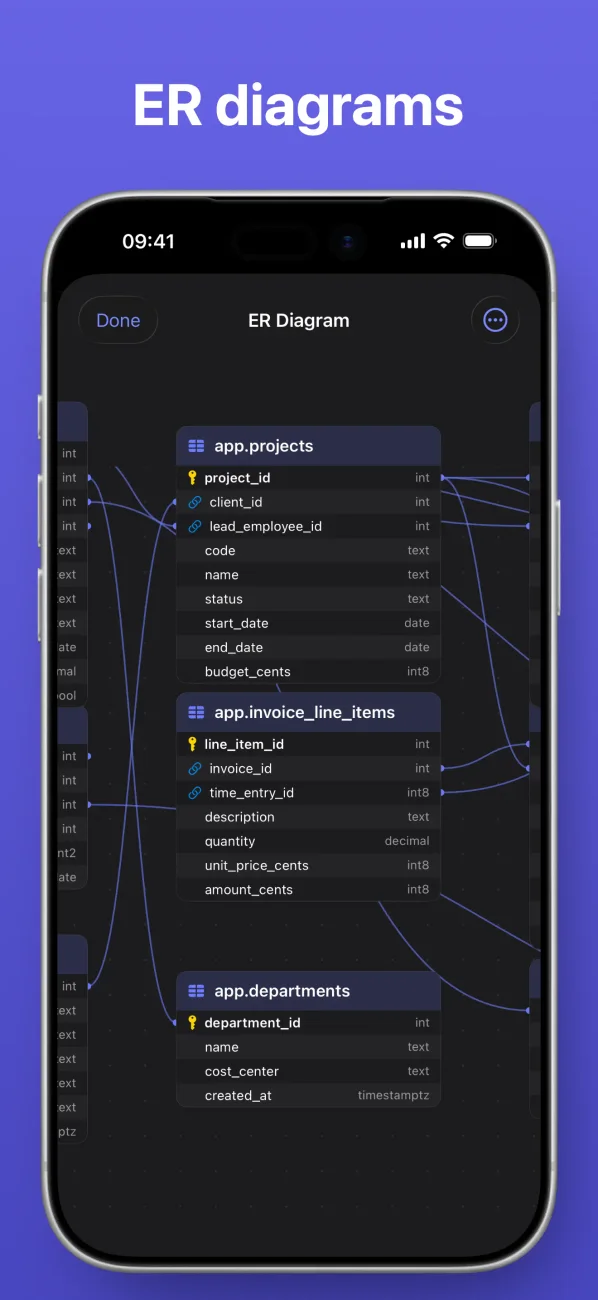
• ER diagram — pannable, pinch-to-zoom, draggable, FK lines, export PNG
• Live session monitor, terminate backends
• Per-connection saved query history, read-only lock
• SQLite files pulled via SFTP, opened locally, pushed back on save
PORT FORWARDING
• Local (-L) — reach a remote database or admin panel from your device
• Remote (-R) — expose something local through the server
• Per-host config, one-tap toggle, live status
• Runs over the same SSH — no server setup
HOST CONNECTION
• SSH key auth — Ed25519, ECDSA, RSA, with encrypted . pem support
• Password auth — iOS Keychain
• Jump-host / bastion (OpenSSH -J) with in-app Test Connection
• Per-host startup snippets, env vars, terminal theme override
• Per-host OS detection — distro logo everywhere
• Trust-on-first-use host-key verification
SNIPPETS
• Per-host one-tap commands
• Optional confirm for destructive ops
• Scoped to the host
MULTITASKING (iPad)
• Drag tabs off the chrome to spawn windows
• Side-by-side, Stage Manager, Slide Over all native
• Drag tabs between windows — shells, SQL editor, last results carry over
SECURITY
• Private keys + credentials in the iOS Keychain
• Optional terminal history wipe on app close
MAKE IT YOURS
• 10 accent colors; 9 app icons (Pride and Trans Pride included), light/dark/tinted
• Light, Dark, or System theme
• Custom terminal color schemes — iTerm2 .itermcolors import, separate light/dark
PRIVACY
Boopbeep only connects to the SSH servers you configure. No analytics, no third-party SDKs, no account required.
gabriellopezsantana@icloud.com
What’s new
Version 2.3.1 · May 31, 2026
- Expanded host key support, including support for encrypted .pem files.
- Custom fonts for the terminal, including support for Powerline and Nerd Fonts.
- Various bug fixes and improvements.
App privacy
What Gabriel Lopez Santana declares on the App Store about how this app handles data.
-
Data not collected
The developer does not collect any data from this app.
Privacy practices may vary, for example with the features you use or your age.
Information
- Seller
- Gabriel Lopez Santana
- Category
- Developer Tools
- Version
- 2.3.1
- Updated
- May 31, 2026
- Released
- May 22, 2026
- Size
- 24.4 MB
- Requires
- iOS 26.0 or later
- Age rating
- 4+
- Price
- $1.99
- Languages
- English
- Copyright
- © 2026 Gabriel Lopez Santana
You might also like
-
 Bussola - MongoDB ClientQuery & edit Atlas databases
-
 DatarkDatabase & SSH Workbench
-
 DBPort: Modern Database ClientSQL Client with SSH & AI
-
 Buffer Editor - Code EditorGit Client, SFTP, SSH Terminal
-
 Termix Pro: SSH & SFTP ClientA powerful terminal emulator
-
 Clouder for CloudflareWorkers, DNS, R2, Pages & D1.
-
 ProxManFor Proxmox VE & Backup Server
-
 Hermes ConduitMobile client for Hermes
-
 ProxMateManage your Proxmox Instances
-
 MySQL Mobile ClientDeveloper Tools