
SSHive: SSH, SFTP & Terminal
Remote desktop, tunnels, sync
Designed for iPhone, iPad, Mac
Free · In-app purchases
- Age rating4+
- CategoryDeveloper Tools
- DeveloperNetMeSafe
- LanguagesEnglish+ 2 more
- Size28.5 MB
Links to the official App Store page
Download.org hosts no file of SSHive: SSH, SFTP & Terminal. The button opens its official App Store page, published by NetMeSafe. Listing last checked on Nov 20, 2026.
Screenshots
About
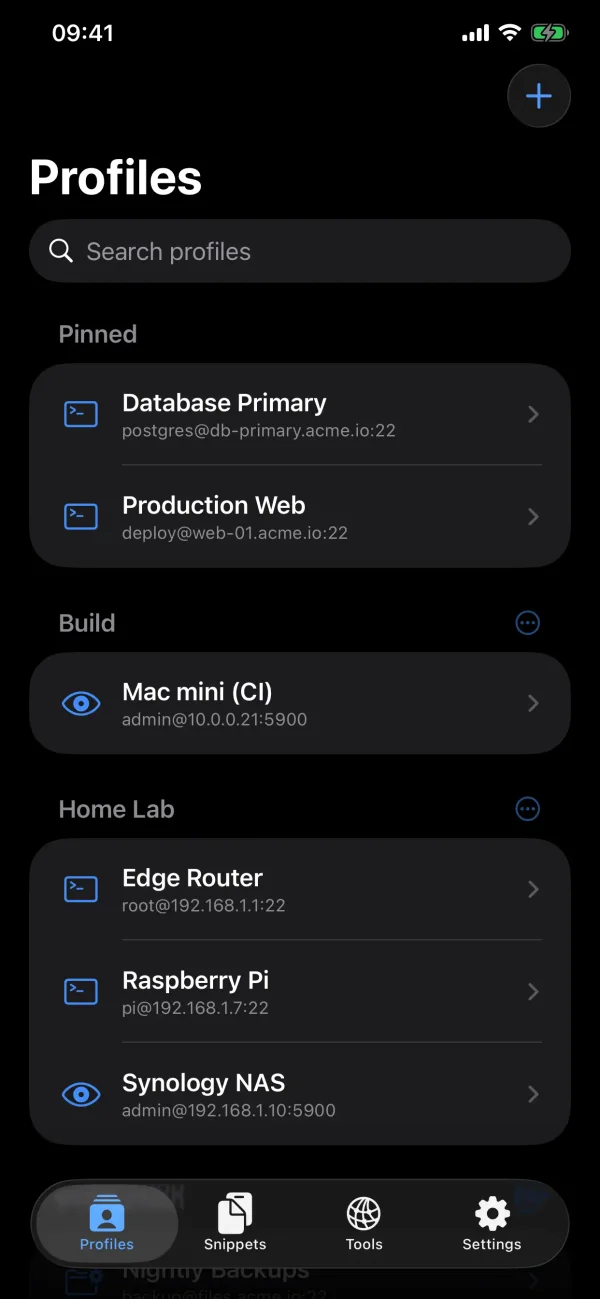
SSHive is a remote access client for iPhone and iPad: SSH, SFTP, RDP, VNC and a built-in VPN client in one private, native app.
Manage your servers, open a terminal, transfer files and control remote Windows, macOS and Linux desktops from anywhere.
SUPPORTED PROTOCOLS
• SSH: full terminal (SwiftTerm), key or password authentication
• SFTP: browse, upload, download and manage files
• RDP: Remote Desktop to Windows PCs and servers
• VNC: screen sharing for macOS and Linux
• VPN: connects to your own OpenVPN, IKEv2 or IPsec server before the session opens
KEY FEATURES
• Touch mouse and keyboard for RDP and VNC, with a trackpad mode
• SSH key generation, import and management
• Port forwarding (SSH tunnels)
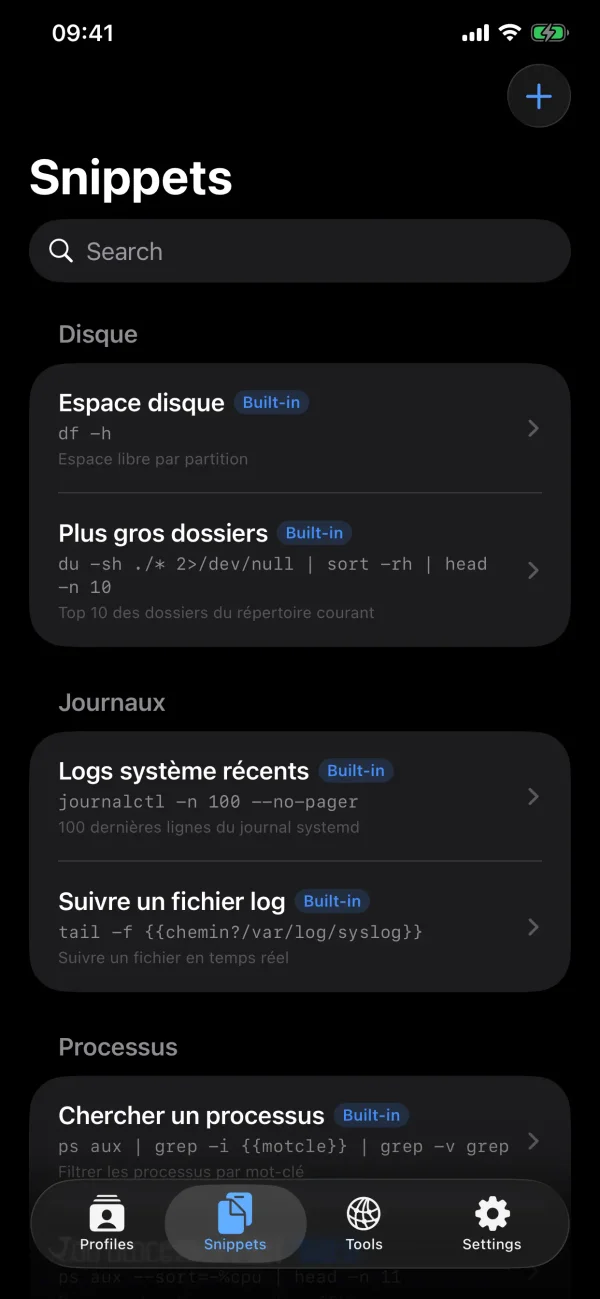
• Command snippets, with a history of the ones you ran
• Shared credentials reused across profiles
• Folders to organize your connections
• Optional Face ID / Touch ID before each connection
• iCloud sync of profiles, passwords and keys across your devices
• Import and export of your connections (.sshive)
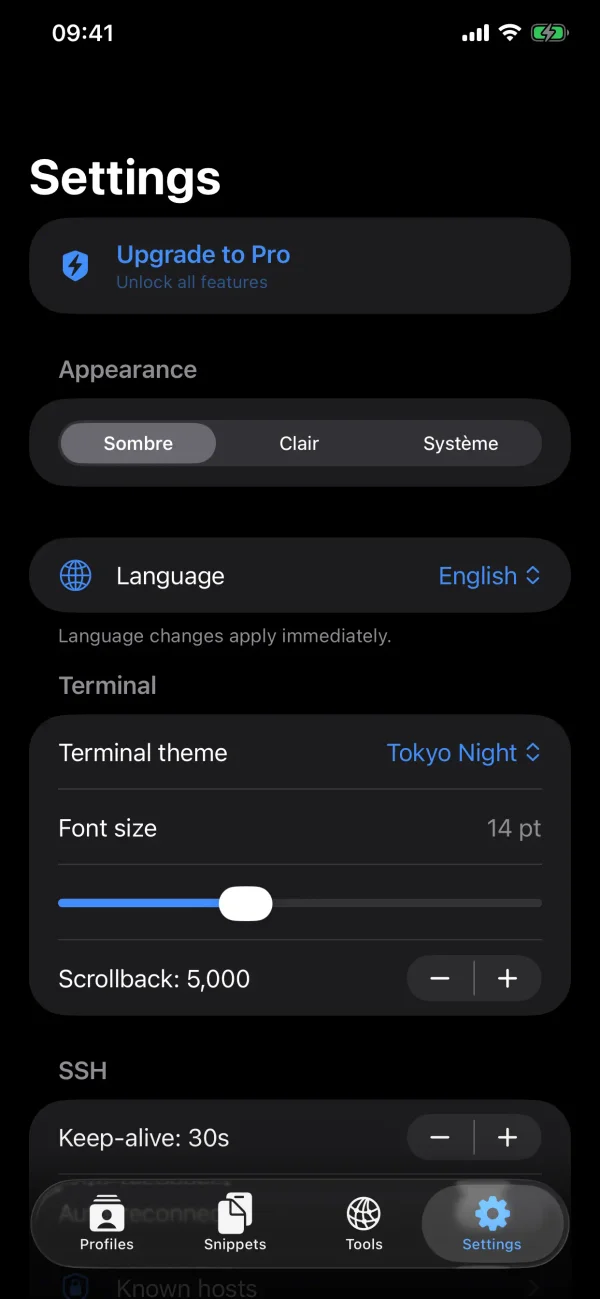
• Native SwiftUI design for iPhone and iPad, light and dark
NETWORK TOOLS
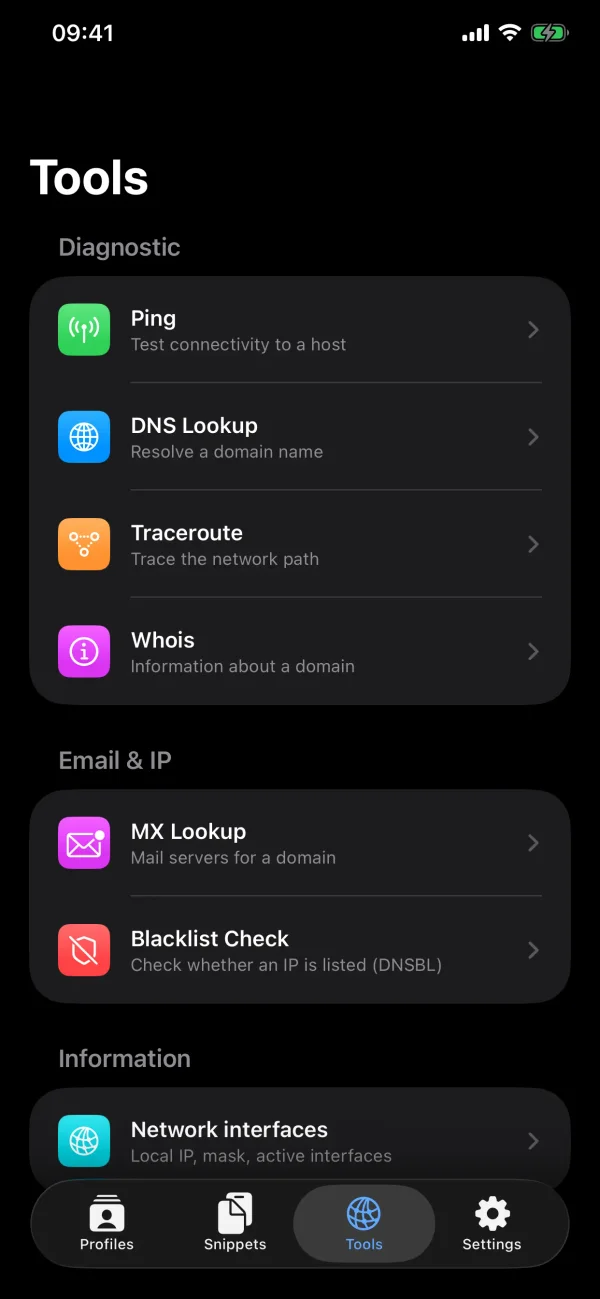
• Ping: test host reachability
• DNS Lookup: resolve domain names
• Traceroute: trace the network path
• Whois: domain registration info
• MX Lookup: a domain's mail servers
• Blacklist Check (DNSBL): see if an IP is blacklisted
• Network interfaces: local IP, netmask and active interfaces
PRIVACY
Your passwords and keys live in the iOS Keychain, and you can require Face ID / Touch ID to use them. Nothing goes through our servers: connections go straight from your device to your servers.
FREE & PRO
Free: SSH terminal, SFTP, SSH keys, Face ID / Touch ID and the network tools. Limits: 2 SSH sessions at a time, 5 profiles, 1 local tunnel, 3 custom snippets, uploads up to 10 MB.
Pro: RDP, VNC, VPN, unlimited SSH sessions, profiles and snippets, remote tunnels and extra local tunnels, shared accounts, session logging, .sshive import and export, iCloud sync and all terminal themes.
One Pro purchase, with no subscription, also unlocks Pro in SSHive for Mac from the Mac App Store (Mac with Apple silicon), with the same Apple Account. On the Mac, use Restore purchases if Pro is not active yet.
SSHive is made for developers, sysadmins and DevOps engineers who look after servers from an iPhone or iPad.
What’s new
Version 1.2.7 · Nov 19, 2026
New in 1.2.7:
• RDP: connecting to GNOME Remote Desktop (Ubuntu) now works, and the remote desktop takes the size of your screen.
• VoiceOver: the terminal can be read, and what the server writes is announced. Terminal keys, tag filters, text fields and Pro features now have clear names.
• SFTP: faster transfers over a distant link, with real progress and a Cancel button. The 100 MB per-file ceiling is gone.
• SFTP: uploading to a missing or read-only folder shows a clear error, and a script you replace keeps its permissions.
• RDP: the app remembers the server certificate on first connection and refuses to connect if it changes. You can forget it in Settings, Known hosts.
• RDP: when the server cannot be reached, the message says so.
• A profile linked to a shared account connects with the account's username, including through a jump host.
• Multi-hop jump chains created on the Mac work on iPhone and iPad.
• The "This Mac" profile created by SSHive on the Mac explains that it opens that Mac's terminal.
• Keep-alive no longer writes a stray character in the terminal.
App privacy
What NetMeSafe declares on the App Store about how this app handles data.
-
Data not collected
The developer does not collect any data from this app.
Privacy practices may vary, for example with the features you use or your age.
Information
- Seller
- NetMeSafe
- Category
- Developer Tools
- Version
- 1.2.7
- Updated
- Nov 19, 2026
- Released
- Mar 29, 2026
- Size
- 28.5 MB
- Requires
- iOS 17.0 or later
- Age rating
- 4+
- Price
- Free
- In-app purchases
- Yes
- Languages
- English, French, Spanish
- Copyright
- © 2026 NetMeSafe
You might also like
-
 Shepherd: AI Agents & SSHControl herdr from your iPhone
-
 Conduit: SSH, Mosh & SFTPSSH, Mosh and SFTP client
-
 MobileCLIRemote AI Terminal Control
-
 Termify - AI SSH TerminalSFTP, CMD, PuTTY, Terminus
-
 Mobile SSH TerminalSSH client for your servers
-
 Easy SSHPure SSH Terminal Experience
-
 CMD: SSH, Terminal, DOS, PingSSH client & network tools
-
 Prompt 3The SSH app with speed & style
-
 SSH Client - Secure ShellFishTerminal, Files & Finder
-
 ServerCat - SSH Terminal & VPSDeveloper Tools