
- Age rating4+
- CategoryHealth & Fitness
- DeveloperVladimir Senchikhin
- LanguagesEnglish+ 6 more
- Size61.0 MB
Links to the official App Store page
Download.org hosts no file of Stack My Trails. The button opens its official App Store page, published by Vladimir Senchikhin. Listing last checked on Nov 18, 2026.
Screenshots

About
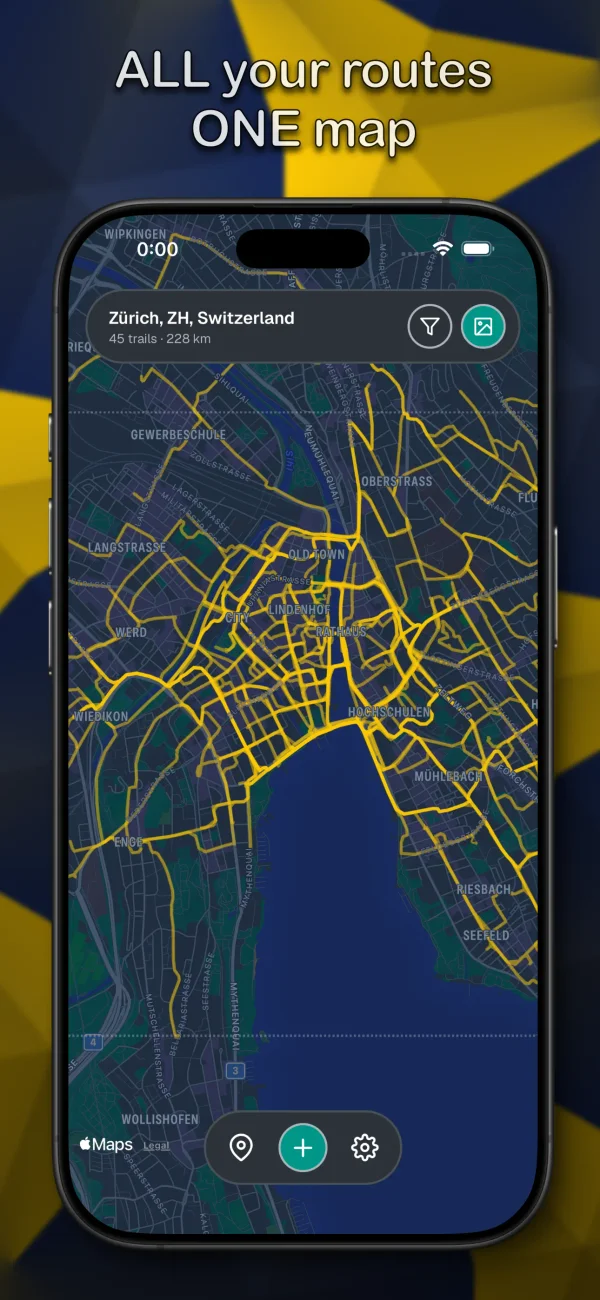
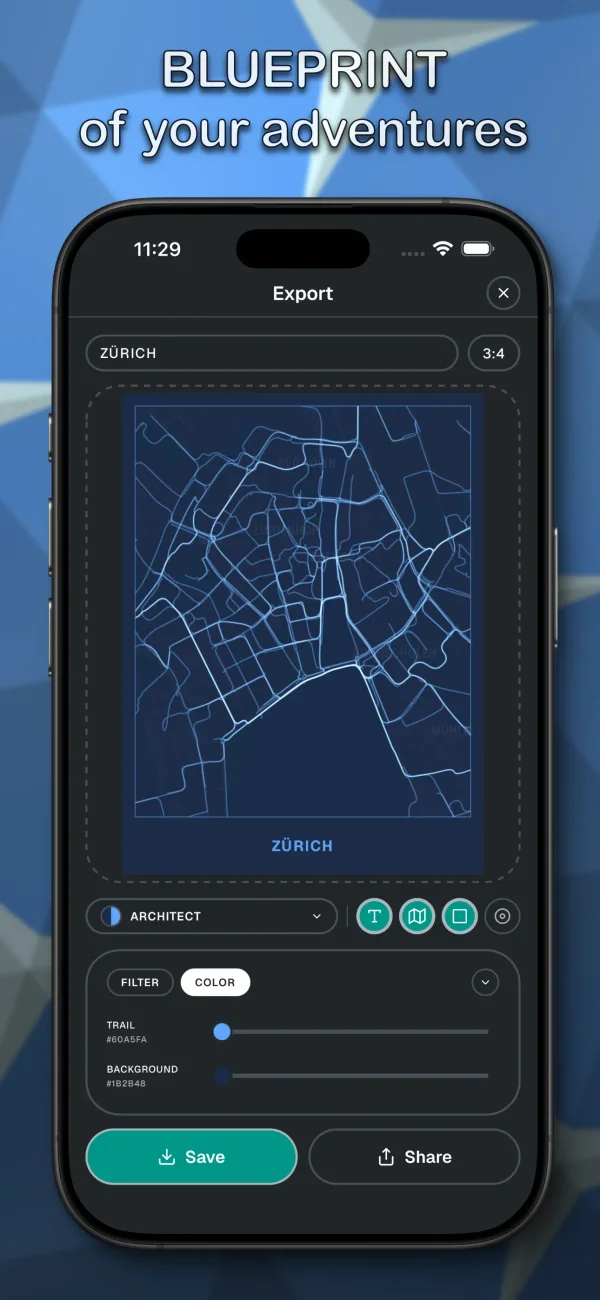
Stack My Trails reads your workout routes from Apple Health and stacks them on a single map, creating a beautiful heatmap-like visualization. Record workouts in the app, import and export GPX files, or draw your own GPS art by placing waypoints.
See all your runs, walks, hikes, and cycling routes layered together. Discover your favorite paths, explore patterns in your training, and turn your routes into art.
No subscriptions, no accounts, no cloud. Your data stays on your device.
Try the filters free in your browser: stackmytrails.com
KEY FEATURES
- Import workout routes from Apple Health with one tap
- Import and export GPX files and full backups
- Record trails in the app with live route, distance and calories; saved to Apple Health
- Draw custom routes on the map — place waypoints and get real walking directions between them
- Stack up to 500 routes on a single map view
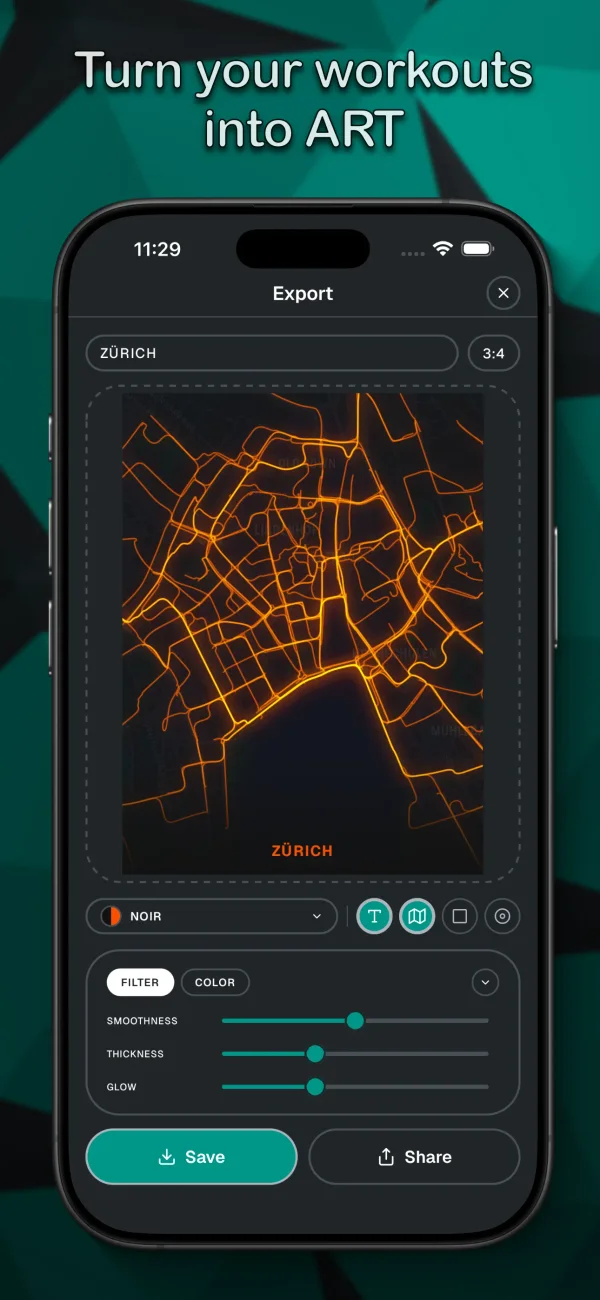
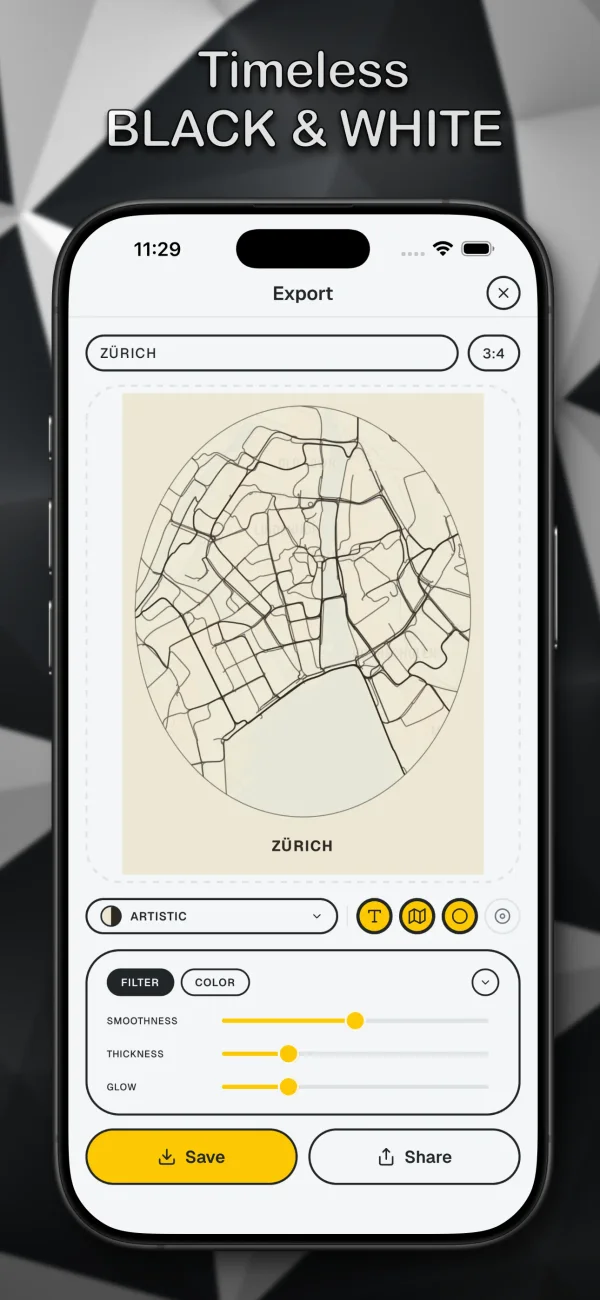
- Print-ready posters with 12 artistic filters, from square to ISO A
- Adjust trail thickness, glow, vignette, colors, labels, and frames
- Frame and rotate your poster for the perfect composition
- Save posters to your photo library or share them
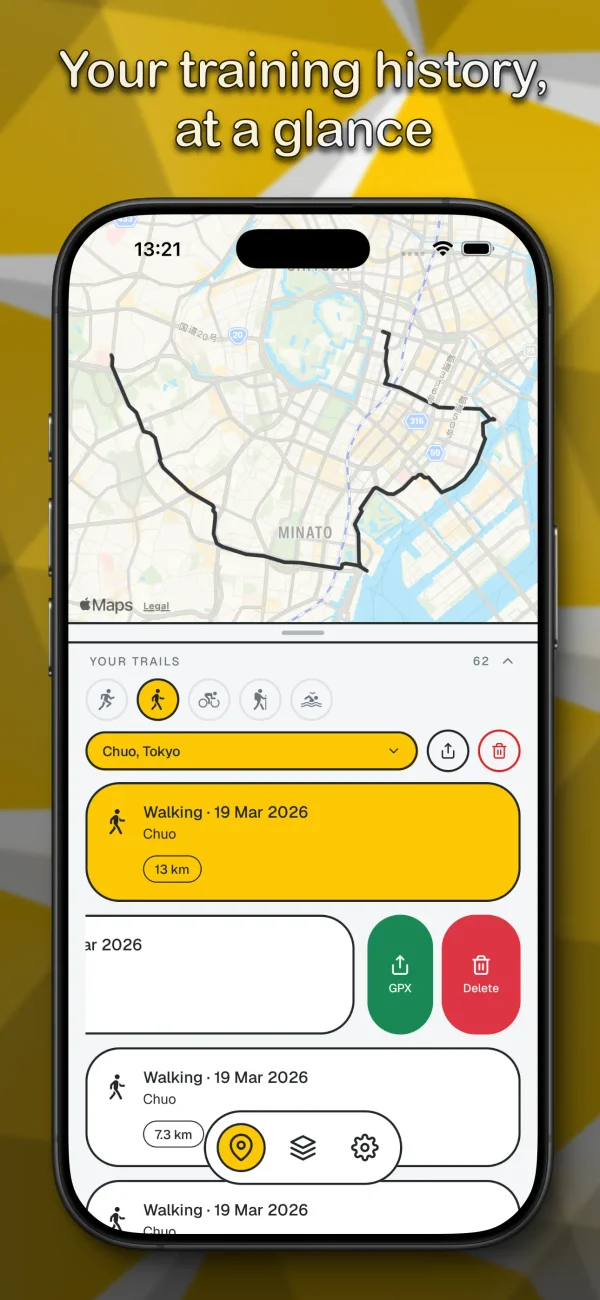
- Browse your trails with preview maps, distance and calorie totals
- Filter by area, date range, activity type, or drawn routes
- Show your current location on the trail map to discover new routes and unvisited directions
- Built-in GPS spoofing filter for accurate route display in affected areas
- Full dark mode support
YOUR DATA, YOUR DEVICE
Stack My Trails stores everything locally on your device. No accounts, no servers, no tracking. Your workout data is yours. The only network requests the app makes are to Apple's geocoding service during import to convert route coordinates into place names, and to Apple's directions service when drawing routes on the map.
POSTER THEMES
- Noir: Dark background with glowing trails
- Architect: Navy blueprint tones
- Artistic: Pigment ink on paper
- Clean: Pure map with subtle trails
- Gradient: Flowing color gradients
- Pixel: Retro pixel-art grid
- Risograph: Two-ink print with misregistration
- Voronoi: Geometric cells
- Halftone: Dot-matrix print
- Glyph: Typographic ASCII art
- Suprematism: Bold geometric shapes
- Collage: Torn paper, cut out or pinned to a board
REQUIREMENTS
- iPhone with Apple Health workout route data
- iOS 16.4 or later
- Workouts must have GPS route data recorded (from Apple Watch or a GPS-enabled workout app)
- Location access is used for trail recording (including when the screen is locked) and optionally to show your position on the map
What’s new
Version 1.7.1 · Nov 1, 2026
- Fixed import of detailed GPX files
- Activity type is set automatically when a GPX file has none
App privacy
What Vladimir Senchikhin declares on the App Store about how this app handles data.
-
Data not collected
The developer does not collect any data from this app.
Privacy practices may vary, for example with the features you use or your age.
Information
- Seller
- Vladimir Senchikhin
- Category
- Health & Fitness
- Version
- 1.7.1
- Updated
- Nov 1, 2026
- Released
- Feb 25, 2026
- Size
- 61.0 MB
- Requires
- iOS 16.4 or later
- Age rating
- 4+
- Price
- $1.99
- Languages
- English, French, German, Polish, Portuguese, Russian, Spanish
- Copyright
- © 2026 Vladimir Senchikhin
You might also like
-
 RidgeformSee the Shape of Your Effort
-
 Sound Weight & WellnessHealth & Fitness
-
 TemporiSchedules on Circadian Rhythm
-
 Workout MapAll your workouts on a map
-
 Tiles: Map Your AdventuresWorkout Route History
-
 Mappa - Watch MapsWorkouts + Maps + Routes
-
 MoveMap: Lifetime GPS HeatmapMap Every Run, Hike & Country
-
 Diabetes & Food Log: GlynceGlucose, CGM & Carb Tracker
-
 Otto: Daily Tasks Virtual PetHabit Builder & Health Journal
-
 Ferly: Intimacy & RelationshipSex: Pleasurable & Connected