
- Age rating4+
- CategoryHealth & Fitness
- Developer昕炜 陈
- LanguagesEnglish
- Size11.8 MB
Links to the official App Store page
Download.org hosts no file of Ridgeform. The button opens its official App Store page, published by 昕炜 陈. Listing last checked on Nov 21, 2026.
Screenshots

About
Ridgeform turns your cycling and running routes into stunning 3D art you'll actually want to share.
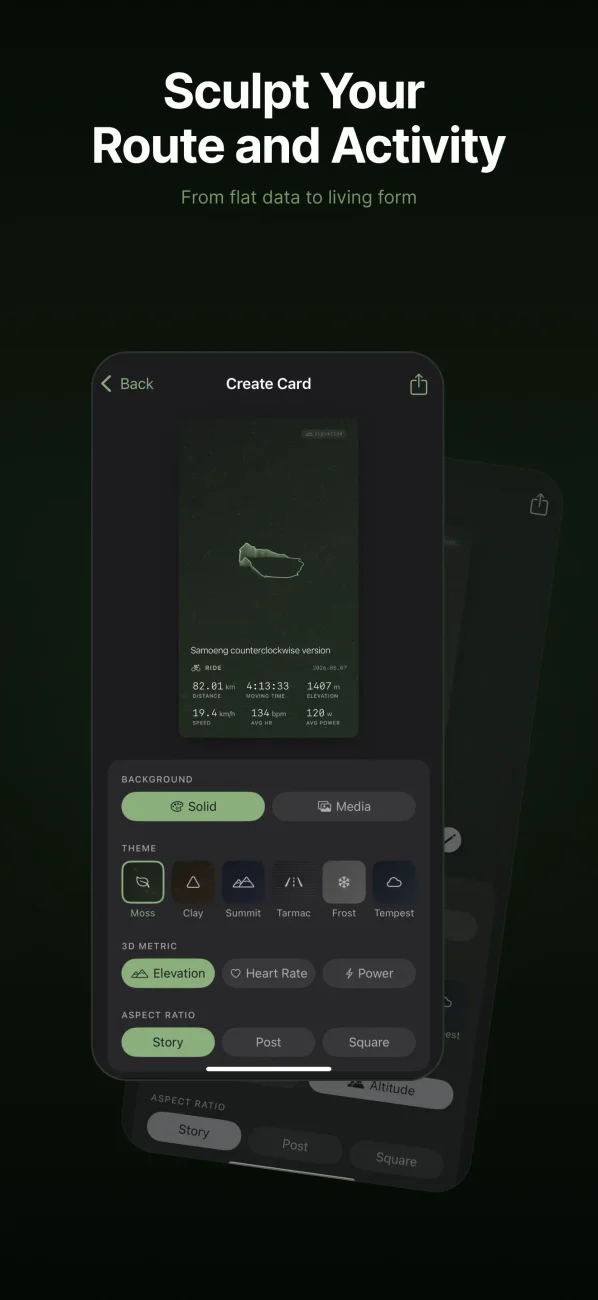
Import a route from Strava, your GPX library, or sync directly from Apple Health, and Ridgeform sculpts it into a glowing 3D model — every climb, descent, and twist of your ride, rendered as a physical shape you can orbit and explore. Choose a color theme, add your own photo backdrop, and export a share-ready card in seconds.
WHAT MAKES RIDGEFORM DIFFERENT
• 3D Route Sculpture — Not a flat map. Your route becomes a physical shape you can see from every angle, with elevation color-coded from valley greens to summit highlights.
• Orbiting Camera — A smooth orbital animation brings your route to life, revealing its character as it slowly rotates.
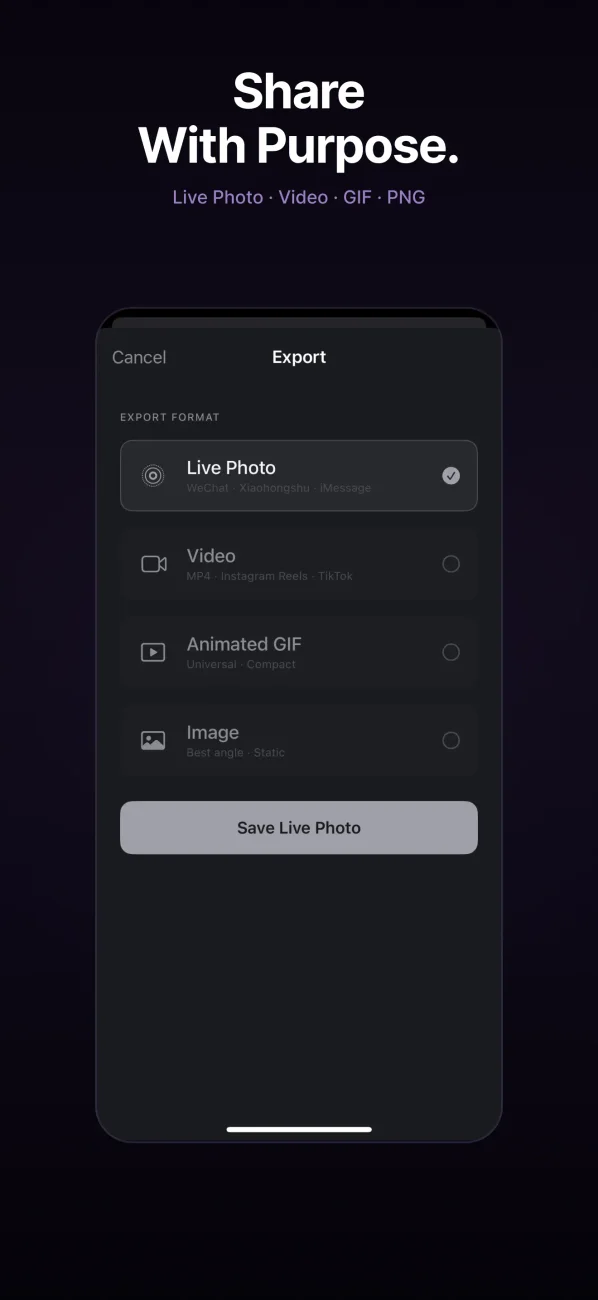
• Share Cards — Export as a Live Photo, Video (Instagram Reels, TikTok), animated GIF, or high-res PNG. Every format is tuned for social media.
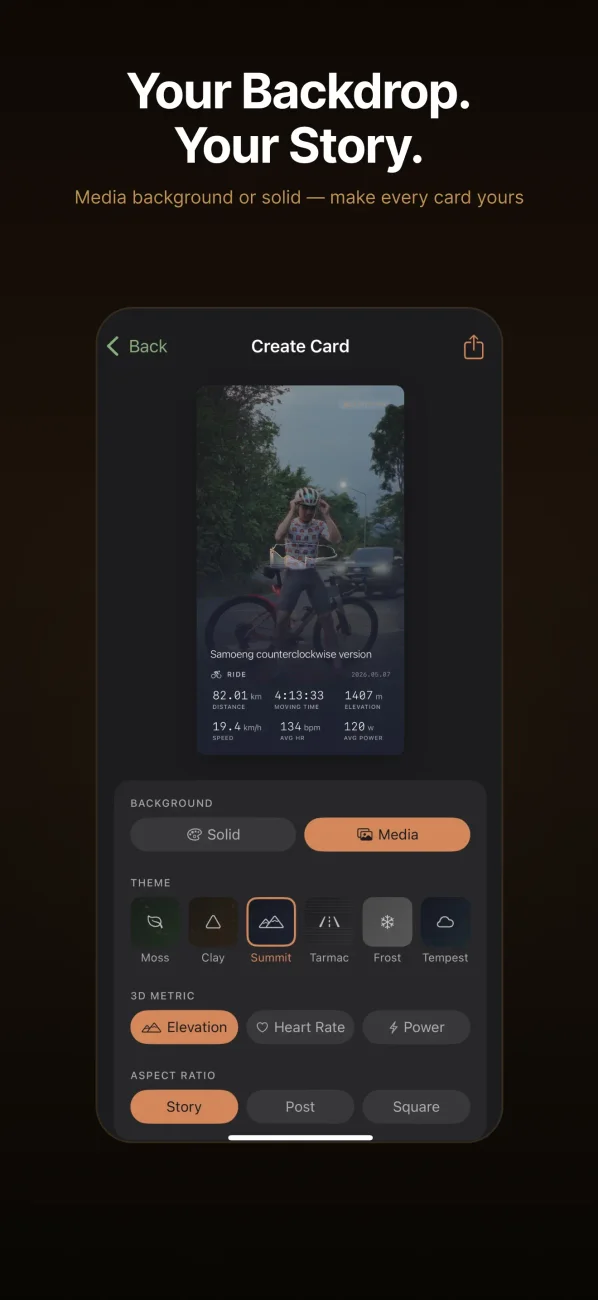
• Your Photo as Background — Use any photo or video from your camera roll as the card background. Your 3D route floats over your own ride footage.
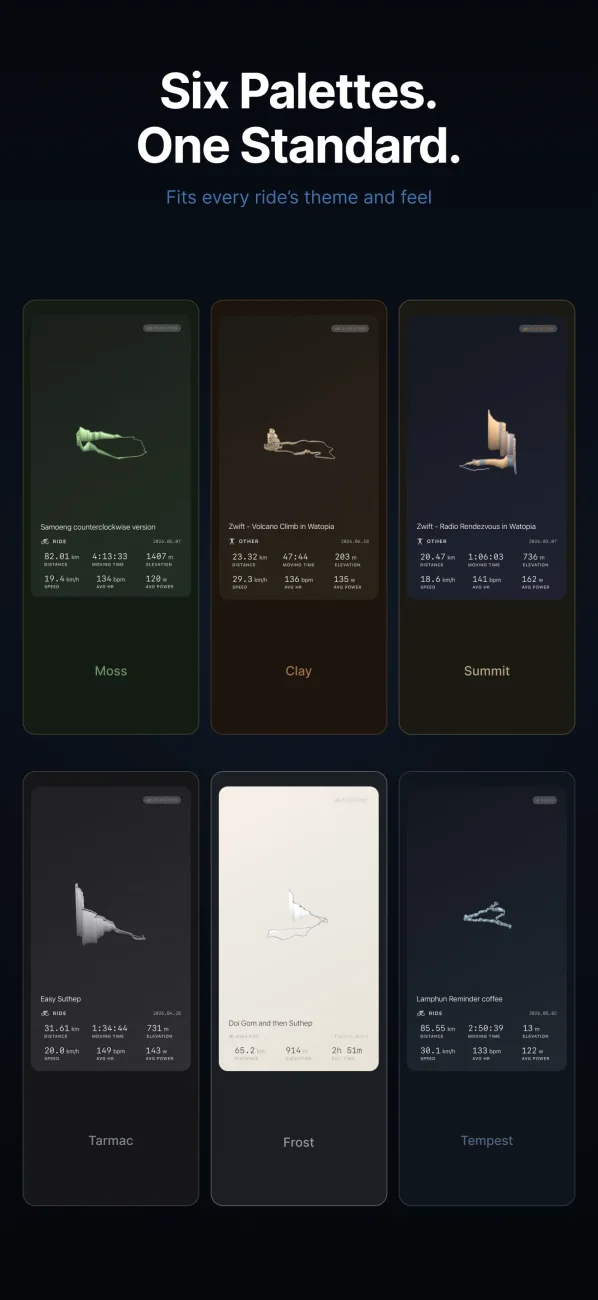
• Six Curated Themes — Moss, Clay, Summit, Tarmac, Frost, and Tempest. Each theme controls every color in the card — route glow, text, data labels, gradients — for a cohesive look.
HOW IT WORKS
1. Connect Strava or import a GPX file
2. Pick a route and choose your theme
3. Customize: swap background, edit route name and location, switch between Elevation and Altitude views
4. Export and share
FEATURES
• Strava integration — Sync your routes with one tap
• GPX import — Drop in any .gpx file from Garmin, Wahoo, Komoot, or other platforms
• Live Photo export — 3-second loop, perfect for lock screens and social feeds
• Video export — Up to 30 seconds, MP4 format
• Animated GIF — Lightweight, universal
• Static PNG — Best single angle, high resolution
• Editable card text — Customize route name and starting location before export
• Two 3D modes — Elevation (true shape) and Altitude (raised profile showing absolute height)
• Data overlay — Distance, elevation gain, estimated time, route type
• Works offline — No internet needed after import
Ridgeform is made for cyclists and runners who want to share more than a screenshot. See the shape of your effort.
What’s new
Version 1.1.1 · Jul 21, 2026
Version 1.1.1 — Smoother sync + Strava session handling.
• Apple Health now auto-refreshes every time you open the Import screen (after you've connected it once). No more tapping Sync to see new workouts.
• If your Strava access has been revoked or expires while the app was in the background, you'll see a clear reconnect prompt the next time you open the app. Previously, this could silently fail with a generic error.
Thanks for the feedback.
App privacy
What 昕炜 陈 declares on the App Store about how this app handles data.
-
Data not linked to you
May be collected but is not linked to your identity.
- Health and fitness
- Location
- User content
- Identifiers
Privacy practices may vary, for example with the features you use or your age.
Information
- Seller
- 昕炜 陈
- Category
- Health & Fitness
- Version
- 1.1.1
- Updated
- Jul 21, 2026
- Released
- Jul 6, 2026
- Size
- 11.8 MB
- Requires
- iOS 17.0 or later
- Age rating
- 4+
- Price
- Free
- Languages
- English
- Copyright
- © 2026 Xinwei Chen
You might also like
-
 Pedal ReactionDiscover & join group rides
-
 Stack My TrailsVisualize your workout routes
-
 SportSnap - Sport Story MakerShare Your Run, Ride & Workout
-
 FocusFit: Workout PlannerWorkout Plan & Calorie Tracker
-
 KudoroData Overlays for Strava
-
 UFITCLUBTrack. Train. Transform.
-
 StatShot: Strava Overlay ToolOverlay Strava stats on photos
-
 FitShare: Workout StoriesTurn workouts into stories
-
 Ally SGConnected minds, one community
-
 VentrickleKnow what to eat next.