Stack - Plan & Progress
Boards, Calendar & Timeline
Designed for iPhone, iPad, Mac
- Age rating4+
- CategoryProductivity
- DeveloperSouthIndus Labs
- LanguagesKorean+ 12 more
- Size29.4 MB
Links to the official App Store page
Download.org hosts no file of Stack - Plan & Progress. The button opens its official App Store page, published by SouthIndus Labs. Listing last checked on Nov 16, 2026.
Screenshots

About
Stack is a project planner built the way a Mac app should be. Lay work out on boards, see the same work on a calendar, and watch it run on a timeline — on iPhone, iPad and Mac, with everything synced privately through your own iCloud.
BOARDS THAT MOVE
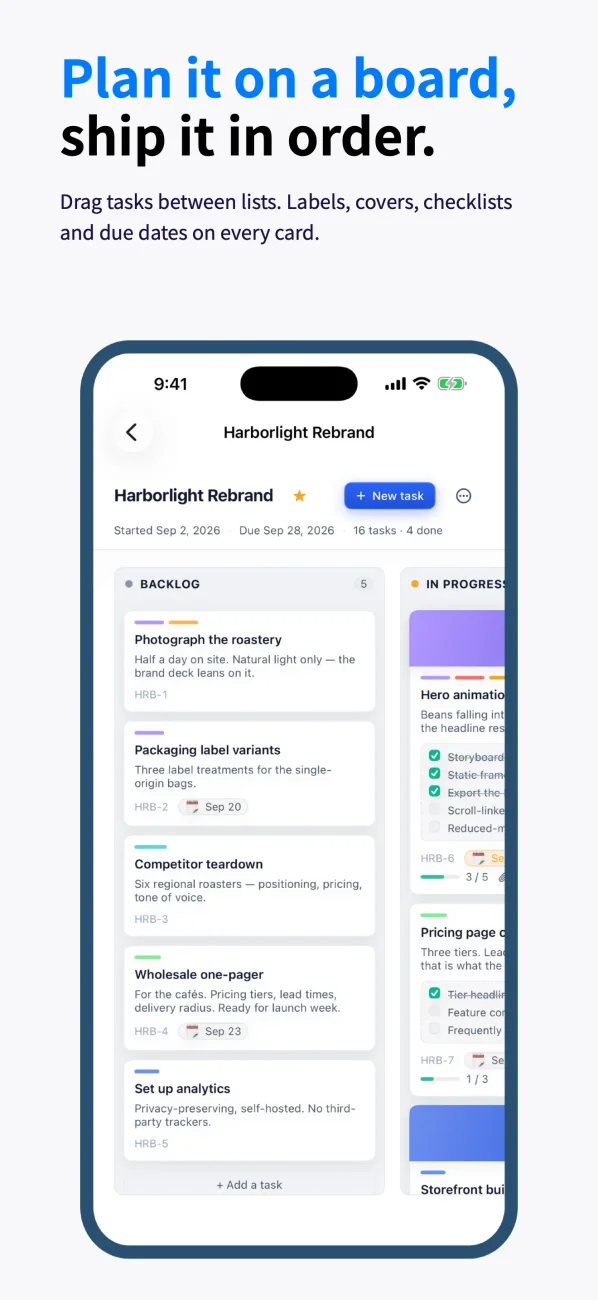
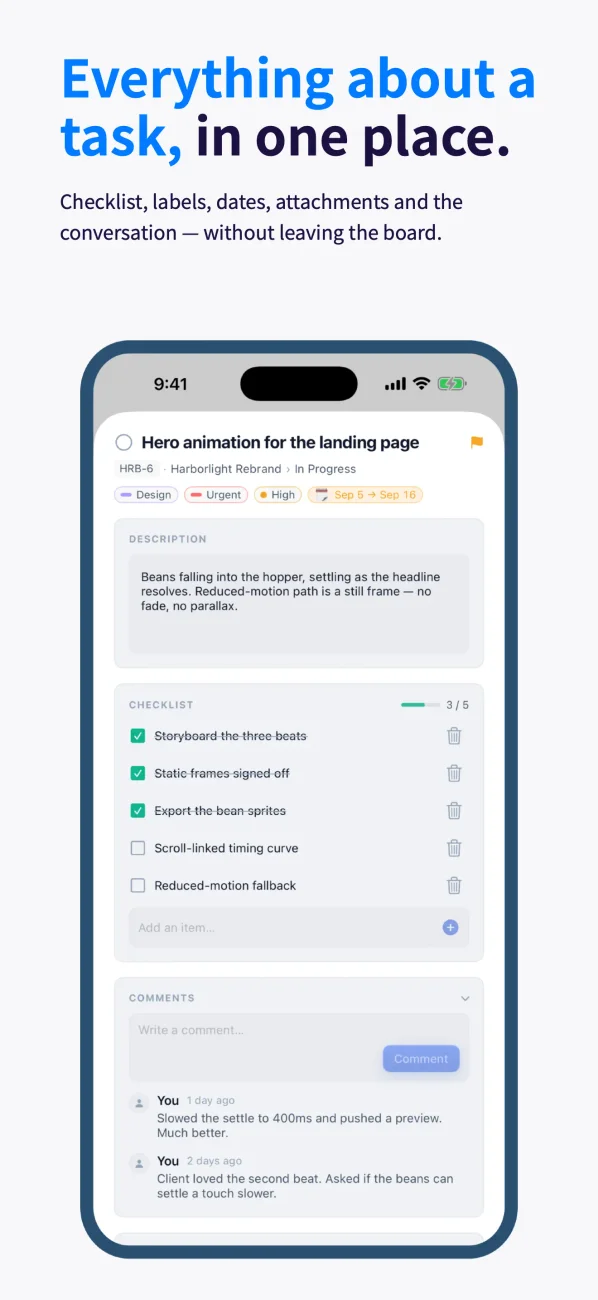
Lists and tasks you can drag anywhere. Colour-coded labels, cover images, checklists, due dates, priorities, attachments and comments. Give a board a key and every task gets a number you can quote — HRB-14.
THREE WAYS TO SEE THE SAME WORK
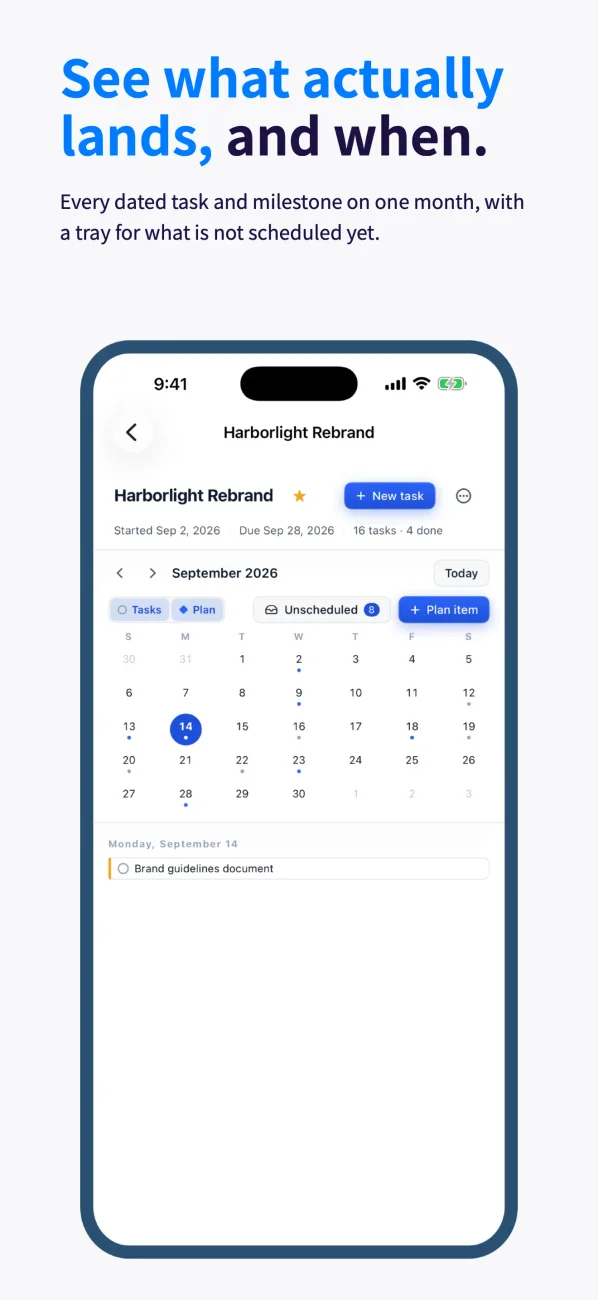
Columns when you are running the work. One long list when you are working through it. A month calendar when you need to know what lands when — and a timeline of lanes and bars when you need to see the whole project at once.
PLAN ITEMS, NOT JUST TASKS
"Design freeze". "Launch". Dates a project has to remember that are nobody's to-do. They sit on the calendar and the timeline beside the work without pretending to be tasks.
TODAY, THIS WEEK, FLAGGED
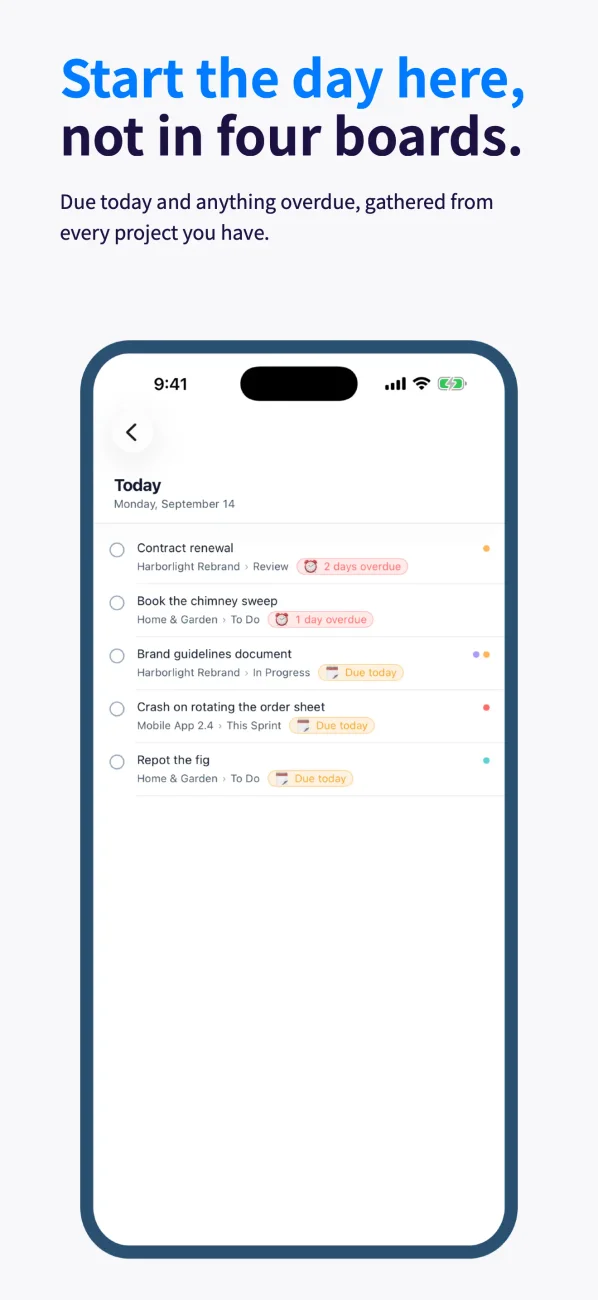
Saved views that cut across every board, so you can start the day in one place instead of opening four boards to find out what is due.
FIND ANYTHING
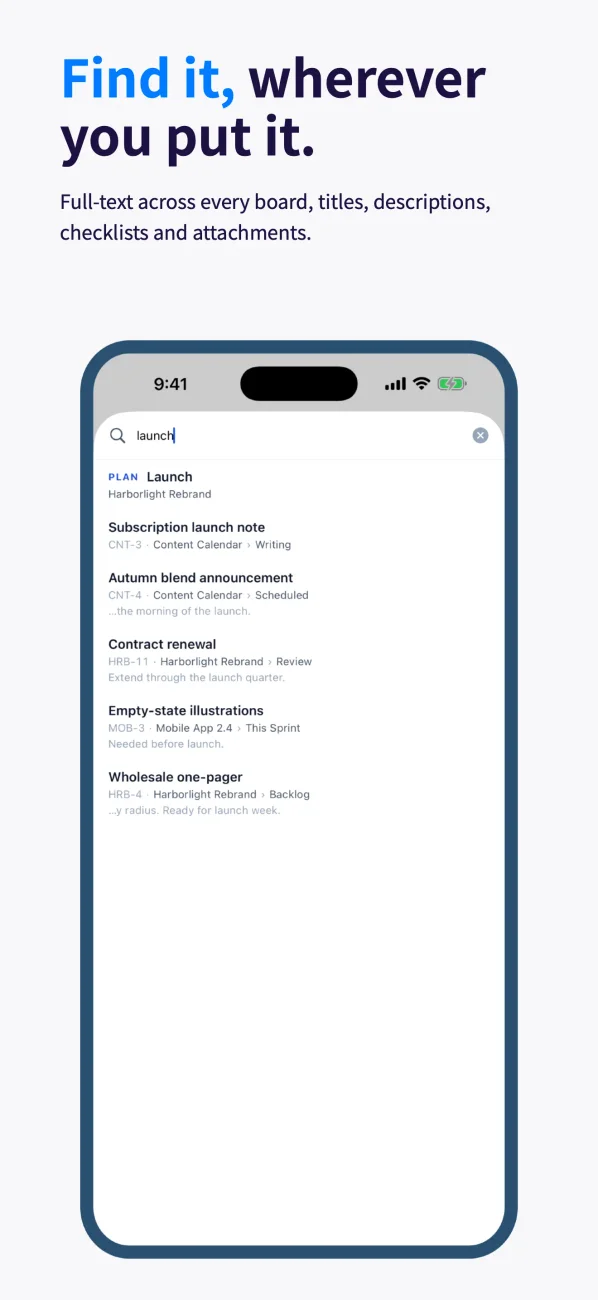
Full-text search across every board — titles, descriptions, checklists and attachment names — with the board and list each result came from.
SHARE A BOARD
Invite someone with a link. They see your board, you see their edits, and it all runs on iCloud sharing. No accounts to create, no seats to buy.
EVERYWHERE YOU WORK
Quick add from anywhere. A menu bar item on Mac. A share extension so anything you are looking at can become a task. A home-screen widget for what is due today. Shortcuts and Siri support for the rest.
WORKS OFFLINE, ALWAYS
Every read and every write happens on your device first. Sync catches up when the network does. A plane, a basement, a bad hotel — the app does not care.
PRIVATE BY DESIGN
No account. No server. No tracking. No ads. Your boards live on your device and sync through your personal iCloud — nobody else can see them, including us.
Free, with no subscription and nothing to unlock. Built natively for iPhone, iPad and Mac, localized into six languages, and designed to feel at home on every screen size.
App privacy
What SouthIndus Labs declares on the App Store about how this app handles data.
-
Data not collected
The developer does not collect any data from this app.
Privacy practices may vary, for example with the features you use or your age.
Information
- Seller
- SouthIndus Labs Private Limited
- Category
- Productivity
- Version
- 1.0
- Updated
- Sep 16, 2026
- Released
- Sep 16, 2026
- Size
- 29.4 MB
- Requires
- iOS 17.0 or later
- Age rating
- 4+
- Languages
- Korean, Dutch, German, Vietnamese, Spanish, English, Italian, Japanese, Simplified Chinese, Traditional Chinese, Turkish, Portuguese + 1 more
- Copyright
- © 2026 SouthIndus Labs Private Limited
You might also like
-
 Nocturnum: Markdown NotesWrite clearly every day now
-
 NoterivMarkdown notes in plain files
-
 Revision ScreenwriterBecause Writing Is Revision
-
 Scrap: Notetaking & To-Do ListFree Notepad & Quick Notes
-
 Itemee: Inventory ManagerHome, School & Business
-
 Columns.appThe Lists Manager
-
 Taskful Day: Day PlannerCalm Task Tracker & To-Do List
-
 To Do-Daily Planner & ReminderSchedule,Calendar,Task Manager
-
 Clastly — Personal DatabaseOrganize anything, your way
-
 Dayfold: Planner & JournalYour whole day, one calm place