Stageframe: Video Camera
Teleprompter & Stop Motion
Designed for iPhone, iPad
Free · In-app purchases
- Age rating4+
- CategoryPhoto & Video
- DeveloperJonathan Benjamin
- LanguagesEnglish
- Size14.2 MB
Links to the official App Store page
Download.org hosts no file of Stageframe: Video Camera. The button opens its official App Store page, published by Jonathan Benjamin. Listing last checked on Nov 17, 2026.
Screenshots

About
Stageframe is the camera app built for iPhone Duo. Turn the outer screen into a ring or fill light with your script inside, then control it all from the inner screen. On any iPhone or iPad, record with a teleprompter, shoot stop-motion animations and frame for any platform.
FEATURES
Outer screen lighting and teleprompter: Stageframe turns the iPhone Duo's outer screen into a customisable HDR light and teleprompter. Precisely control hue, brightness, and the split between your script and light, and save your presets. So you can get the exact look you want for your office, studio, and more with a single tap.
Stop motion: Partially fold iPhone Duo to see your last captured frame on the left and your live camera on the right, so you can line up the next shot perfectly. Capture frames on an adjustable timer. And when you’re ready to export your animations, you can customize your stop-motion frame rate to be just right.
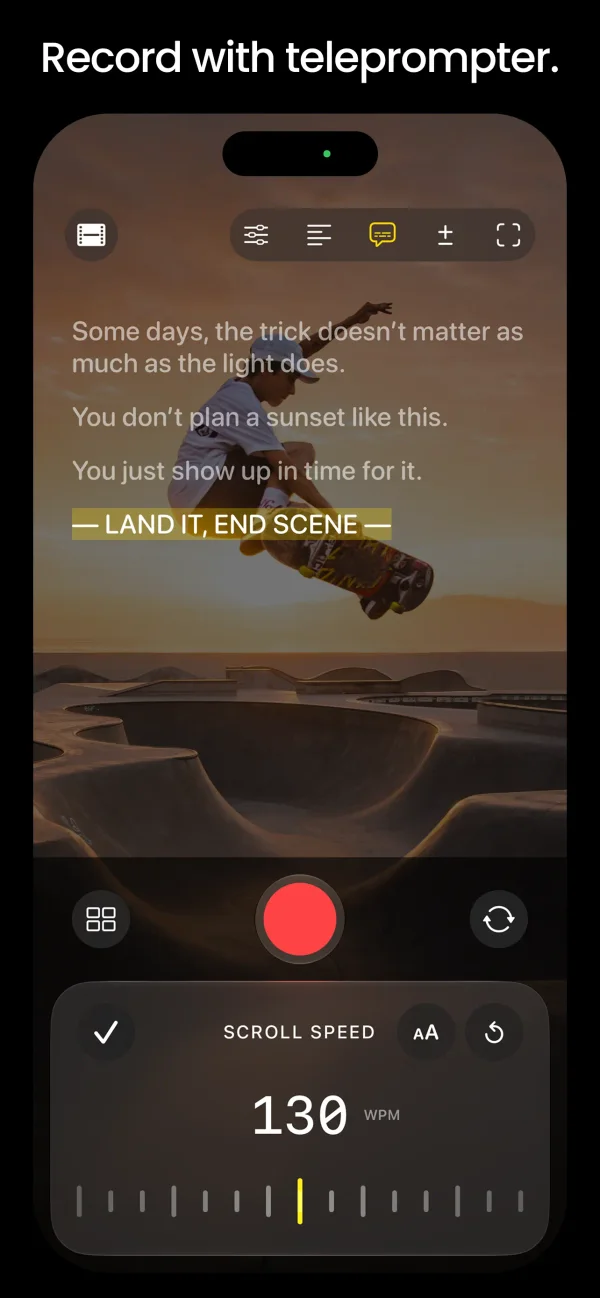
Teleprompter: Add your script to a new recording session and Stageframe displays it on screen with customizable speed and font controls. Teleprompter scripts also support Markdown formatting, so you can annotate your script as needed.
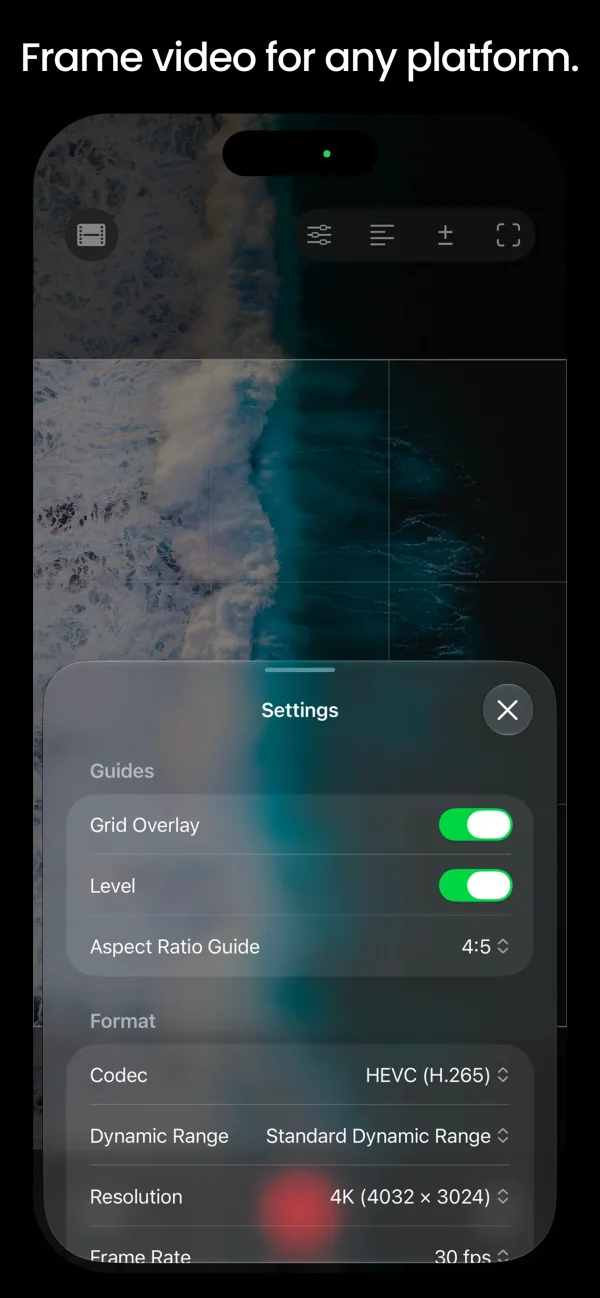
Powerful recording: Stageframe is built from the ground up for iPhone and iPad, and is designed to take advantage of the powerful camera system on your device. Record videos in up to 4K HDR at 60 FPS on supported devices. With Stageframe+, you can also record videos in ProRes on supported devices.
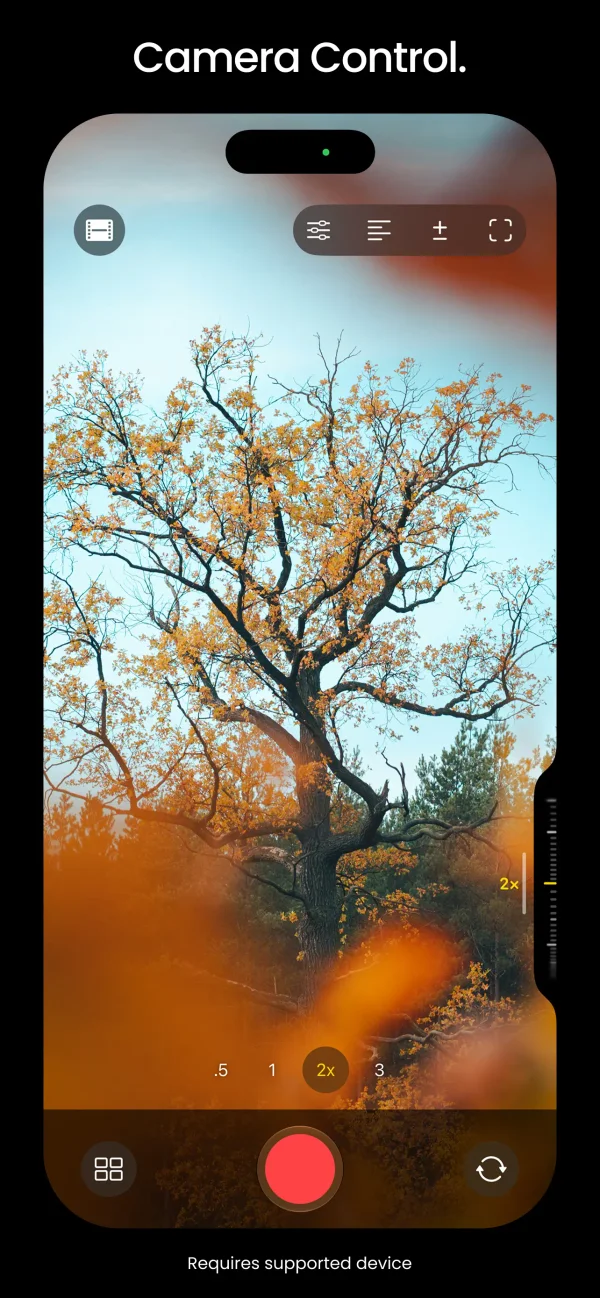
Camera Control: Stageframe works with the iPhone Camera Control on supported devices for greater precision when zooming and setting capture modes.
Framing guides: Grid, level, and aspect ratio overlays help you align your shot for any platform.
Apple Watch support: Use your Apple Watch as a remote shutter for video recording and stop motion capture. Easily control framing guides and capture timers from your wrist.
---
Stageframe+
- Unlimited frames
- ProRes recording on supported devices
- Save lighting presets on iPhone Duo
- Combine outer screen lighting and teleprompter on iPhone Duo
These features are available with a one-time in-app purchase to Stageframe+. Please read the Terms of Service at animantlabs.com/stageframe/terms
---
Need help? Please visit support.animantlabs.com/stageframe
Terms of Service: animantlabs.com/stageframe/terms
What’s new
Version 1.0.2 · Oct 18, 2026
This update fixes a bug that may have caused the camera to freeze.
For more information about Stageframe updates, please visit https://support.animantlabs.com/stageframe/updates
App privacy
What Jonathan Benjamin declares on the App Store about how this app handles data.
-
Data not collected
The developer does not collect any data from this app.
Privacy practices may vary, for example with the features you use or your age.
Information
- Seller
- Jonathan Benjamin
- Category
- Photo & Video
- Version
- 1.0.2
- Updated
- Oct 18, 2026
- Released
- Oct 16, 2026
- Size
- 14.2 MB
- Requires
- iOS 18.0 or later
- Age rating
- 4+
- Price
- Free
- In-app purchases
- Yes
- Languages
- English
- Copyright
- © 2026 Jonathan Benjamin
You might also like
-
 Interval - Stop Motion CameraClaymation, Time Lapse & GIF
-
 TopShot: AI Dating PhotosBetter pics, more matches
-
 AI Caption Video : Sub CaptionAI Caption Video
-
 OSnap! Pro 2: Lapse & Motion4K Time-Lapse & Stop Motion
-
 OK Video - Clips CameraVlogs, stop motion, stories
-
 Flipbook Maker .Analog/digitalmotion book,manga,handwriting
-
 Dragonframe TetherPhoto & Video
-
 StopMotionCraftMake animations & GIFs
-
 MicSwap Camera: Video RecorderMusic, Pro Audio & Microphones
-
 Wavebox Audio EditorAudio Editor