
StampFX
Animated Stickers & GIFs
Designed for iPhone, iPad
Free · In-app purchases
- Age rating4+
- CategoryGraphics & Design
- DeveloperCyclic Software Development Inc.
- LanguagesEnglish+ 10 more
- Size19.2 MB
Links to the official App Store page
Download.org hosts no file of StampFX. The button opens its official App Store page, published by Cyclic Software Development Inc. Listing last checked on Nov 16, 2026.
Screenshots


About
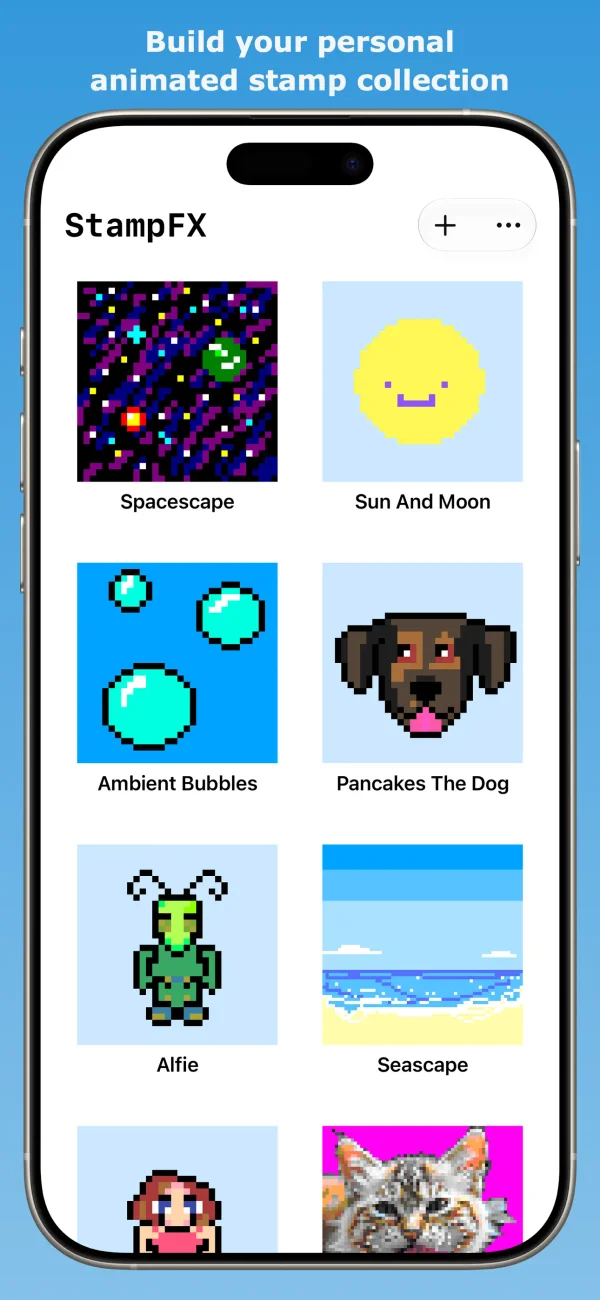
Whether you're 8 or 80, a complete beginner or seasoned artist, StampFX makes pixel art animation approachable and fun for everyone. Create stunning animated stickers, GIFs, and pixel art with an intuitive frame-by-frame animation tool designed for all skill levels.
No artistic experience required. Just tap, draw, and watch your creations come to life. Perfect for animated stickers, reaction GIFs, retro-style animations, and creative projects on your iPhone or iPad.
POWERFUL ANIMATION TOOLS
Bring your pixel art to life with intuitive creative features:
• Frame-by-frame animation with instant preview
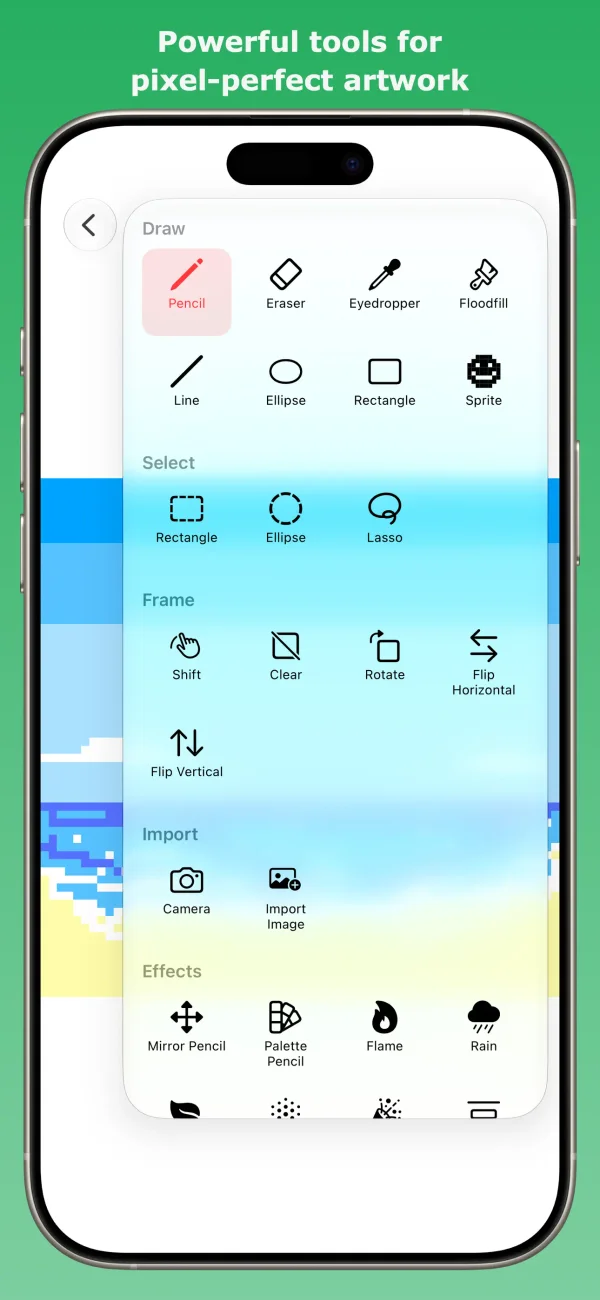
• Drawing tools for every job: pencil, eraser, line, ellipse, rectangle, flood fill, eyedropper, and more
• Customizable brush sizes and shapes for pencil, eraser, ellipse, rectangle, and line tools
• Select with a rectangle, ellipse, or lasso, then move, cut, copy, and paste
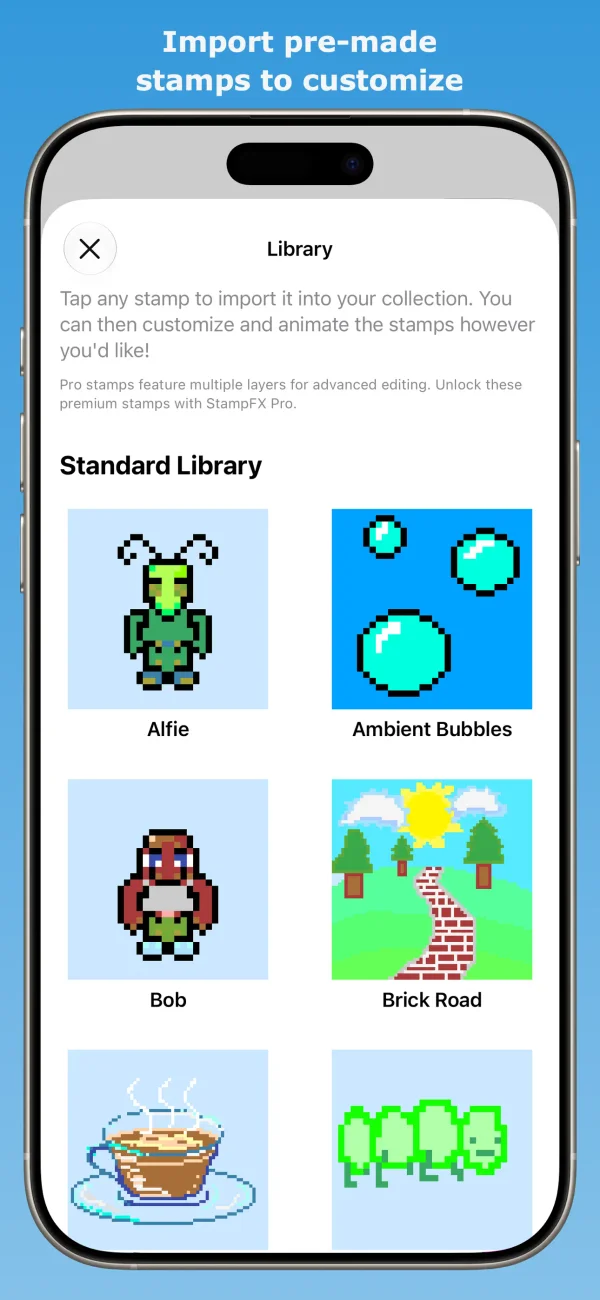
• Mini Sprites: stamp hand-picked 1-bit mini sprites right onto your canvas
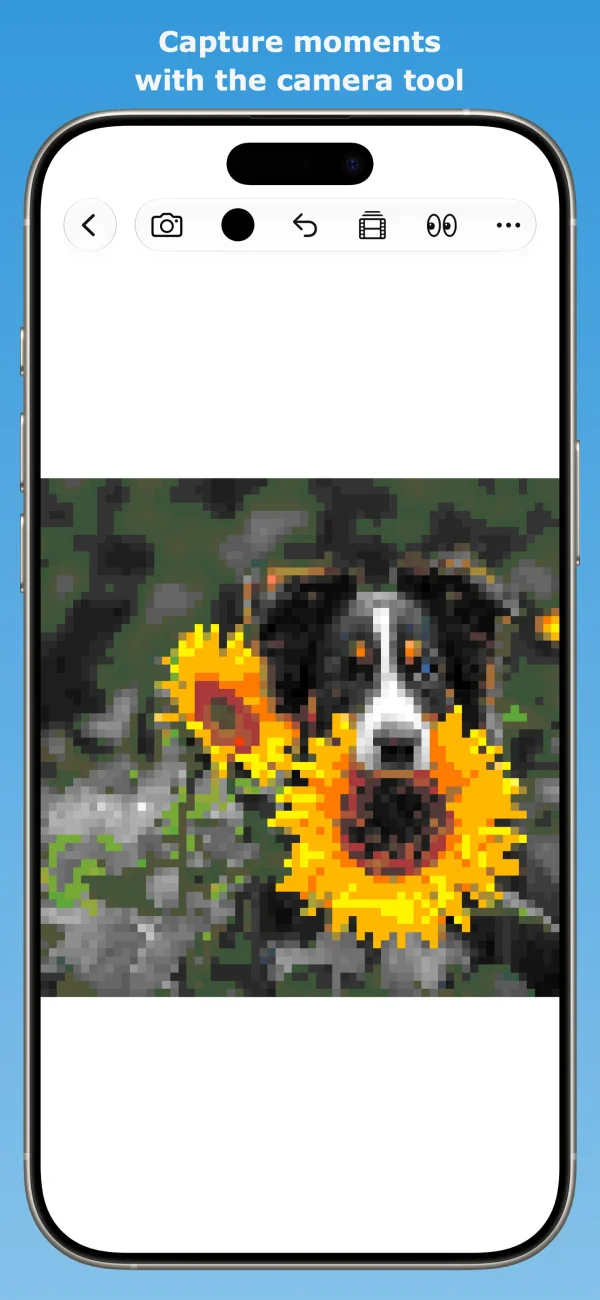
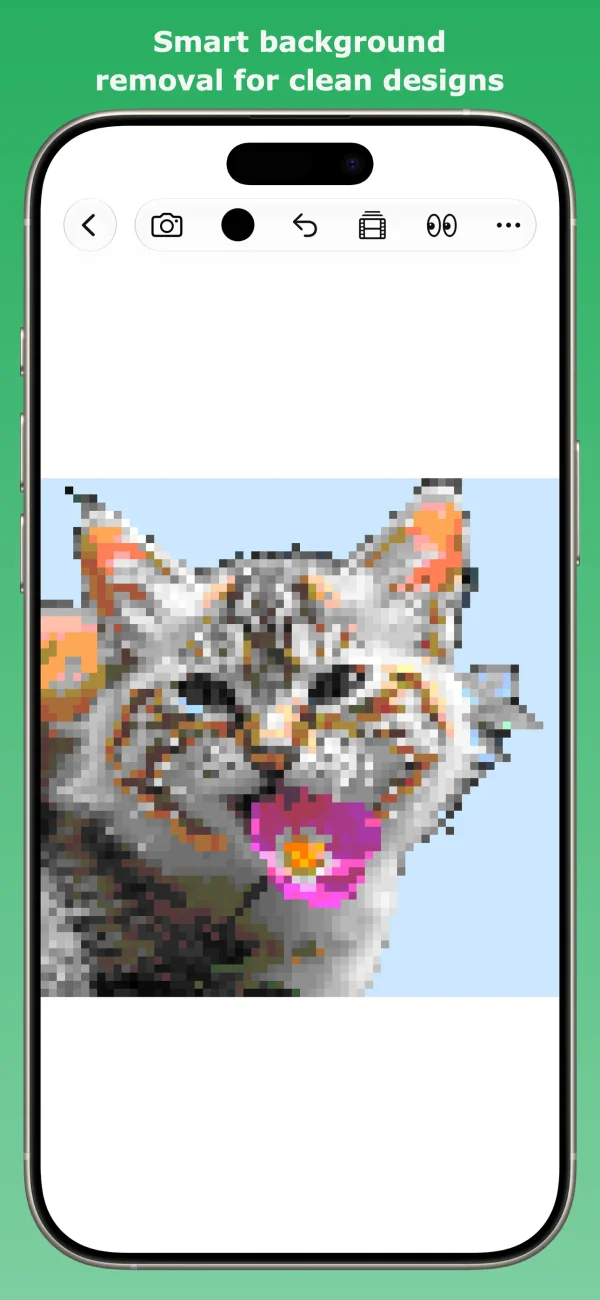
• Import Image: bring any photo or image onto your canvas to pixelate and remix
• Rotation, shifting, and flipping tools
• Pervasive undo for fearless creativity
PLAYFUL EFFECT TOOLS
16 effect tools that do the fun part for you:
• Rain that falls, pools, and fills up your shapes
• Flames that flicker and settle into place
• Confetti, sprinkles, and growing vines
• Mirror Pencil, Palette Pencil, spirals, waves, zigzags, and loops
• Drop shadows and light and dark sources that shade your art
• Row and column scrambles that weave your picture
FRAMES & LAYERS
• Quick frame cloning, duplication, and rearrangement
• Draw each frame on up to 5 layers, then show, hide, reorder, and merge them
• Move a layer to the frame before or after
CREATE FUN ANIMATIONS
• Animated stickers for iMessage
• Reaction GIFs to share with friends
• Pixel art characters and retro-style animations
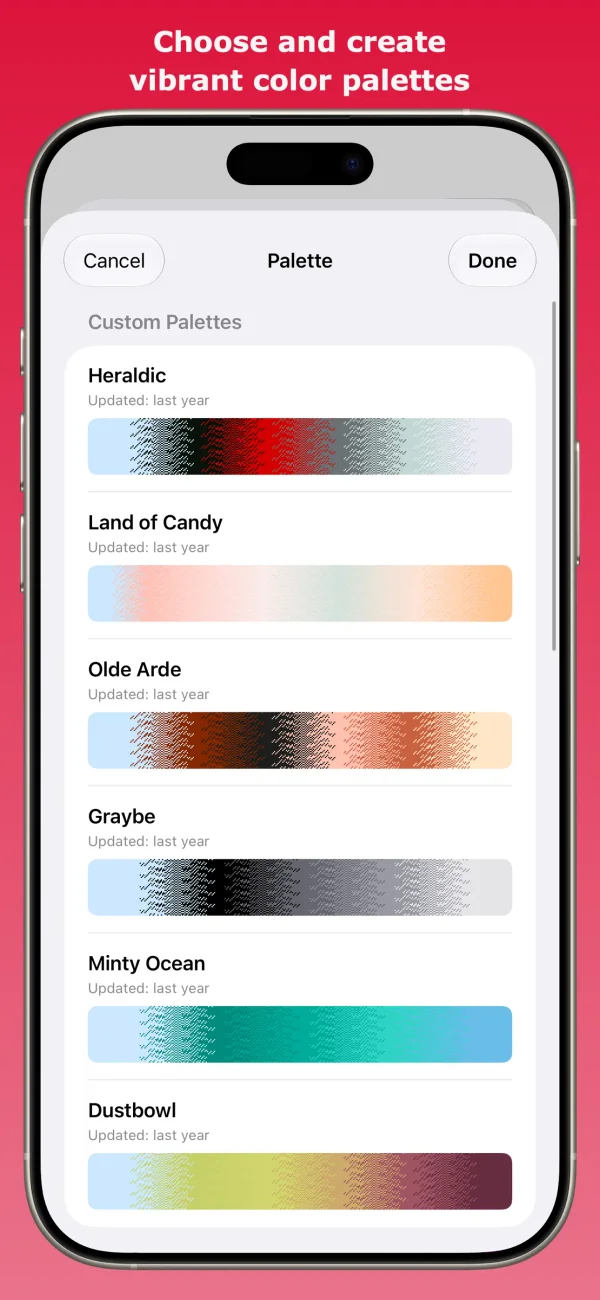
BEAUTIFUL COLOR PALETTES
Create your own, generate a palette from any image, or choose from carefully curated palettes inspired by:
• Classic video game consoles
• Retro operating systems
• Nature themes (fire, ocean, forest)
• Monochrome options (17 shades of gray, sepia)
• Web-safe colors
• Custom hue ranges
FLEXIBLE CANVAS SIZES
• Tiny 8x8, Small 16x16, Medium 32x32, or Large 64x64
• Custom sizes up to 512x512 pixels, square or not
ZOOM, GRID & DARK MODE
• Zoom in up to 8× to place every pixel just right
• Draw over a thin or thick grid in any color
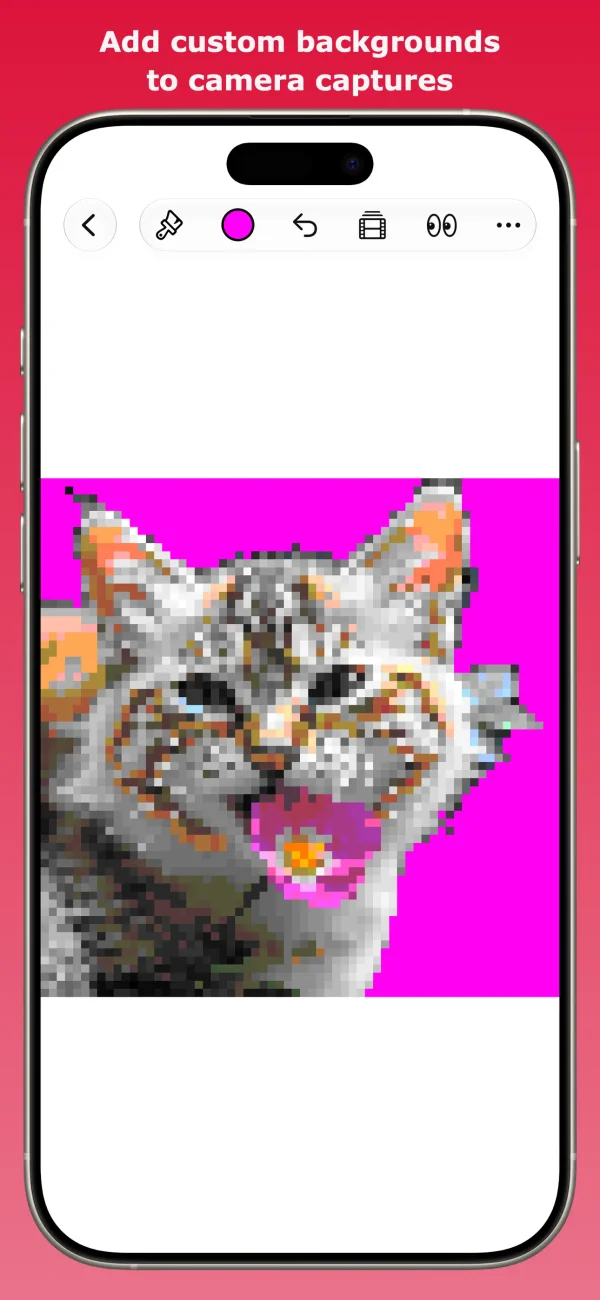
• Pick a background color for each stamp's canvas
• Light and Dark appearance, following your device or your choice
ANIMATION SPEED CONTROL
• Slow, Medium, or Fast playback for every stamp
EXPORT & SHARE ANYWHERE
• Animated GIF export and iMessage stickers
• Save to Photos or Files, AirDrop, or email
• Works with any app that supports GIFs
STAMPFX PRO
A one-time in-app purchase unlocks the camera tool, 12 more effect tools, layers, custom canvas sizes, zoom, the grid and canvas background colors, every Mini Sprite, and the Pro stamp library. Everything else is free.
PRIVACY FIRST
• Zero personal data collection, no analytics or tracking
• Your art stays yours, and StampFX works offline
Whether you're creating animated stickers for messaging, making reaction GIFs for social media, or exploring pixel art as a creative hobby, StampFX gives you powerful frame-by-frame animation tools in a simple, fun iOS app.
Download StampFX and start animating today!
What’s new
Version 2.9.0 · Nov 9, 2026
NEW EFFECT TOOLS
• 16 playful effect tools: Mirror Pencil, Palette Pencil, Rain, Confetti, Flame, Vine, Sprinkle, Spiral, Wave, Zigzag, Loops, Row Scramble, Column Scramble, Drop Shadow, Light Source and Dark Source
• Mirror Pencil, Palette Pencil, Rain and Confetti are free, and the rest come with StampFX Pro
SELECT, CUT, COPY AND PASTE
• Select with a rectangle, ellipse or lasso, then drag the selection to move it
• Touch and hold the canvas to cut, copy and paste, even onto another frame or layer
ZOOM AND GRID
• Zoom in up to 8× with the new zoom navigator (Pro)
• Draw over a thin or thick grid in any color, on a background color you choose (Pro)
FRAMES & LAYERS
• Show and hide a layer right from its thumbnail
• Merge a layer into the one behind it (Pro)
• Smoother scrolling, even with 48 frames of 5 layers
DARK MODE
• StampFX now follows your device's Light or Dark appearance, or you can pick one in App Settings
STAMPS
• Sort your stamps by name, date modified or date created, and StampFX remembers it, in the sticker drawer too
• Select several stamps at once to duplicate or delete them
POLISH
• Made for iPhone Duo
• Clearer VoiceOver labels throughout the app
• Save Image now appears when you share a GIF
• Fixed sharing a stamp with a "/" in its name
• Fixed a crash when undoing after loading a smaller palette
• Many more fixes and design touch-ups
App privacy
What Cyclic Software Development Inc. declares on the App Store about how this app handles data.
-
Data not collected
The developer does not collect any data from this app.
Privacy practices may vary, for example with the features you use or your age.
Information
- Seller
- Cyclic Software Development Inc.
- Category
- Graphics & Design
- Version
- 2.9.0
- Updated
- Nov 9, 2026
- Released
- Feb 8, 2022
- Size
- 19.2 MB
- Requires
- iOS 26.0 or later
- Age rating
- 4+
- Price
- Free
- In-app purchases
- Yes
- Languages
- English, Arabic, French, German, Hindi, Italian, Japanese, Portuguese, Russian, Simplified Chinese, Spanish
- Copyright
- © 2026 Cyclic Software Development Inc.
You might also like
-
 Simple Pixel Art MakerDraw pixel art with layers
-
 Leemi: Light Meter & CameraFilm Looks & AI Photo Editor
-
 Phi TilesCreate Infinite Geometric Art
-
 Spriteer: 8×8 Pixel Art StudioMake your own game character
-
 Pixel Art Creator PixeeCreate & Edit Pixel Art
-
 Pick to Pixel: Photo-Pixel ArtPixel Art Maker, Smart Palette
-
 Pixel Paint ProSprite & bitmap image editor
-
 Dot Canvas - Pixel Art MakerTrace, draw, and export pixels
-
 Frame It UpDevice Mockups
-
 Text on Photos - typotypoAdd Text, Fonts & Captions