- Age rating4+
- CategoryProductivity
- DeveloperBeomSeok Chae
- LanguagesEnglish+ 2 more
- Size40.6 MB
Links to the official App Store page
Download.org hosts no file of Start-End - Easy Time Tracking. The button opens its official App Store page, published by BeomSeok Chae. Listing last checked on Nov 23, 2026.
Screenshots
About
Have you ever wondered, "How much time has passed?" in your daily life?
'Start-End' was made to help answer exactly that.
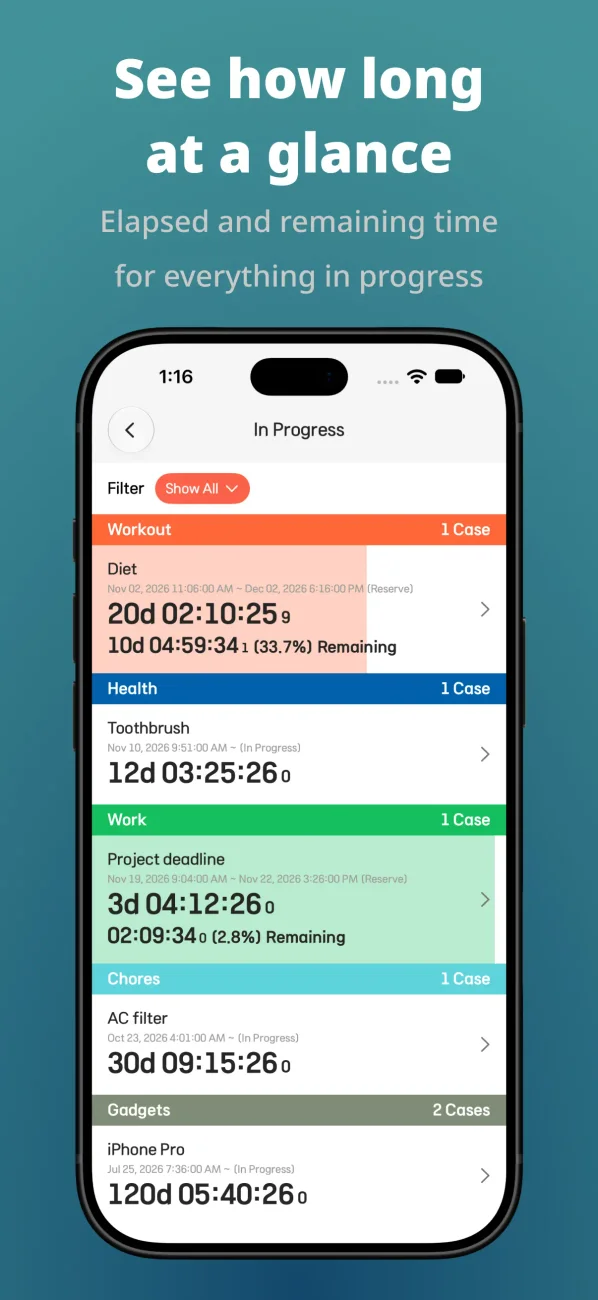
Whenever you want to track time, just set up a few details and register it. The app shows you the elapsed time and the remaining time at a glance.
As your records build up, statistics reveal your time patterns, and repeated records can be restarted in one step—helping you make better use of your day.
[ Key Features ]
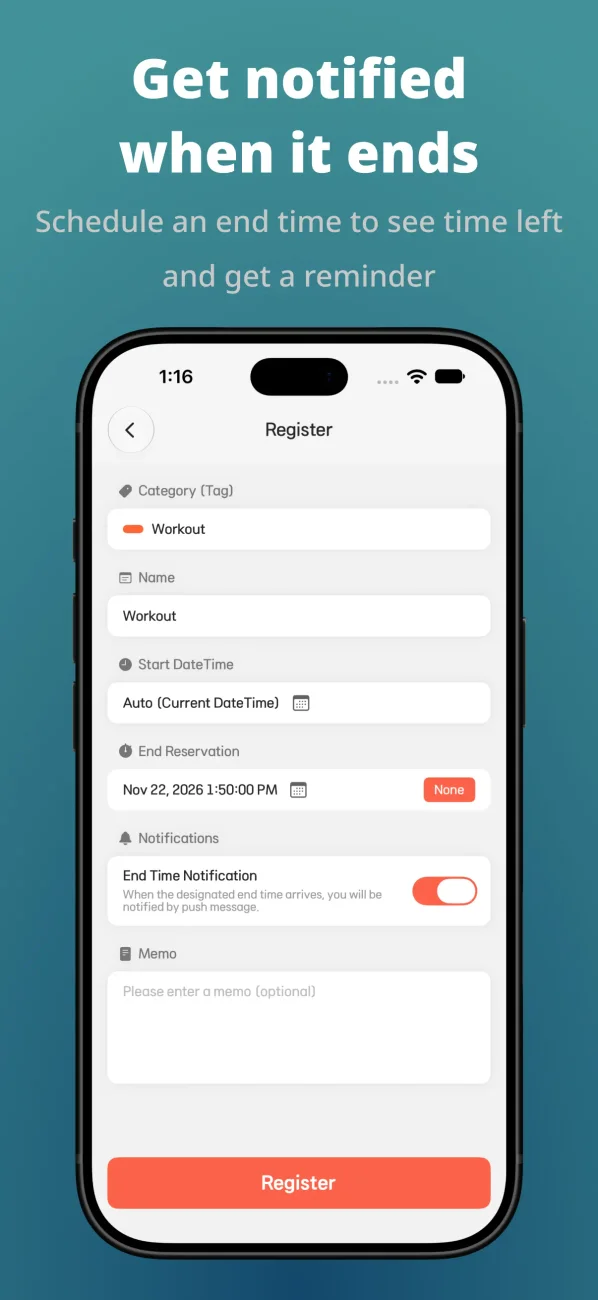
1. Time Tracking Registration
- Register in seconds: just enter a name (required), a start time, an end reservation time, and whether you want a notification.
2. Ongoing List
- See elapsed and remaining time for everything in progress, live, in one list.
3. End Reservation & Notifications
- Reserve an end time to see the time left, and get notified when it ends.
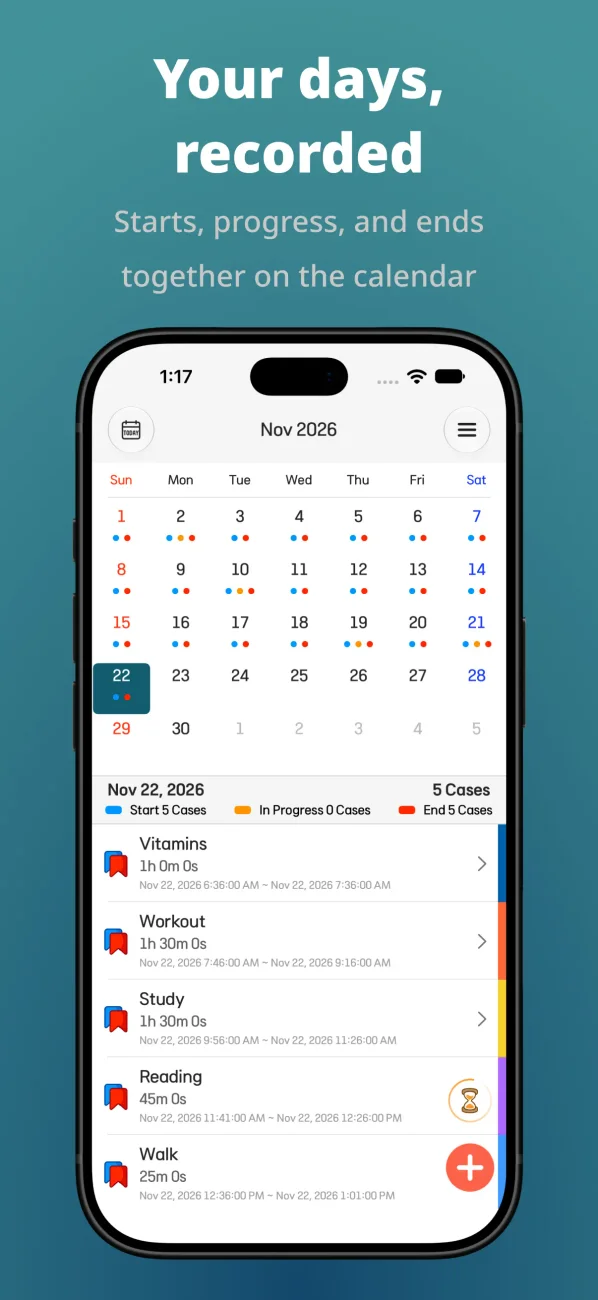
4. Calendar
- View starts, in-progress items, and ends by date on the calendar.
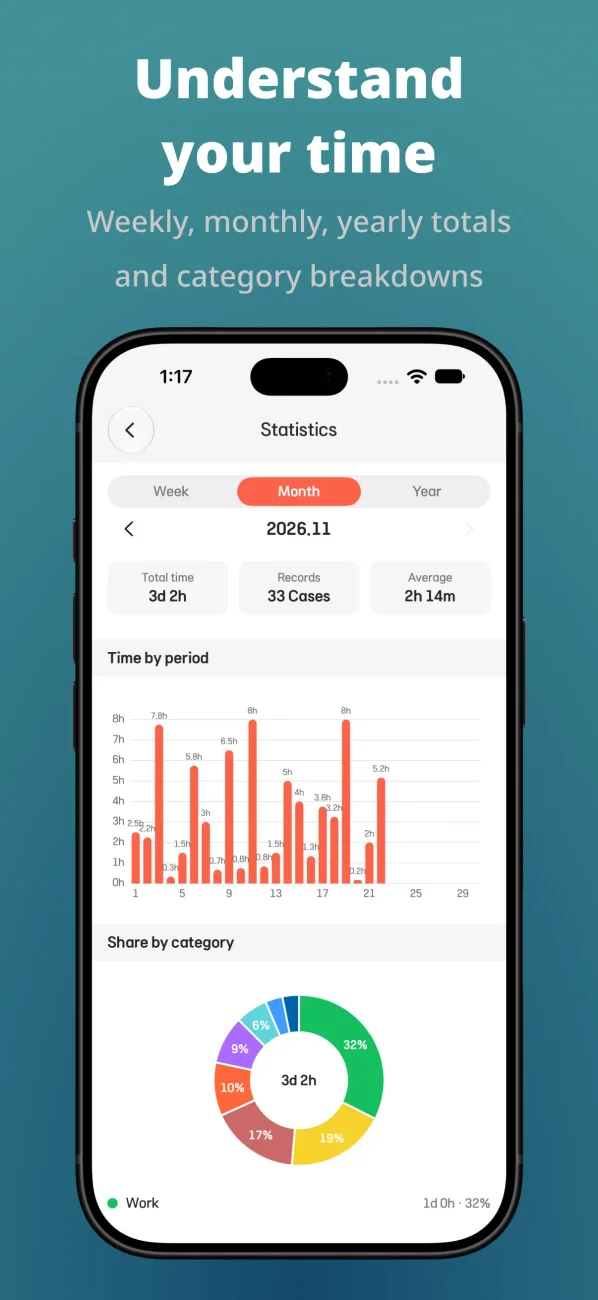
5. Statistics
- See total time, category breakdown, per-item averages, and your longest records by week, month, or year.
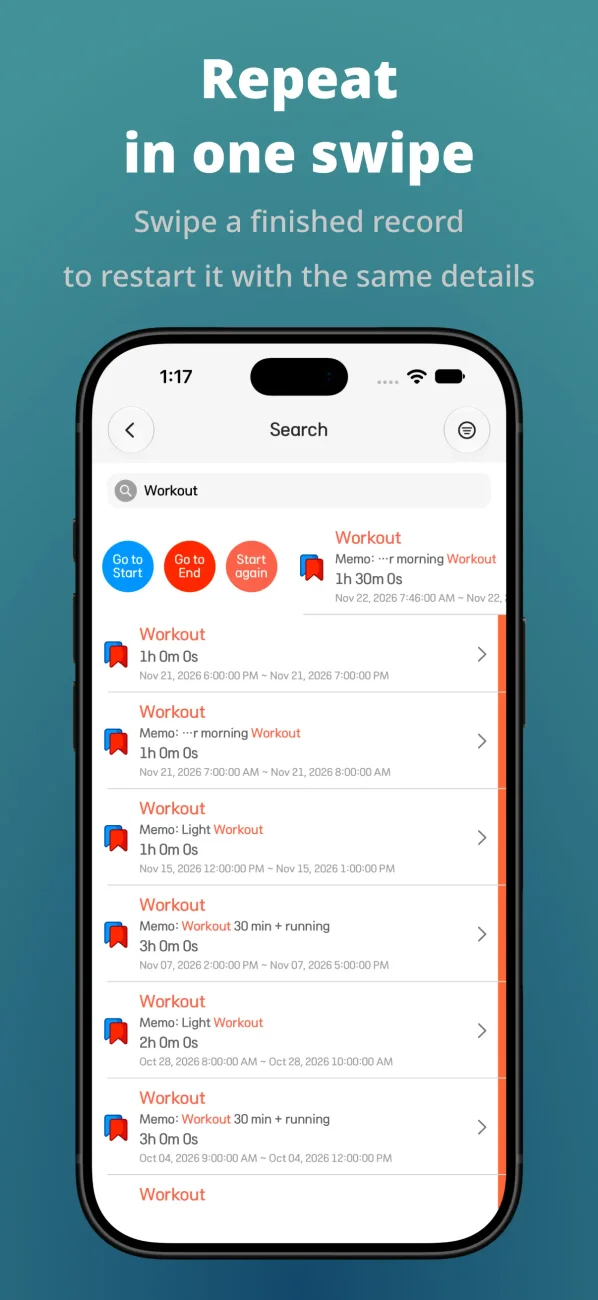
6. Restart
- Swipe a finished record to restart it with the same details.
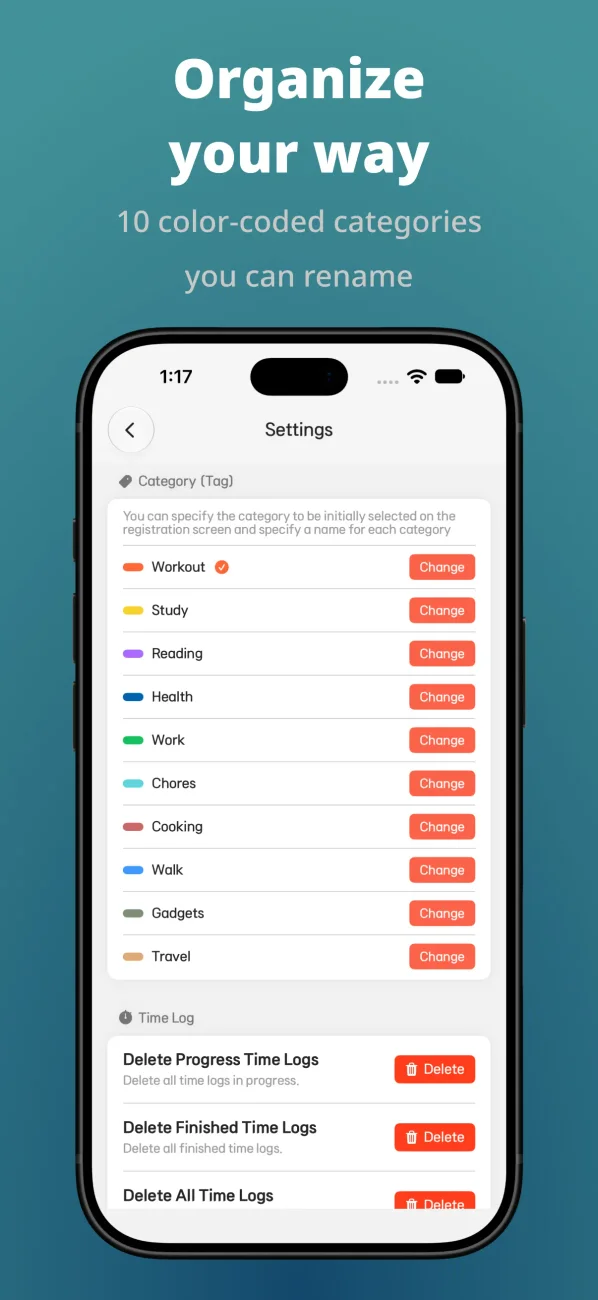
7. Categories
- 10 categories to organize your records, and you can rename them in Settings.
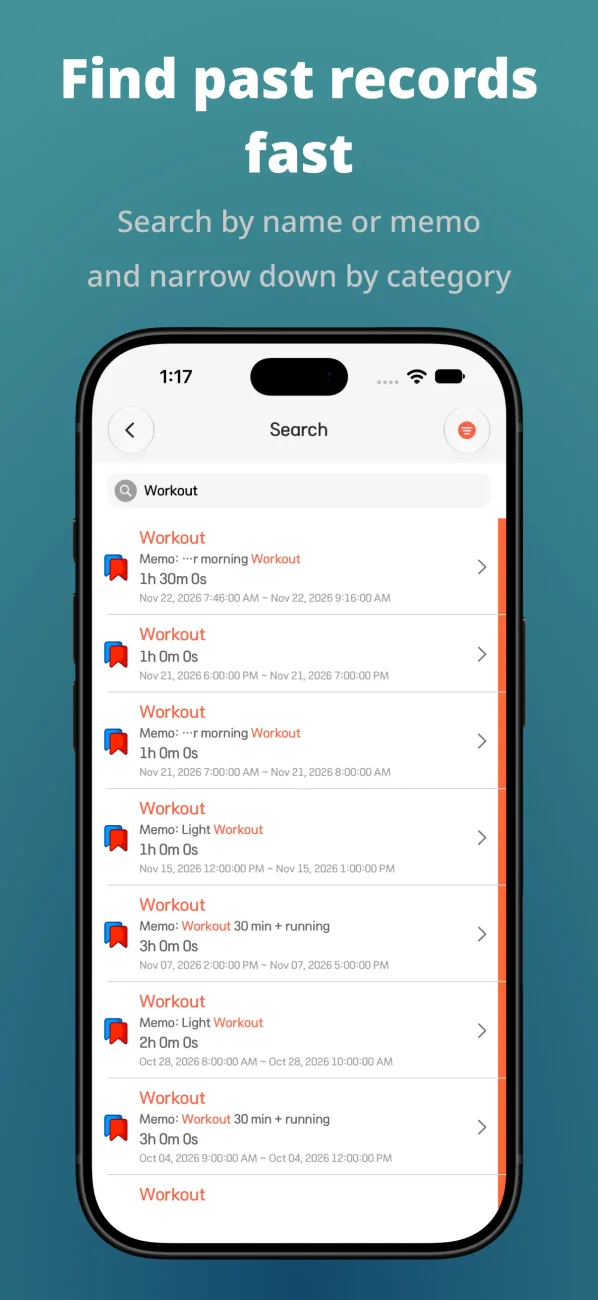
8. Search
- Find past records by name or memo, and narrow results by category.
[ App Permissions ]
* Required Permissions
- None
* Optional Permissions
- App Tracking: User data is used for providing personalized advertisements.
- Notifications (Push): Receive notifications when registered items end.
[ Contact/Feedback ]
* Email Inquiry: lawtinapps@gmail.com
[ License ]
* Image : https://lawtinapps.blogspot.com/2024/01/start-end-image-license.html
What’s new
Version 1.3.0 · Nov 22, 2026
• New Statistics: see time totals and category breakdowns by week, month, or year
• Restart: swipe a finished record to restart it with the same details
• Better search: search memos too and narrow down by category
• Swipe the calendar to switch between week and month views
• More reliable end-reservation notifications
• iPhone Duo support and bug fixes
App privacy
What BeomSeok Chae declares on the App Store about how this app handles data.
-
Data used to track you
May be used to track you across apps and websites owned by other companies.
- Identifiers
- Usage data
-
Data not linked to you
May be collected but is not linked to your identity.
- Identifiers
- Usage data
Privacy practices may vary, for example with the features you use or your age.
Information
- Seller
- BeomSeok Chae
- Category
- Productivity
- Version
- 1.3.0
- Updated
- Nov 22, 2026
- Released
- Jan 7, 2024
- Size
- 40.6 MB
- Requires
- iOS 17.0 or later
- Age rating
- 4+
- Price
- Free
- Languages
- English, Japanese, Korean
- Copyright
- © BeomSeok Chae
You might also like
-
 Fast Time LogTrack how you spend your time
-
 Timetrack mini @ HomescreenThe simple & easy time tracker
-
 aTimeLogger - Personal TrackerHours Timer & Tasks Tracking
-
 Timelines Time TrackingPersonal & Work Hours Tracker
-
 TimeCamp Time TrackerHours time tracking
-
 ATracker Time TrackerDaily Task Habit Goal Routine
-
 Transcribe AI: Voice to TextAudio to Text Transcription
-
 Clockify Time TrackerTime tracker and timesheet
-
 Focus To-Do: Focus Timer&TasksPomodoro timer for work&study
-
 FocusPomo · Pomodoro TimerProductivity|for Work & Study