
STEMboard: Math Work Digitally
Whiteboard app closes the gap
Designed for iPhone, iPad, iPod touch
Free
- Age rating4+
- CategoryEducation
- DeveloperSTEMboard
- LanguagesEnglish
- Size21.7 MB
Links to the official App Store page
Download.org hosts no file of STEMboard: Math Work Digitally. The button opens its official App Store page, published by STEMboard. Listing last checked on Nov 15, 2026.
Screenshots

About
Imagine teaching a lesson and all of your students are able to access the lesson at grade level. STEMboard gives educators the opportunity to build students’ mastery of prerequisite skills and close learning gaps they are demonstrating prior to a lesson. The STEMboard app is available for the cell phone, tablet, laptop, and desktop. With STEMboard, support student learning from the comfort of your couch, on the beach, or on your train ride home.
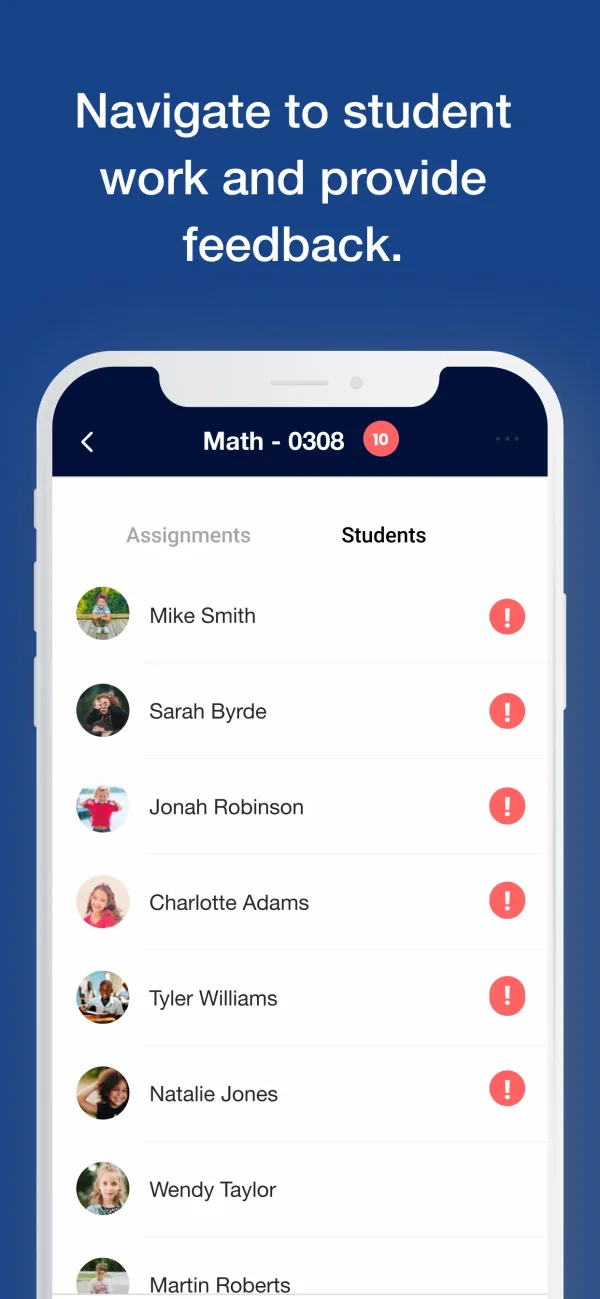
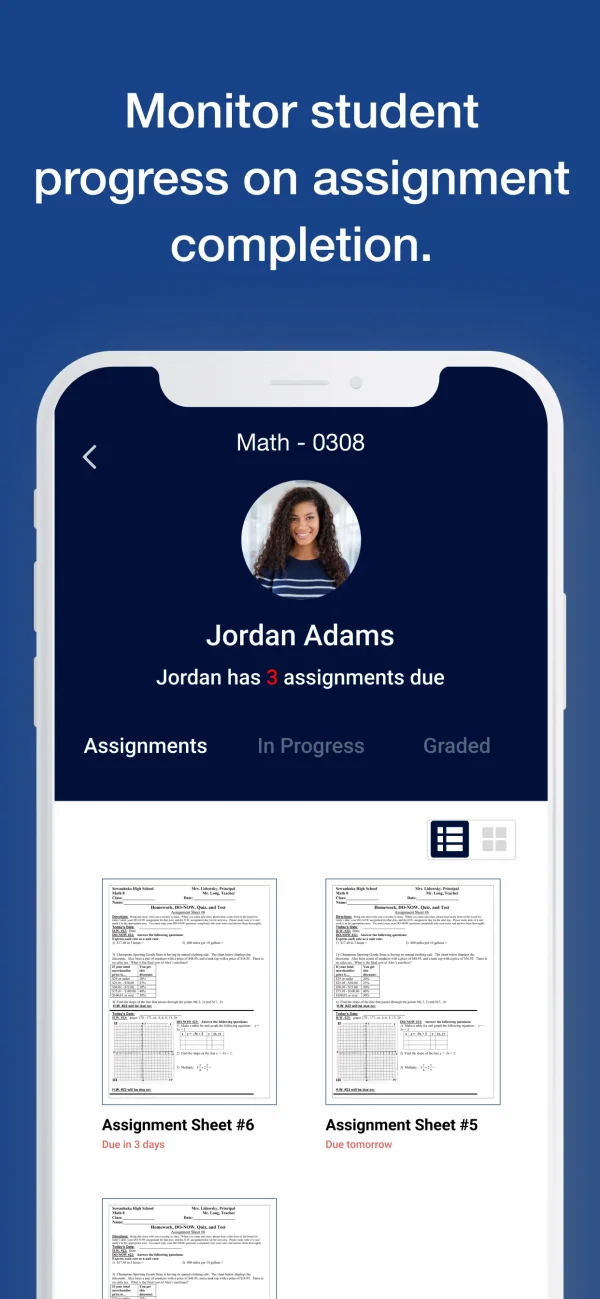
STEMboard is one of very few apps integrated with Google, allowing teachers to easily access their classes through Google classroom and upload assignments with a simple click. Students have the opportunity to practice prerequisite skills by completing assignments provided by their teachers, outside of the classroom. Utilizing our easy-to-use whiteboard, students show detailed work on their assignments from their phones, tablets, or desktops, and submit completed assignments to their teachers for corrections. Teachers then provide detailed feedback on student work to correct their assignments and support their learning.
STEMboard features
• Assignment upload - Create assignments that will support student learning before they enter the classroom and easily upload from Google Drive, a cell phone, or personal PC to Google Classroom.
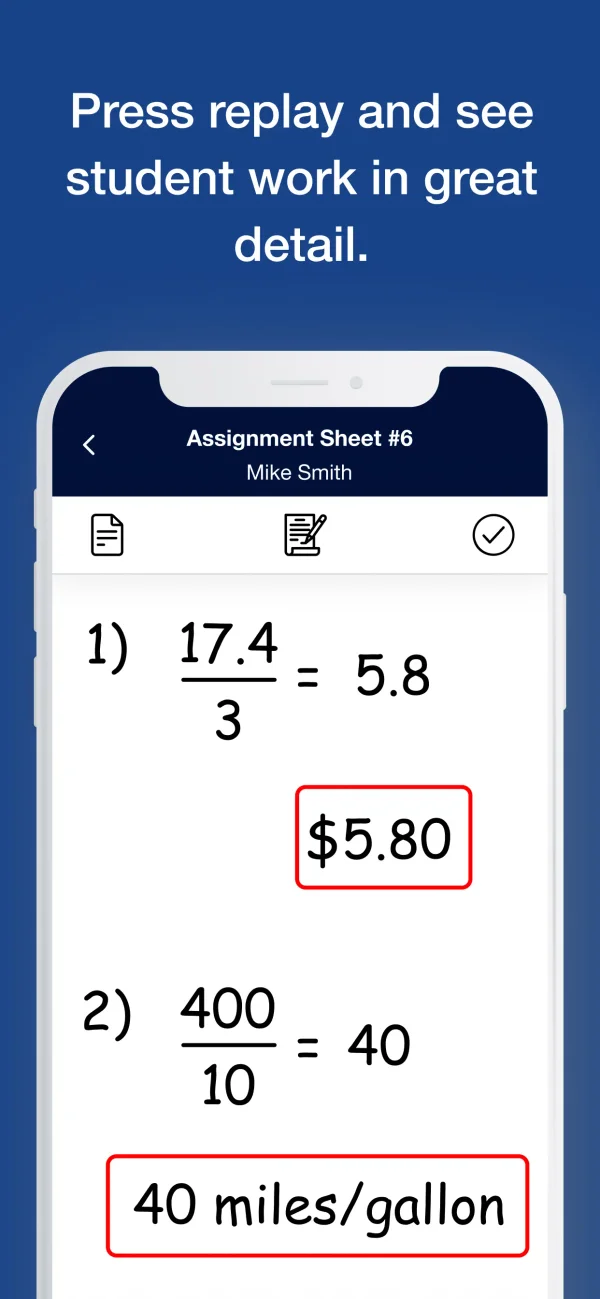
• Whiteboard - Students use their finger, stylus, or text tools to complete and submit assignments on the whiteboard. Teachers receive the assignments and provide detailed feedback on student work, by directly marking up student work with corrections and next steps for improvement. Students access and implement the feedback to make changes to and correct their assignment.
• Replay - Teachers are able to do and undo student work to see the order in which students wrote on the assignment, giving teachers a play-by-play of the process students used to complete each problem. Teachers can see students’ work from step 1 and students can see the exact process teachers used to correct their work and accurately complete each problem.
• Digital Folder - Students and teachers FOREVER have access to student work stored in the STEMboard app!
Help your students grow inside and outside the classroom with STEMboard.
What’s new
Version 1.2.9 · Aug 29, 2026
Security enhancements with support for 2FA.
App privacy
What STEMboard declares on the App Store about how this app handles data.
-
Data not collected
The developer does not collect any data from this app.
Privacy practices may vary, for example with the features you use or your age.
Information
- Seller
- Stemboard, LLC
- Category
- Education
- Version
- 1.2.9
- Updated
- Aug 29, 2026
- Released
- Jan 25, 2021
- Size
- 21.7 MB
- Requires
- iOS 13.4 or later
- Age rating
- 4+
- Price
- Free
- Languages
- English
- Copyright
- © @2023 STEMboard, LLC
You might also like
-
 CloudLabs Parthenon ModelEducation
-
 Fractions WorksheetsPrint fractions practice
-
 Genius University ManagementEducation
-
 MS 224 Exploration DiscoveryEducation
-
 Visual Schedule: PictoCueAutism, Photos & First Then
-
 Culture Shock AILanguage Learning
-
 Humble MuseumTake a tour of Humble's past
-
 Buzz 'n' Read! (AAE version)Education
-
 Love to ReadEducation
-
 Prayer TentsBe a Disciple, Make Disciples