
StencilPro - Stencil Maker
AI tattoo stencil maker
Designed for iPhone, iPad, iPod touch
Free · In-app purchases
- Age rating4+
- CategoryProductivity
- DeveloperLorik Morina
- LanguagesEnglish+ 25 more
- Size69.8 MB
Links to the official App Store page
Download.org hosts no file of StencilPro - Stencil Maker. The button opens its official App Store page, published by Lorik Morina. Listing last checked on Nov 23, 2026.
Screenshots
About
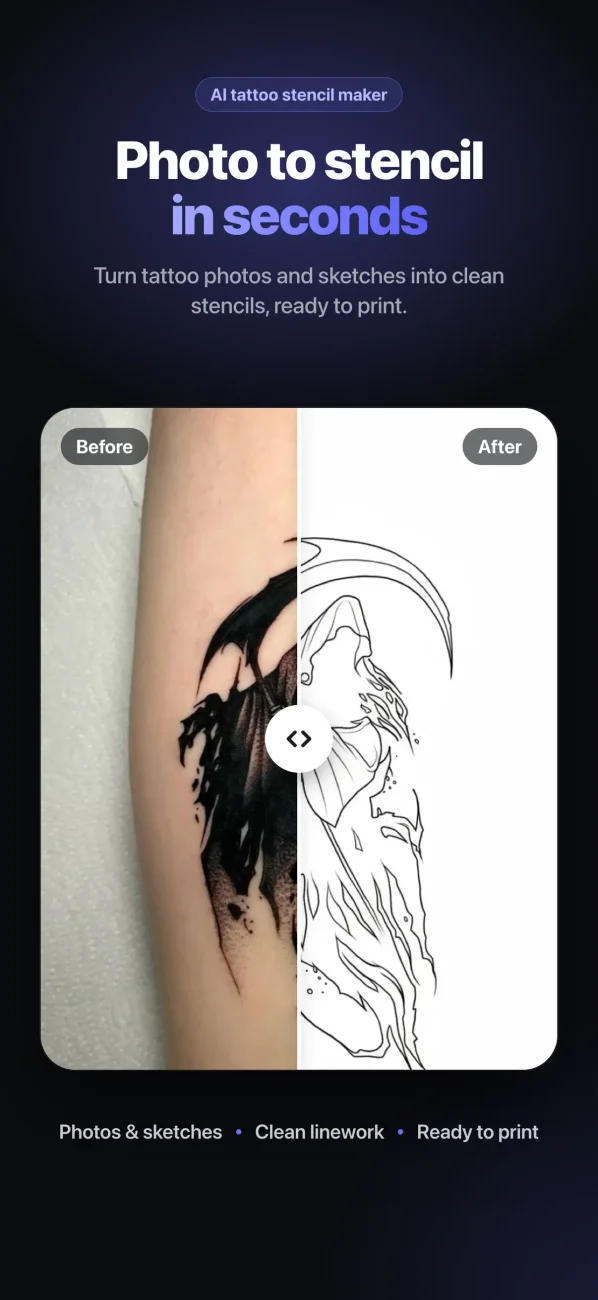
TURN ANY DESIGN OR PHOTO INTO A TATTOO STENCIL IN SECONDS
StencilPro turns sketches, designs and photos into clean, print-ready stencils, then gives you the tools to finish them: retouch the lines, lay them out at real size, print them, and keep the stencil on screen while you tattoo.
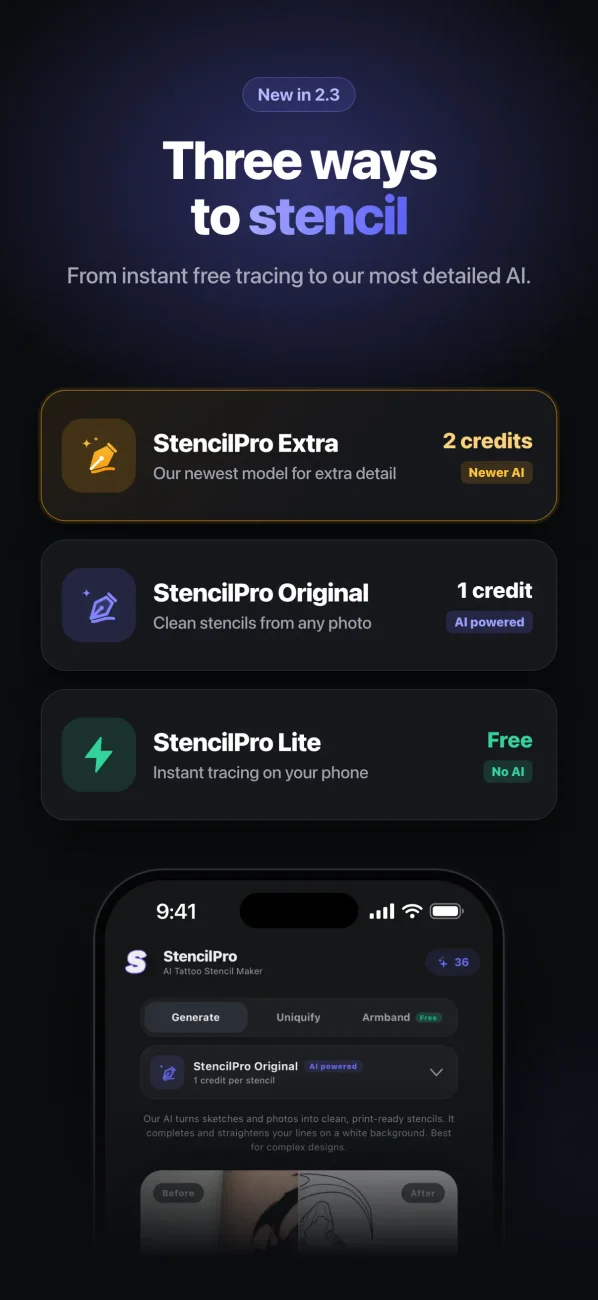
THREE WAYS TO MAKE A STENCIL
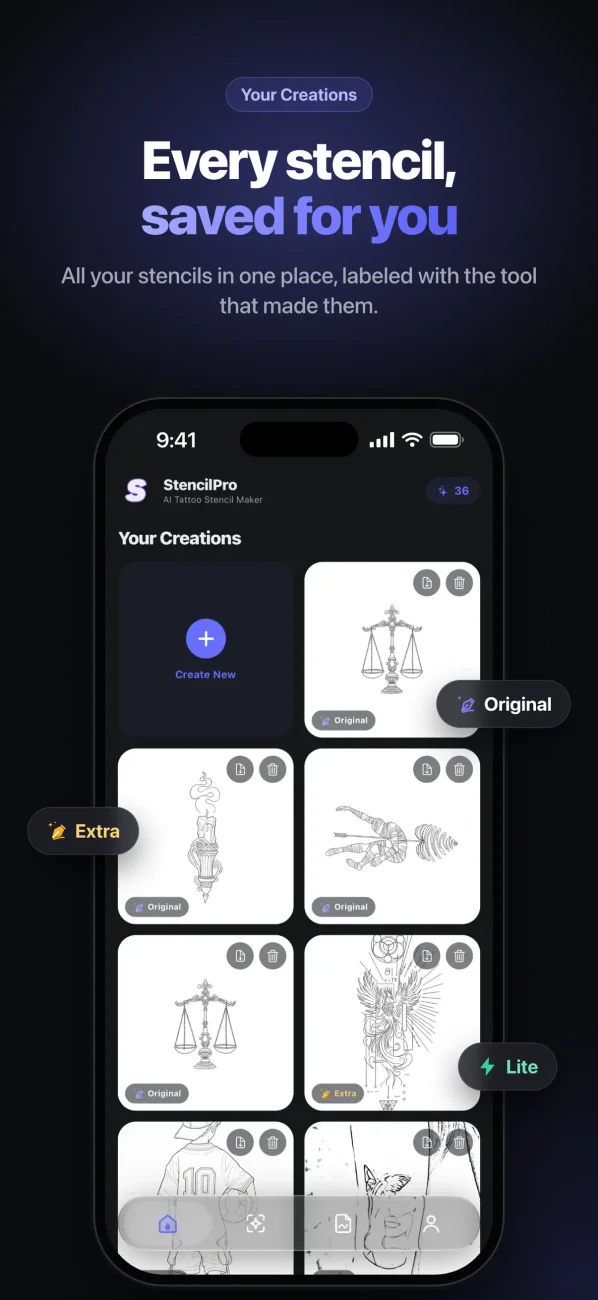
• StencilPro Original: AI that turns sketches and photos into clean line work. Choose Simple, Standard or Detailed. 1 credit.
• StencilPro Extra: our newer, more advanced AI model for extra detail and accuracy. 2 credits.
• StencilPro Lite: instant tracing on your phone with no AI. Adjust darkness and line weight and watch the stencil update live. Free.
Portraits and photos with faces are supported. For realism, use Extra, or Original on the Detailed level.
RETOUCH
• Erase stray lines or draw missing ones with a brush
• Tap a solid black area to clear it and keep its outline
• Make the whole stencil darker or lighter
• Save with a transparent background as a PNG
• Undo and redo; the original stencil is always kept
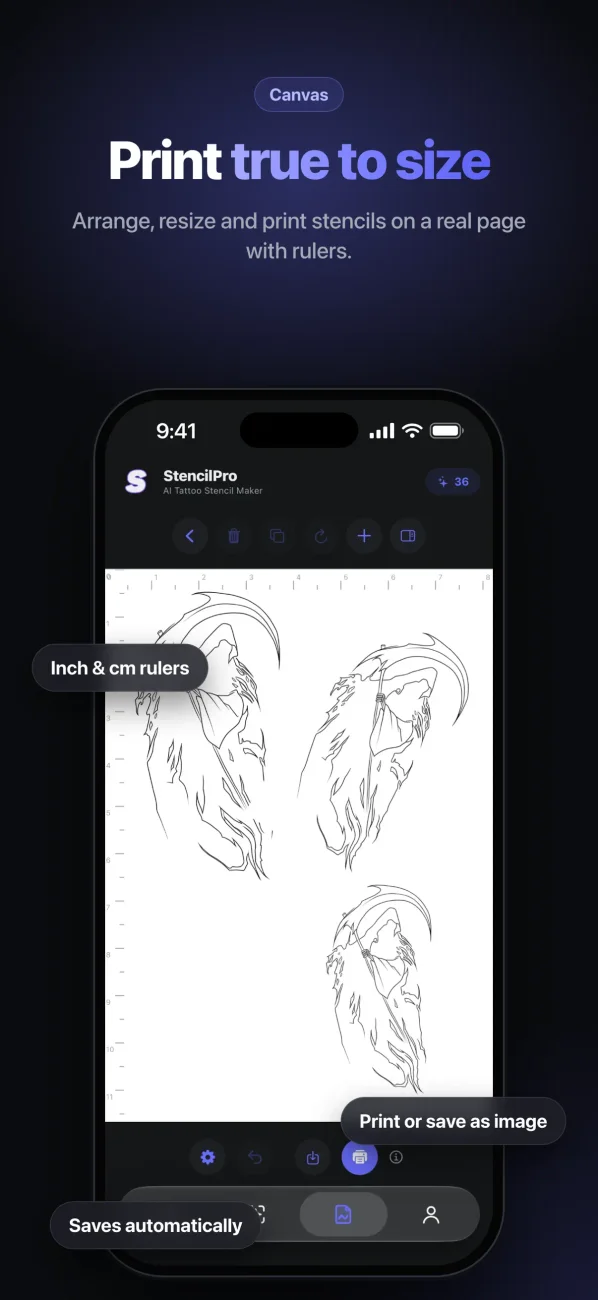
CANVAS: LAY OUT AND PRINT AT REAL SIZE
• Place up to 15 designs on an A4 or Letter page, in centimeters or inches
• Move, resize, crop, rotate, flip, group and layer them
• Make size copies to test several sizes on one sheet
• Add text with any font on your phone, or your own font files
• Choose the color your lines print in
• Print straight from the app, save the page as an image, or share it as a PDF
• Big print: print a design larger than the page across several sheets, with marks for lining them up, and choose where the sheets join
TATTOO MODE
A full-screen reference for the session. The screen stays on, and you can switch between the stencil, your photo, and the stencil over the photo. Zoom in deep, mirror it, and adjust brightness and contrast.
MORE TOOLS
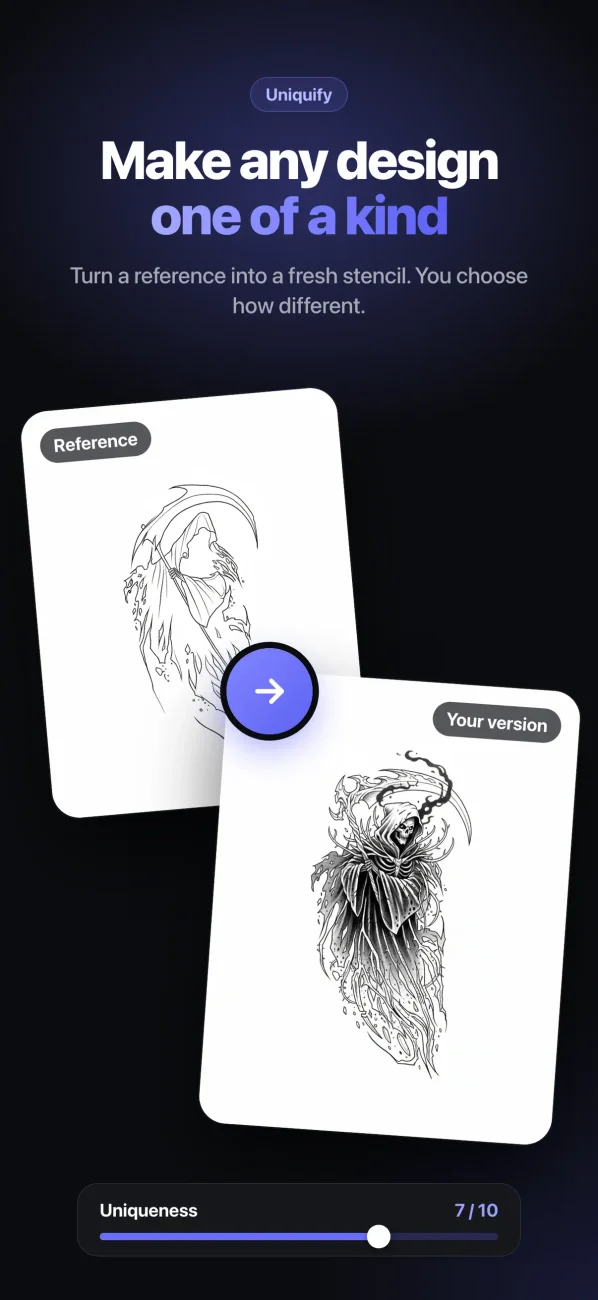
• Uniquify: rework a design into a unique variation
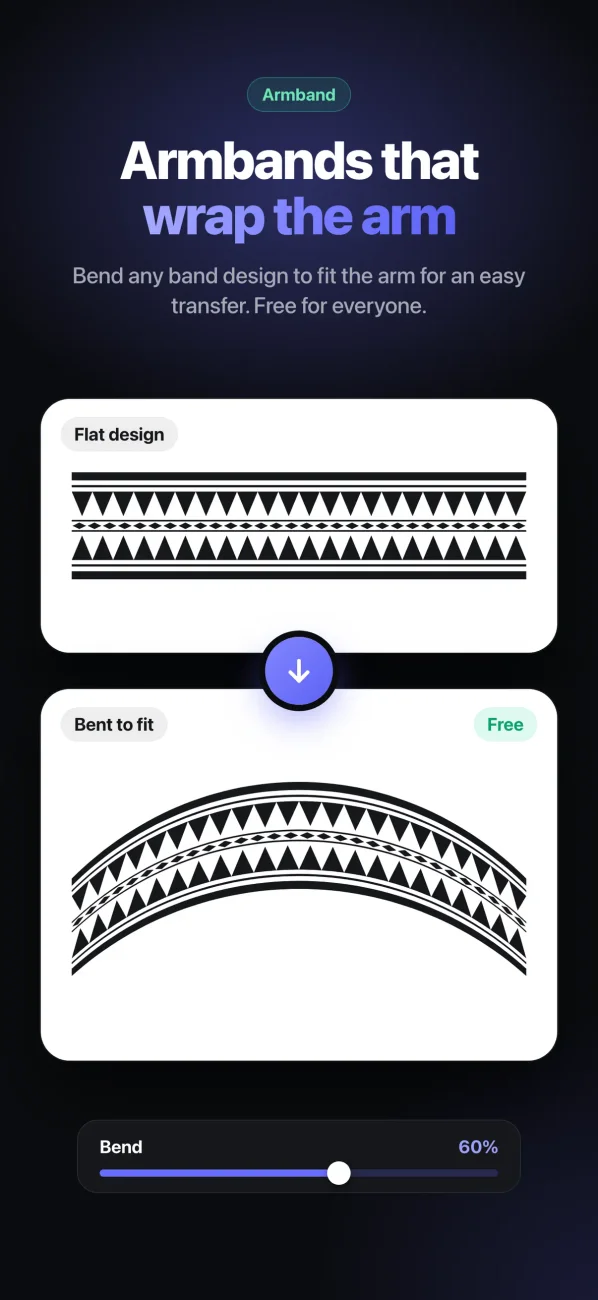
• Armband: bend a band design so it wraps cleanly around the arm. Free.
• Compare your result with the original by holding, with a slider, or as an overlay
YOUR CREATIONS, EVERYWHERE
Your stencils are saved to your account and are there on every device you sign in on. Save any of them to your photo library.
START FREE
Every new account gets 2 free credits, and StencilPro Lite and the Armband tool are free to use. No ads and no watermarks.
Subscriptions add monthly credits and unlock Canvas and Retouch. Top-up credits never expire and stay on your balance at every renewal. Cancel anytime.
MADE FOR
• Tattoo artists and studios
• Apprentices
• Anyone designing their next tattoo
GOOD TO KNOW
• Only upload images you own or have permission to use
• For best results, use clear, sharp, high-contrast images
• Available in 26 languages
PRIVACY
• For AI stencils, your image is sent to our AI provider to create the stencil, and the original is deleted from our servers once the stencil is ready
• StencilPro Lite traces on your phone; nothing is uploaded unless you save the result
• Sign in with Apple, Google or email
SUPPORT
Need help? Contact us at help@bllekholl.com
Terms of Use (EULA): https://www.apple.com/legal/internet-services/itunes/dev/stdeula/
Privacy Policy: https://stencilpro.app/privacy
Terms & Conditions: https://stencilpro.app/terms
What’s new
Version 2.4.0 · Nov 13, 2026
New: Retouch, Tattoo Mode, big printing across several sheets, A4/Letter and line colors in Canvas, and 22 more languages. Plus fixes and improvements.
App privacy
What Lorik Morina declares on the App Store about how this app handles data.
-
Data used to track you
May be used to track you across apps and websites owned by other companies.
- Purchases
- Contact info
- Identifiers
- Usage data
-
Data linked to you
May be collected and linked to your identity.
- Purchases
- Contact info
- User content
- Identifiers
- Usage data
- Diagnostics
-
Data not linked to you
May be collected but is not linked to your identity.
- Diagnostics
- Other data
Privacy practices may vary, for example with the features you use or your age.
Information
- Seller
- Lorik Morina
- Category
- Productivity
- Version
- 2.4.0
- Updated
- Nov 13, 2026
- Released
- Oct 19, 2025
- Size
- 69.8 MB
- Requires
- iOS 15.1 or later
- Age rating
- 4+
- Price
- Free
- In-app purchases
- Yes
- Languages
- English, Czech, Danish, Dutch, Finnish, French, German, Greek, Hindi, Hungarian, Indonesian, Italian + 14 more
- Copyright
- © 2025 PARADOX BLLEKHOLL
You might also like
-
 StencilX: Tattoo Stencil MakerAI Stencil Maker & Design
-
 PorterFor tattoo artists & studios
-
 Keep The FeesProductivity
-
 HypersketchAI-powered sketching & ideas
-
 Print Photo Size · TinyPrinterCollage · Resize · AirPrint
-
 Real Color MixerSimulate mixing real paints
-
 Tattoo Release FormsThe tattooer's waiver solution
-
 Invoo: AI Estimates & InvoicesInvoice Maker & Billing
-
 Chat AI 5: AI Agent & VideoChat with all top AI models
-
 Digital Tattoo FormsProductivity