
Hypersketch
AI-powered sketching & ideas
Designed for iPhone, iPad
Free · In-app purchases
- Age rating4+
- CategoryProductivity
- DeveloperSTUCK
- LanguagesEnglish
- Size222.4 MB
Links to the official App Store page
Download.org hosts no file of Hypersketch. The button opens its official App Store page, published by STUCK. Listing last checked on Nov 17, 2026.
Screenshots
About
Hypersketch - You don't need a great idea to start creating. You create to discover the idea.
Hypersketch is the Visual Co Thinking app that helps you think through sketching. Instead of asking you to write the perfect prompt or draw the perfect sketch, Hypersketch helps you make a small creative move, then uses AI to reveal new possibilities you never considered.
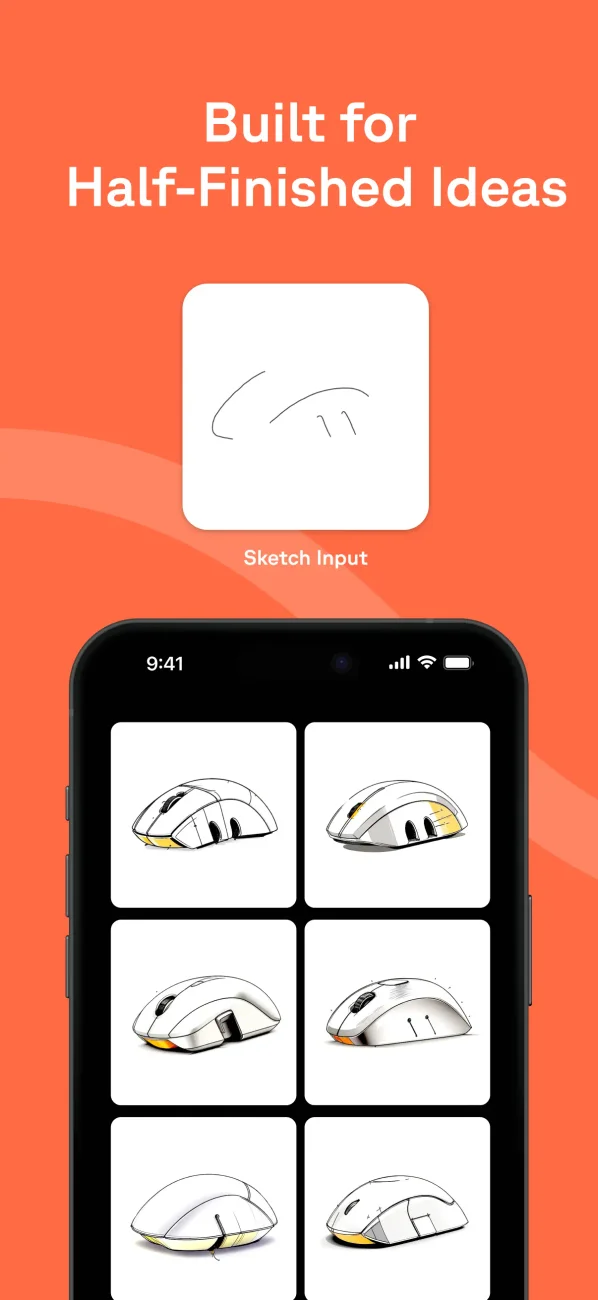
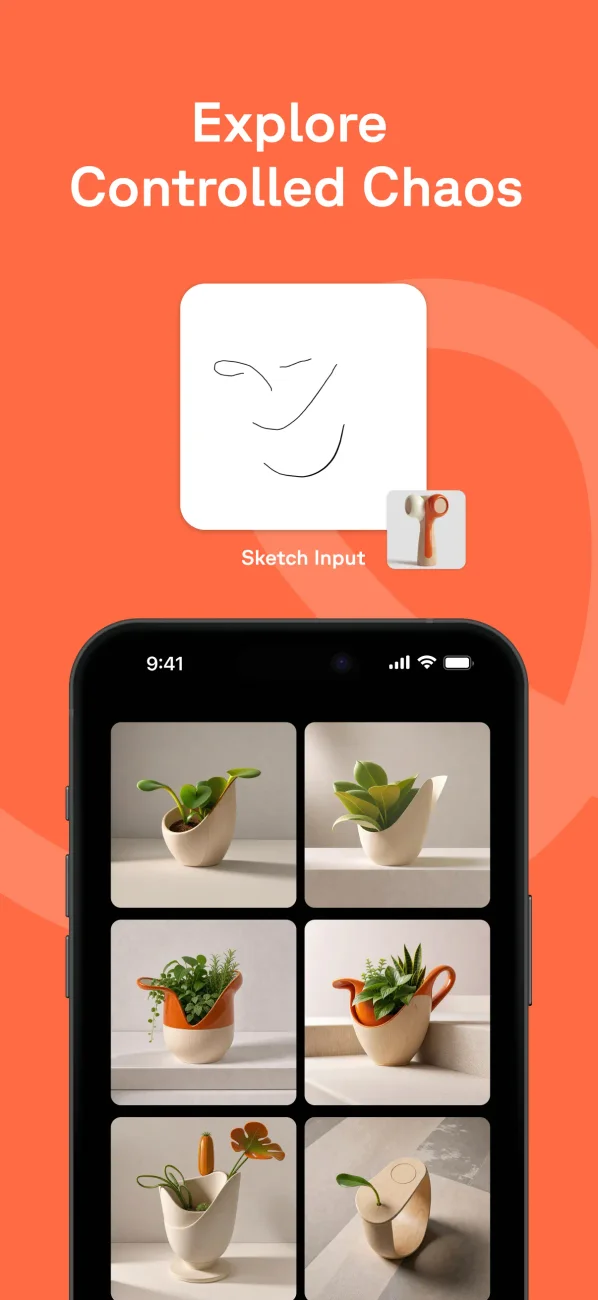
Draw a quick doodle, a few lines, or even an incomplete sketch. In seconds, Hypersketch transforms your marks into dozens of creative directions that you can react to, remix and refine. It's not about generating the final image. It's about helping you discover better ideas.
Built together with leading designers and sketching educators, Hypersketch combines a professional sketchbook with AI designed to provoke creativity, not replace it. Whether you're designing products, architecture, fashion, interiors, branding or simply exploring ideas, Hypersketch helps you move beyond obvious solutions.
Perfect for designers, students, entrepreneurs, innovators, and anyone who thinks they're "not creative."
=======================
WHY HYPERSKETCH?
Think Visibly
Don't stare at a blank page. Make a tiny sketch and let AI become your creative thinking partner.
Draw Barely Anything
A few strokes are enough. No prompt engineering required. Simply choose a creative mode and tap Brainstorm.
Generate Design Concepts in Minutes
Turn one rough doodle into dozens of unique concepts so you can compare, combine and discover stronger directions.
Create Professional Sketches Fast
Rapidly produce presentation ready concept sketches without slowing your creative flow.
AI That Encourages Discovery
Unlike traditional AI image generators that simply follow instructions, Hypersketch introduces thoughtful variations that help you notice new opportunities and unexpected directions.
Upscale and Refine
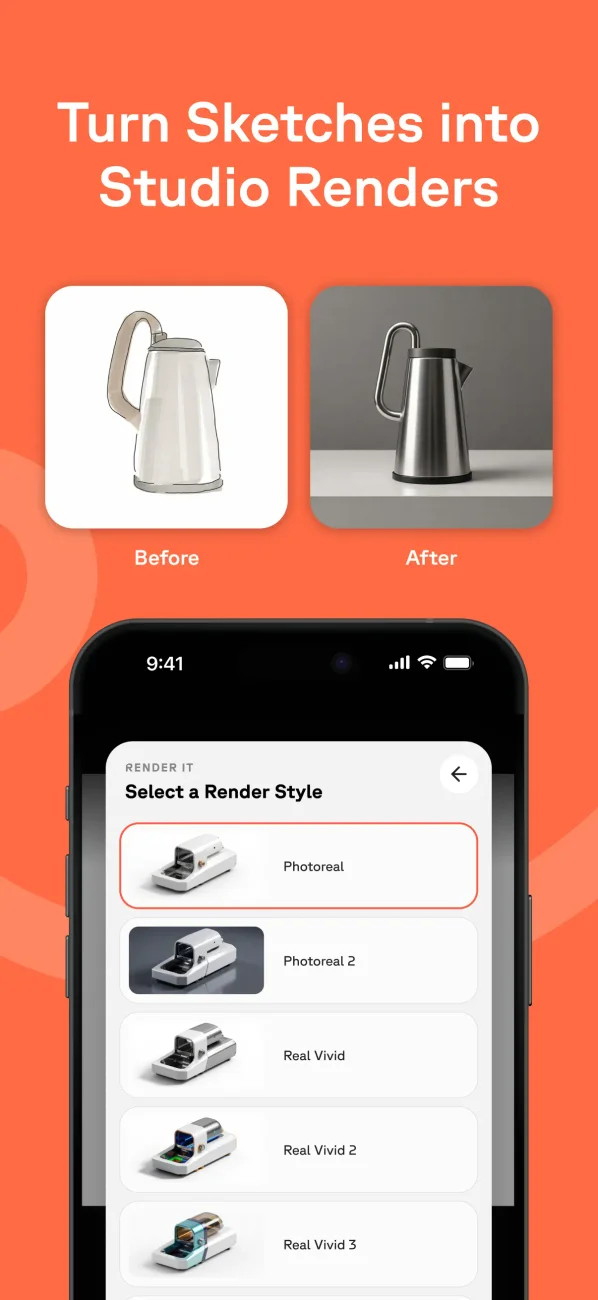
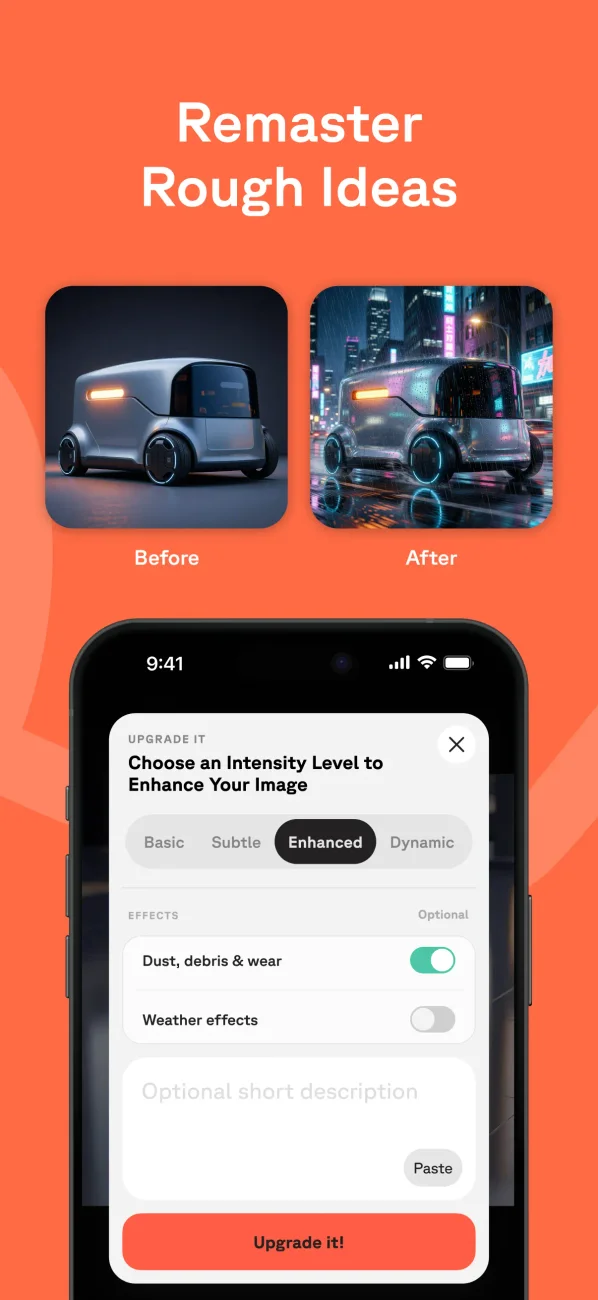
Transform rough concepts into polished visuals. Add detail, improve realism and prepare ideas for presentations with a single tap.
A Layer System Built for Designers
Organize ideas naturally with lightweight layers that remember your tools and help you stay focused without unnecessary complexity.
Sketchbook Organization
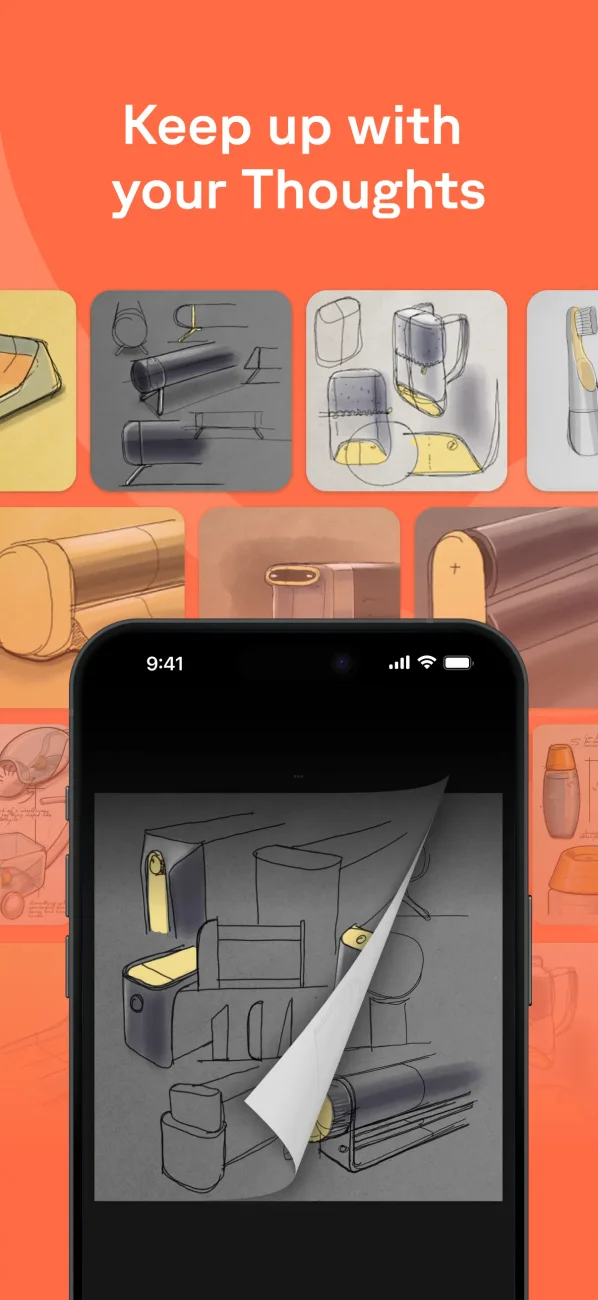
Keep every sketch, note and concept in one place. Organize projects into albums so every idea is easy to revisit.
Create with a Page Flip
Start a fresh sketch instantly with a simple page flip. Capture ideas as quickly as they arrive.
Optimized for Design Thinking
Drawing tools, pens and color palettes are carefully tuned for industrial design, product concepts, automotive sketching and visual communication.
AI Creative Modes
Generate ideas across a growing collection of creative disciplines including: Product Design, Architecture, Automotive, Food, Anime, Form Exploration etc.
Powerful AI Editing
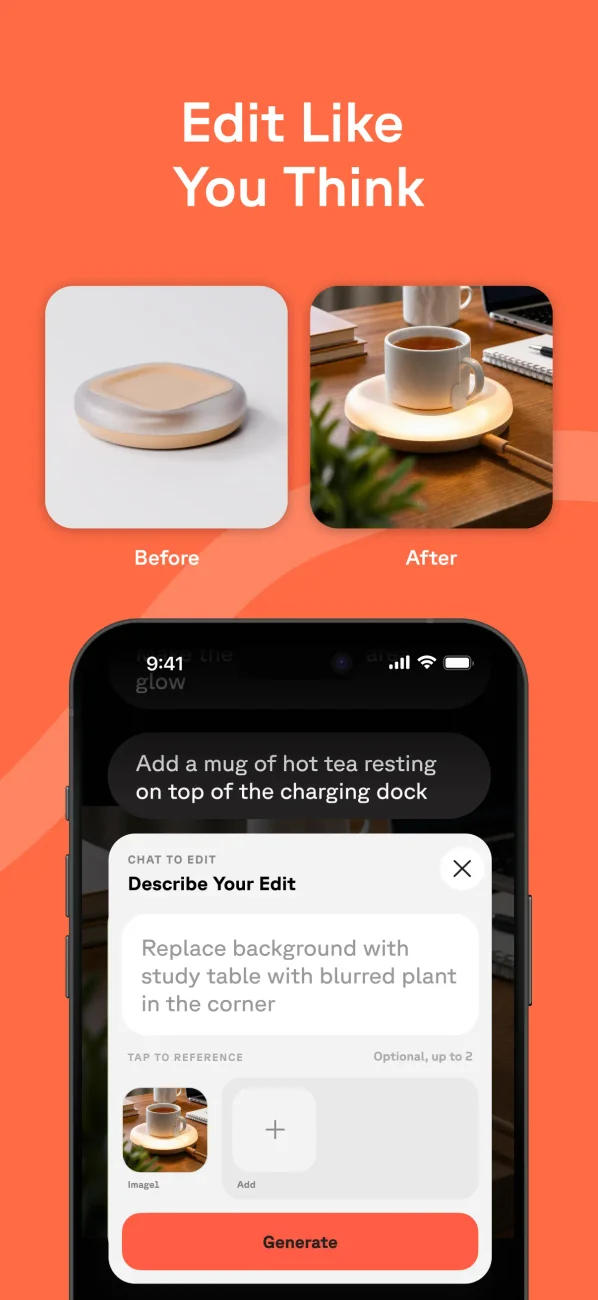
Continue exploring without starting over. Generate variations
, Smart Fill
, Inpaint Retouch
, Convert photos into line art
, Continue sketching directly on AI generated concepts.
=======================
BUILT FOR CREATIVE THINKERS
Most AI tools help you visualize an answer.
Hypersketch helps you discover what the answer could be.
Whether you're solving a design challenge, exploring product ideas or simply learning to think more creatively, Hypersketch gives you the confidence to start before you know exactly where you're going.
=======================
Stop prompting. Start thinking.
Try Hypersketch Today and Redefine How You Sketch and Design.
https://hypersketch.com
Terms of Use: https://www.apple.com/legal/internet-services/itunes/dev/stdeula/
What’s new
Version 4.36 · Nov 6, 2026
AI Toggle Button: Enjoy a more spacious canvas by easily toggling AI controls for an uninterrupted sketching experience.
See It As: Reimagine a single idea in a completely different way and explore new creative directions.
Vary It: Quickly generate and compare variations side by side to find the direction that works best.
Bug Fixes: Various improvements to enhance stability and performance.
App privacy
What STUCK declares on the App Store about how this app handles data.
-
Data used to track you
May be used to track you across apps and websites owned by other companies.
- Identifiers
- Usage data
-
Data not linked to you
May be collected but is not linked to your identity.
- Identifiers
- Usage data
Privacy practices may vary, for example with the features you use or your age.
Information
- Seller
- STUCK Design Pte Ltd
- Category
- Productivity
- Version
- 4.36
- Updated
- Nov 6, 2026
- Released
- Dec 28, 2022
- Size
- 222.4 MB
- Requires
- iOS 17.6 or later
- Age rating
- 4+
- Price
- Free
- In-app purchases
- Yes
- Languages
- English
- Copyright
- © STUCK Design Pte Ltd
You might also like
-
 CharcoalVisualize Your Ideas
-
 Morpholio Journal – SketchbookDesign, Note, Sketch, Collect.
-
 StencilPro - Stencil MakerAI tattoo stencil maker
-
 Comic Draw by plasqProductivity
-
 Blue Sketch - Handwritten noteSketch your idea!
-
 iDesignProductivity
-
 Claydo StudioEasy 3D Modelling
-
 choclift: Workflow Sweetenerdesktop touch controls
-
 Linea SketchDraw and take notes with ease
-
 Inkflow Visual NotebookSketch Notes, Mind Maps, Ideas