- Age rating4+
- CategoryHealth & Fitness
- DeveloperBrandon Wilson
- LanguagesEnglish
- Size4.1 MB
Links to the official App Store page
Download.org hosts no file of Step Enjoyer. The button opens its official App Store page, published by Brandon Wilson. Listing last checked on Nov 17, 2026.
Screenshots

About
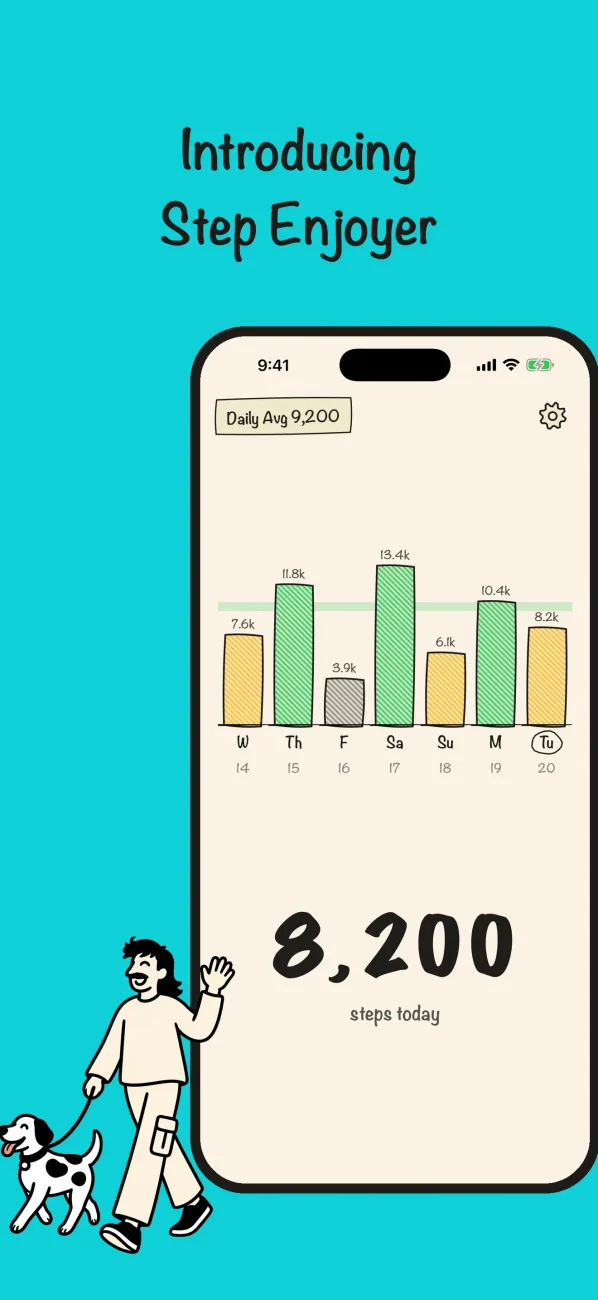
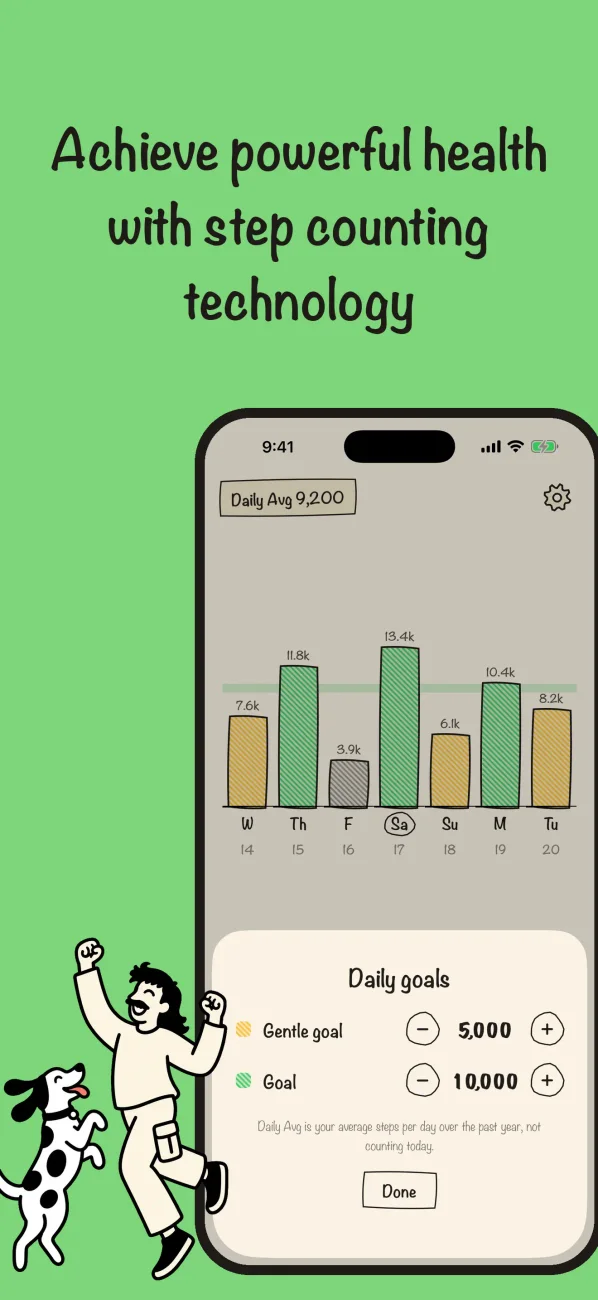
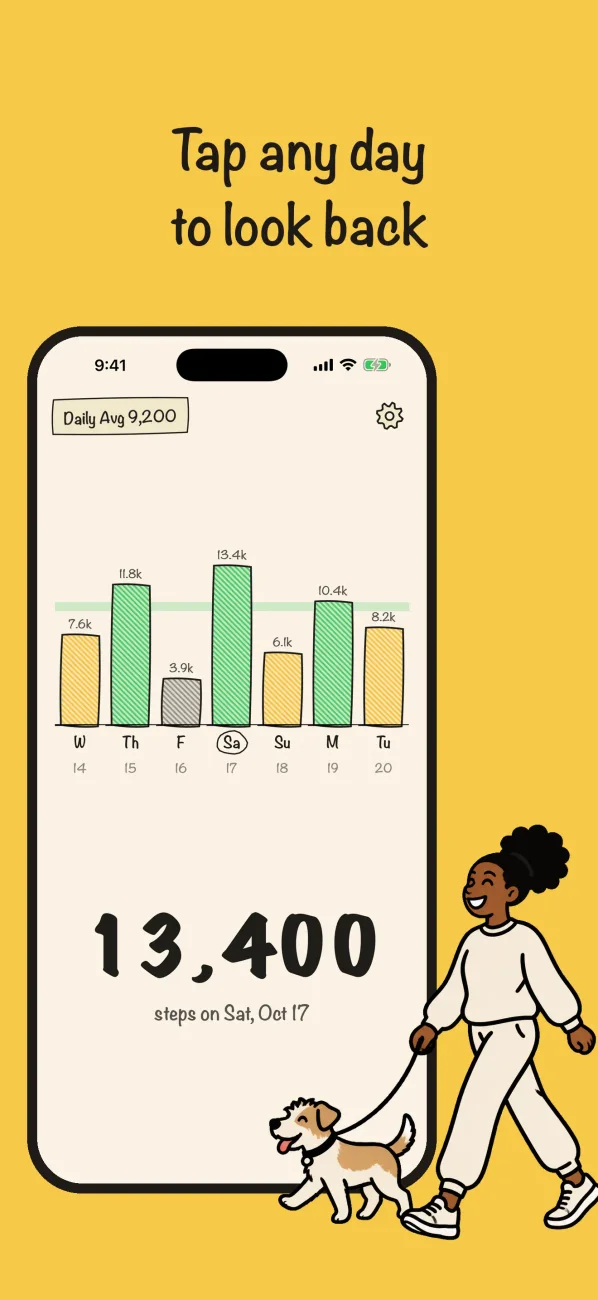
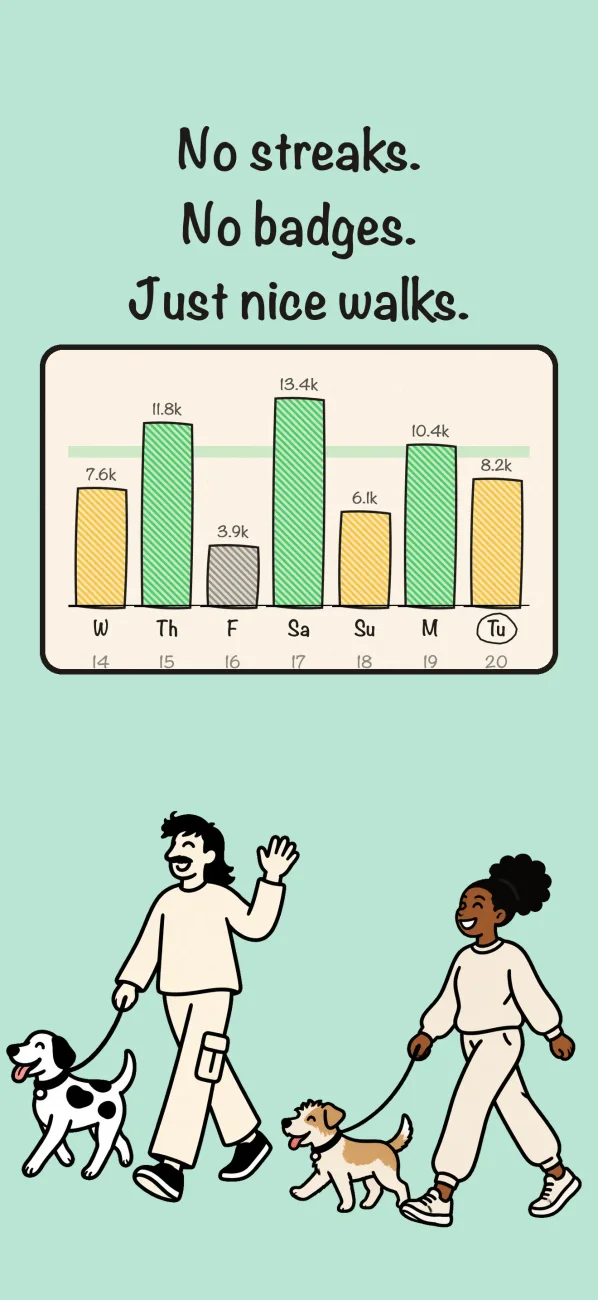
Step Enjoyer shows your steps in a pleasant, hand-drawn style. Scroll through the past 30 days, tap a day to see its step count, and set your own daily goal and gentle goal. See your rolling 12-month daily average so you know how you've been doing.
Green days mean you hit your goal. Yellow days mean you reached your gentle goal. Gray days are below your gentle goal.
No achievements. No social features. No data dashboards. Just a basic, glanceable view of how much you're moving. Your step data stays on your device. We don't collect or share anything.
What’s new
Version 2.5 · Nov 3, 2026
Your recent step history and yearly average now appear immediately when you open the app, then refresh quietly from Health.
App privacy
What Brandon Wilson declares on the App Store about how this app handles data.
-
Data not collected
The developer does not collect any data from this app.
Privacy practices may vary, for example with the features you use or your age.
Information
- Seller
- Brandon Wilson
- Category
- Health & Fitness
- Version
- 2.5
- Updated
- Nov 3, 2026
- Released
- Feb 5, 2026
- Size
- 4.1 MB
- Requires
- iOS 17.0 or later
- Age rating
- 4+
- Price
- Free
- Languages
- English
- Copyright
- © 2025 Brandon Wilson
You might also like
-
 StepHiveSocial walking & step tracker
-
 CatAI SkinSkin Consultation Management
-
 10K - Steps ChallengerStep counter to 10K steps.
-
 Padometer: Walking PadWalking pad steps, no phone
-
 Stride: Step ChallengeStep Counter Race With Friends
-
 Cardio Clowns: Step BattlesOut-walk your friends & family
-
 StepFitsevery step counts
-
 Just Walk - Walking TrackerDaily Walk Log & Habit Streak
-
 Elev8 HealthLive Healthy, Longer.
-
 StepsFit: Step Counter & WalksWalk tracker, map and streaks