- Age rating4+
- CategoryUtilities
- Developer佳伟 蔡
- LanguagesEnglish+ 1 more
- Size2.4 MB
Links to the official App Store page
Download.org hosts no file of StepSnap - 图步助手. The button opens its official App Store page, published by 佳伟 蔡. Listing last checked on Nov 13, 2026.
Screenshots
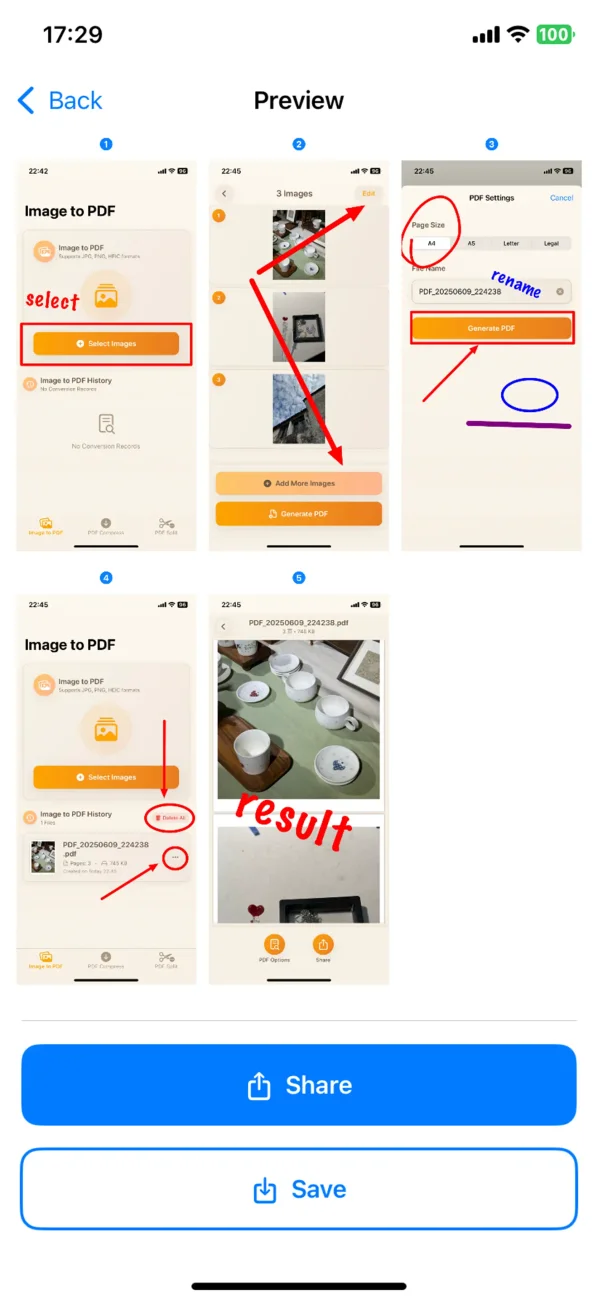
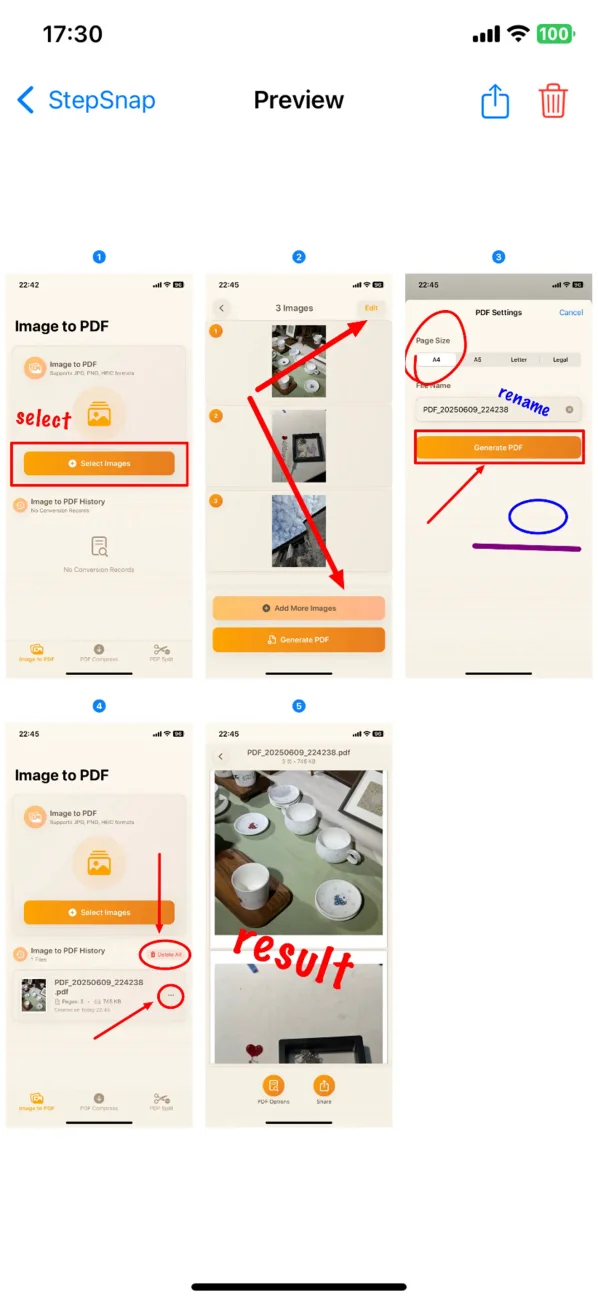

About
StepSnap - The Ultimate Visual Tutorial Creator
Transform your screenshots into professional, easy-to-follow visual guides with StepSnap. Whether you're creating
software tutorials, product demonstrations, or instructional content, StepSnap makes it simple to turn ordinary
screenshots into engaging step-by-step guides.
KEY FEATURES:
SMART IMAGE IMPORT
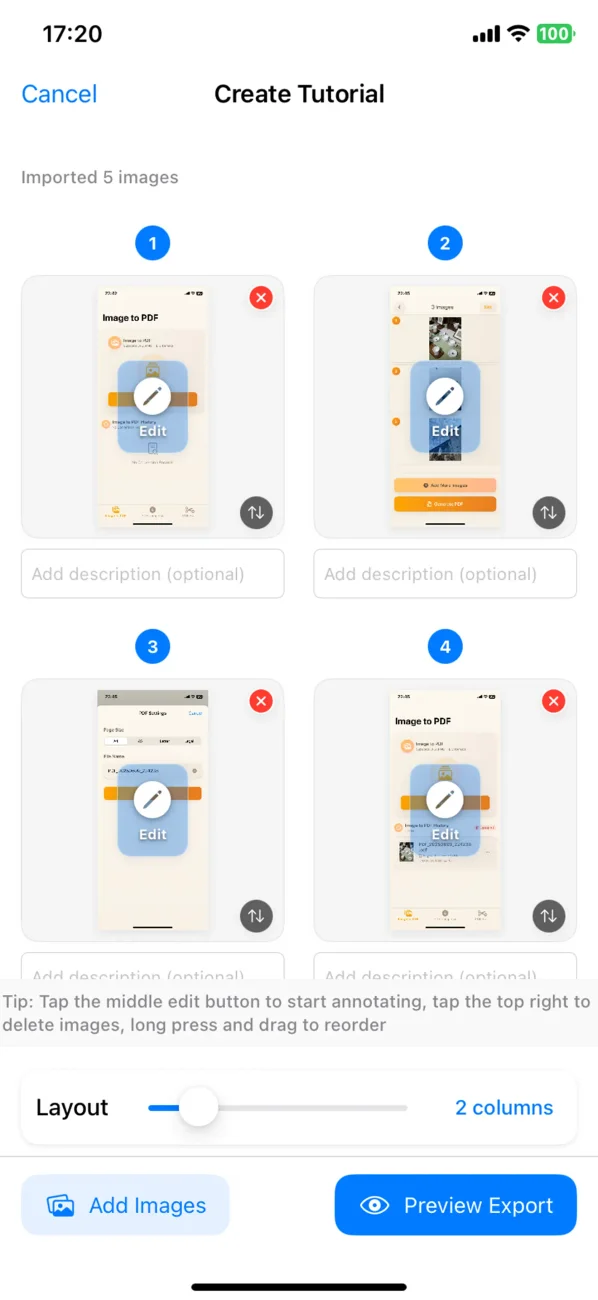
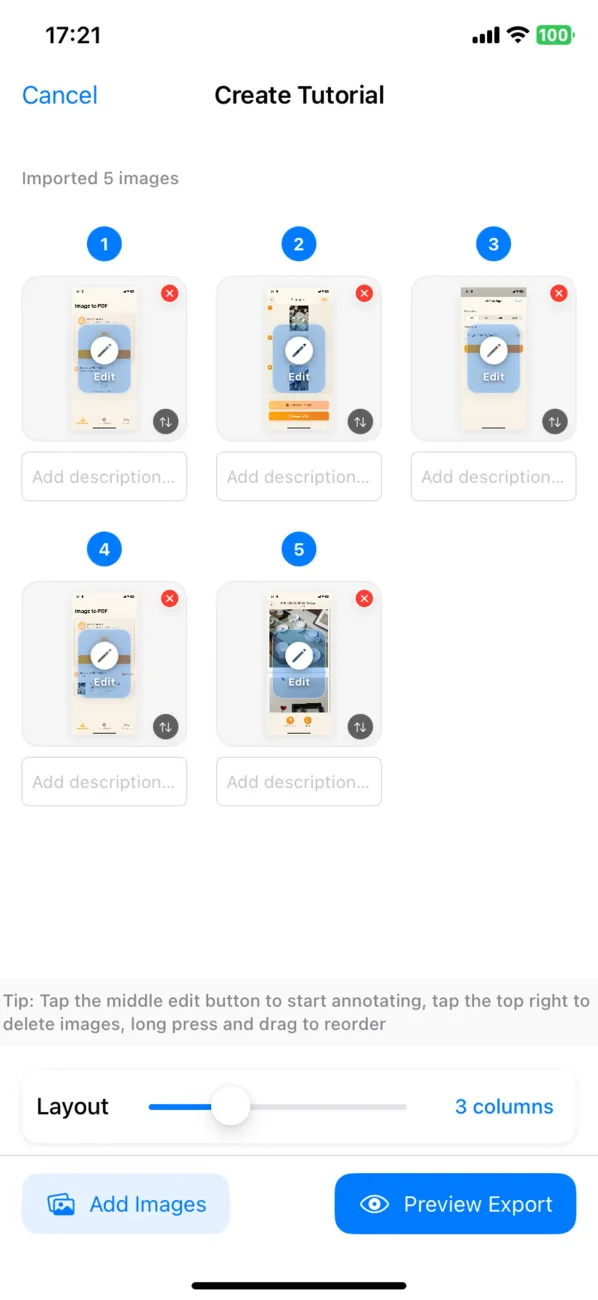
• Import multiple screenshots from your photo library
• Automatic intelligent layout optimization
• Support for 1-8 column grid arrangements
• Drag-and-drop reordering for perfect sequence
PROFESSIONAL ANNOTATION TOOLS
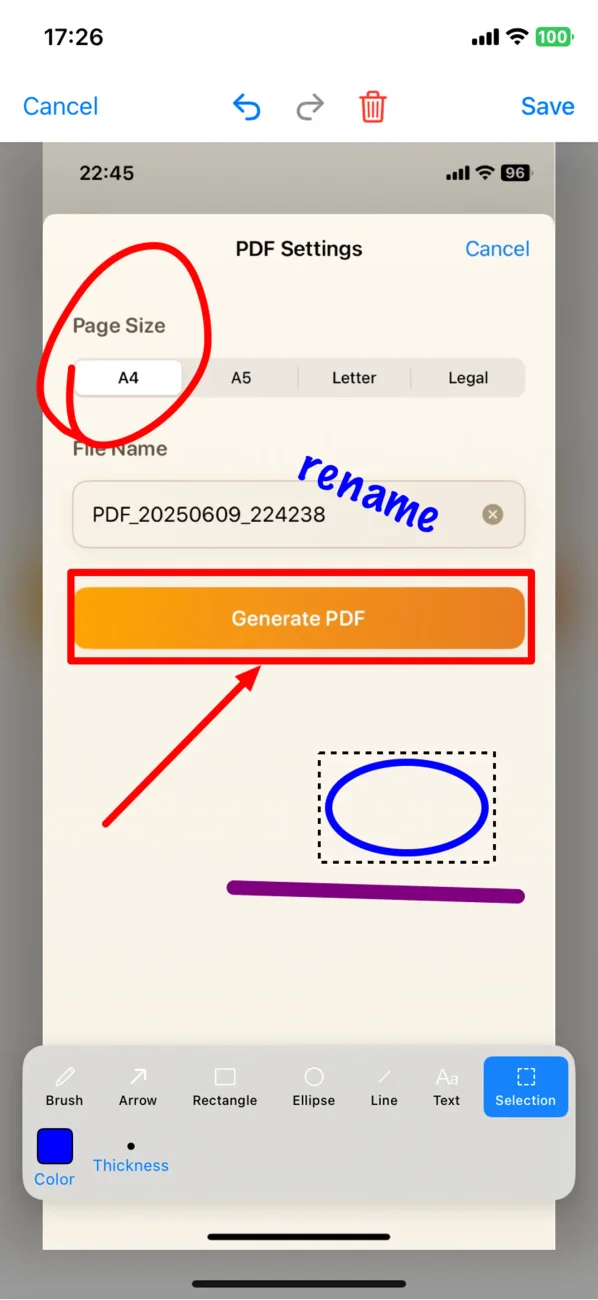
• Brush tool for freehand drawing
• Arrow tool for directional guidance
• Shape tools: rectangles, circles, and lines
• Text tool for detailed explanations
• Selection tool for precise editing
• Eraser for quick corrections
• Customizable colors and stroke widths
ENHANCED DESCRIPTIONS
• Add optional descriptions to each step
• Smart sequence numbering
• Professional visual styling
• Optimized spacing and layout
INTELLIGENT LAYOUT ENGINE
• Automatic spacing optimization
• Professional typography
• High-quality image scaling
• Consistent visual hierarchy
SEAMLESS SHARING
• One-tap sharing to any platform
• High-resolution image export
• Save to photo library
• Multiple export layouts
• Professional presentation quality
STREAMLINED WORKFLOW
• Intuitive three-step process: Import → Annotate → Share
• Real-time preview generation
• Undo/redo functionality
• Fast processing engine
PERFECT FOR:
• Software tutorials and how-to guides
• Product demonstration workflows
• Educational content creation
• Technical documentation
• Training materials
• Social media tutorials
• Customer support guides
• Process documentation
WHY CHOOSE STEPSNAP:
• No design skills required
• Professional results in minutes
• Optimized for mobile creation
• Clean, intuitive interface
• High-quality output
• Regular feature updates
Auto-Renewable Subscription Information
1. Subscription Service
StepSnap Pro offers continuous monthly (quarterly/annual) subscription services. After purchase confirmation, charges will be deducted from your Apple ID account and automatically renewed 24 hours before the end of each billing cycle, unless you manually cancel at least 24 hours before the current cycle ends.
2. Subscription Pricing
Monthly Subscription: $2.95/month
Quarterly Subscription: $6.95/quarter
Annual Subscription: $19.95/year
3. Canceling Subscriptions
You can manage or cancel your subscription anytime by going to iOS "Settings" > "Apple ID" > "Subscriptions". After cancellation, your membership benefits will remain active until the end of the current billing cycle.
4. Terms of Service
https://stepsnap.net/terms-of-service
5. Privacy Policy
https://stepsnap.net/privacy-policy
What’s new
Version 1.2 · Aug 17, 2025
Added performance improvements, and bug fixes.
App privacy
What 佳伟 蔡 declares on the App Store about how this app handles data.
-
Data not collected
The developer does not collect any data from this app.
Privacy practices may vary, for example with the features you use or your age.
Information
- Seller
- 佳伟 蔡
- Category
- Utilities
- Version
- 1.2
- Updated
- Aug 17, 2025
- Released
- Jul 25, 2025
- Size
- 2.4 MB
- Requires
- iOS 16.0 or later
- Age rating
- 4+
- In-app purchases
- Yes
- Languages
- English, Simplified Chinese
- Copyright
- © DevByWay All rights reserved.