
- 対象年齢4+
- カテゴリユーティリティ
- 開発元佳伟 蔡
- 言語英語ほか1言語
- サイズ2.4 MB
App Storeの公式ページにリンクしています
Download.orgはStepSnap - 图步助手のファイルを一切ホストしていません。ボタンを押すと、佳伟 蔡が公開しているApp Storeのアプリページが開きます。ページの最終確認:2026/11/13。
スクリーンショット

概要
開発元はこのテキストをお使いの言語で提供していません。
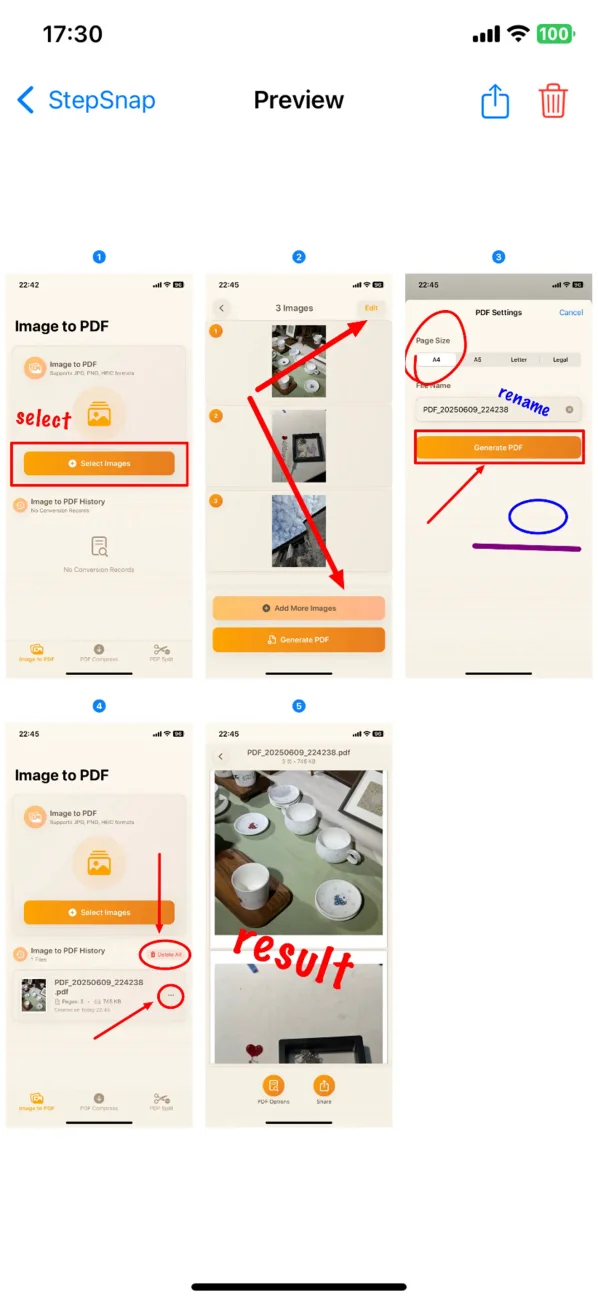
StepSnap - The Ultimate Visual Tutorial Creator
Transform your screenshots into professional, easy-to-follow visual guides with StepSnap. Whether you're creating
software tutorials, product demonstrations, or instructional content, StepSnap makes it simple to turn ordinary
screenshots into engaging step-by-step guides.
KEY FEATURES:
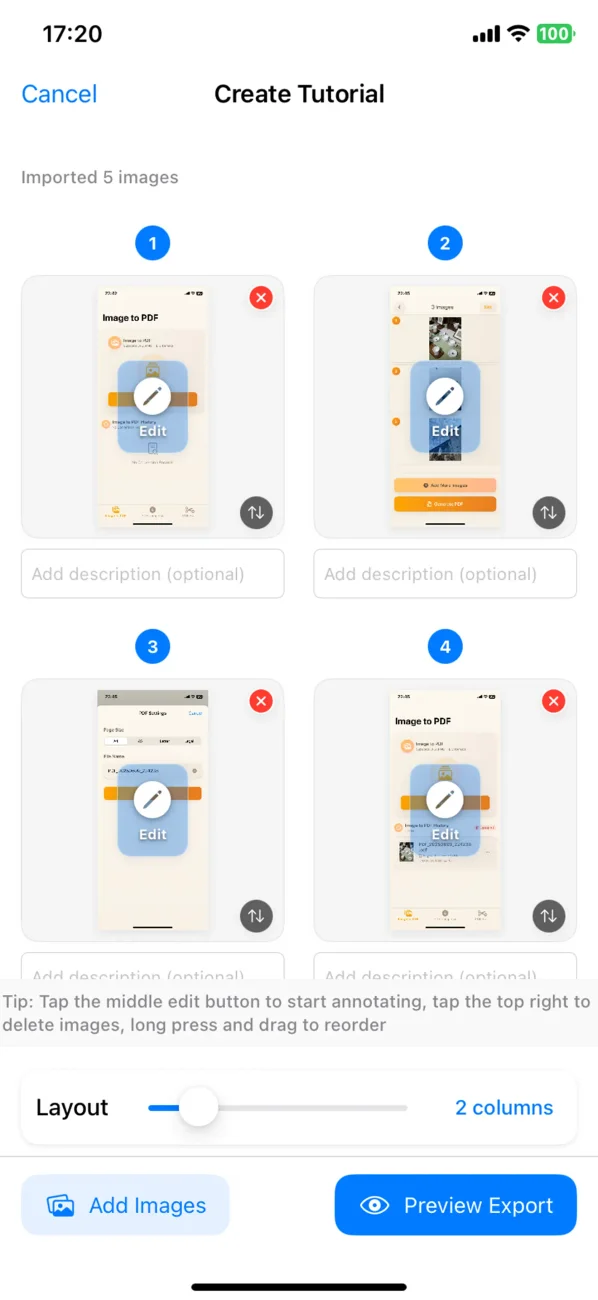
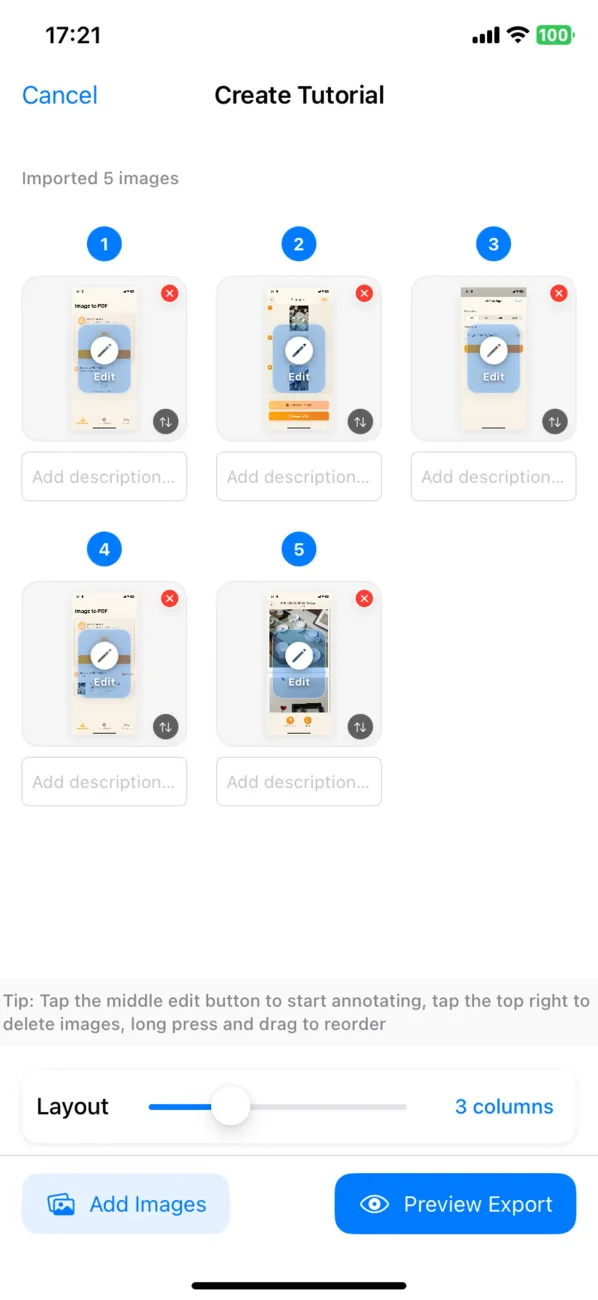
SMART IMAGE IMPORT
• Import multiple screenshots from your photo library
• Automatic intelligent layout optimization
• Support for 1-8 column grid arrangements
• Drag-and-drop reordering for perfect sequence
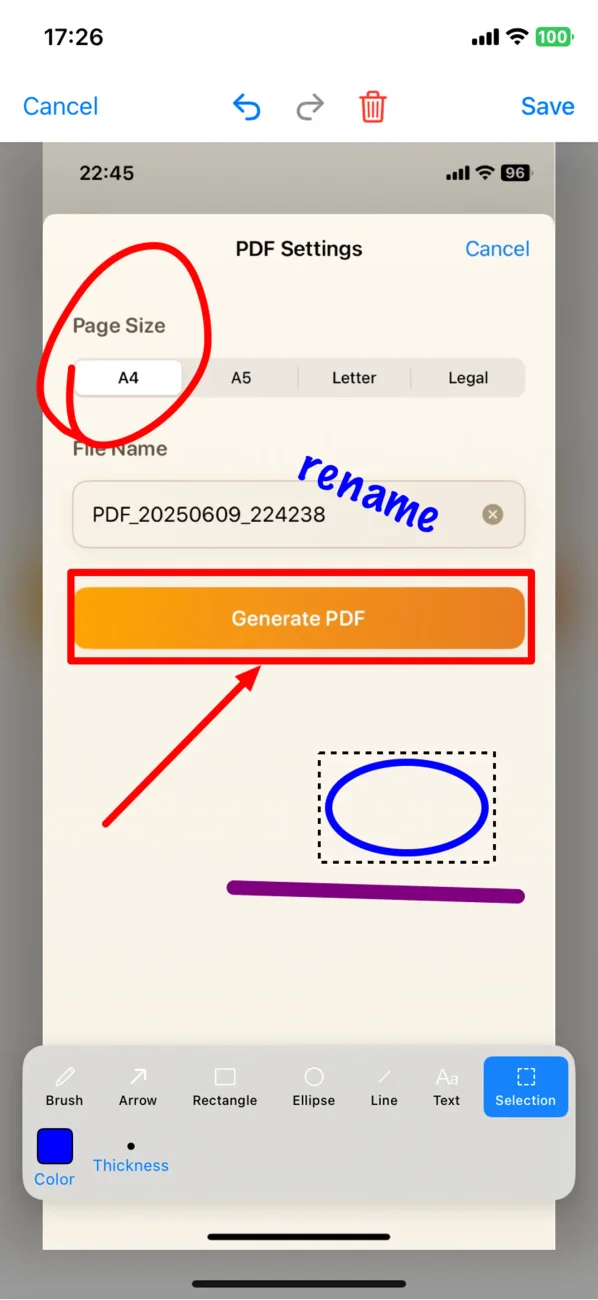
PROFESSIONAL ANNOTATION TOOLS
• Brush tool for freehand drawing
• Arrow tool for directional guidance
• Shape tools: rectangles, circles, and lines
• Text tool for detailed explanations
• Selection tool for precise editing
• Eraser for quick corrections
• Customizable colors and stroke widths
ENHANCED DESCRIPTIONS
• Add optional descriptions to each step
• Smart sequence numbering
• Professional visual styling
• Optimized spacing and layout
INTELLIGENT LAYOUT ENGINE
• Automatic spacing optimization
• Professional typography
• High-quality image scaling
• Consistent visual hierarchy
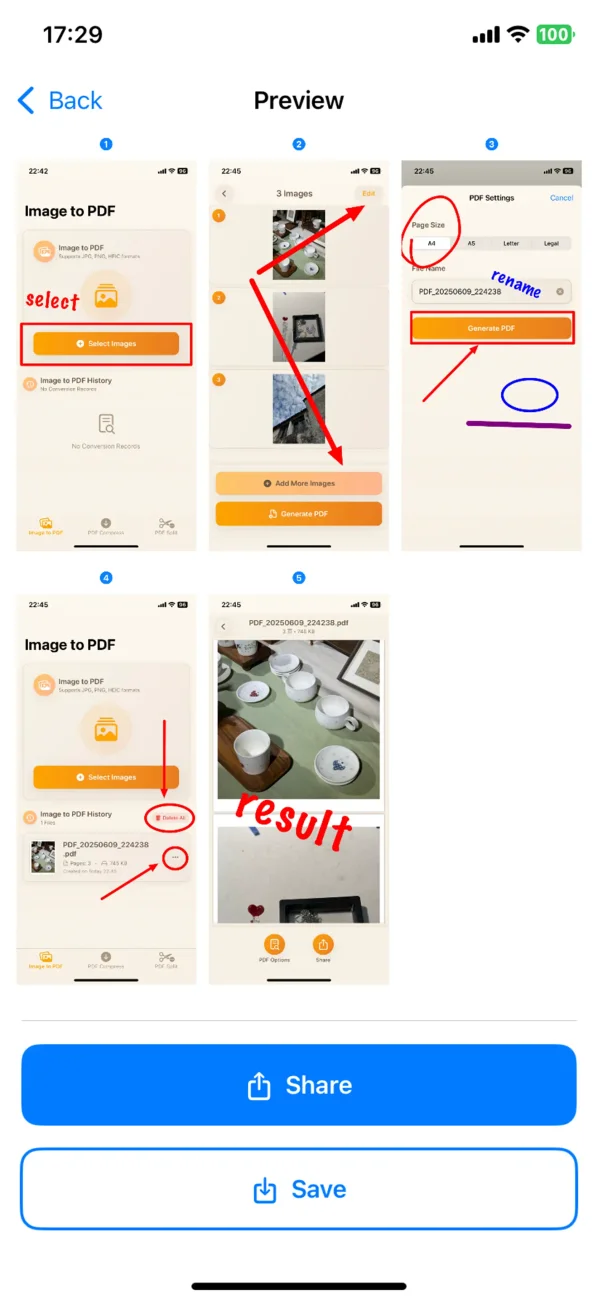
SEAMLESS SHARING
• One-tap sharing to any platform
• High-resolution image export
• Save to photo library
• Multiple export layouts
• Professional presentation quality
STREAMLINED WORKFLOW
• Intuitive three-step process: Import → Annotate → Share
• Real-time preview generation
• Undo/redo functionality
• Fast processing engine
PERFECT FOR:
• Software tutorials and how-to guides
• Product demonstration workflows
• Educational content creation
• Technical documentation
• Training materials
• Social media tutorials
• Customer support guides
• Process documentation
WHY CHOOSE STEPSNAP:
• No design skills required
• Professional results in minutes
• Optimized for mobile creation
• Clean, intuitive interface
• High-quality output
• Regular feature updates
Auto-Renewable Subscription Information
1. Subscription Service
StepSnap Pro offers continuous monthly (quarterly/annual) subscription services. After purchase confirmation, charges will be deducted from your Apple ID account and automatically renewed 24 hours before the end of each billing cycle, unless you manually cancel at least 24 hours before the current cycle ends.
2. Subscription Pricing
Monthly Subscription: $2.95/month
Quarterly Subscription: $6.95/quarter
Annual Subscription: $19.95/year
3. Canceling Subscriptions
You can manage or cancel your subscription anytime by going to iOS "Settings" > "Apple ID" > "Subscriptions". After cancellation, your membership benefits will remain active until the end of the current billing cycle.
4. Terms of Service
https://stepsnap.net/terms-of-service
5. Privacy Policy
https://stepsnap.net/privacy-policy
新機能
バージョン 1.2 · 2025/8/17
Added performance improvements, and bug fixes.
アプリのプライバシー
このアプリのデータの取り扱いについて、佳伟 蔡がApp Storeで申告している内容です。
-
データの収集なし
開発元はこのアプリからデータを収集しません。
プライバシーの取り扱いは、ご利用の機能やお客様の年齢などに応じて異なる場合があります。
情報
- 販売元
- 佳伟 蔡
- カテゴリ
- ユーティリティ
- バージョン
- 1.2
- 更新日
- 2025/8/17
- リリース
- 2025/7/25
- サイズ
- 2.4 MB
- 必要条件
- iOS 16.0以降
- 対象年齢
- 4+
- 価格
- 無料
- アプリ内課金
- あり
- 言語
- 英語, 簡体字中国語
- 著作権
- © DevByWay All rights reserved.