Stickio
Your week as a paper agenda
Designed for iPhone, iPad, Mac
Free · In-app purchases
- Age rating4+
- CategoryProductivity
- DeveloperCre8-it
- LanguagesEnglish+ 23 more
- Size35.9 MB
Links to the official App Store page
Download.org hosts no file of Stickio. The button opens its official App Store page, published by Cre8-it. Listing last checked on Nov 23, 2026.
Screenshots

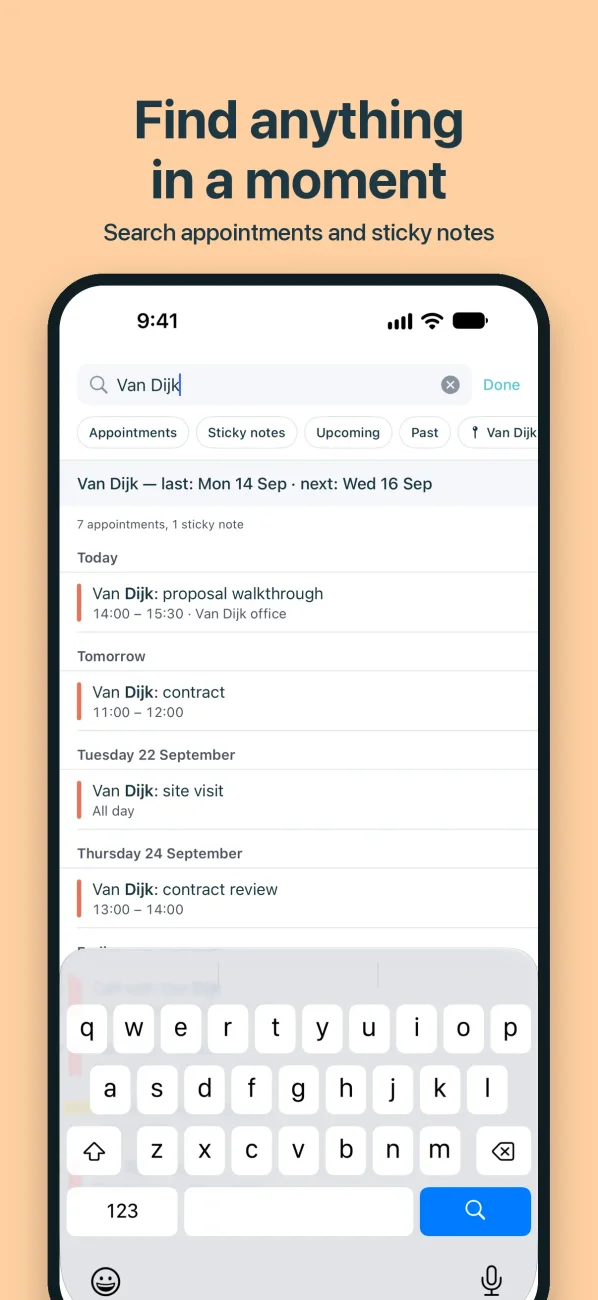

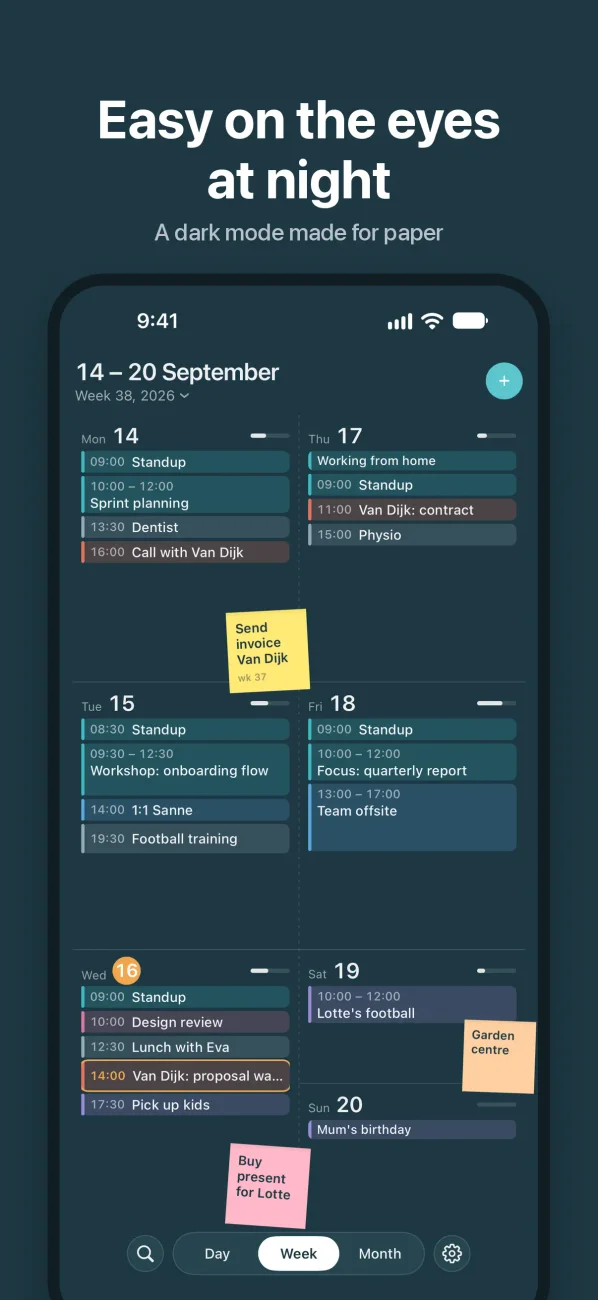
About
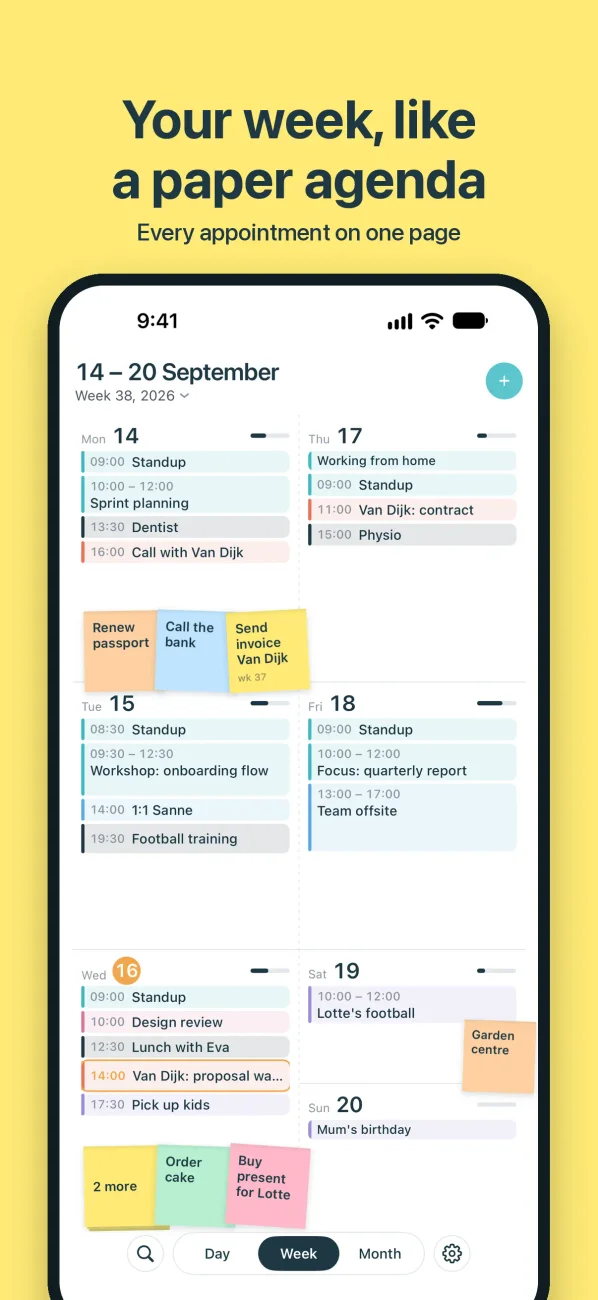
Stickio is a calendar for iPhone and iPad that reads like the planner on your desk. Your appointments sit on paper pages, and the little things you need to remember go on top as sticky notes.
THE WEEK IS A BOOK
Monday to Wednesday on the left page, Thursday to Sunday on the right. Every day shows its appointments at a glance, with a small gauge for how full it is against your working hours.
STICKY NOTES FOR EVERYTHING ELSE
Stick a note on any day in one of six paper colours: Yellow, Pink, Mint, Sky, Peach or Lilac. Tick it off, turn it into an appointment, or move it to another day. A note stays on its day until you move it.
DAY, WEEK AND MONTH
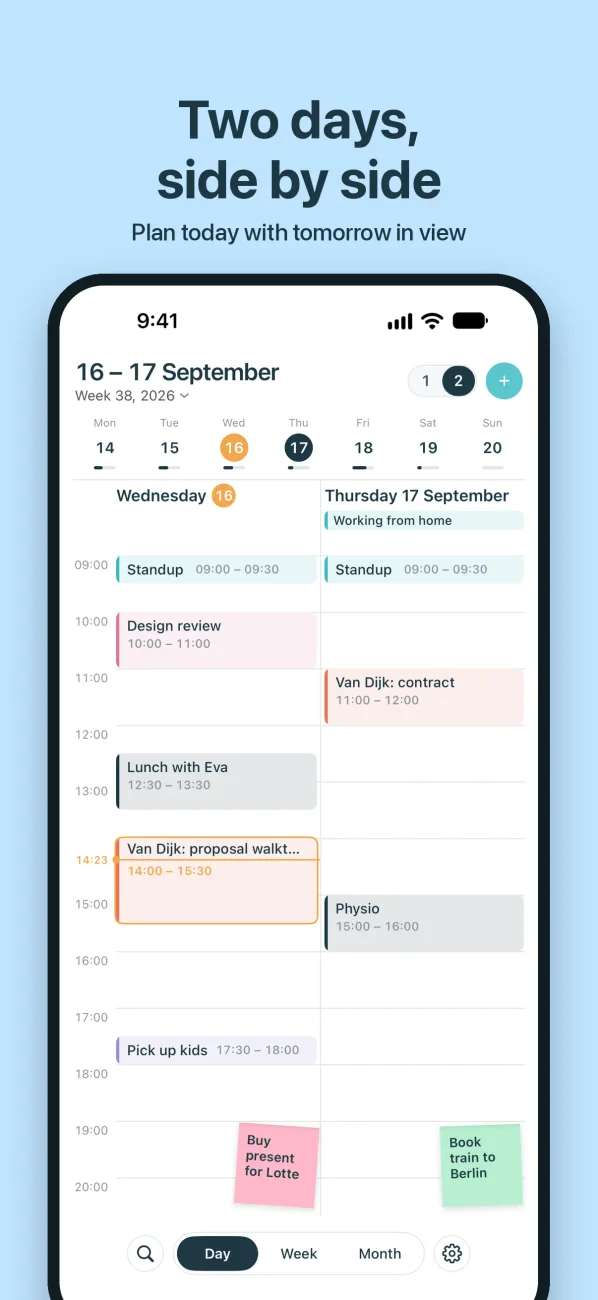
• Day: an hour-by-hour page, so you see where the time goes.
• Week: the two-page spread, with sticky notes on every day.
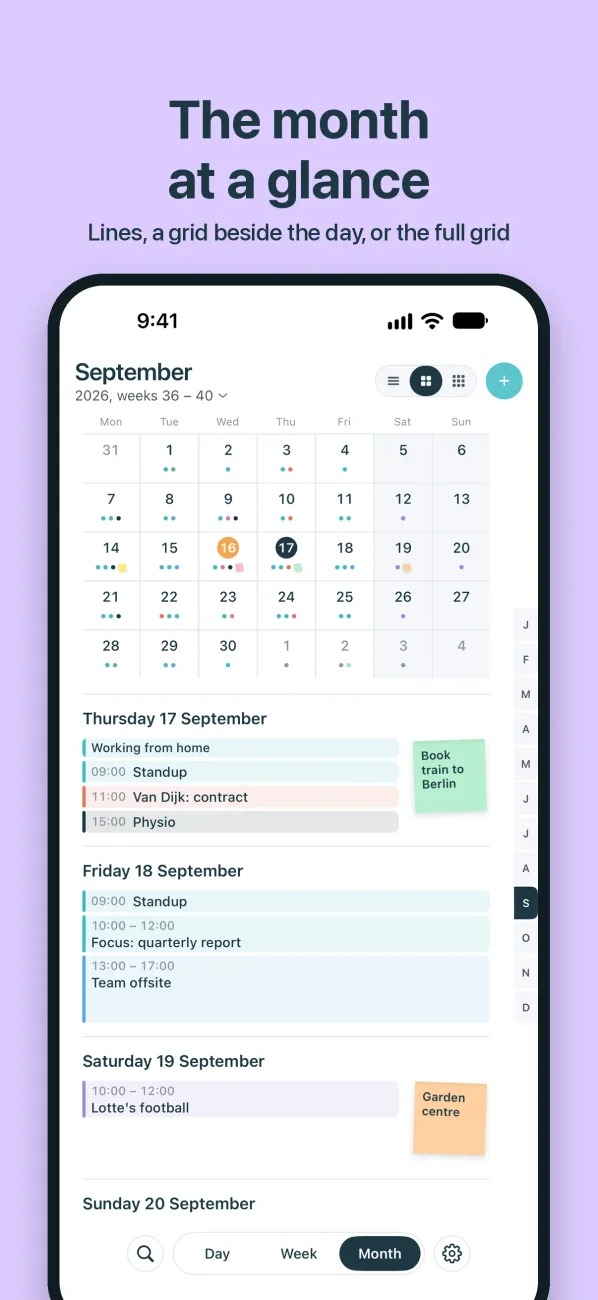
• Month: one line per day, a grid beside the selected day, or the full grid.
Every level scrolls without end into the past and the future, and the month tabs on the edge take you anywhere with your thumb.
ADD THINGS WITH ONE PRESS
Long-press a day and choose a new appointment or a new sticky note. Set the time, the length, the calendar and a colour, and you're done.
ALL YOUR CALENDARS, TOGETHER
Connect Google, Outlook and Microsoft 365, iCloud, other CalDAV calendars or a calendar link, and every calendar appears in its own colour. Add as many accounts as you like, side by side. Create, move, edit and delete appointments, answer invitations, and change one or every occurrence of a repeating event.
MADE FOR IPAD, TOO
On iPad the book opens flat: both pages side by side, two days as facing pages, and the month next to the selected day's agenda.
WORKS OFFLINE
Stickio keeps your appointments on the device. Changes you make offline are sent as soon as you're back online.
PRIVATE BY DESIGN
No account with us, no ads, no tracking. Your appointments stay with your calendar provider. Sticky notes, colours and settings sync between your devices through your own iCloud. Nothing is sent to a server of ours.
FREE FOR 14 DAYS
Try everything in Stickio free for 14 days. After that, Stickio is one yearly subscription for your iPhone, iPad and Mac, which you can share with your family through Family Sharing. Cancel anytime in your App Store settings.
Terms of Use: https://www.apple.com/legal/internet-services/itunes/dev/stdeula/
Privacy policy: https://stickio.cre8-it.nl/privacy/
Questions or ideas? Mail info@cre8-it.nl.
What’s new
Version 1.4 · Nov 13, 2026
New in Stickio 1.4
• Free time in search: a day with only an evening appointment shows its free hours again.
App privacy
What Cre8-it declares on the App Store about how this app handles data.
-
Data linked to you
May be collected and linked to your identity.
- Contact info
- User content
-
Data not linked to you
May be collected but is not linked to your identity.
- Identifiers
- Usage data
- Diagnostics
Privacy practices may vary, for example with the features you use or your age.
Information
- Seller
- Cre8-it
- Category
- Productivity
- Version
- 1.4
- Updated
- Nov 13, 2026
- Released
- Oct 30, 2026
- Size
- 35.9 MB
- Requires
- iOS 18.0 or later
- Age rating
- 4+
- Price
- Free
- In-app purchases
- Yes
- Languages
- English, Bulgarian, Croatian, Czech, Danish, Dutch, Estonian, Finnish, French, German, Greek, Hungarian + 12 more
- Copyright
- © 2026 Cre8-it B.V.
You might also like
-
 My Animal Room: Focus TimerA little room for your focus
-
 Terminal JournalRetro Look // Track Goals
-
 FocusBao - Focus with ADHDPanda pomodoro study timer
-
 Diiing: Visual Time JarSimple celebrator
-
 iomatrixMatrix Task Manager
-
 Scribble Calendar & PlannerHandwritten Planner & Journal
-
 Element OfficesProductivity
-
 solog - small recordsLeave daily life in solog
-
 Ultimate Planner AppWhere Paper Meets Digital
-
 Shortwave - AI EmailAI-native email for business