StickMotion: Stickman Animator
Draw, pose & animate frames
Designed for iPhone, iPad
Free
- Age rating9+
- CategoryGraphics & Design
- DeveloperJiman Park
- LanguagesEnglish+ 6 more
- Size15.2 MB
Links to the official App Store page
Download.org hosts no file of StickMotion: Stickman Animator. The button opens its official App Store page, published by Jiman Park. Listing last checked on Nov 28, 2026.
Screenshots


About
Make stop-motion animations one frame at a time.
Draw with the pen, move with your finger, both at once, with no mode switching.
DRAW AND POSE TOGETHER
- Draw with Apple Pencil or a pen while your finger rotates the stickman's joints.
- Drag a hand and the elbow follows. Pin joints to hold them in place.
- Hats, swords and hair you draw snap to the nearest joint and move with it.
- Bring your own drawings to life: tap Add joint and drop red joints on them, or add a black move point to slide the whole drawing.
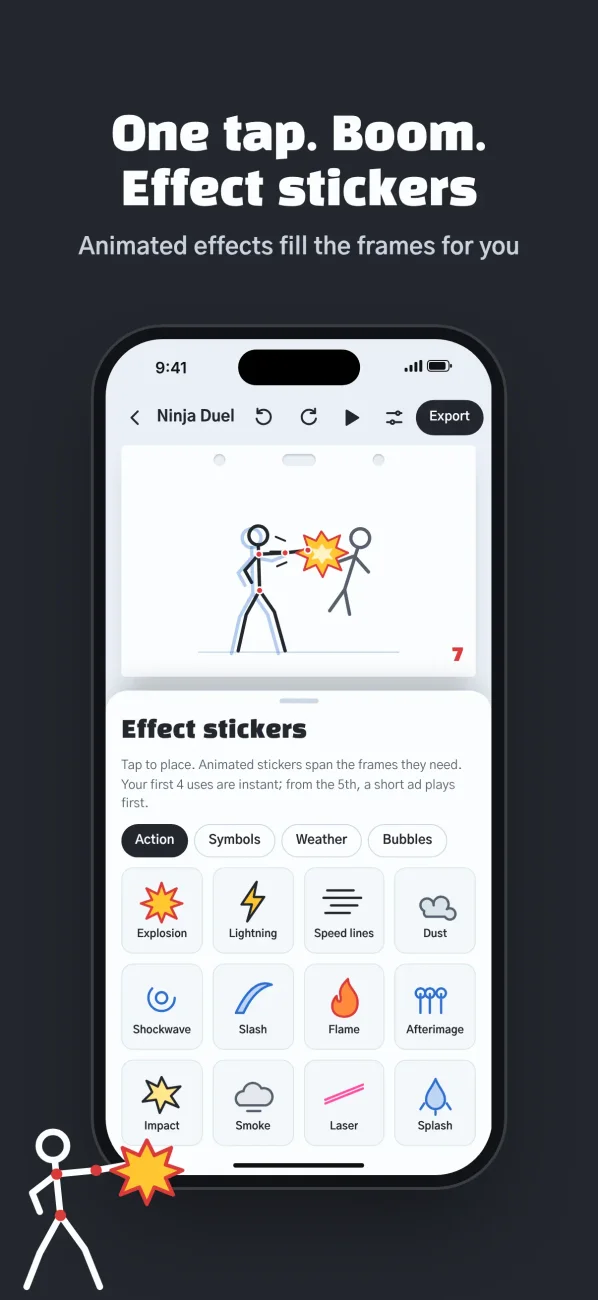
ONE-TAP EFFECT STICKERS
- About 40 effects: explosions, lightning, fire, dust, speed lines, shockwaves, sword slashes, sweat drops, hearts and more.
- Animated stickers fill as many frames as they need, automatically.
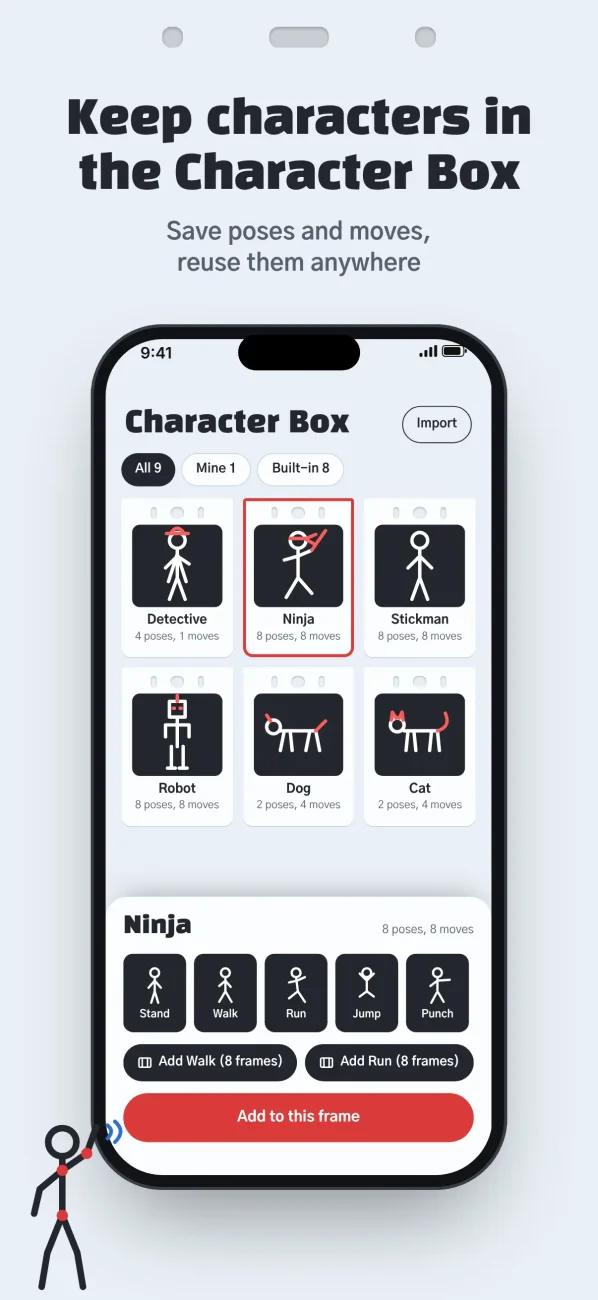
CHARACTER BOX
- Save a character with its poses and moves, then reuse it in any animation.
- 8 starter characters. Every character can add 8-frame run, jump, punch, kick, sit and wave moves in one tap.
- Export characters as files to share between devices.
ANIMATION TOOLS
- Onion skin (previous frame in blue, next in green), duplicate frames, auto in-betweens
- 3 layers, undo, text and speech bubbles, camera pan and zoom, photo backgrounds, sound effects
- 4 to 24 frames per second
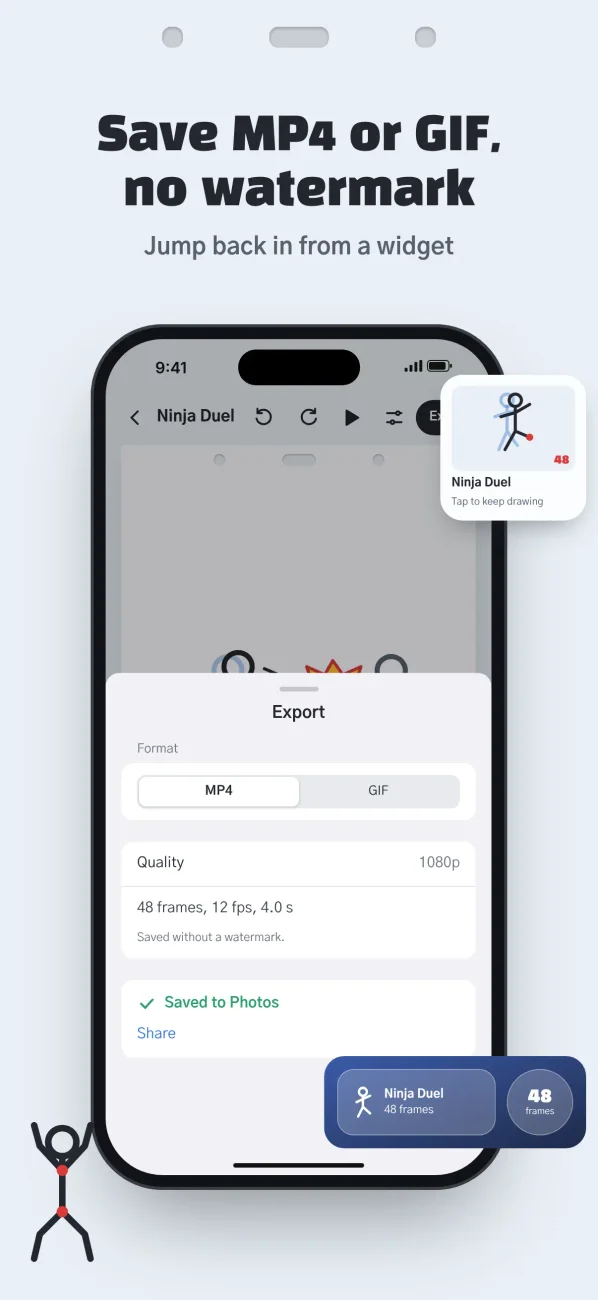
SAVE AND SHARE
- Export MP4 video or GIF with an optional transparent background. No watermark.
- Every stroke is saved automatically, so closing the app never loses your work.
THEMES
- Light Table, Chalkboard, Neon and Manga Paper themes plus dark mode, each with its own animated stickman.
Home and Lock Screen widgets take you straight back to your latest animation, plus a new Pose of the Day every day.
Every feature is free. An ad may appear when you open the app. Effect stickers apply instantly 4 times; from the 5th use, an ad plays first.
What’s new
Version 1.2.0 · Nov 26, 2026
- Pick a start point, an end point and a direction when adding a character or move.
- Every character now has 8-frame run, jump, punch, kick, sit and wave moves.
- Fixed the run move facing the wrong way.
- Removed the banner ad at the top of the screen.
App privacy
What Jiman Park declares on the App Store about how this app handles data.
-
Data used to track you
May be used to track you across apps and websites owned by other companies.
- Location
- Identifiers
- Usage data
-
Data not linked to you
May be collected but is not linked to your identity.
- Location
- Identifiers
- Usage data
- Diagnostics
Privacy practices may vary, for example with the features you use or your age.
Information
- Seller
- Jiman Park
- Category
- Graphics & Design
- Version
- 1.2.0
- Updated
- Nov 26, 2026
- Released
- Nov 10, 2026
- Size
- 15.2 MB
- Requires
- iOS 17.0 or later
- Age rating
- 9+
- Price
- Free
- Languages
- English, French, Hindi, Japanese, Korean, Simplified Chinese, Spanish
- Copyright
- © 2026 dadabro
You might also like
-
 라마네 폰트Graphics & Design
-
 나의폰트만들기Graphics & Design
-
 Easy3D: AI 3D ModelingImagine it. Then shape it.
-
 이지폰트 TappyType: AI로 손글씨 폰트 만들기Graphics & Design
-
 Vibe3D-3D Character Animation3D Physics Animation
-
 Griun - Free Handwritten FontsGraphics & Design
-
 Flip Animation: 2D Draw a ClipFlipAnim Maker Frame Animate
-
 Forma3D - 3D Modeling & PrintSTL, 3MF & Mesh Repair
-
 Digital Circus Minecraft ModsPomni Circus skins for MCPE
-
 AI Home Design: DecofyInterior Decor With Real Items