StitchALot Studio
Needlepoint Designer
Designed for iPad, Mac
Free · In-app purchases
- Age rating4+
- CategoryGraphics & Design
- DeveloperMichael Malone
- LanguagesEnglish
- Size22.6 MB
Links to the official App Store page
Download.org hosts no file of StitchALot Studio. The button opens its official App Store page, published by Michael Malone. Listing last checked on Nov 28, 2026.
Screenshots



About
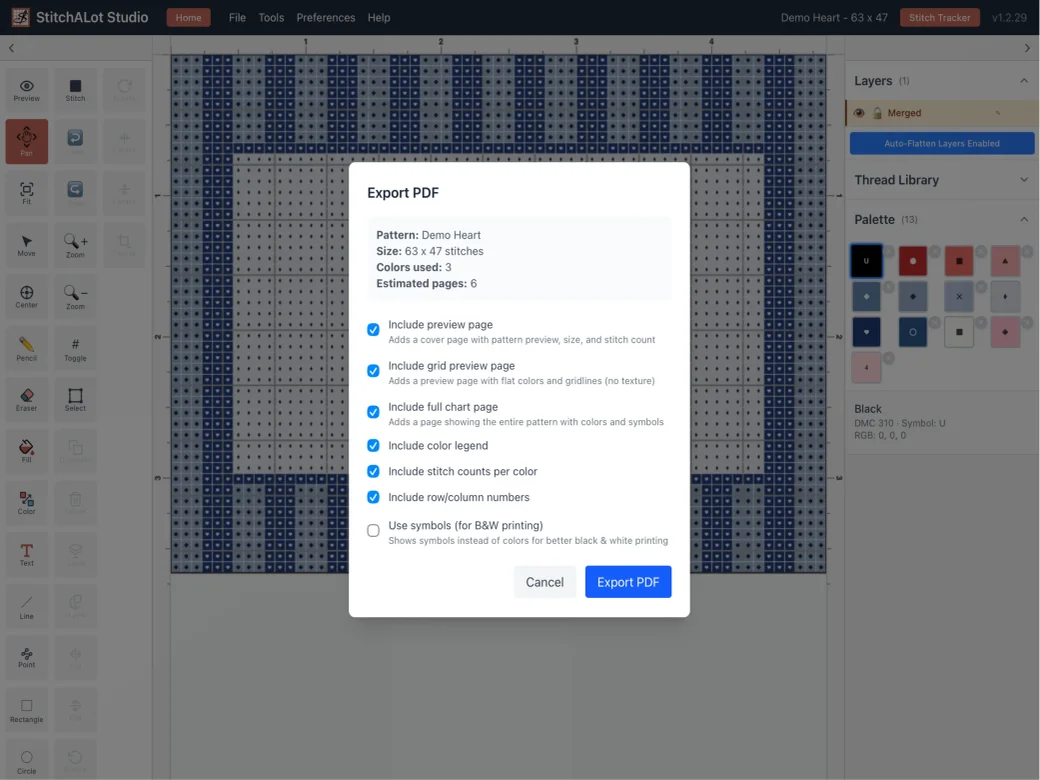
Stitch A Lot Studio is the professional pattern design tool for needlepoint and cross-stitch artists. Whether you're recreating a photograph as a canvas piece or designing an original from scratch, Stitch A Lot Studio gives you the tools to bring your stitching vision to life.
DESIGN WITH PRECISION
A full-featured grid canvas lets you work stitch by stitch with pixel-perfect control. Draw freehand, fill areas instantly, or erase and refine — your canvas, your way.
WORK WITH REAL DMC THREADS
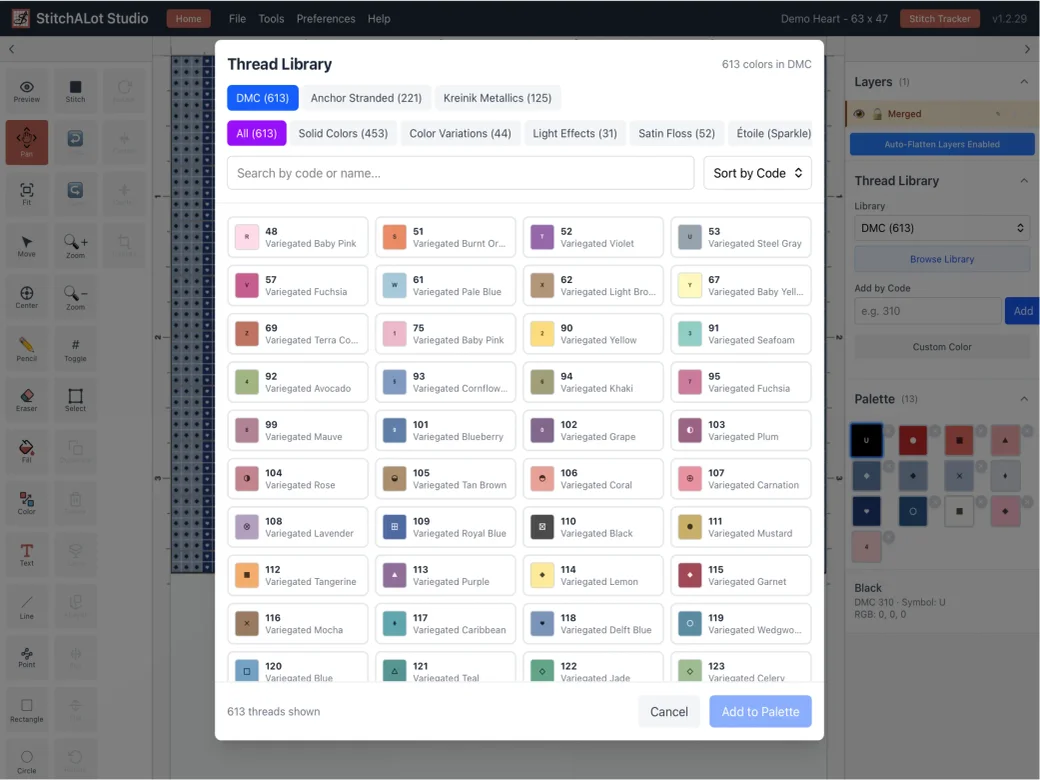
The built-in DMC thread library covers the complete color range used by stitchers worldwide. Select any palette color and Stitch A Lot Studio instantly matches it to the closest DMC thread, so your patterns are accurate and reproducible.
IMPORT ANY IMAGE
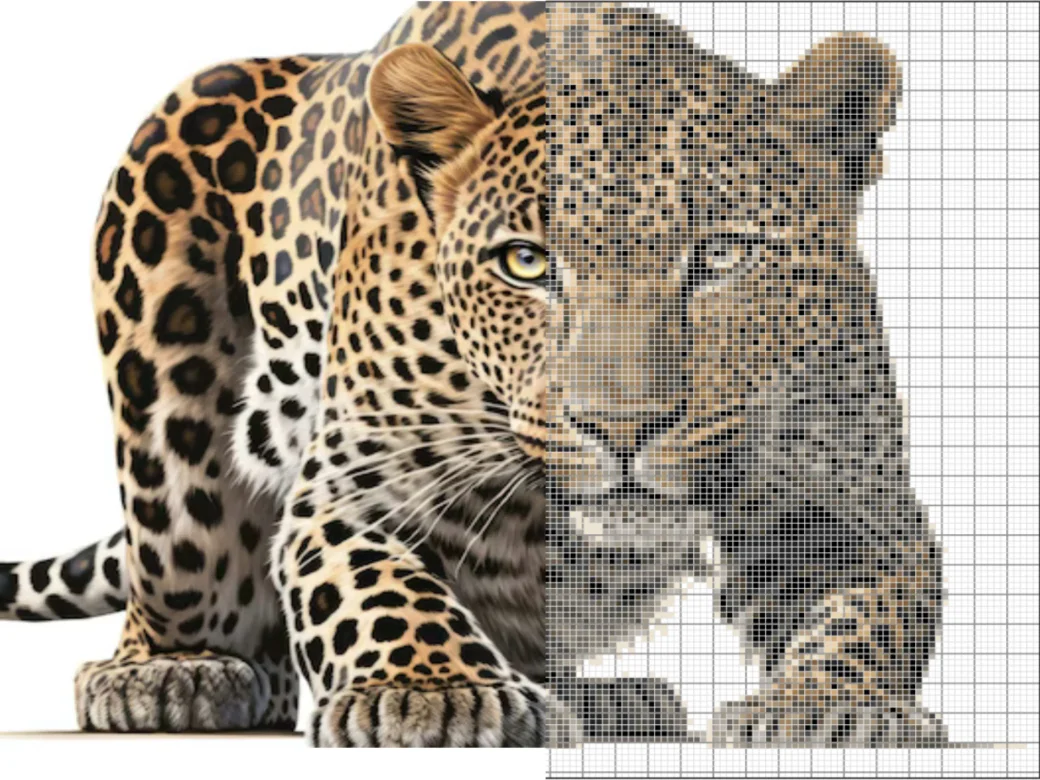
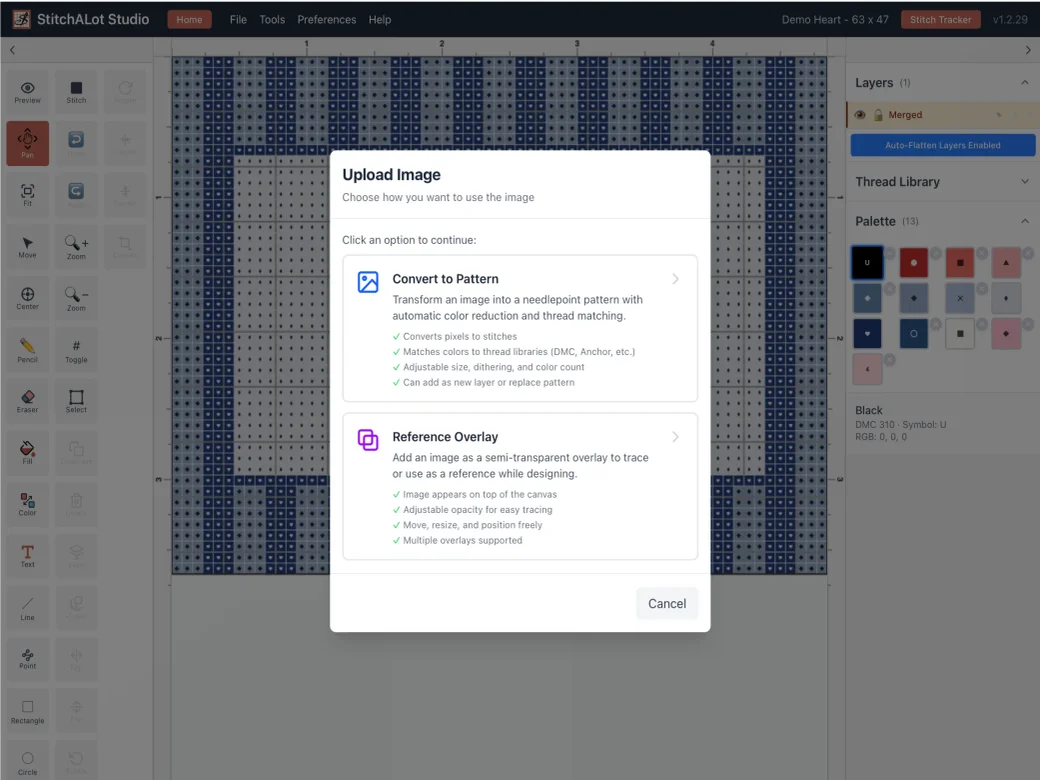
Drop in a photo or artwork and Stitch A Lot Studio converts it into a stitchable pattern — automatically reducing colors to your target thread count while preserving the feel of the original.
EXPORT PRINT-READY PDF CHARTS
When your design is ready, export a professional PDF complete with a color-coded chart, thread legend, and stitch counts. Print at home or share with other stitchers.
BUILT FOR SERIOUS CREATORS
• Full layer support for complex, multi-element designs
• Symbol assignment for clean black-and-white printing
• Text and lettering overlays with custom fonts
• Save and load .stitchalot pattern files
• Lightweight and fast — opens instantly, runs natively on Apple Silicon and Intel
TRY FREE FOR 7 DAYS
Download and use every feature for 7 days at no cost — no credit card required. When you're ready to keep creating, a one-time license unlocks Stitch A Lot Studio forever. No subscriptions. No ongoing fees.
What’s new
Version 1.8.4 · Nov 3, 2026
Photo conversion
• Fixed: a converted photo could get "locked," so color swap, the eraser and fill couldn't change it. This happened if you switched tools right after converting a photo with layers turned off. Designs already affected are repaired automatically when you open them.
• New: File > Import > Image… lets you convert a photo or add a reference image from the File menu.
• Adding a reference image now switches to the Move tool, so you can drag and resize it right away.
• Menu items that need an open design are now greyed out on the home screen.
PDF chart import
• Color keys printed on the same page as the chart are now read, so one-page charts come in with their colors instead of needing every symbol assigned by hand.
• Fixed: a key printed under the chart could make the imported pattern too tall, with stray stitches along the bottom.
• Thread search now finds codes typed the way chart keys print them, such as "D931" or "DMC 310".
App privacy
What Michael Malone declares on the App Store about how this app handles data.
-
Data linked to you
May be collected and linked to your identity.
- Contact info
- Identifiers
-
Data not linked to you
May be collected but is not linked to your identity.
- Purchases
- Identifiers
Privacy practices may vary, for example with the features you use or your age.
Information
- Seller
- Michael Malone
- Category
- Graphics & Design
- Version
- 1.8.4
- Updated
- Nov 3, 2026
- Released
- Mar 10, 2026
- Size
- 22.6 MB
- Requires
- iOS 15.0 or later
- Age rating
- 4+
- Price
- Free
- In-app purchases
- Yes
- Languages
- English
- Copyright
- © 2026 StitchALot
You might also like
-
 Needlepoint Studio DesignerDesign needlepoint charts
-
 Stitch BelleNeedlepoint canvas design app
-
 mobistitchCross Stitch Design and Markup
-
 StitchHub: Cross StitchPattern Maker & Chart Tracker
-
 Cross Stitch Pattern Maker PDFPhoto to Chart, Edit & Track
-
 StitchSketchGraphics & Design
-
 Cross Stitch Pattern CreatorGraphics & Design
-
 Stitcher Pixel ArtCross-stitch pattern canvas
-
 PatternDraw by FashionaryDraw beautiful patterns
-
 Pixaki 4 IntroPixel art for everyone