- Age rating4+
- CategoryGraphics & Design
- DeveloperMichael Nett
- LanguagesEnglish+ 1 more
- Size75.0 MB
Links to the official App Store page
Download.org hosts no file of StitchPencil. The button opens its official App Store page, published by Michael Nett. Listing last checked on Nov 24, 2026.
Screenshots



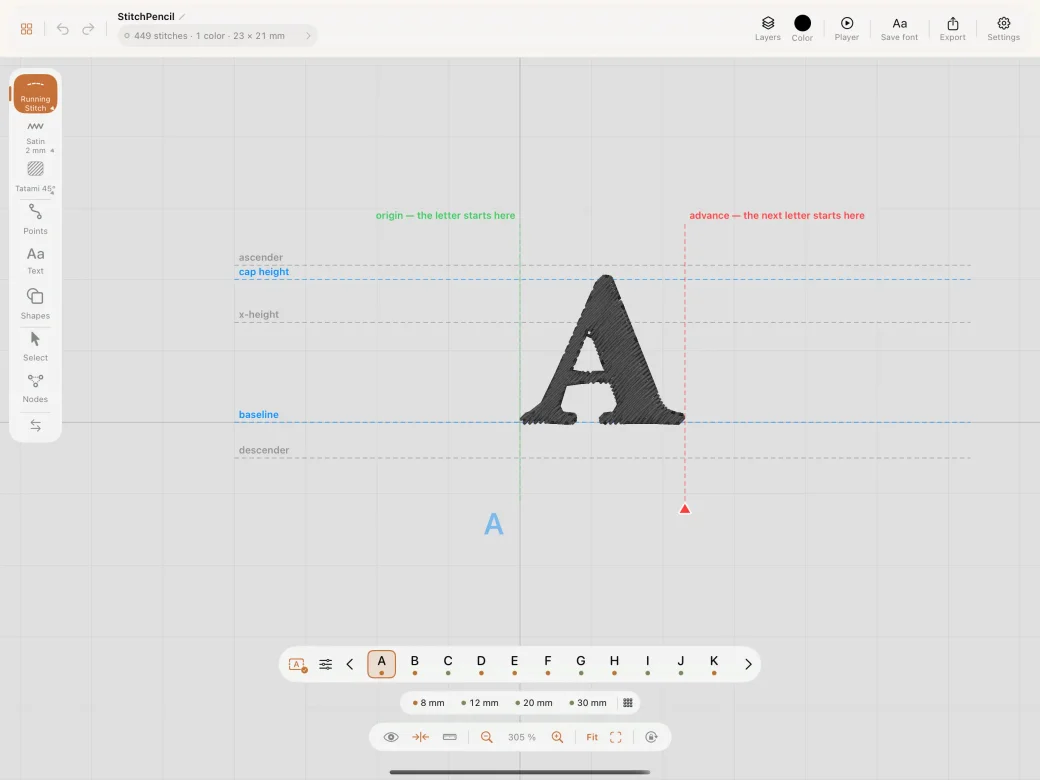


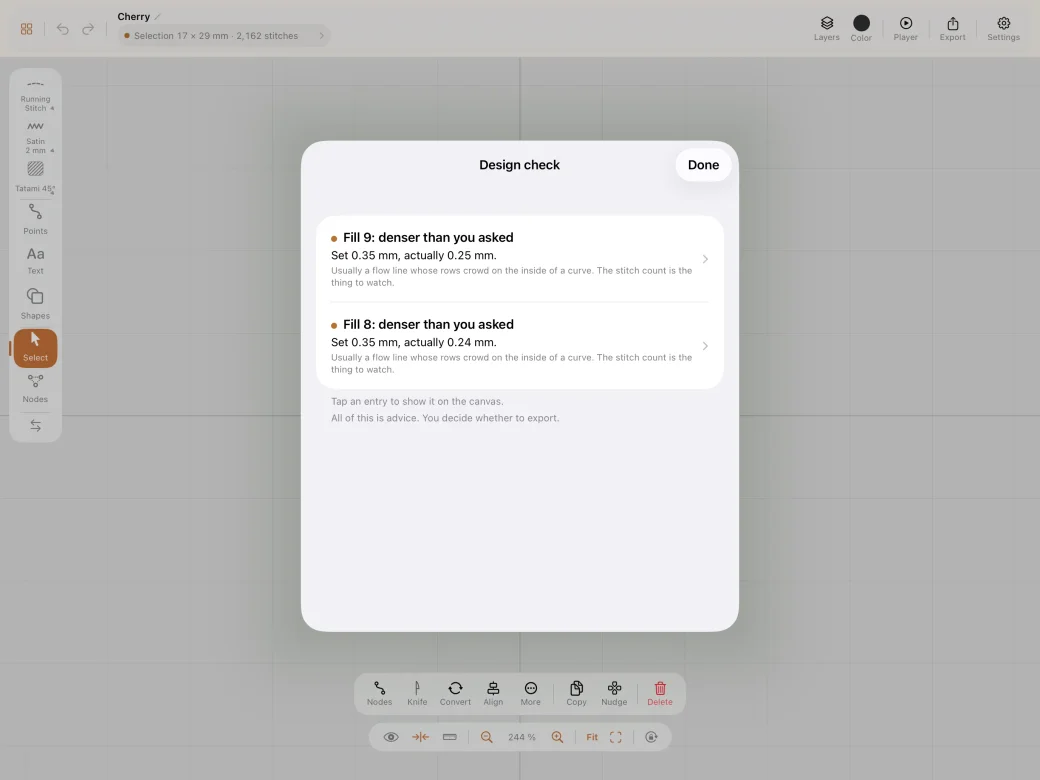
About
HELLO WORLD. HELLO HOOP.
Your idea. Your Apple Pencil. Your embroidery.
What you draw becomes stitches. Doodle away, design letters, fill shapes with patterns or work your way down to the single stitch. StitchPencil brings together free drawing and everything a clean embroidery file needs. Quick to start, with plenty of room for your ideas.
DRAW IT. STITCH IT.
• Running stitch, triple stitch, satin and tatami, freehand or point by point
• Satin like a brush: press harder for a wider stroke
• Draw shapes, edit nodes, cut, combine and switch stitch types at any time
• Bean zigzag, feathered edges and ready-made shapes for ideas that go beyond straight lines
• Join objects so they sew in one go, with the connecting thread hidden under the stitches
PATTERNS WITH EXTRA WOW
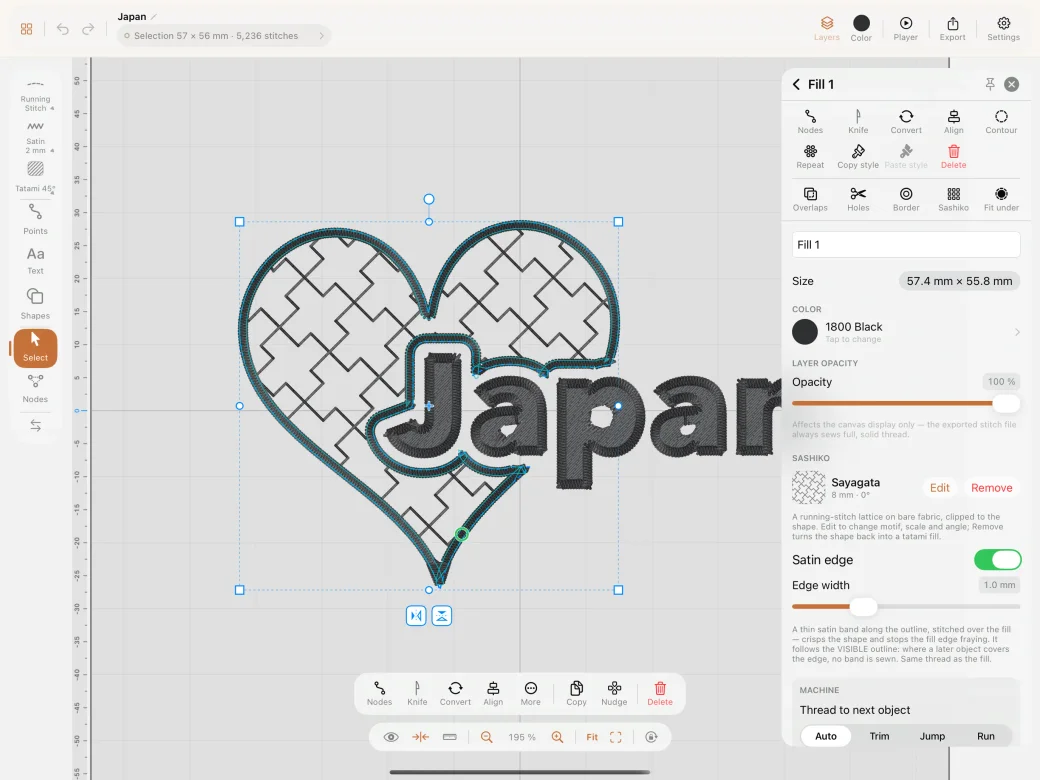
• Ten traditional sashiko patterns
• Color blends, carved patterns and decorative satin borders
• 3D puff, appliqué and trapunto, with the right stops and placement lines
CROSS STITCH: THE CLASSIC, FRESHLY PAINTED
• Paint crosses right onto the grid, no counting squares
• In as many colors as you like
• Classic Cross look or bold Pixel blocks
• Lay a picture underneath and paint over it
• Turn a link into a QR code ready to stitch
LETTERS WITH SOME THREAD
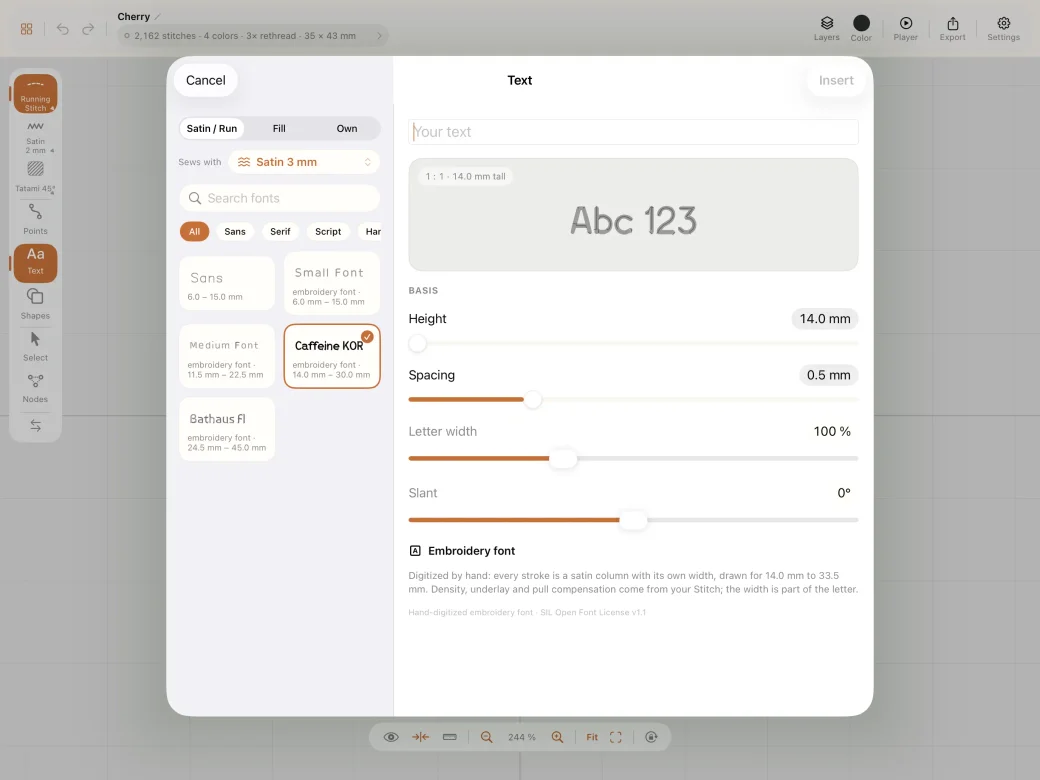
• Hand-digitized fonts for satin, running stitch and fills
• Text on curves or along your own lines
• Design your own embroidery fonts in Font Studio, one letter at a time
• Bring in your BX fonts, and write your own in Font Studio
LOOK FIRST. THEN HOOP.
• See your threads and the real stitch texture in the preview
• Watch your design come to life stitch by stitch in the stitch player
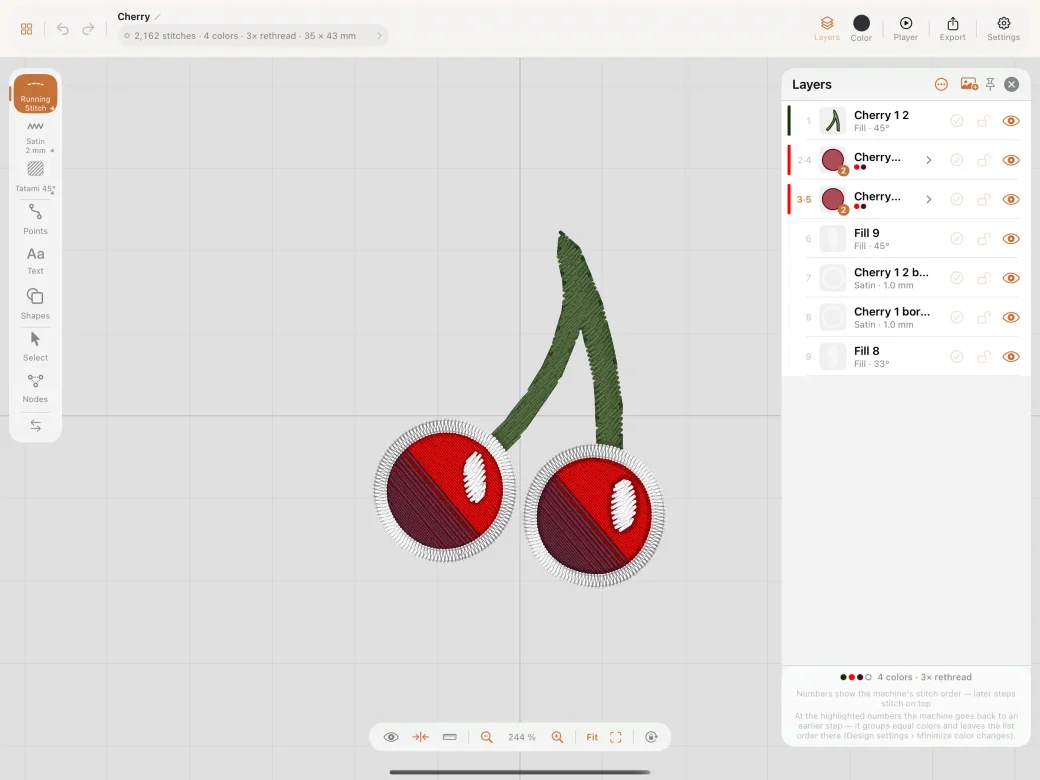
• Keep layers, stitch order and color changes in view
• Spot possible trouble before needle meets fabric
TOO BIG FOR YOUR HOOP? HOOP TWICE.
• Lay your hoop on the design and split it where you want
• One file per hooping, numbered and ready for your machine
• Alignment marks and a step-by-step rehoop guide put the fabric back exactly
• Worksheet pages in actual size, tiled across sheets if needed
FROM YOUR IDEA TO YOUR MACHINE
• Import SVG artwork and existing embroidery files
• Export to PES, DST, EXP, JEF, VP3, HUS, XXX and TAP
• Thread catalogs from Madeira, Sulky, Isacord and more, plus your own thread cabinet
• Set your own hoop sizes
• Send designs over Bluetooth to the StitchPencil stick in your machine's USB port
• Export worksheets as PDF or print them
BEING CREATIVE IS FREE. EXPORTING IS A ONE-TIME THING.
Drawing, editing and importing are free, with no time limit. When your design is ready for the machine, unlock export with a one-time purchase. No subscription, no recurring costs, and your designs stay on your iPad.
What’s new
Version 1.0.3 · Nov 15, 2026
NEW
• Select everything in one thread color: pick a thread in the Layers panel to select all its layers, or repaint it everywhere in the design.
• Satin curves are covered evenly, with no gaps on the outside of tight bends.
• A locked layer tells you it is locked and how to unlock it.
BETTER
• Multi-Hoop: designs longer than 500 mm keep their full work area, hoop suggestions keep words whole, and the note for an object larger than the hoop says what to do.
• Editing large designs and designs with joined groups recalculates noticeably faster.
• PES export: a thread that comes back later in the design keeps the same color slot.
FIXED
• A long press on a design in the gallery always brings up its menu.
App privacy
What Michael Nett declares on the App Store about how this app handles data.
-
Data not collected
The developer does not collect any data from this app.
Privacy practices may vary, for example with the features you use or your age.
Information
- Seller
- Michael Nett
- Category
- Graphics & Design
- Version
- 1.0.3
- Updated
- Nov 15, 2026
- Released
- Oct 26, 2026
- Size
- 75.0 MB
- Requires
- iOS 18.0 or later
- Age rating
- 4+
- Price
- Free
- In-app purchases
- Yes
- Languages
- English, German
- Copyright
- © 2026 bei StitchPencil / Michael Nett
You might also like
-
 Oekaki EmbroideryDigitize designs as you draw
-
 Beh.StitchedDesign your own embroidery
-
 StitchKit: Embroidery StudioPhoto to stitch + lettering
-
 StitchFile: Logo to EmbroideryDigitize logos to PES & DST
-
 Embroidery Digitizing & ViewerImage to PES & DST Converter
-
 Institch-Digitizing & PatternsCreate, Share, Transfer
-
 Embroidery Design Doodlerby Embroidery Legacy
-
 PatternDraw by FashionaryDraw beautiful patterns
-
 Affinity by CanvaPro design, photo & layout
-
 Brother ArtspiraGraphics & Design