Stopwatch Library
Time several things at once
Designed for iPhone, iPad
Free · In-app purchases
- Age rating4+
- CategoryUtilities
- DeveloperNaoyuki Hasegawa
- LanguagesEnglish+ 1 more
- Size4.6 MB
Links to the official App Store page
Download.org hosts no file of Stopwatch Library. The button opens its official App Store page, published by Naoyuki Hasegawa. Listing last checked on Nov 18, 2026.
Screenshots
About
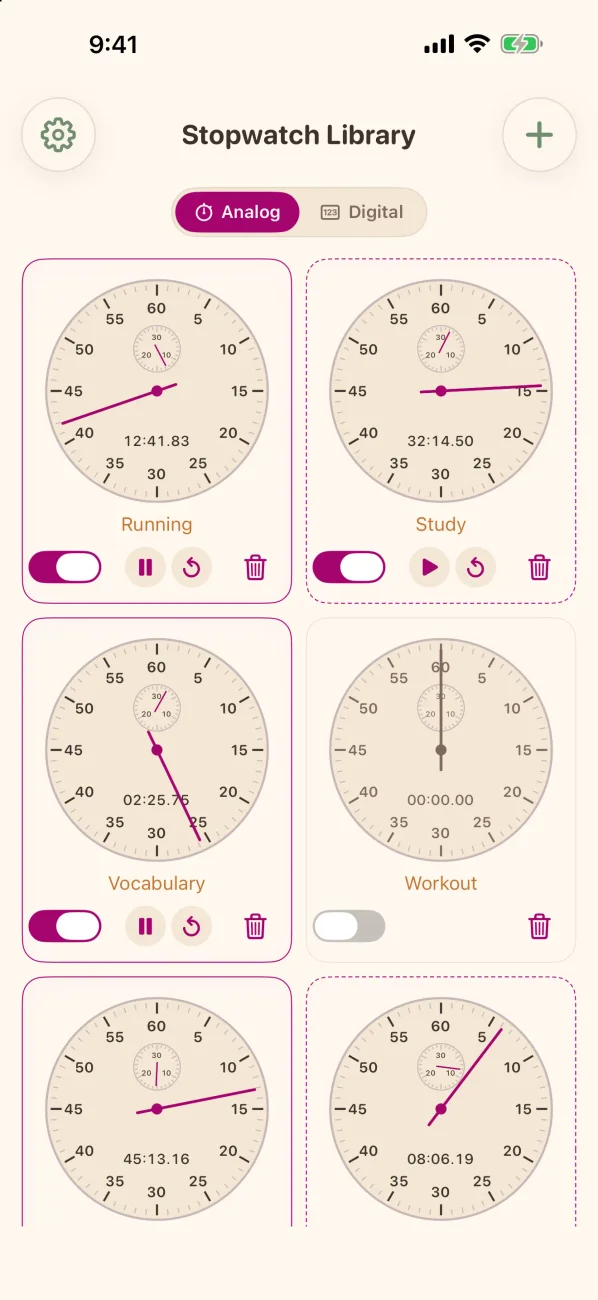
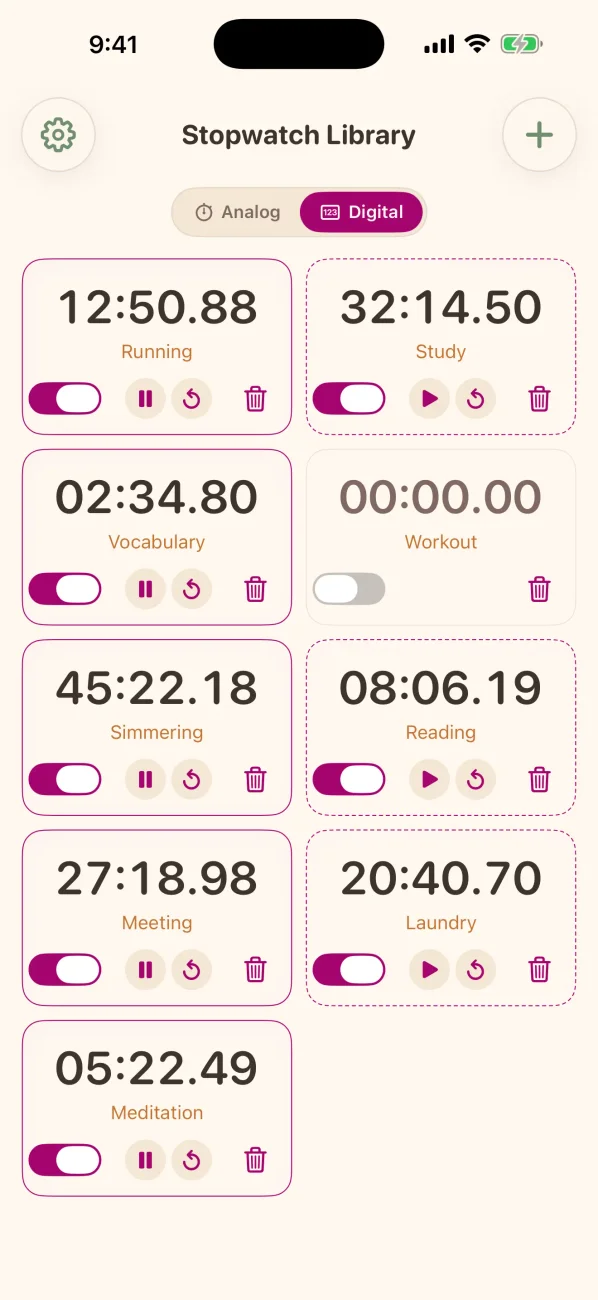
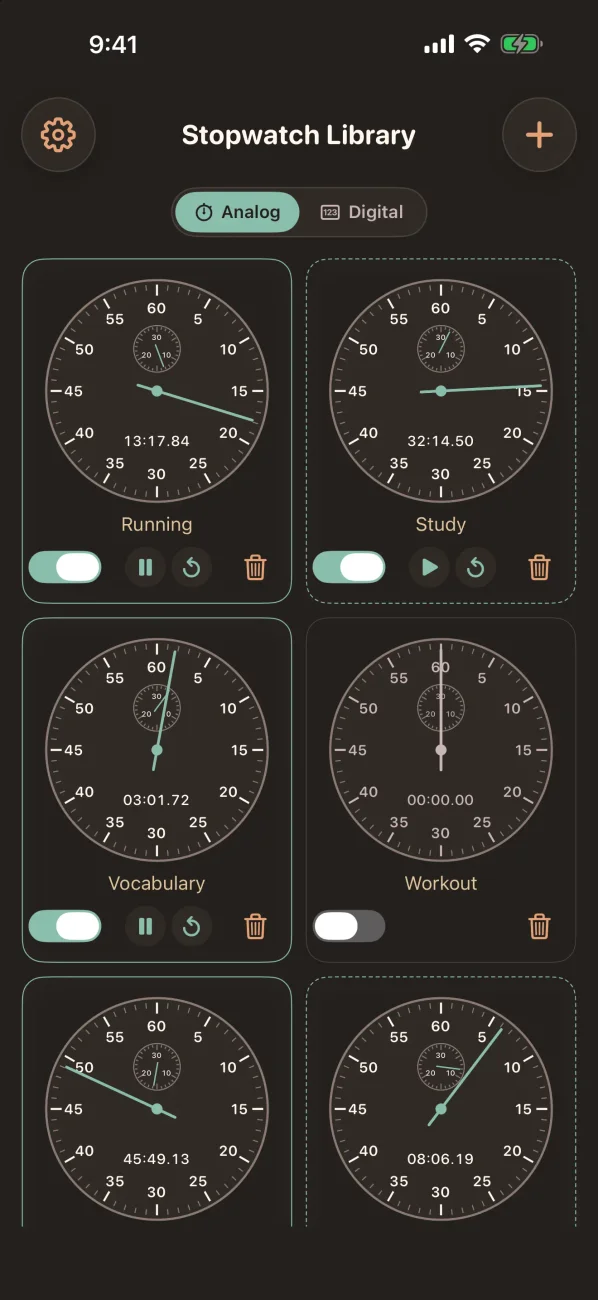
Stopwatch Library keeps up to 10 stopwatches on one screen. Each one runs on its own.
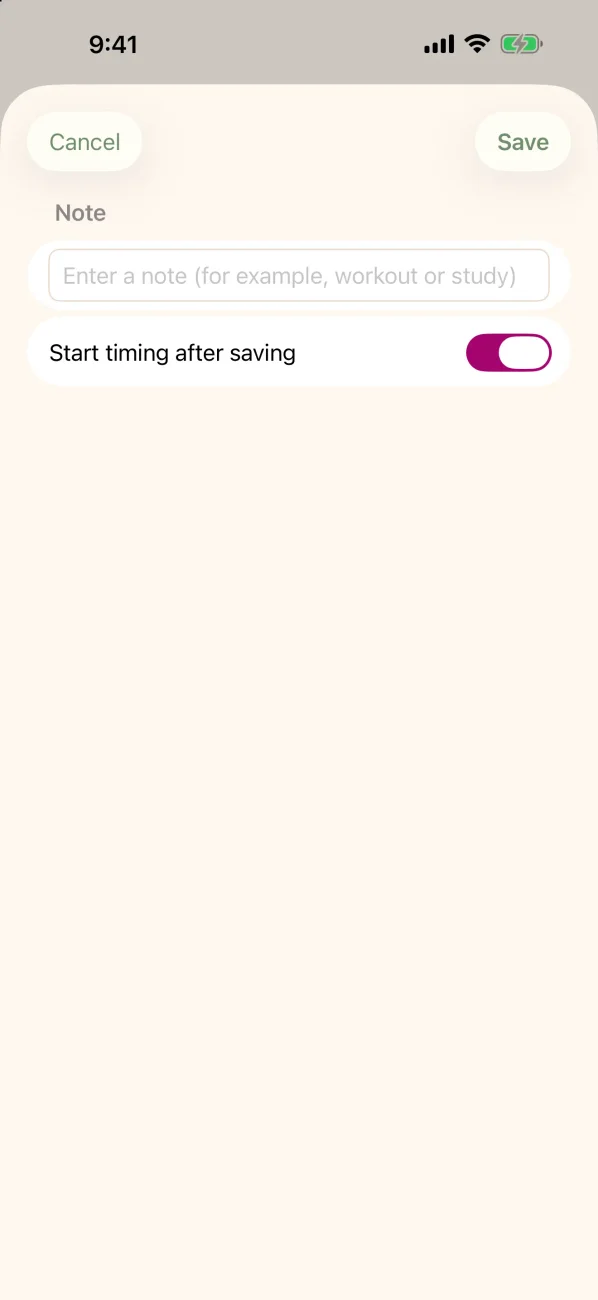
Switch the whole list between an analog face and digital numbers. Add a note so you can tell them apart, such as a workout or a study session. Start, pause, resume, or reset each stopwatch. Turn one off to clear its time and keep the note. Swipe a card to the left to delete it.
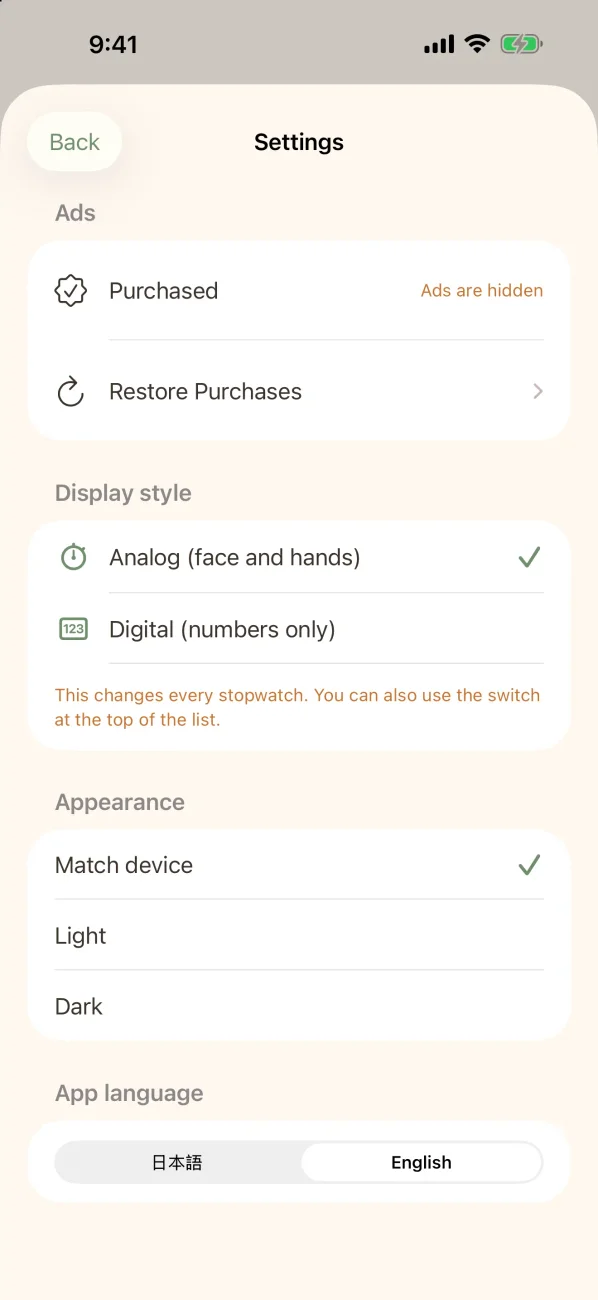
Appearance can follow your device setting, or stay light or dark.
The app shows a banner ad. Removing ads requires an in-app purchase. It is a one-time purchase, and after you buy it, the banner in this app is hidden. Restore Purchases is on the main screen and in Settings.
Switch the app language between Japanese and English at the bottom of Settings. Saved stopwatches stay on this device.
What’s new
Version 2.1.2 · Nov 16, 2026
Improved the display.
App privacy
What Naoyuki Hasegawa declares on the App Store about how this app handles data.
-
Data not collected
The developer does not collect any data from this app.
Privacy practices may vary, for example with the features you use or your age.
Information
- Seller
- Naoyuki Hasegawa
- Category
- Utilities
- Version
- 2.1.2
- Updated
- Nov 16, 2026
- Released
- Jul 28, 2026
- Size
- 4.6 MB
- Requires
- iOS 17.0 or later
- Age rating
- 4+
- Price
- Free
- In-app purchases
- Yes
- Languages
- English, Japanese
- Copyright
- © 2026 korechoku
You might also like
-
 履歴電卓 ProUtilities
-
 OkiniIreRemember it anytime, anywhere
-
 Cardely計算機‐付箋付き計算機Utilities
-
 My Counter PlusCount, record, achieve goals.
-
 ジオカルテⅣ通信アプリ G-BlueUtilities
-
 ZiadaTime - multi-stopwatchUse many stopwatches
-
 シンプルタイマー - 使いやすい時間管理アプリ録音音声でお知らせ、好きな写真で背景もカスタマイズ可能!
-
 Good Time: Set Your WatchFor your mechanical watch
-
 Counter+ Tally ClickerTap Count Up & Down for Reps
-
 Timer - Dial & StopwatchDrag to set. Let go to start.