Timer - Dial & Stopwatch
Drag to set. Let go to start.
Designed for iPhone
Free · In-app purchases
- Age rating4+
- CategoryUtilities
- DeveloperHumberto Prado Ballesteros
- LanguagesEnglish
- Size2.9 MB
Links to the official App Store page
Download.org hosts no file of Timer - Dial & Stopwatch. The button opens its official App Store page, published by Humberto Prado Ballesteros. Listing last checked on Nov 22, 2026.
Screenshots
About
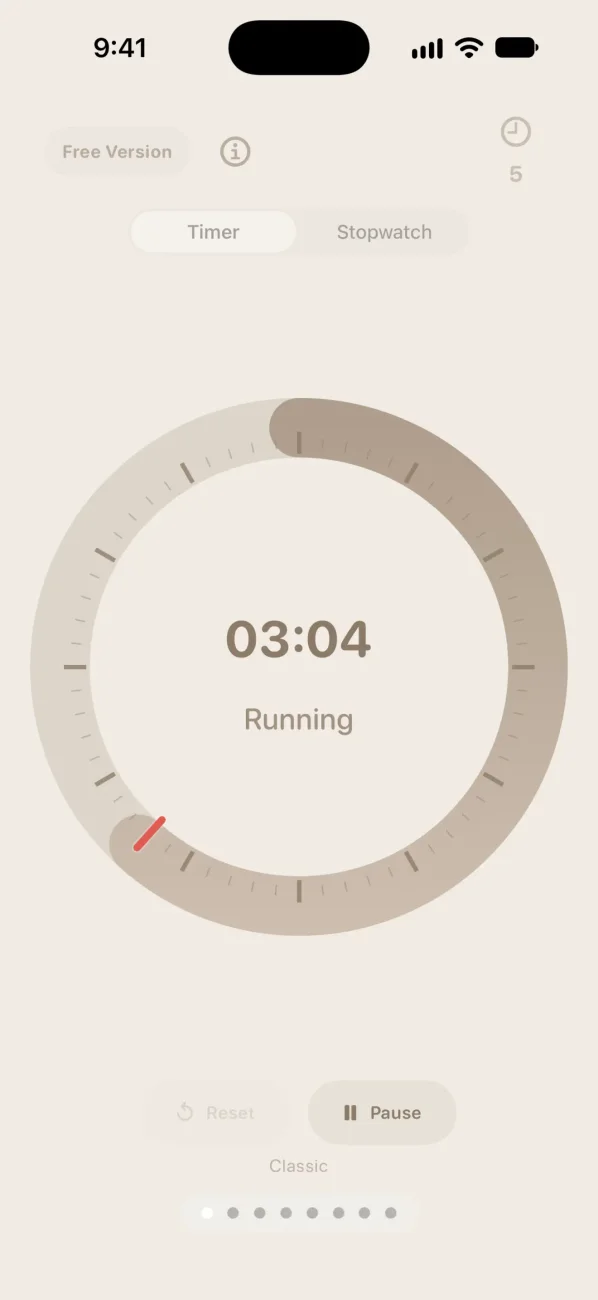
Timer turns a countdown into a dial. Drag around the dial to set the time, let go, and it starts.
No ads. No subscriptions. No account.
WHAT SETS IT APART:
• Drag to set, release to start
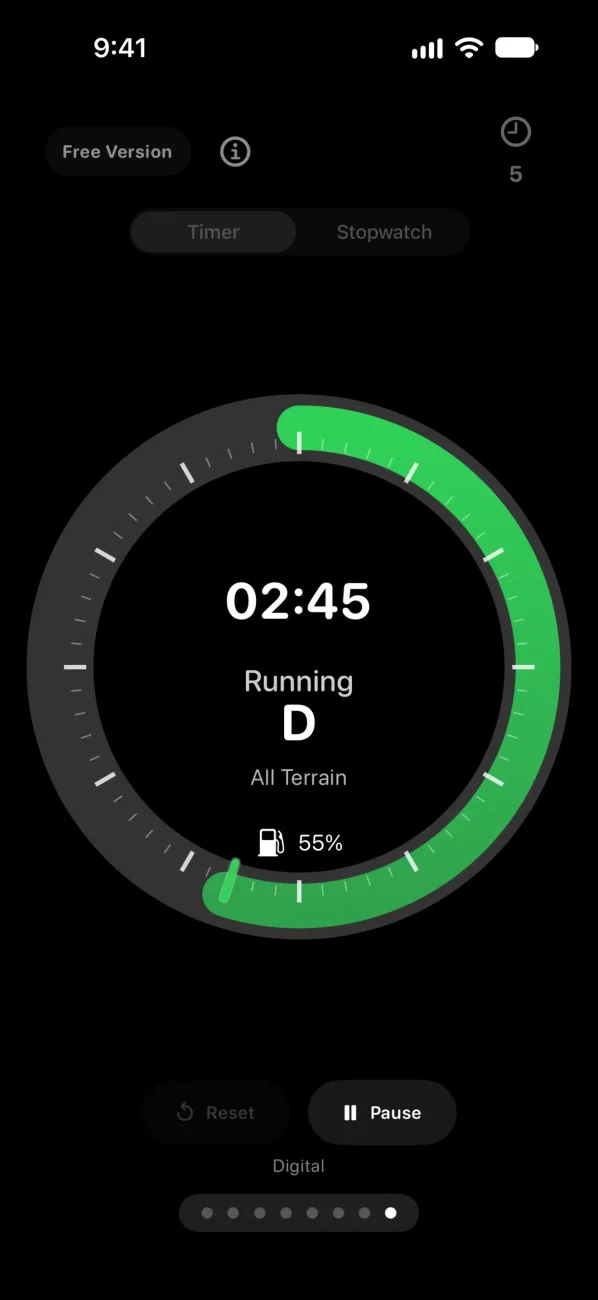
• 8 dial faces: Classic, Monochrome, Speedometer, Pink Minimal, Dark Mode, Metallic, Geometric and Digital
• 5 ways to read a timer: minutes and seconds, seconds, tenths, percent, or hidden
• Dial ranges of 5, 15, 30 and 60 minutes
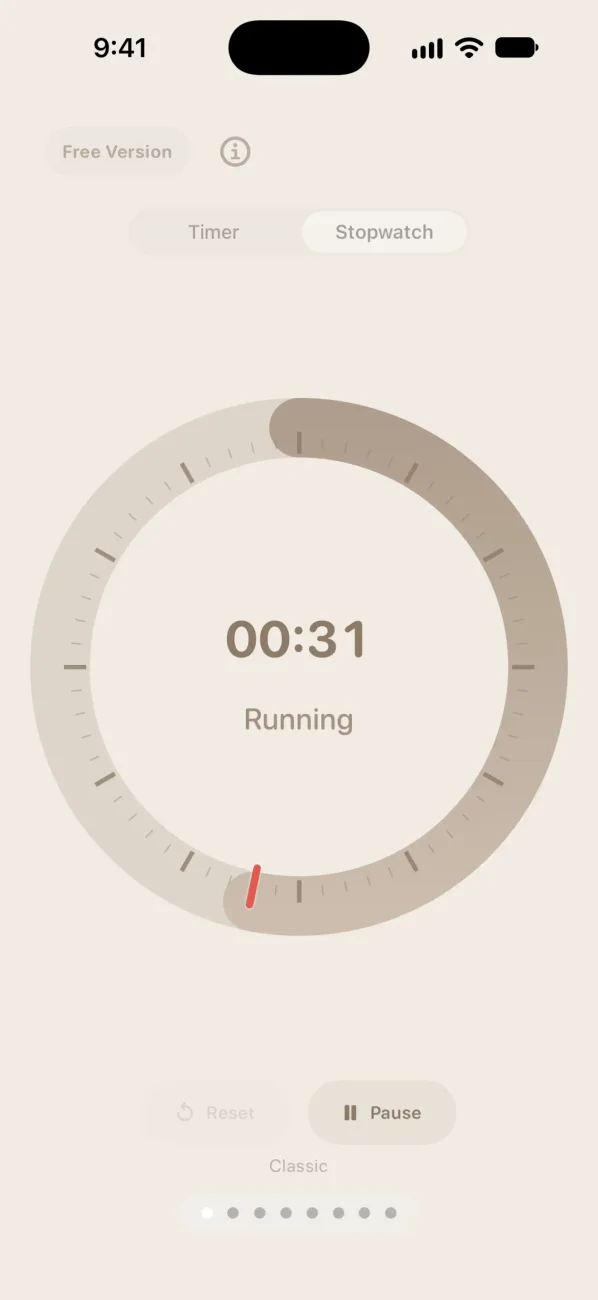
• Stopwatch on the same dial, one turn per minute
• Home Screen and Lock Screen widgets: tap one to start your saved timer without opening the app
• Live Activity on the Lock Screen and in the Dynamic Island
• Split layout for iPhone Duo, with the dial and the controls on either side of the fold
HOW TO USE:
• Drag around the dial to set the time; let go to start
• Double-tap the dial to start or pause
• Tap the time to change its format
• Swipe left or right to change the dial face
• Tap Reset to clear the timer
Get a notification when your timer ends, if you allow notifications. No internet connection needed.
EVERY FEATURE IS FREE:
An optional one-time in-app purchase supports the app and hides the Free Version label. It adds no features.
For cooking, workouts, meditation, study, focus sessions, power naps and more.
What’s new
Version 1.4 · Nov 2, 2026
New About screen with links to the privacy policy and support.
The optional purchase is now described plainly: every feature is free, and it supports the app and hides the Free Version label.
Prices now come straight from the App Store in your currency, and you can try again if the purchase can't load.
The app and its widgets now use one name: Timer.
On iPhone Duo, the inner display now turns: tall, the dial sits above the fold and the controls below it.
App privacy
What Humberto Prado Ballesteros declares on the App Store about how this app handles data.
-
Data not collected
The developer does not collect any data from this app.
Privacy practices may vary, for example with the features you use or your age.
Information
- Seller
- Humberto Prado Ballesteros
- Category
- Utilities
- Version
- 1.4
- Updated
- Nov 2, 2026
- Released
- Mar 18, 2025
- Size
- 2.9 MB
- Requires
- iOS 18.0 or later
- Age rating
- 4+
- Price
- Free
- In-app purchases
- Yes
- Languages
- English
- Copyright
- © 2024 Humberto Prado. All rights reserved.
You might also like
-
 Minimalistic Visual TimerFor focus and productivity
-
 Countdown Timer - Visual TimerLow Stim Minimal Fitness Timer
-
 clock4allUtilities
-
 Nasu: Private TranscriptionOffline, with speaker labels
-
 Timer of TimeSimple timer for simple times.
-
 Simple Loop TimerUtilities
-
 Multiple Timer Countdown AlarmUtilities
-
 Timer For Workouts - IntervalsHIIT, Training & Tabata Timer
-
 Visual Timer - Focus & SimpleFast setup. See time left.
-
 Contacts To PDF File ConverterExport Contacts To PDF File !