StowNest: My Items
Organize your everyday items
Designed for iPhone, iPad
Free · In-app purchases
- Age rating4+
- CategoryHealth & Fitness
- Developer小拓 林
- LanguagesEnglish+ 6 more
- Size129.4 MB
Links to the official App Store page
Download.org hosts no file of StowNest: My Items. The button opens its official App Store page, published by 小拓 林. Listing last checked on Nov 18, 2026.
Screenshots
About
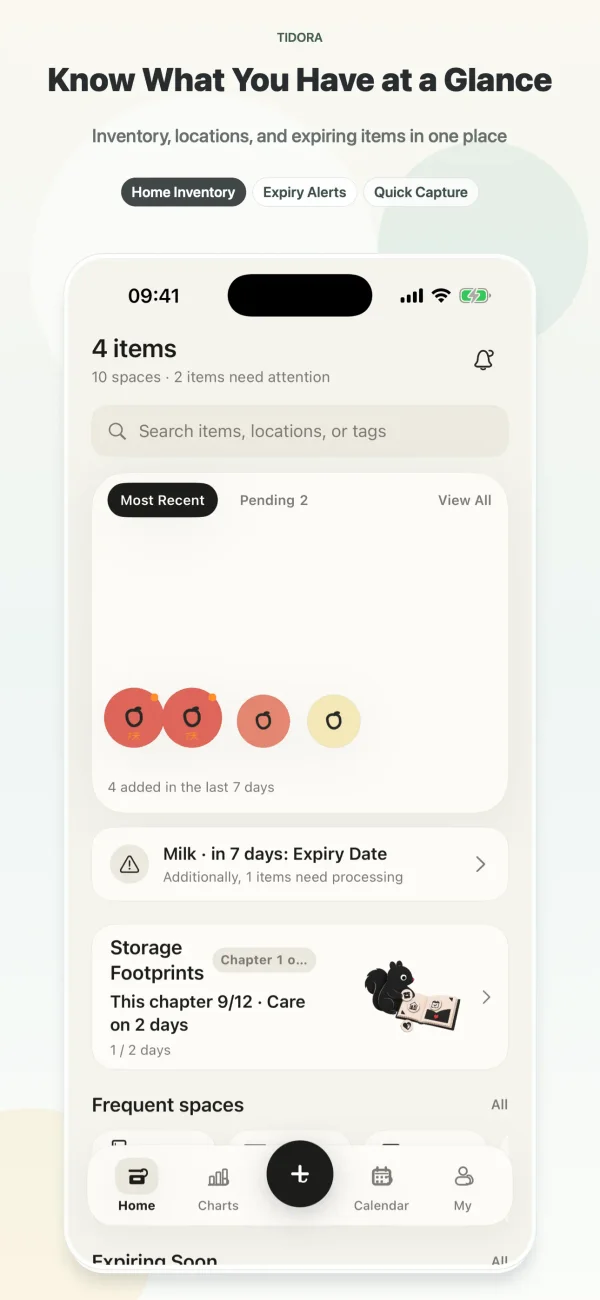
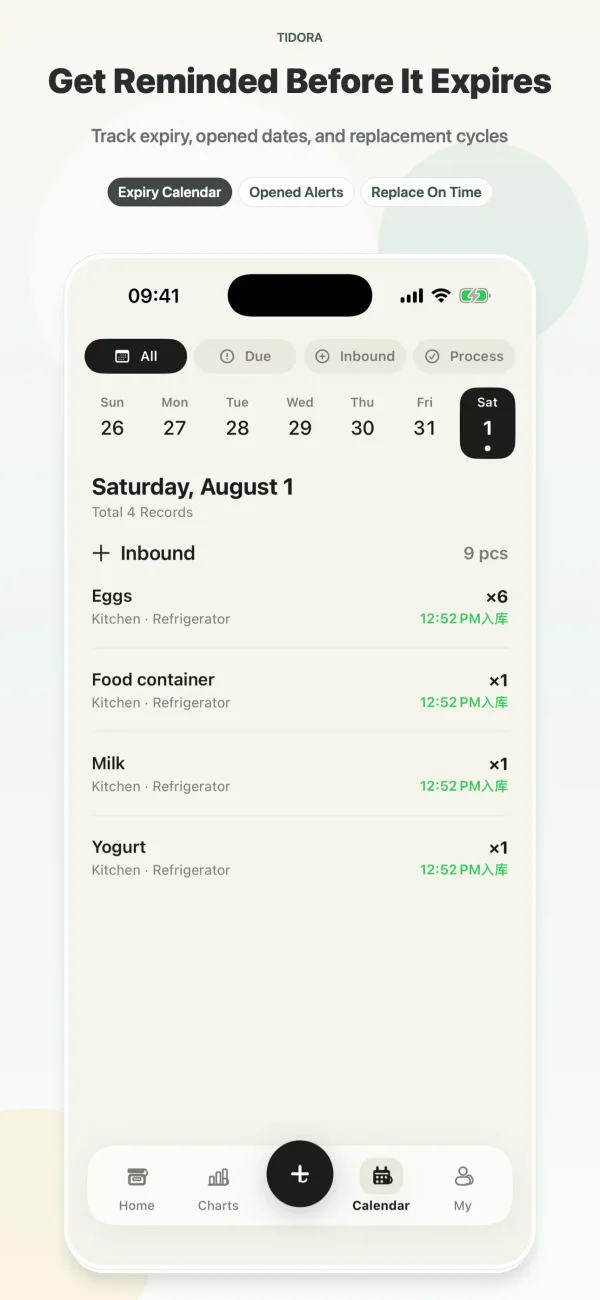
Tidora helps you remember what you have at home, where it is stored, and when it needs attention.
You can:
• Organize items by household, space, category, and tag
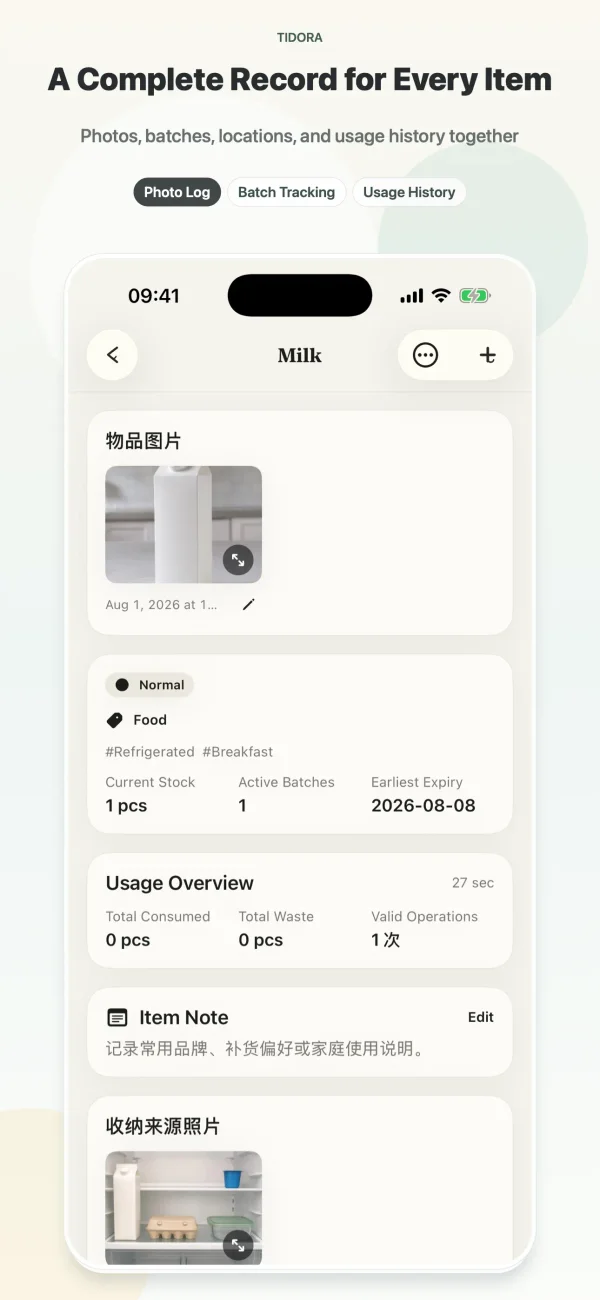
• Track quantities, stock batches, expiration dates, replacement cycles, and warranties
• Receive expiration alerts and continue tracking the recommended use period after opening
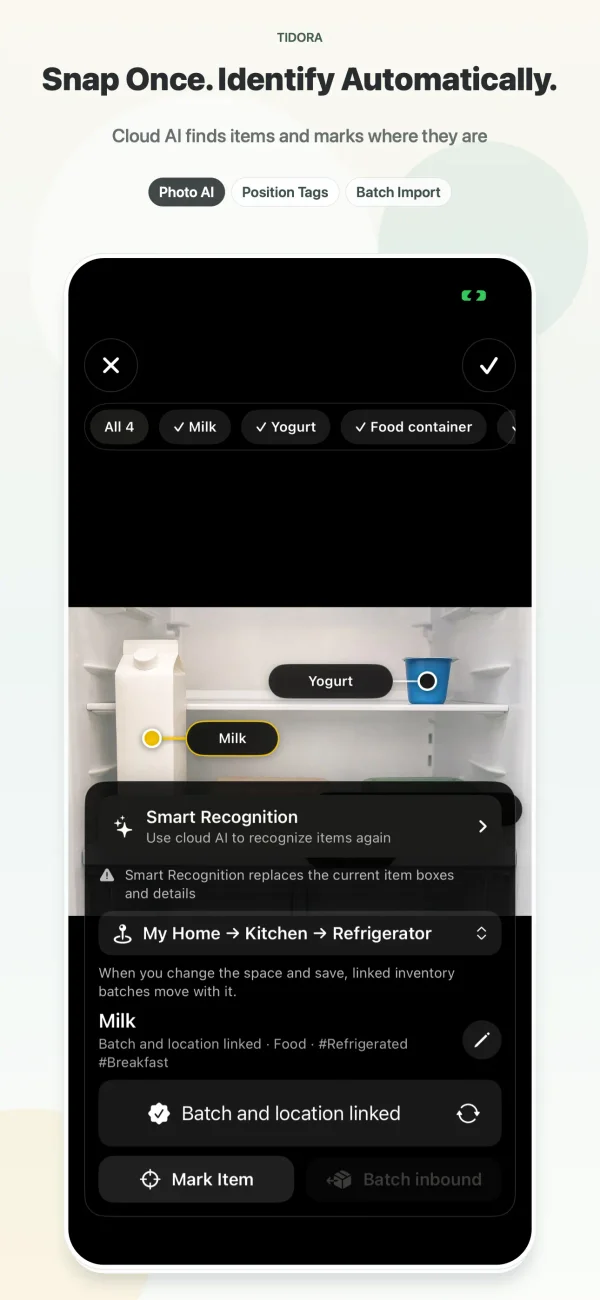
• Add everyday items faster with photo recognition and barcode scanning
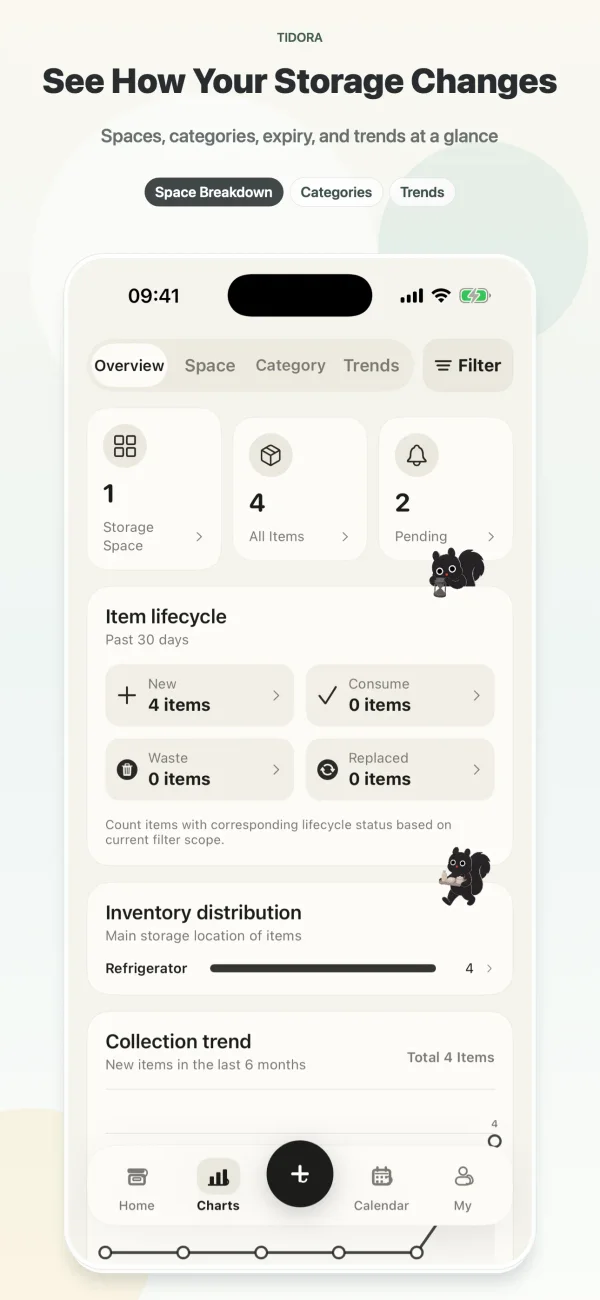
• Review upcoming dates and inventory changes in calendars and charts
• Check items quickly with interactive widgets and Shortcuts, then mark them as used or discarded
• Save photos of storage spaces and see an item's position directly through its marked box in the photo
• Track your organizing progress with achievements
• Sync with iCloud and import, export, or back up data using CSV files
• Protect household inventory and notes with Privacy Lock
Organizing is not about keeping more things. It is about knowing what you own and using, restocking, handling, or replacing each item at the right time.
Some advanced features require Tidora Pro. Subscriptions and one-time purchases are processed securely by the App Store. Actual prices are shown on the purchase screen.
【Tidora Auto-Renewable Membership Information】
- Subscription periods: 1 week (auto-renewable weekly plan) and 12 months (auto-renewable annual plan).
- Lifetime membership is a one-time, non-consumable purchase and does not renew automatically.
- See the in-app purchase screen for current prices.
- Payment: Your Apple ID account is charged after you confirm the purchase.
- Cancellation: To cancel, turn off auto-renewal in Settings—Apple ID—Subscriptions at least 24 hours before the current subscription period ends.
- Renewal: Apple charges your account for the next period within 24 hours before the current period ends. After a successful charge, the subscription extends for another period.
- You can manage subscriptions and turn off auto-renewal in your Apple ID account settings after purchase. Deleting the app does not cancel a subscription.
- If a free trial is offered, any unused portion may be forfeited when you purchase the corresponding subscription.
- Privacy Policy: https://docs.qq.com/doc/DWHhLZWV6WkJVZnBS
- Auto-Renewal Terms: https://docs.qq.com/doc/DWGRKbG1RZWRLZU1F
What’s new
Version 1.1 · Aug 14, 2026
• On-device AI photo recognition is now available to everyone
• Add tags to multiple items and create storage spaces more easily
• Improved photo annotation, pan-and-zoom controls, and item editing
• Redesigned Home screen for clearer recent, pending, and important items
• Improved notes, search, filters, and inventory insights
• Smoother Home, Search, and Item Details screens with less stuttering
App privacy
What 小拓 林 declares on the App Store about how this app handles data.
-
Data not collected
The developer does not collect any data from this app.
Privacy practices may vary, for example with the features you use or your age.
Information
- Seller
- 小拓 林
- Category
- Health & Fitness
- Version
- 1.1
- Updated
- Aug 14, 2026
- Released
- Aug 9, 2026
- Size
- 129.4 MB
- Requires
- iOS 18.0 or later
- Age rating
- 4+
- Price
- Free
- In-app purchases
- Yes
- Languages
- English, Japanese, Portuguese, Simplified Chinese, Thai, Traditional Chinese, Vietnamese
- Copyright
- © alonematch
You might also like
-
 下一组-力量训练记录与计划Health & Fitness
-
 CalmCBT: Anxiety ReliefDaily Mood & Stress Check-In
-
 Pilates 4UMachine-free Pilates anywhere
-
 Aria Pilates StudioHealth & Fitness
-
 MoveToPlay: Earn Screen TimeKids Chores & Exercise Rewards
-
 MilkStash: Breast Milk StashPumping Tracker, Log & Freezer
-
 教练助手-健身教练排课工具Health & Fitness
-
 BabyFlow - Feed Sleep GrowBaby care, vaccines, costs
-
 Tiven: Family Medical RecordsBlood Test & Lab Results + AI
-
 Pumping Tracker & Milk StorageBreast Milk Stash & Pump Log