
Studio Guru
Signal Flow and Documentation
Designed for iPad, Mac
Free · In-app purchases
- Age rating4+
- CategoryMusic
- DeveloperIan Miller
- LanguagesEnglish
- Size9.7 MB
Links to the official App Store page
Download.org hosts no file of Studio Guru. The button opens its official App Store page, published by Ian Miller. Listing last checked on Nov 18, 2026.
Screenshots

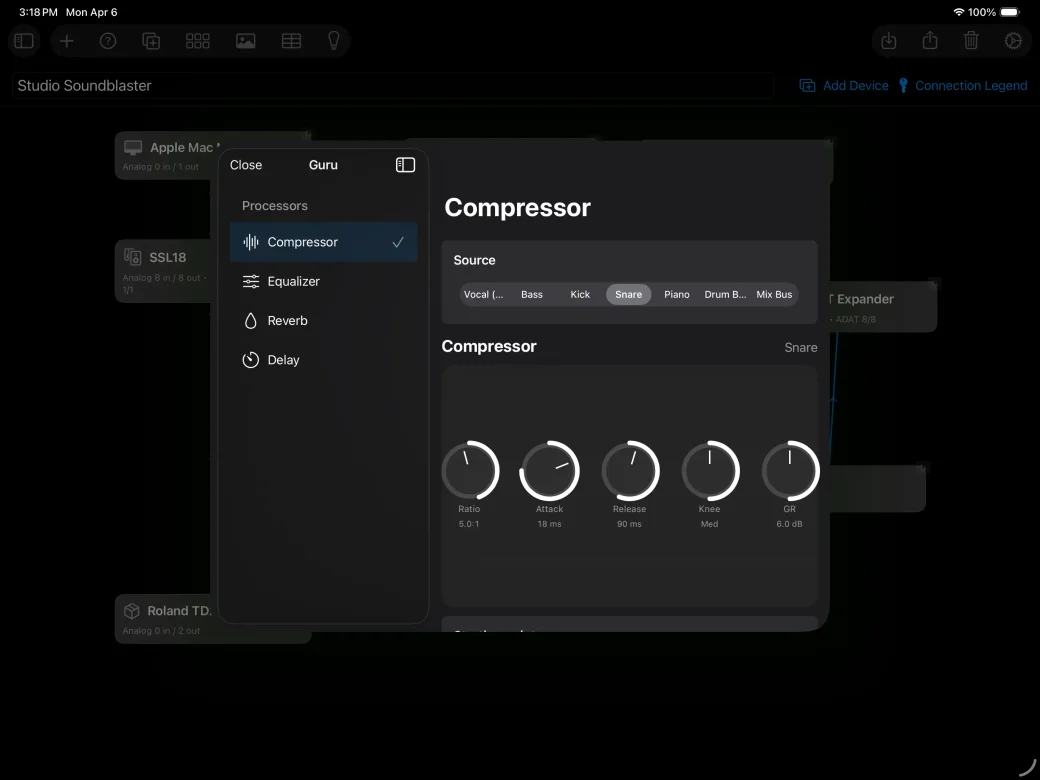
About
STUDIO GURU - Professional Studio Documentation
Document, manage, and visualize your studio and recording session connections with precision. The essential tool for home and professional recording engineers,
studio owners, and audio facilities.
WHY STUDIO GURU?
Your studio represents a significant investment in equipment. Don't rely on memory or scribbled notes to remember how everything connects. Studio Guru Pro provides a professional, visual way to document every connection, port, and cable in your setup.
Every recording session is likely to need new connections or absorbing new equipment. Studio Guru Pro lets you document every session for when the band comes back.
Session and studio layouts can be shared to other users and are synced across your Mac and iPad devices.
PROFESSIONAL FEATURES:
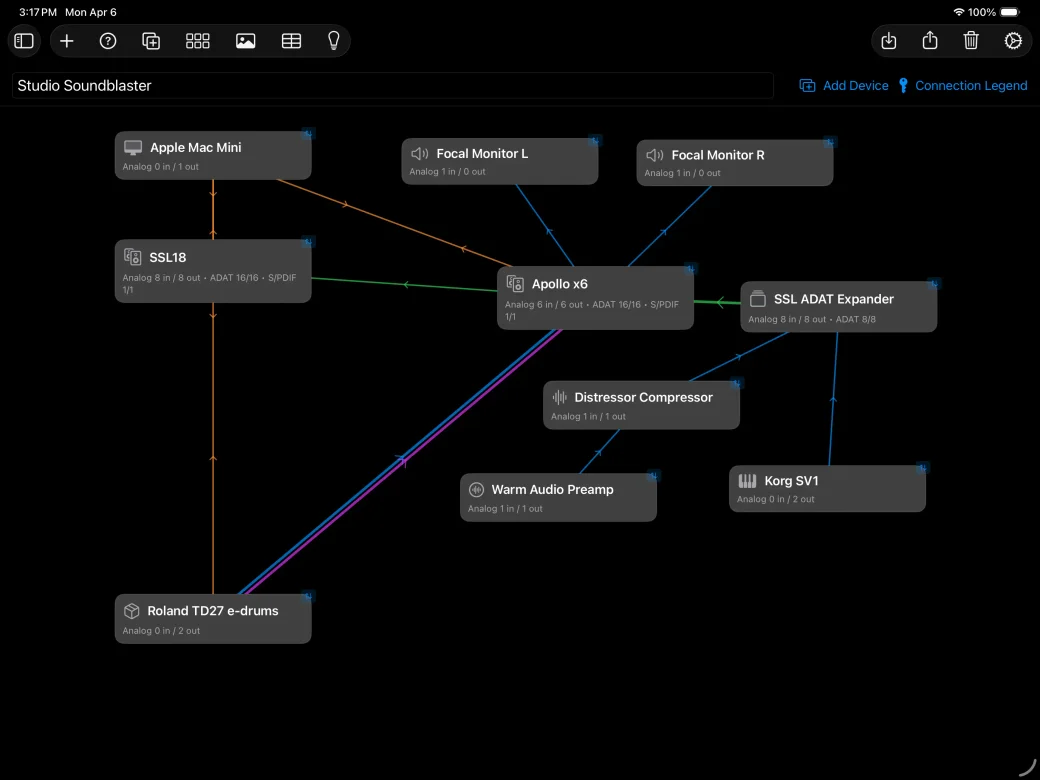
• Visual Studio Canvas
Create precise diagrams of your studio layout. Drag devices, draw connections, and see your entire signal flow at a glance.
• Color and Annotations
Devices are color coded by type, and the canvas can be annotated with Apple Pencil of by fingers
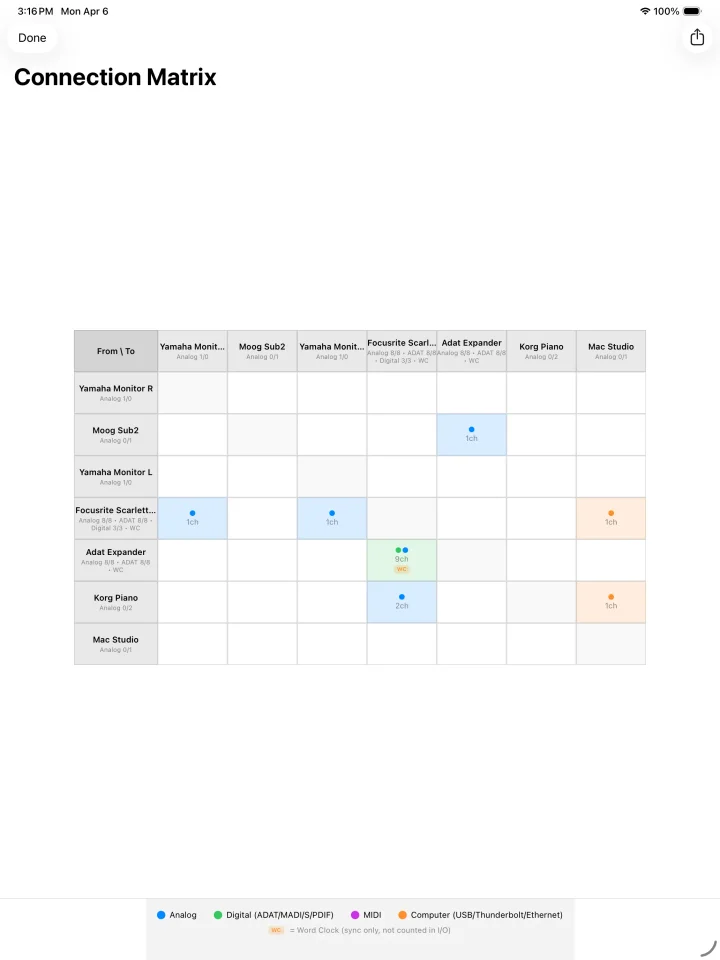
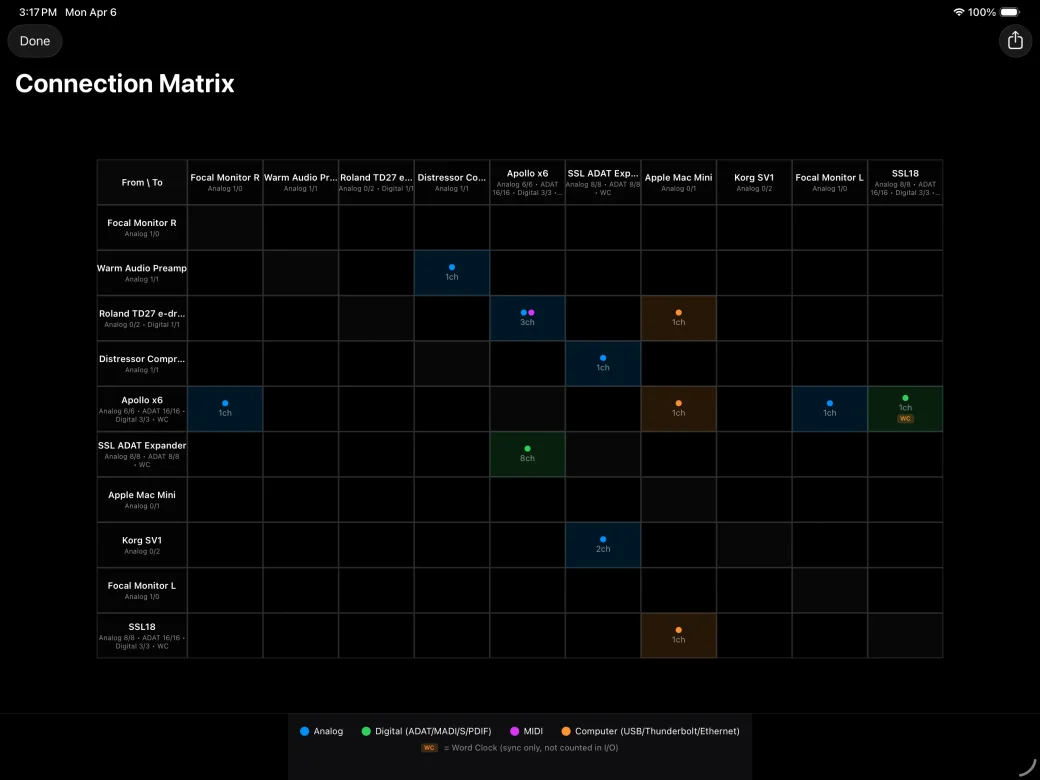
• Connection Matrix View
Spreadsheet-style matrix shows every connection. Export to Excel for documentation or PDF for printing.
• Complete Device Specifications
Track I/O counts, sample rates, digital formats, serial numbers, manuals, and driver downloads for every piece of gear.
• Multiple Studio Configurations (Pro upgrade)
Document different setups: tracking room, mixing suite, live rig. Switch between configurations instantly.
• iCloud Sync Across Devices (Pro Upgrade)
Work on iPad in the studio, Mac at your desk. Everything stays in sync automatically.
• Export & Collaboration (Pro Upgrade)
Share studio configurations with assistants, technicians, or facility managers. Import templates from colleagues.
• Gear Locker (Pro Upgrade) to allow Mics and other equipment not permanently installed in a studio to be installed for sessions and returned to the locker.
• Auto-Arrange & Optimization
Intelligent layout automatically organizes devices by signal flow. Perfect for complex multi-room facilities.
BUILT FOR PROFESSIONALS:
- Recording studios with complex analog/digital hybrid setups
- Broadcast facilities managing multiple studios
- Live sound companies tracking different rig configurations
- Audio educators teaching signal flow and studio design
- Post-production houses documenting room specifications
- Anyone managing professional audio equipment
SAVE TIME & MONEY:
Never again:
• Waste hours tracing cables through a rack
• Forget your optimal recording setup after a reconfiguration
• Struggle to train new engineers on your studio's routing
• Lose critical setup information when equipment changes
One-time purchase. No subscription. Universal app for iPad and Mac.
WHAT USERS SAY:
“This is an extraordinary piece of software. I’ve been hoping someone would create something like this for years, and I’m thrilled that it’s finally here.”
Steve Orich | http://steveorich.com/
REQUIREMENTS:
- iPad running iPadOS 17.0 or later
- Mac running macOS 15.0 or later
- iCloud account recommended for sync (optional)
---
Studio Guru is a free for up to 6 devices in one studio. In-app purchase to Pro features available as a one-time purchase with no subscription required.
Future updates and features included.
What’s new
Version 1.34 · Jul 3, 2026
Improved syncing across Macs and iPads
Added CV (Control Voltage) connections between devices
Studio exports are now named with studio name and date
Manual documents syncing improved but will require reloading of manuals
App privacy
What Ian Miller declares on the App Store about how this app handles data.
-
Data not collected
The developer does not collect any data from this app.
Privacy practices may vary, for example with the features you use or your age.
Information
- Seller
- Studio Guru LLC
- Category
- Music
- Version
- 1.34
- Updated
- Jul 3, 2026
- Released
- Apr 12, 2026
- Size
- 9.7 MB
- Requires
- iOS 18.0 or later
- Age rating
- 4+
- Price
- Free
- In-app purchases
- Yes
- Languages
- English
- Copyright
- © 2026 Studio Guru LLC
You might also like
-
 Raven SynthDual-oscillator drawable synth
-
 BLEASS Spectral ResonatorColour Your Frequencies
-
 LinkEffektLink Audio everywhere
-
 Celestine Granular FXLive-buffer granular AUv3
-
 RadioMama - Radio & SamplerInternet Radio & Sample Maker
-
 Kombinat4Multi-Band Distortion Plugin
-
 Nugget 01 - Lil' DocDetroit-style compressor
-
 Octaves - Filter SetPassive Bandpass Filter
-
 GranSample - Granular SamplerBeat Pad, FX & Step Sequencer
-
 AudioPipelineAUv3 Plugins (Send+Receive)