Study Tracker - Focus Timer
Pomodoro & Study Statistics
Designed for iPhone, iPad, iPod touch
Free · In-app purchases
- Age rating4+
- CategoryUtilities
- DeveloperShenzhen Gude Aipu Technology Co., Ltd
- LanguagesEnglish+ 2 more
- Size14.8 MB
Links to the official App Store page
Download.org hosts no file of Study Tracker - Focus Timer. The button opens its official App Store page, published by Shenzhen Gude Aipu Technology Co., Ltd. Listing last checked on Nov 23, 2026.
Screenshots



About
Study Tracker helps you focus on learning and see where your study time goes.
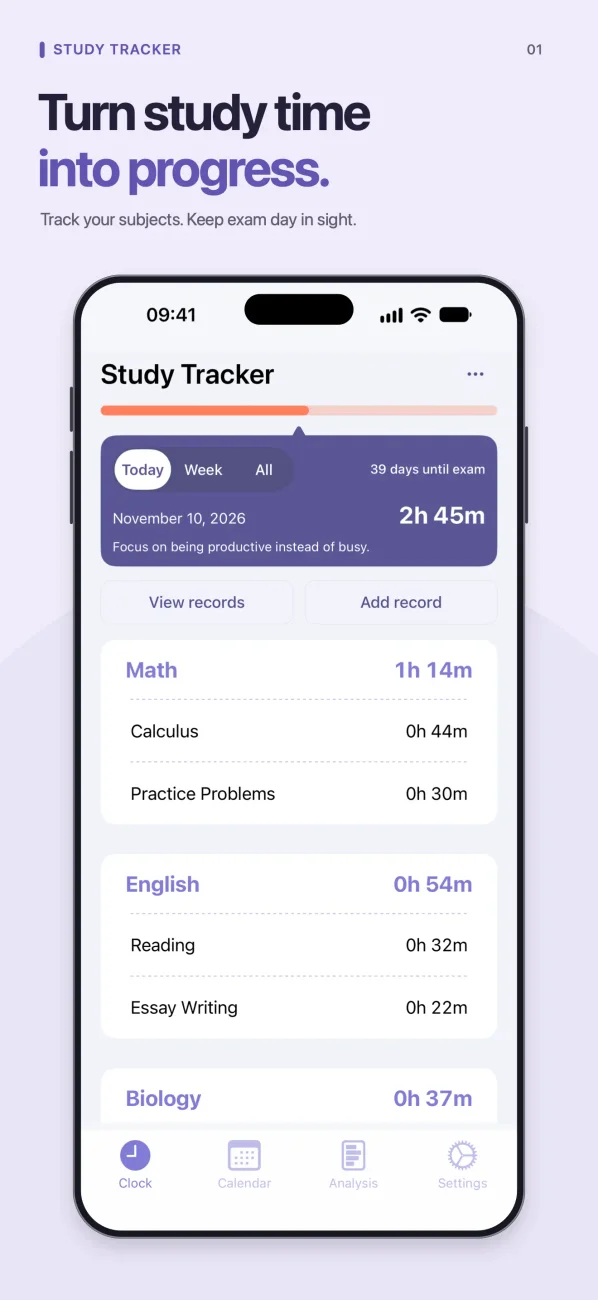
Whether you are preparing for exams, working toward a qualification, or learning on your own, start with one focused session. Track time by subject and review your daily and weekly effort.
**STUDY BY SUBJECT**
Create subjects and study plans for reading, lectures, practice questions, review, and more. Record time for each activity and see how you divide your effort.
**FIND YOUR FOCUS**
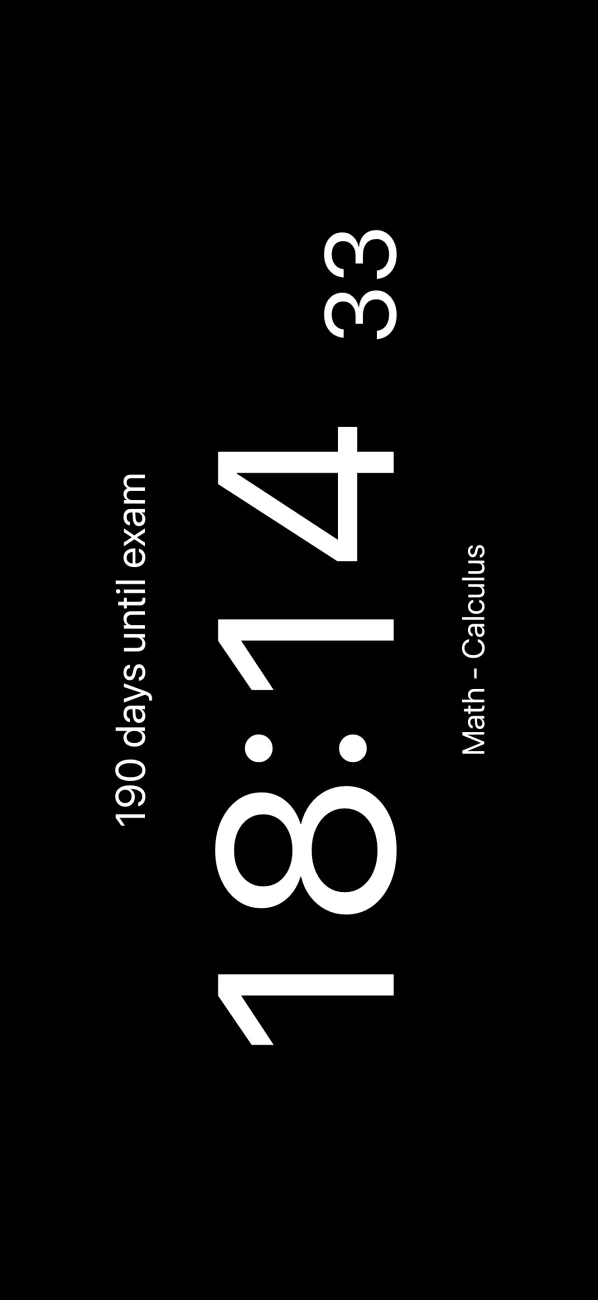
Choose a full-screen clock, stopwatch, countdown timer, or Pomodoro timer. Switch between flip-clock and digital displays to suit reading, timed practice, or focused study.
**SEE YOUR EFFORT ADD UP**
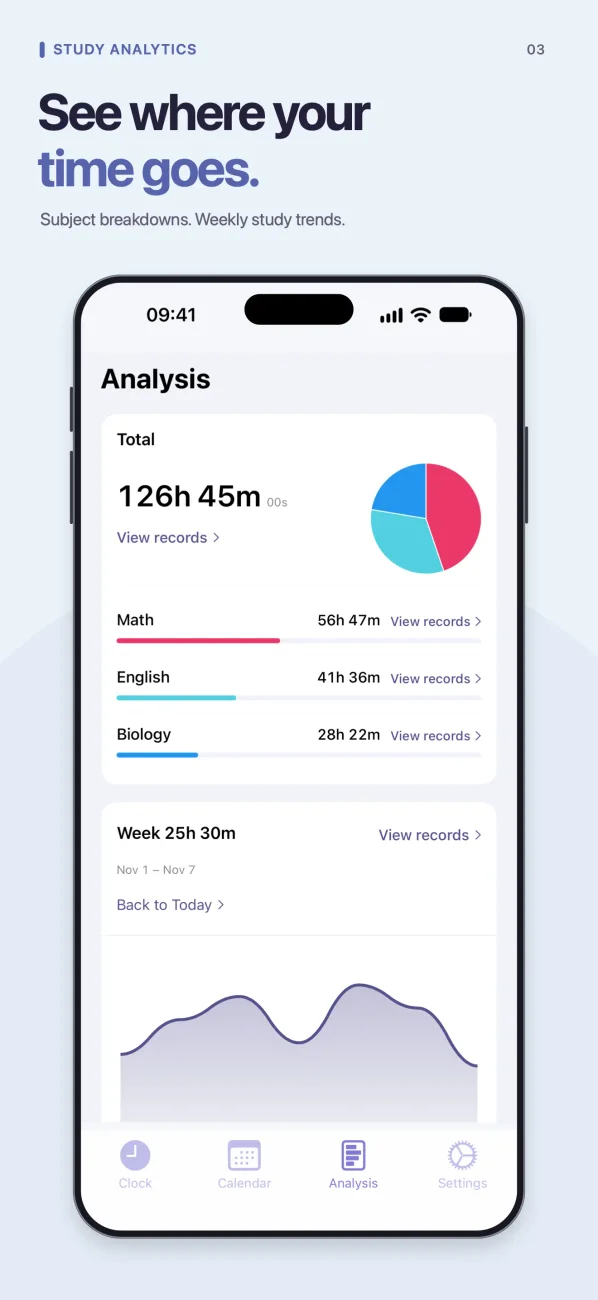
Review your study calendar, daily and weekly statistics, and time spent on different subjects. Add missed sessions manually and create a study poster to save or share.
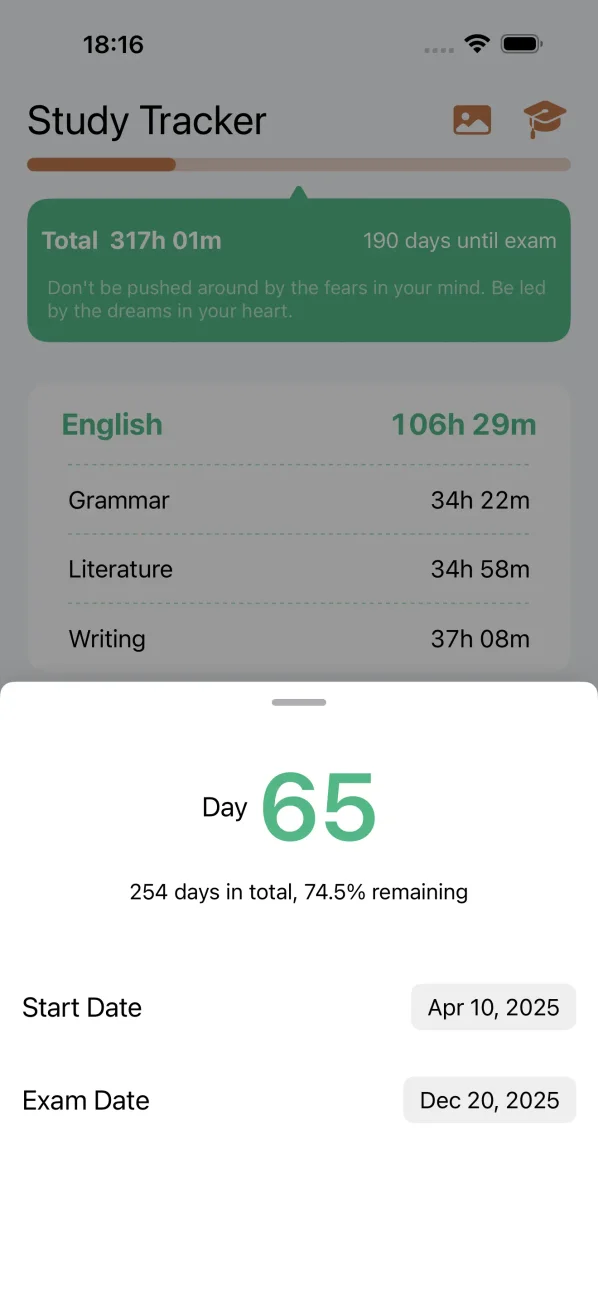
**KEEP YOUR EXAM DATE IN VIEW**
Set your target date and see how many days remain. Add countdown widgets to your Home Screen and Lock Screen to keep your goal in sight. Lock Screen widgets require iOS 16 or later.
**MAKE IT YOUR STUDY SPACE**
Choose a theme, adjust the clock's text size, colors, and display options, and settle in with rain, wind, or river sounds.
**SYNC AND KEEP YOUR TIMER VISIBLE**
Sync study records between iPhone and iPad using the same Apple Account with iCloud enabled. Picture in Picture lets you keep a timer visible while using other apps, on supported devices and systems.
Start with one session today. Give your effort a record you can look back on.
**PREMIUM AND PURCHASES**
Study Tracker is free to download and includes basic timing and study recording. Premium unlocks unlimited subjects and study plans, detailed statistics, additional customization, and more.
Premium is available through monthly or annual auto-renewable subscriptions, or a one-time lifetime purchase. The monthly subscription period is one month, and the annual subscription period is one year. The price and currency for each option are displayed before purchase and confirmed by the App Store.
Payment is charged to your Apple Account when you confirm the purchase. Monthly and annual subscriptions renew automatically until canceled. Manage or cancel your subscriptions in Settings > your Apple Account > Subscriptions. Canceling renewal normally preserves access until the end of the current paid period.
A lifetime purchase is a one-time payment with no automatic renewal. Buying lifetime Premium or deleting the app does not cancel an existing monthly or annual subscription. Manage those subscriptions separately. Use Restore Purchases in the app to restore eligible purchases.
**Terms of Use:**
https://www.gudelabs.com/study-tracker/en/terms.html
**Privacy Policy:**
https://www.gudelabs.com/study-tracker/en/privacy.html
**Apple Standard EULA:**
https://www.apple.com/legal/internet-services/itunes/dev/stdeula/
**Contact:**
zach@gudelabs.com
What’s new
Version 3.6 · Nov 21, 2026
A new annual Premium subscription is now available, giving you more flexibility in how you enjoy Premium. Choose the monthly subscription, annual subscription, or lifetime unlock that works best for you.
Thanks for using Study Tracker!
App privacy
What Shenzhen Gude Aipu Technology Co., Ltd declares on the App Store about how this app handles data.
-
Data not linked to you
May be collected but is not linked to your identity.
- Usage data
Privacy practices may vary, for example with the features you use or your age.
Information
- Seller
- Shenzhen Gude Aipu Technology Co., Ltd
- Category
- Utilities
- Version
- 3.6
- Updated
- Nov 21, 2026
- Released
- May 20, 2021
- Size
- 14.8 MB
- Requires
- iOS 15.0 or later
- Age rating
- 4+
- Price
- Free
- In-app purchases
- Yes
- Languages
- English, Simplified Chinese, Traditional Chinese
- Copyright
- © Shenzhen Gude Aipu Technology Co., Ltd
You might also like
-
 Focus ClockFocus Timer&Tasks
-
 Flip clock & clock widgetFull screen desktop clock.
-
 Challenges Alarm ClockChallenge to turn off alarm
-
 OneClock - A Simple Flip ClockCool Lasting Clock
-
 Visual Multi Timer: TimusMultiple Interval Timers Free
-
 Flip Clock:Digital Desk WidgetStandBy Lock Screen & Pomodoro
-
 --Stop Watch--Simple, easy-to-use stopwatch
-
 Multi Timer - Visual TimerMulti Visual Timer
-
 Barcode Alarm ClockInstantly Out of Bed - Wake Up
-
 MultiTimer: Multiple timersVisual countdown seconds timer