Studydown: Face-Down Timer
Face-down activity time ledger
Designed for iPhone, iPad
In-app purchases
- Age rating4+
- CategoryProductivity
- DeveloperGuan Feng Lai
- LanguagesSpanish+ 43 more
- Size10.3 MB
Links to the official App Store page
Download.org hosts no file of Studydown: Face-Down Timer. The button opens its official App Store page, published by Guan Feng Lai. Listing last checked on Nov 23, 2026.
Screenshots
About
Optimised for iPhone Duo. Built with the latest SDK, the app fills the entire inner display and automatically adjusts its layout whether the device is folded or open.
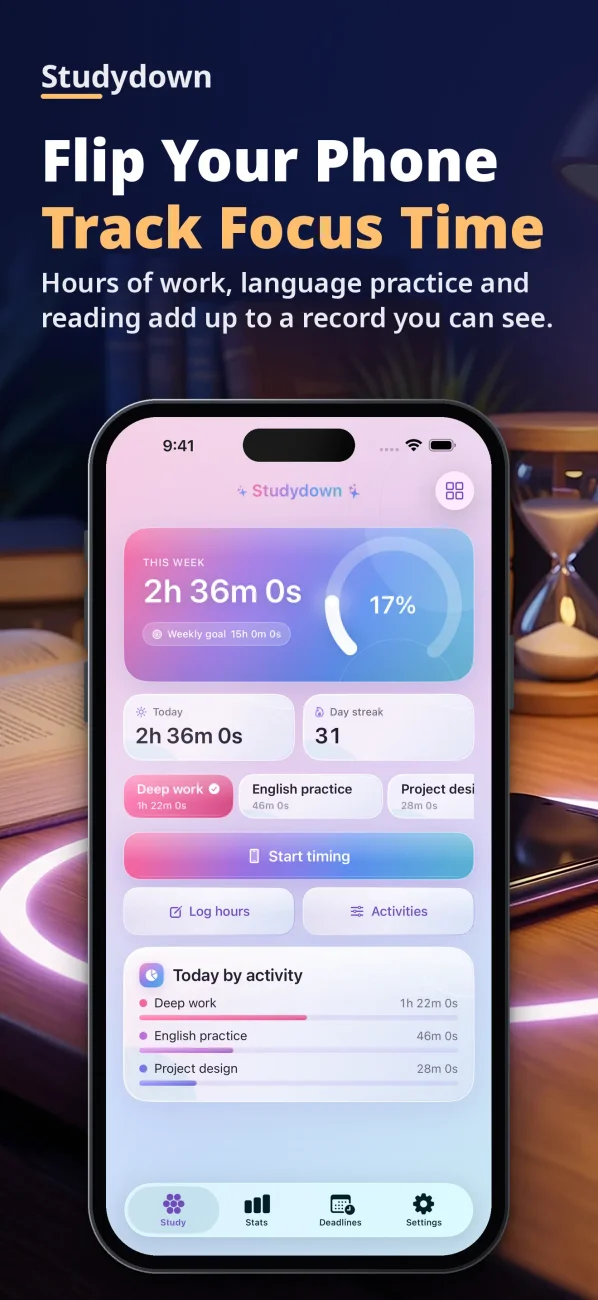
Flip your phone face down to start the timer. Pick it up and it pauses, so only real focus time counts towards your revision and work hours.
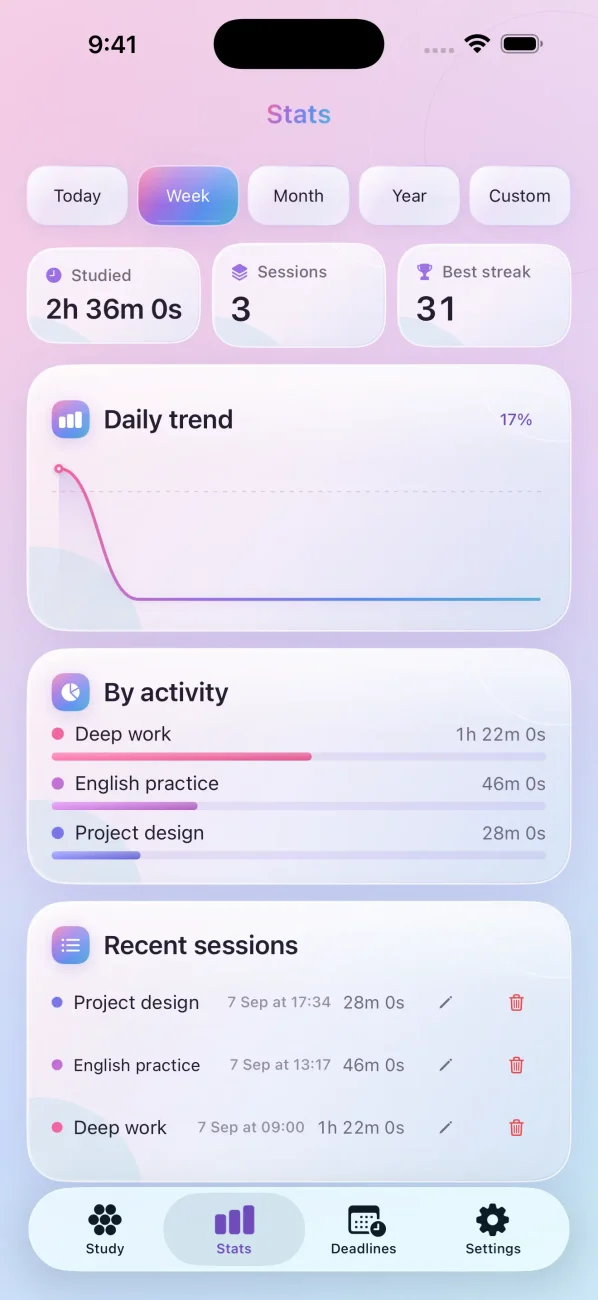
See today, this week, your streak and a breakdown by subject or project, plus how often you picked up your phone and how long you stayed focused.
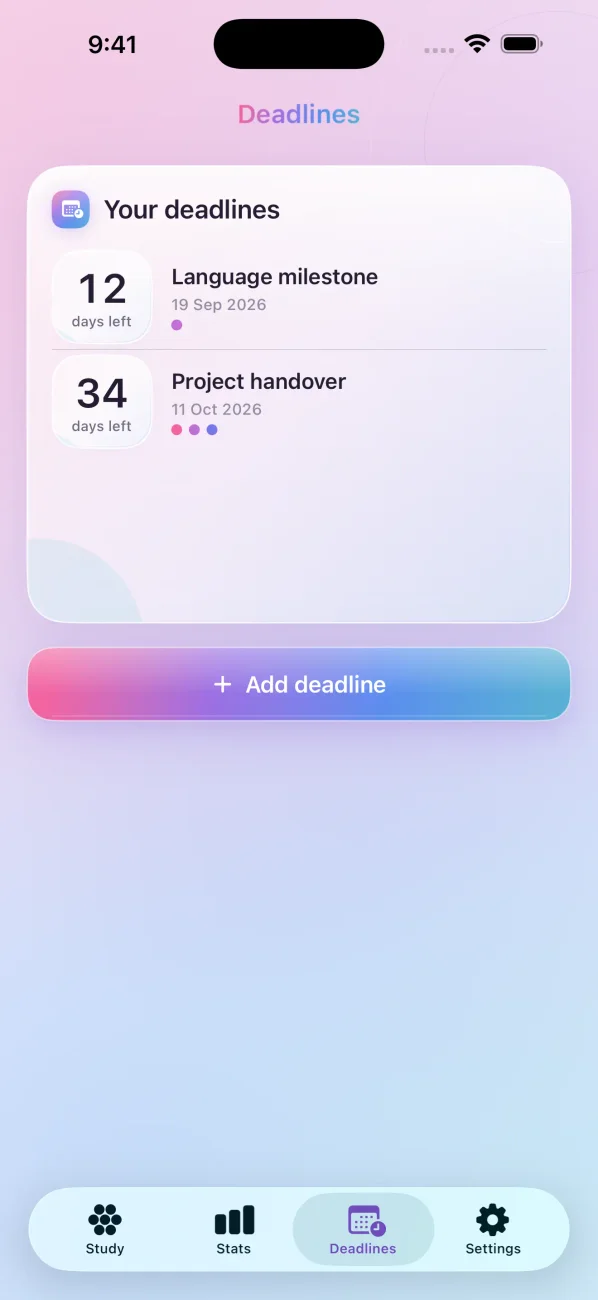
Set a deadline and a target, and Studydown shows the daily pace you still need.
Select an activity, tap to start and rest your phone on a steady surface, screen down. Keep Studydown open while timing. When you pick the phone up, counting pauses after your chosen grace period. Leaving the app stops further time being recorded.
• Name, colour and arrange activities to suit your day. Add or amend entries manually.
• Review today, this week, consecutive days and how your time is split between activities.
• Set weekly goals and deadlines. Choose daily reminders or an interval of several hours.
• Save records in CSV format. Pro also provides JSON backup and restore.
The free allowance covers up to 3 activities and 5 recorded minutes in total, rather than 5 minutes each day. Sessions already started are kept in full. A one-off Pro purchase unlocks unlimited activities and recording, advanced statistics, goals, deadlines, widgets, Apple Watch and backups. No subscription.
Timing and records stay on your device. No account, no ads; you decide whether to share exported files. Purchasing and restoring purchases use Apple services.
Contact: hourstag.app@gmail.com
Optimised for iPhone Duo.
What’s new
Version 1.0.5 · Nov 9, 2026
Improved how text is displayed across all languages, along with stability and performance improvements.
App privacy
What Guan Feng Lai declares on the App Store about how this app handles data.
-
Data not collected
The developer does not collect any data from this app.
Privacy practices may vary, for example with the features you use or your age.
Information
- Seller
- Guan Feng Lai
- Category
- Productivity
- Version
- 1.0.5
- Updated
- Nov 9, 2026
- Released
- Sep 26, 2026
- Size
- 10.3 MB
- Requires
- iOS 17.0 or later
- Age rating
- 4+
- In-app purchases
- Yes
- Languages
- Spanish, German, Bengali, Kannada, Catalan, Czech, Simplified Chinese, Traditional Chinese, Korean, Croatian, Danish, Slovak + 32 more
- Copyright
- © 2026 Cait518
You might also like
-
 WhereTimeGo: Time TrackerTime blocks, pie chart & goals
-
 OK Planner: ADHD TimelineVisual Schedule & Gentle Focus
-
 ZenFlip: Flip to FocusFlip Your Phone, Stay Focused
-
 KASANERU HUBNotes, voice & daily memories
-
 Focus Timer – ProductivityPomodoro timer for focus
-
 Tiny Feats: Done ListA journal of small wins
-
 Pomodoro Focus Timer: PostPingADHD, Study & Concentration
-
 Pota: Lock In with Jazz MusicApp Blocker & Focus Timer
-
 Upchin: App BlockerMake room for real life
-
 Meant To: App Blocker & FocusReduce Screen Time—Scroll Less