
StudyWillow: AI School Planner
Homework & Assignment Tracker
Designed for iPhone, iPad, Mac, iPod touch
Free · In-app purchases
- Age rating4+
- CategoryEducation
- DeveloperZainab Saleem
- LanguagesEnglish+ 4 more
- Size77.2 MB
Links to the official App Store page
Download.org hosts no file of StudyWillow: AI School Planner. The button opens its official App Store page, published by Zainab Saleem. Listing last checked on Nov 23, 2026.
Screenshots

About
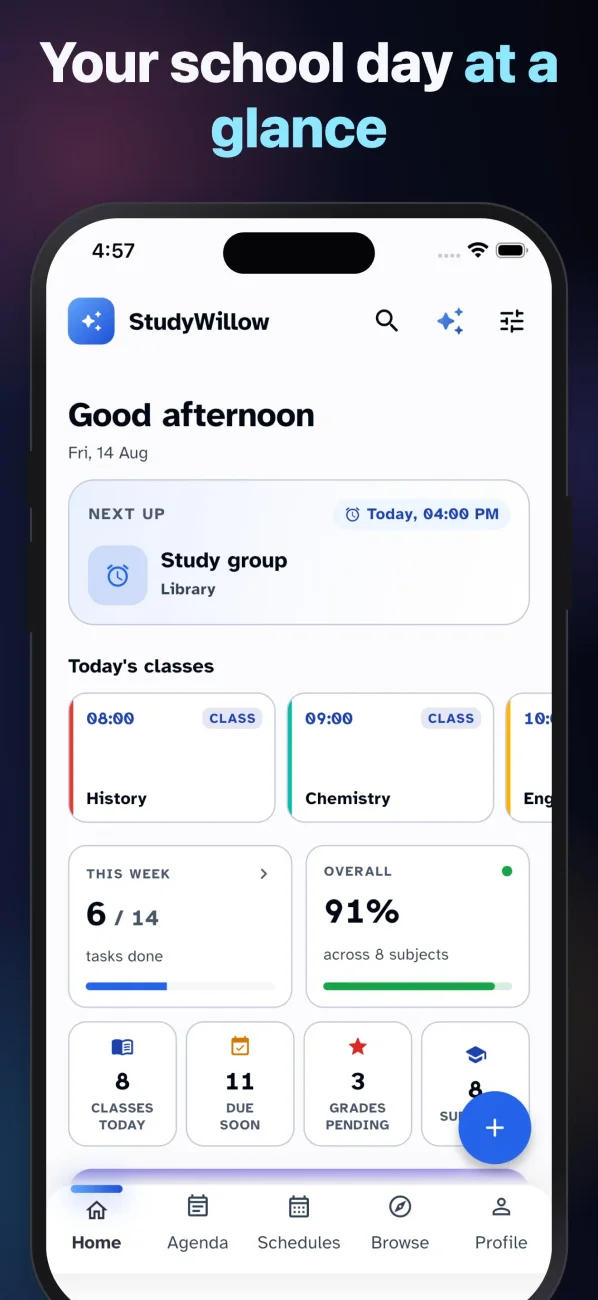
StudyWillow is your school planner and homework tracker, with AI timetable scanning to get you started. Organize classes, assignments, exams, grades and study time in one place — from high school to college and university.
PLAN YOUR SCHOOL WEEK
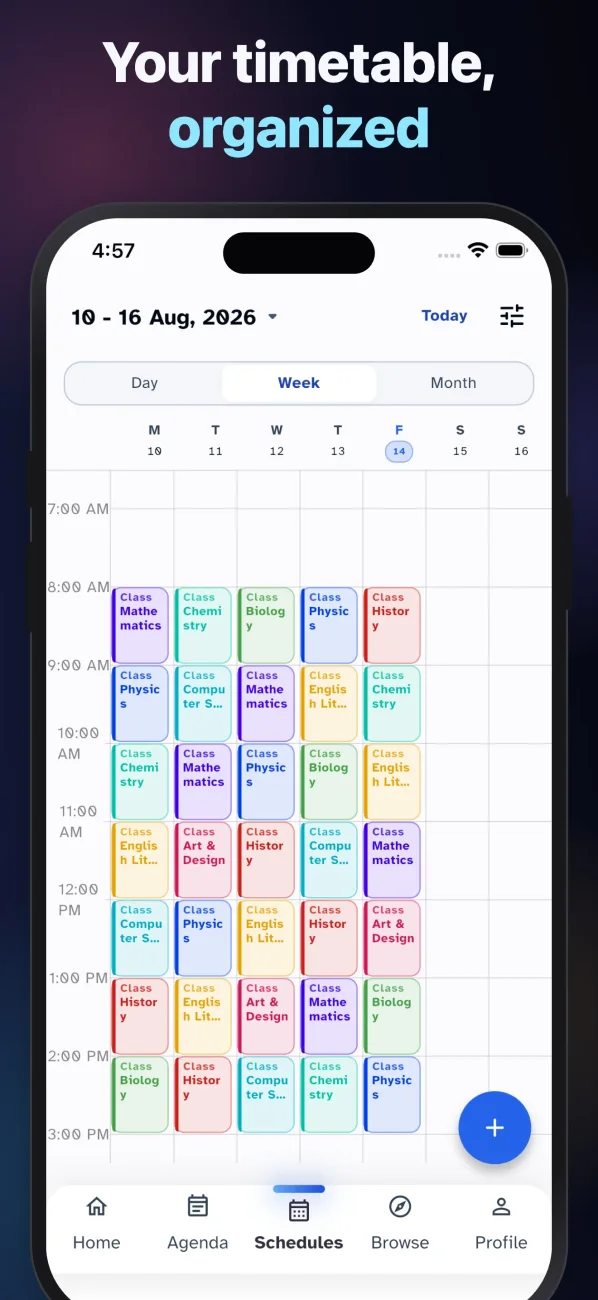
- Build your class timetable and organize subjects, teachers, terms and holidays.
- Track homework, assignments and exam dates in one academic calendar.
- Customize class alerts, task summaries and attendance reminders.
AI TIMETABLE & ASSIGNMENT SCANNER
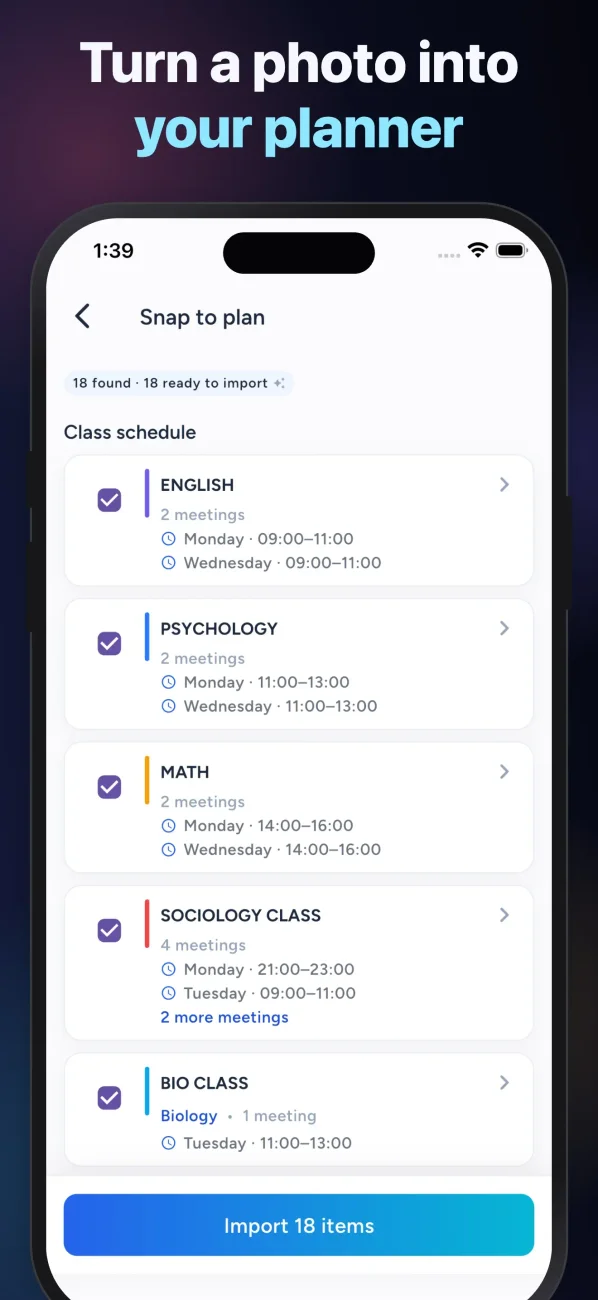
- Photograph a timetable, assignment sheet or exam schedule to reduce manual entry.
- Review detected classes, tasks and exams before adding them to your planner.
EXAMS, GRADES & GPA
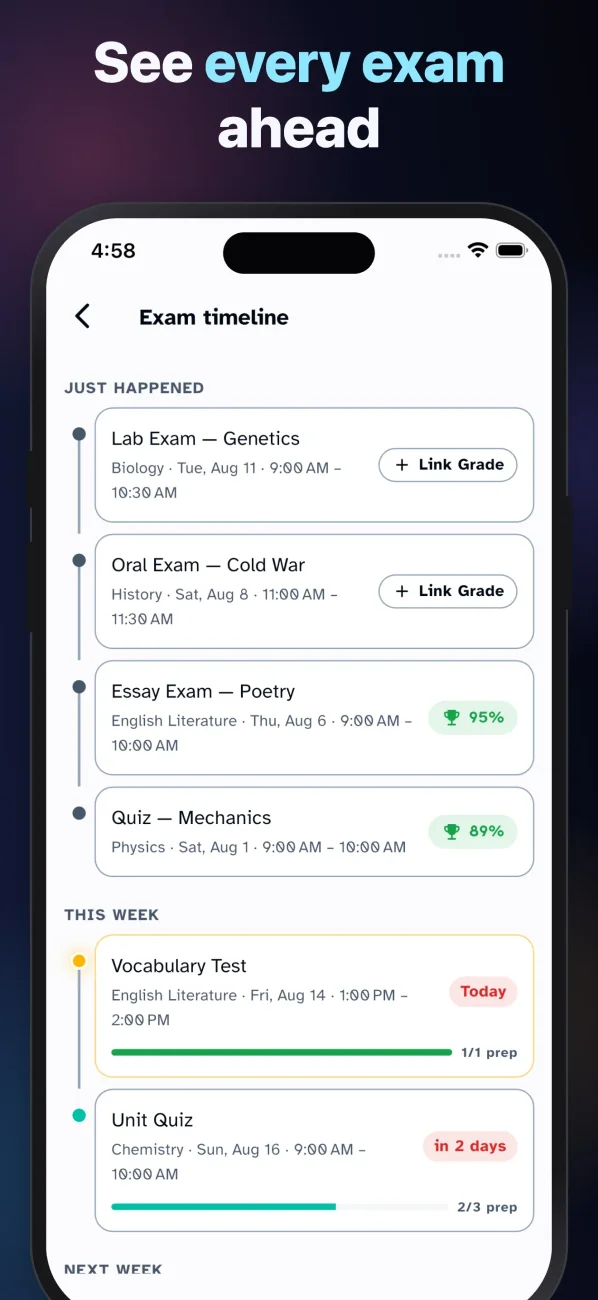
- See upcoming exams on a timeline and track your preparation tasks.
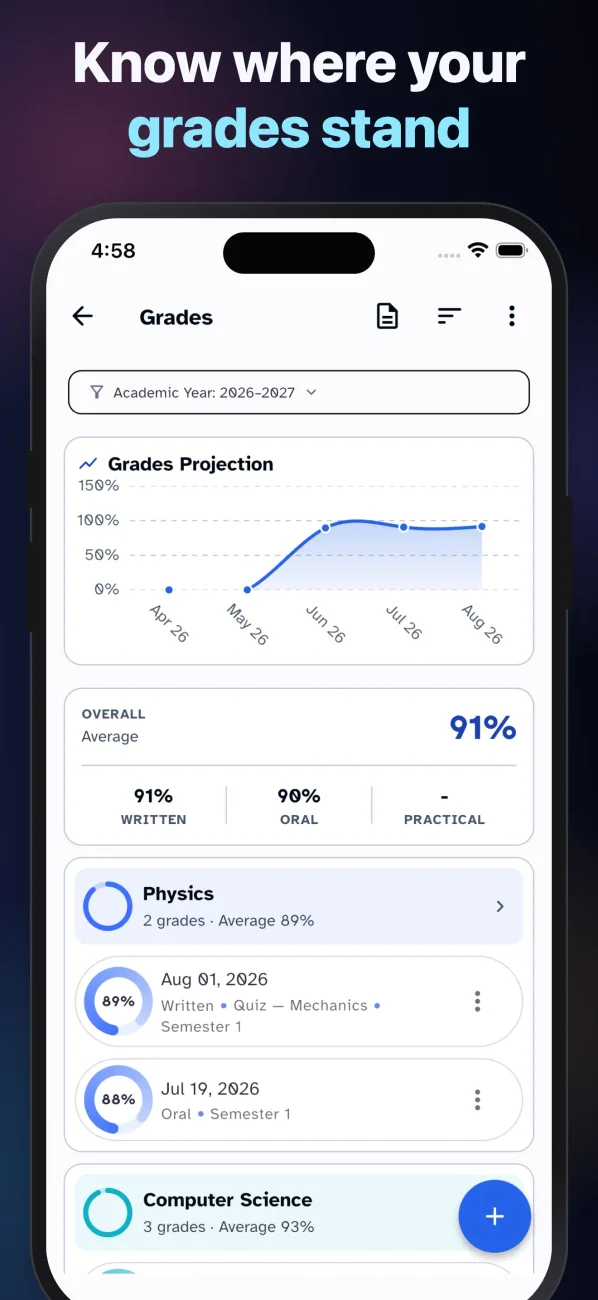
- Record grades, link results to exams and follow your GPA.
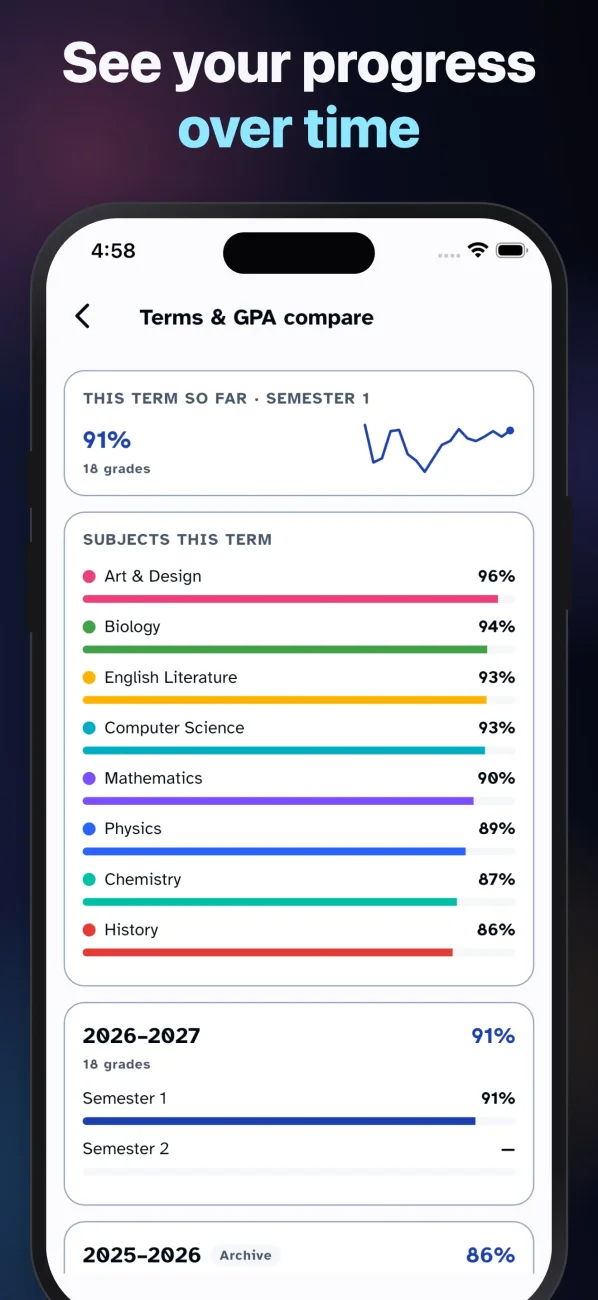
- Use the grade calculator to plan toward your target GPA. Compare semesters with Pro.
FOCUS TIMER & CLASS NOTES
- Start a focus session from homework or an exam and track your study time.
- Keep lecture and assignment notes together, with search and pins.
STUDY GROUPS & SHARED DEADLINES
- Join a study group by code for free, or create your own with Pro.
- Share a deadline list and import group homework, exams or reminders into your own planner.
YOUR PLANNER, WHERE YOU NEED IT
- Record class attendance alongside your timetable.
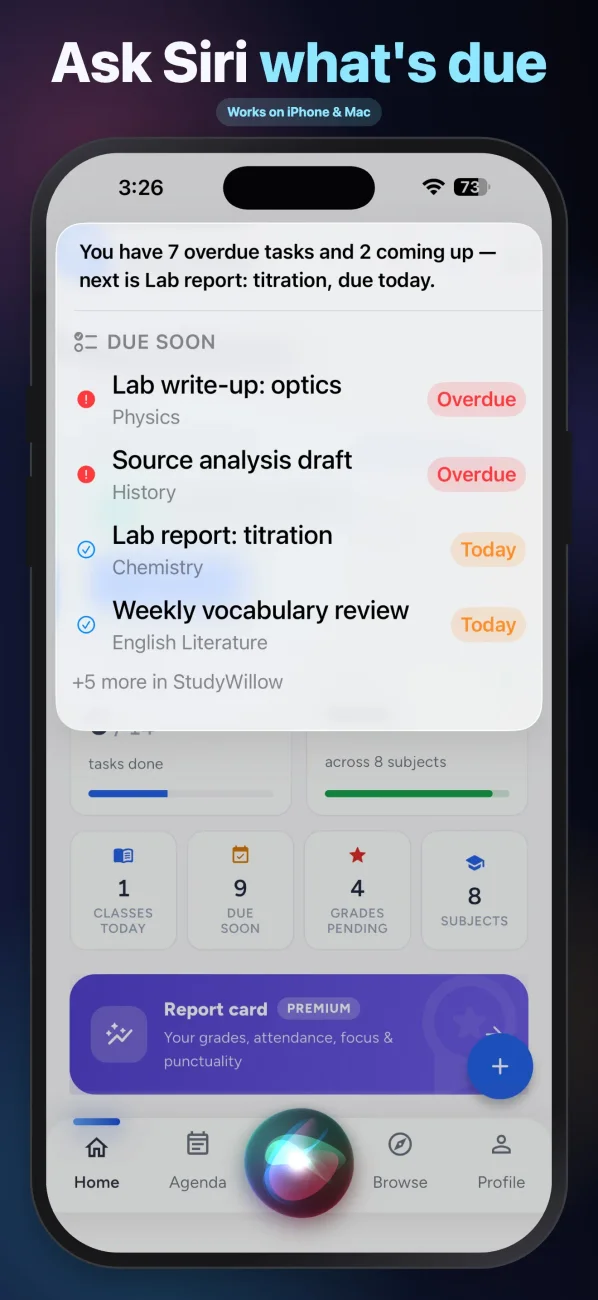
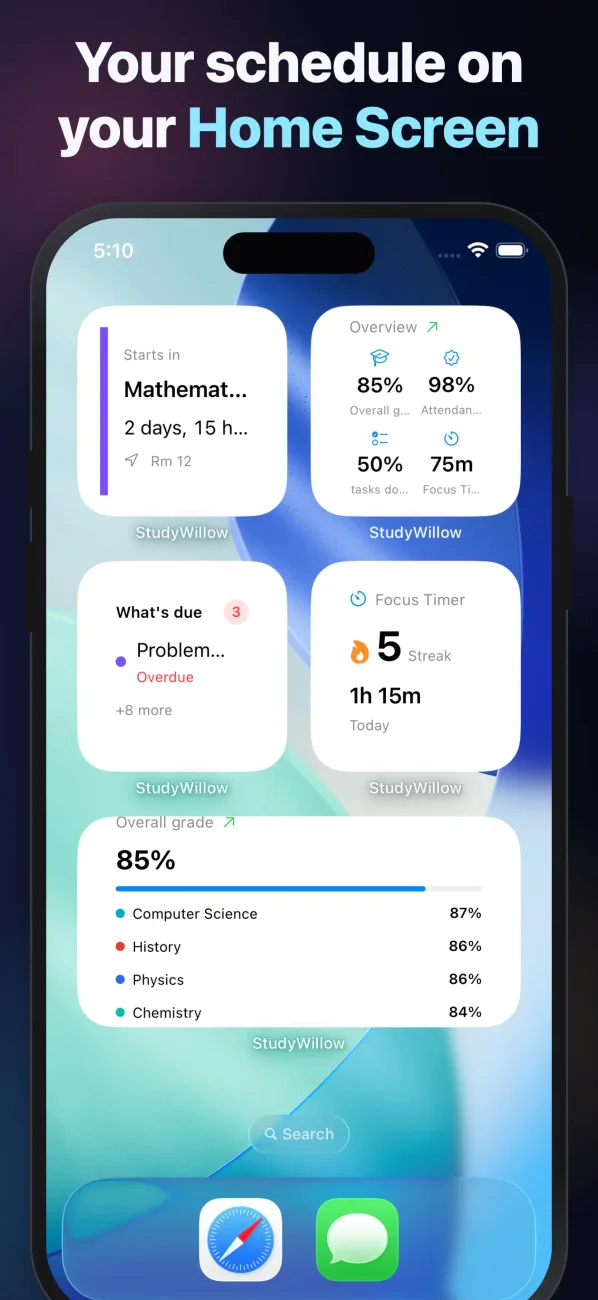
- With Pro, view your schedule in home-screen widgets and add tasks with Siri.
- Use core planner features offline, then sync across devices when you reconnect.
Start with a free timetable, homework planner, focus timer, customizable reminders and basic grades. StudyWillow Pro unlocks additional features and higher limits. AI scans are subject to usage limits; see the app for current plans.
Download StudyWillow and give every class, deadline and study session a place.
Terms of Use (EULA): https://www.apple.com/legal/internet-services/itunes/dev/stdeula/
Privacy Policy: https://studywillow.com/privacy-policy
What’s new
Version 1.3.7 · Nov 22, 2026
Grades that follow your syllabus, reminders further ahead and live updates across your devices.
• Set syllabus weights for each subject, such as Essays 30% and Exams 70%, for an academic year with optional term overrides. Averages count only graded categories and show how much of the plan is covered.
• Give tasks and exams a default grade weight and syllabus category, then add their grade directly with the weight, category and date prefilled. Exam impact in the Pro report card now accounts for grade weights.
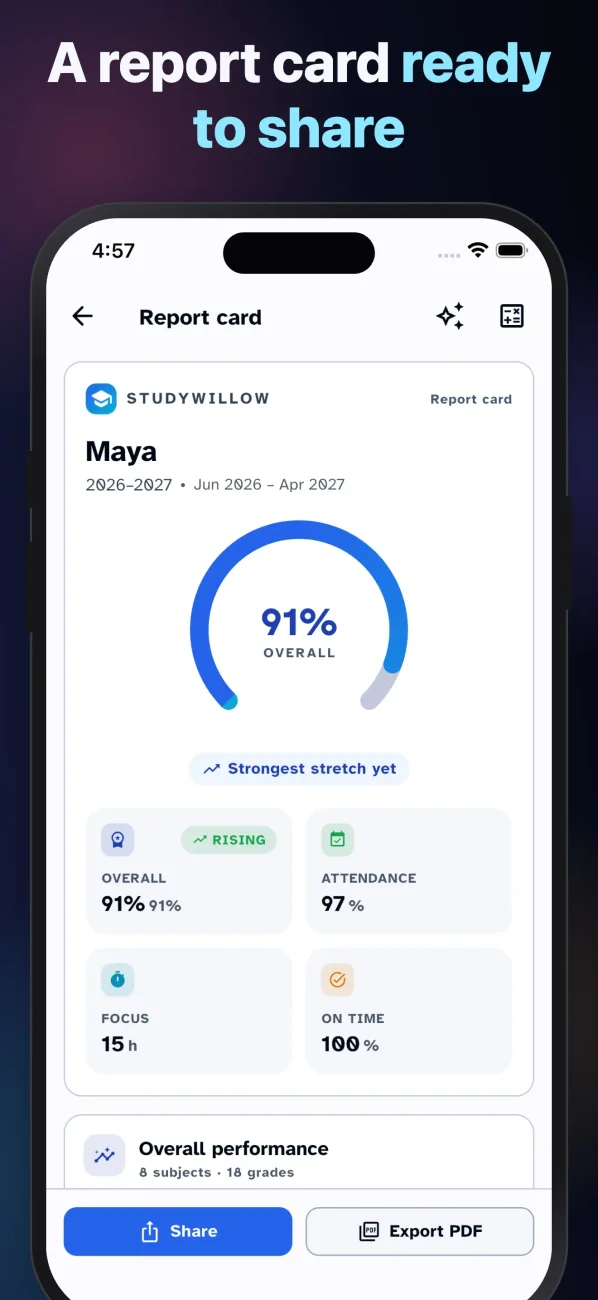
• Compare academic years or focus on a term, explore subject breakdowns and inspect your progress over time. Grades assigned only to an academic year are included.
• Browse previous-year report cards and preview an animated year-in-review story. Pro unlocks the full recap; saved stories replay on this device.
• Get task and exam reminders the same day, 1 day, 3 days or a week ahead, or pick a custom date and time. Custom reminders keep their lead time when a due date moves. Existing reminders keep their current timing.
• See recorded focus time by subject, class, task or exam in the Pro report card, and filter by item. New sessions leave out paused time; older sessions without a link stay unattributed.
• Changes from your other devices now appear while StudyWillow is open, without pulling to refresh. Dashboard class cards also show each class’s own color.
• Call your work Tasks, Assignments or Homework in Profile → Task wording. The choice syncs across your devices and never changes your own titles or notes.
• Enter numeric grades with up to two decimal places, using your language’s number format. Saved grade precision is preserved.
• Weekday choices now save correctly across app languages when creating or editing class schedules.
• Correct a teacher’s details directly in the picker without recreating the record or relinking subjects and classes.
• Review and confirm a Week 1 / Week 2 swap for linked alternating classes, even without terms. A connection is required, and changed timetables or classes need a fresh preview.
• Choose manual setup, explore an example or finish setup later. Refresh and recovery improvements help keep planner updates reliable.
App privacy
What Zainab Saleem declares on the App Store about how this app handles data.
-
Data linked to you
May be collected and linked to your identity.
- Contact info
- User content
- Identifiers
-
Data not linked to you
May be collected but is not linked to your identity.
- Usage data
- Diagnostics
Privacy practices may vary, for example with the features you use or your age.
Information
- Seller
- Zainab Saleem
- Category
- Education
- Version
- 1.3.7
- Updated
- Nov 22, 2026
- Released
- Jul 31, 2026
- Size
- 77.2 MB
- Requires
- iOS 16 or later
- Age rating
- 4+
- Price
- Free
- In-app purchases
- Yes
- Languages
- English, Arabic, French, German, Spanish
- Copyright
- © 2026 StudyWillow
You might also like
-
 Class Schedule & PlannerTimetable & assignments
-
 Helium - Student PlannerHomework, Grades, Notes, Todos
-
 Class Schedule & Study PlannerHomework, Tasks & Focus Timer
-
 Study On - Study PlannerFocus Timer & Study Planner
-
 Ahead - AI Student PlannerAI Syllabus Scanner & Planner
-
 My School ScheduleWeek Planer
-
 Classr: Class Schedule PlannerTimetable, Grades & Homework
-
 Poro: Exam Countdown & PlannerSyllabus & Assignment Tracker
-
 School Planner, Class ScheduleStudent Timetable & Homework
-
 Study Manager: Student PlannerTimetable, courses & tasks