Class Schedule & Planner
Timetable & assignments
Designed for iPhone, iPad
Free · In-app purchases
- Age rating4+
- CategoryEducation
- DeveloperMD Shahariar Nazim Joy
- LanguagesEnglish+ 10 more
- Size3.3 MB
Links to the official App Store page
Download.org hosts no file of Class Schedule & Planner. The button opens its official App Store page, published by MD Shahariar Nazim Joy. Listing last checked on Nov 18, 2026.
Screenshots

About
Class Schedule & Planner puts your timetable, your assignments and your exam countdowns in one student planner — built for the way school actually works, including the rotating Week A / Week B and block Day 1–Day N schedules that ordinary calendar apps get wrong.
IMPORTANT: This is a paid app. A purchase is required to use it and there is no free version. The yearly plan starts with a 3-day free trial.
NEW IN 1.1
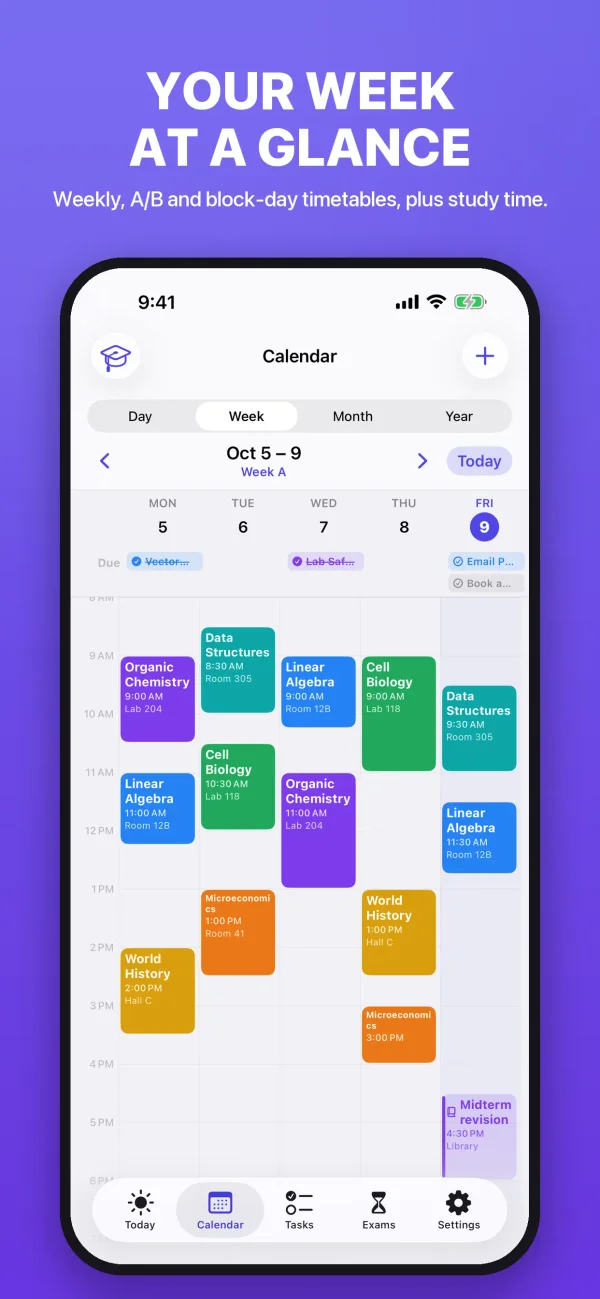
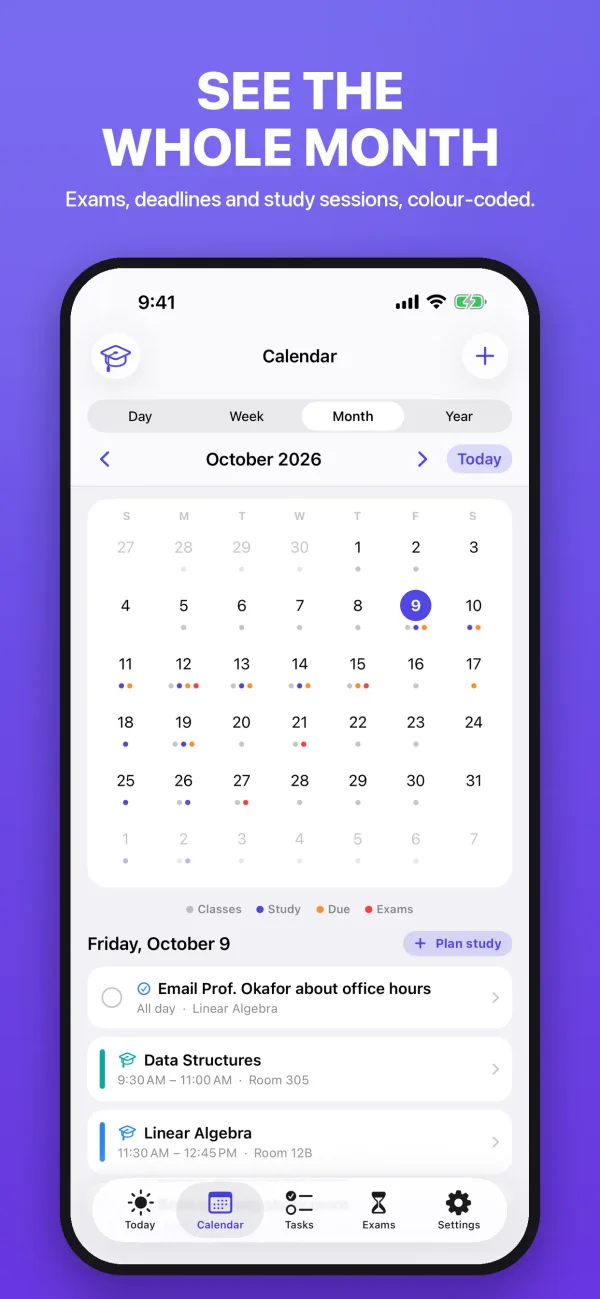
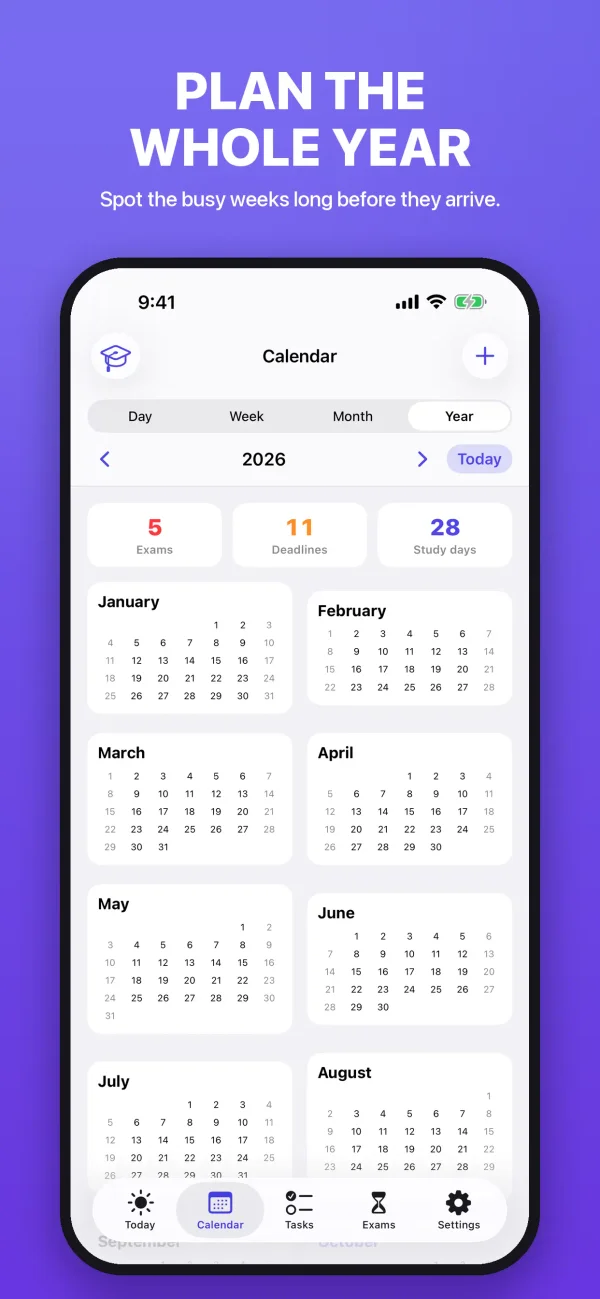
• Calendar with Day, Week, Month and Year views
• Study sessions and events — plan study time around what's due, even without a fixed schedule
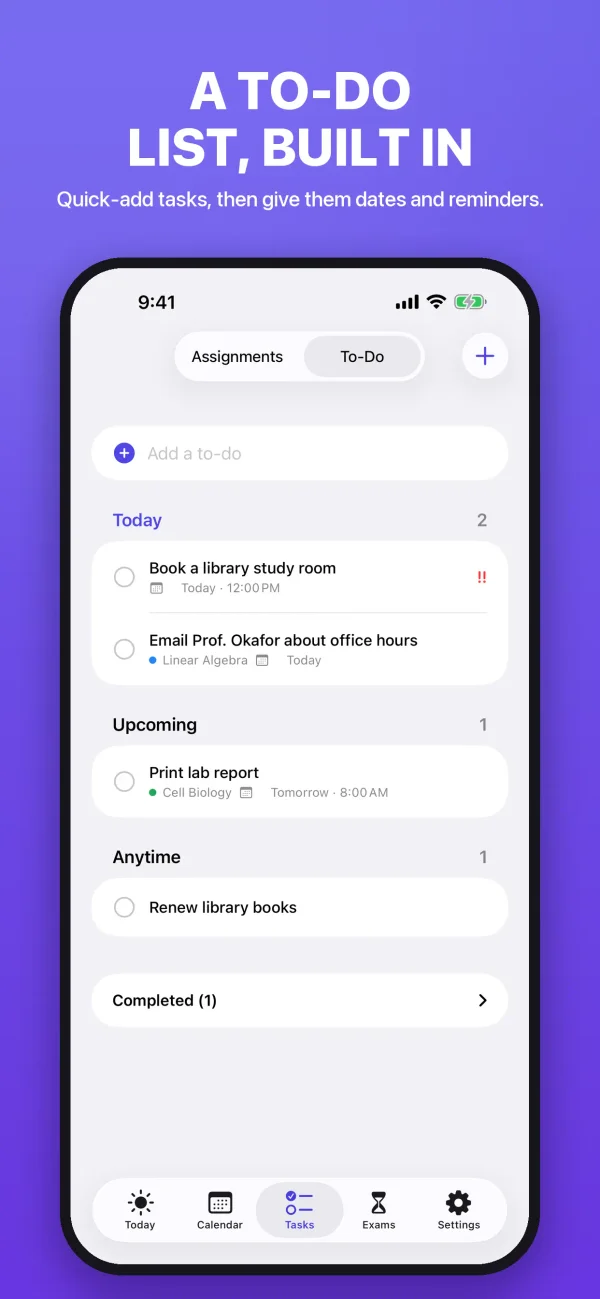
• Built-in to-do list with dates and reminders
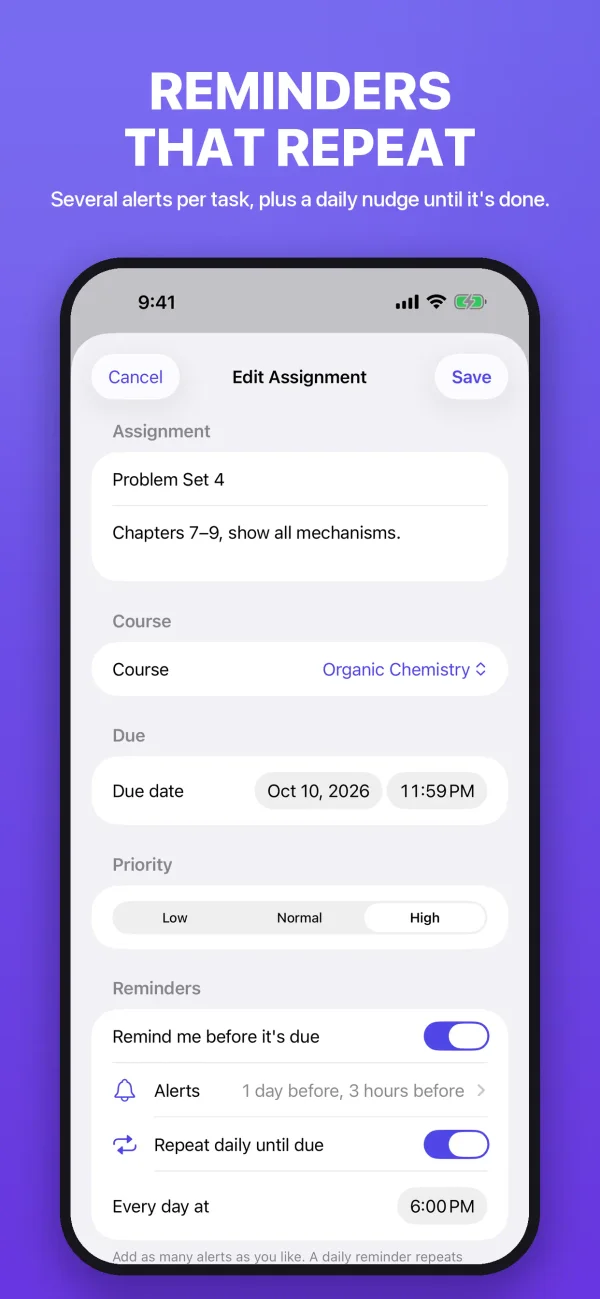
• Several reminders per assignment or exam, plus a daily nudge until it's done
• Manage and delete courses in one place
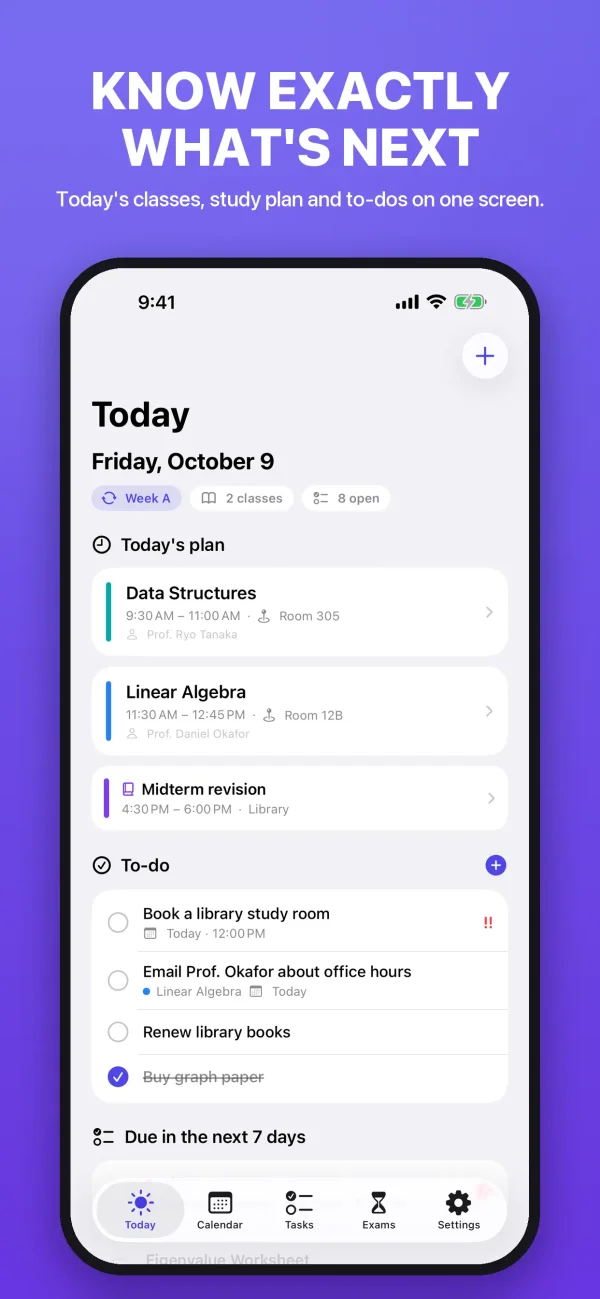
TODAY, AT A GLANCE
• Your next classes with times, rooms and instructors
• Everything due in the next 7 days
• A live countdown to your closest exam
• See instantly whether today is Week A, Week B, or Day 3 of the cycle
A TIMETABLE THAT FITS YOUR SCHOOL
• Weekly — the same classes every week
• Rotating A/B — Week A and Week B alternate automatically
• Block / Day cycle — Day 1 to Day N, and it can skip weekends
• A colour-coded week grid you can actually read
• Room, instructor and email details on every course
ASSIGNMENT TRACKER
• Homework, essays, problem sets and lab reports
• Due dates, priorities and per-course filters
• Grouped into Overdue, Today, Next 7 days and Later
• Tick it off in a single tap
EXAM COUNTDOWNS
• A live day counter for every exam
• Date, time, room and duration
• The countdown turns urgent as the day approaches
REMINDERS
• Before class starts — you choose how early
• Before an assignment is due
• Days before an exam
• Scheduled entirely on your device
WIDGETS
• Home Screen and Lock Screen widgets
• Today's classes and the assignment due soonest
PRIVATE BY DESIGN
• Works fully offline
• No account, no sign-up, no ads, no tracking, no analytics
• Your data never leaves your device
PRICING (US dollars; equivalent local pricing applies in other regions)
• Yearly — $11.99 per year, auto-renewing. Begins with a 3-day free trial. Works out to $1.00 per month.
• Monthly — $2.99 per month, auto-renewing.
• Lifetime — $19.99, a one-time purchase. Nothing renews.
Payment is charged to your Apple Account at confirmation of purchase. Subscriptions renew automatically unless auto-renew is turned off at least 24 hours before the end of the current period. Your account is charged for renewal within 24 hours prior to the end of the current period. You can manage your subscription and turn off auto-renew in your Apple Account settings after purchase. If you do not cancel the 3-day free trial at least 24 hours before it ends, it converts automatically into a paid yearly subscription. Any unused portion of a free trial is forfeited when you buy a subscription.
Terms of Use (EULA): https://www.apple.com/legal/internet-services/itunes/dev/stdeula/
Privacy Policy: https://joykhansayan1.github.io/class-schedule-planner/privacy.html
Support: https://joykhansayan1.github.io/class-schedule-planner/support.html
What’s new
Version 1.1 · Oct 9, 2026
Version 1.1 — your planner just got a lot bigger. Thank you for all the feedback!
• NEW Calendar with Day, Week, Month and Year views — see classes, exams, deadlines and study time together
• NEW Study sessions and events — tap any free slot to plan study time, even if your schedule isn't fixed. They can repeat daily, weekly or monthly
• NEW To-do list — quick-add anything, with optional dates, courses and reminders
• Reminders that repeat — add several alerts to any assignment or exam, plus a daily reminder until it's done
• Courses screen — edit or delete any course (Settings → Courses, or swipe left), and remove the sample term in one tap
• Today now shows your study plan and to-dos
• The whole app is now available in Japanese, Chinese, Korean, German, French, Spanish, Portuguese, Italian and Russian
App privacy
What MD Shahariar Nazim Joy declares on the App Store about how this app handles data.
-
Data not collected
The developer does not collect any data from this app.
Privacy practices may vary, for example with the features you use or your age.
Information
- Seller
- MD Shahariar Nazim Joy
- Category
- Education
- Version
- 1.1
- Updated
- Oct 9, 2026
- Released
- Jul 18, 2026
- Size
- 3.3 MB
- Requires
- iOS 18.0 or later
- Age rating
- 4+
- Price
- Free
- In-app purchases
- Yes
- Languages
- English, French, German, Italian, Japanese, Korean, Portuguese, Russian, Simplified Chinese, Spanish, Traditional Chinese
- Copyright
- © 2026 MD Shahariar Nazim Joy
You might also like
-
 Classr: Class Schedule PlannerTimetable, Grades & Homework
-
 Smart SyllabusAI Syllabus Scanner
-
 Timetable: Class ScheduleSchool Planner & Weekly View
-
 StudyWillow: AI School PlannerHomework & Assignment Tracker
-
 Semora: AI Syllabus PlannerAssignment & Exam Tracker
-
 Ahead - AI Student PlannerAI Syllabus Scanner & Planner
-
 Subjects - Class PlannerTimetables, Tasks and Grades
-
 Sylly - AI Syllabus ScannerHomework, Exams & Due Dates
-
 MySched: Class Schedule MakerTimetable, GWA & Attendance
-
 School Timetable PlannerClass schedule widgets