SubPlan: Rotation Planner
Soccer & basketball subs
Designed for iPhone, iPad
Free · In-app purchases
- Age rating4+
- CategorySports
- DeveloperChristopher Walter
- LanguagesEnglish+ 3 more
- Size9.2 MB
Links to the official App Store page
Download.org hosts no file of SubPlan: Rotation Planner. The button opens its official App Store page, published by Christopher Walter. Listing last checked on Nov 25, 2026.
Screenshots



About
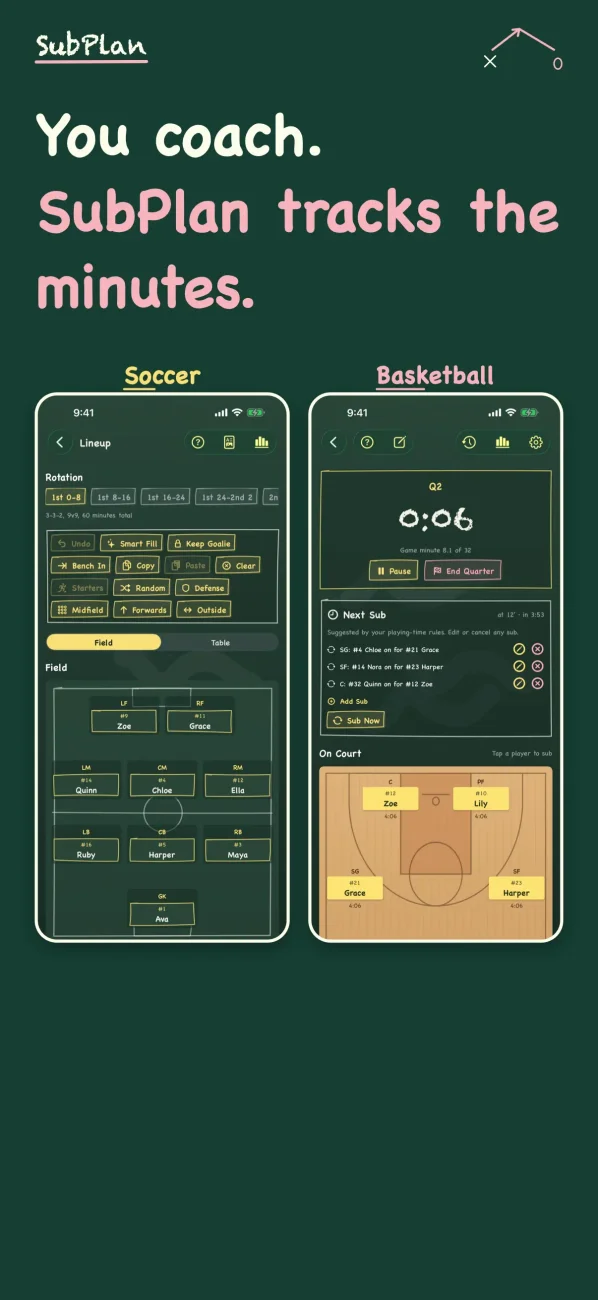
You coach. SubPlan tracks the minutes. It helps youth soccer and basketball coaches manage every player's playing time, whether you plan the game ahead or sub live from the sideline.
Plan every rotation before tip-off or kickoff and print a coach-ready PDF for the bench, or run the game live and let SubPlan keep the clock, tell you when to sub, and track the minutes each player actually plays. No spreadsheets, messy notes, or last-minute guessing.
NEW: BASKETBALL
- Pick soccer or basketball for each team; every screen is set up for that sport
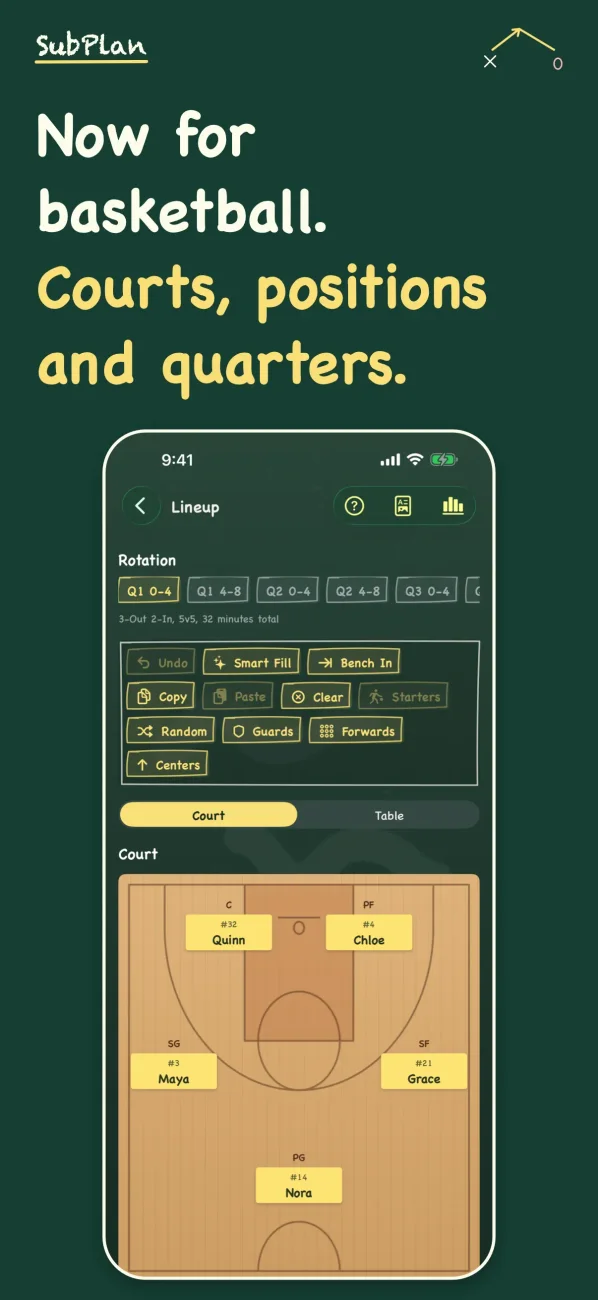
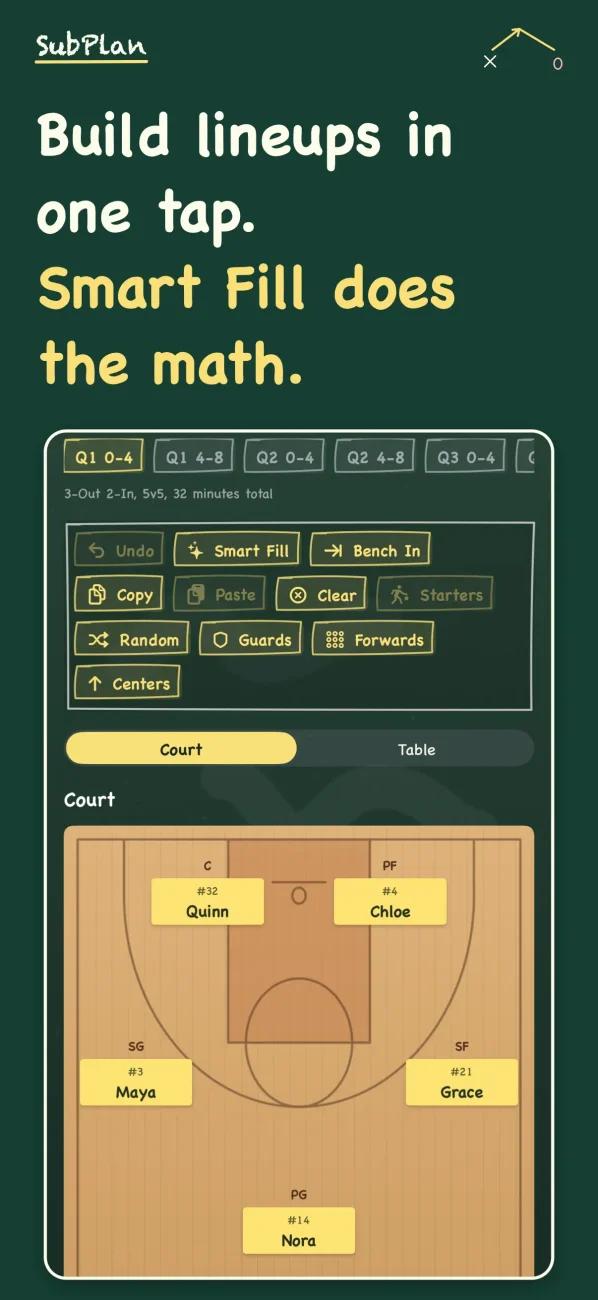
- A basketball court with PG, SG, SF, PF and C positions and no goalie
- Court setups like 3-Out 2-In, 4-Out 1-In, 5-Out, 1-3-1 and Horns, for 5v5, 4v4 and 3v3
- Halves or quarters in either sport, with rotation times like "Q2 0-4"
- Team logos on your team list, team page and reports
COACH TOGETHER
- Share a team with your assistant coaches and choose who can edit and who can only view
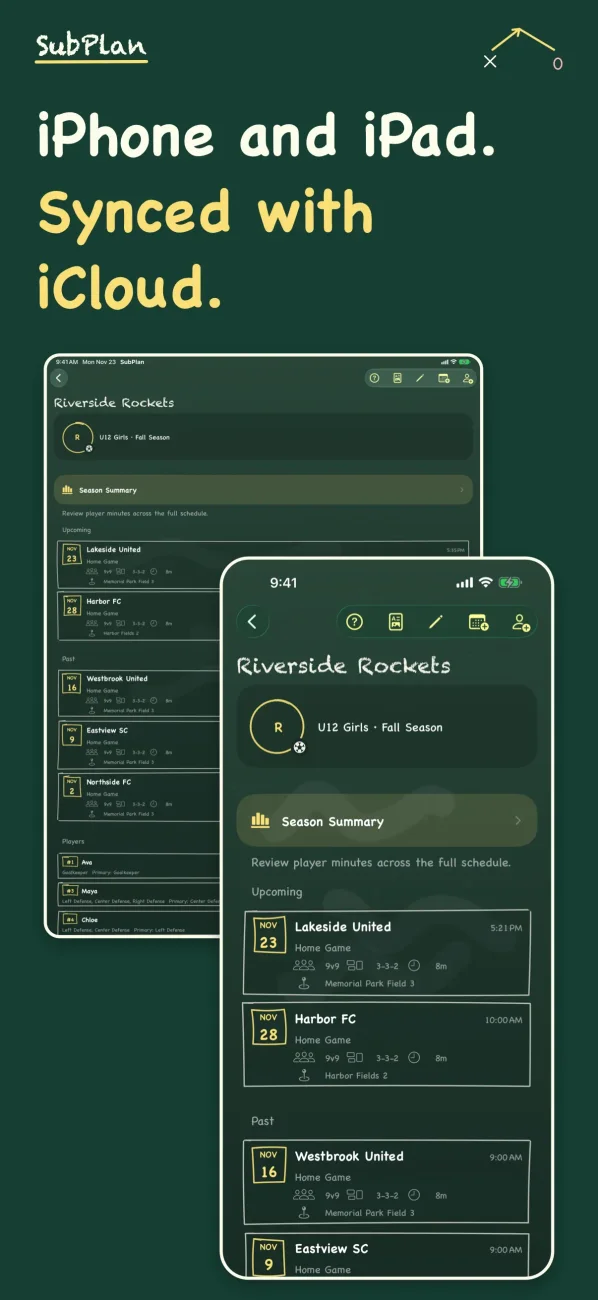
- Everyone sees the same roster, events, lineups, live games and game notes, synced with iCloud
- Game notes before, during or after a game, with notes from earlier games against the same opponent
- Your player rankings stay private: each coach keeps their own
- Your SubPlan Pro covers every coach on the teams you share
SUB LIVE
- Choose per game: Plan Before Game or Sub Live
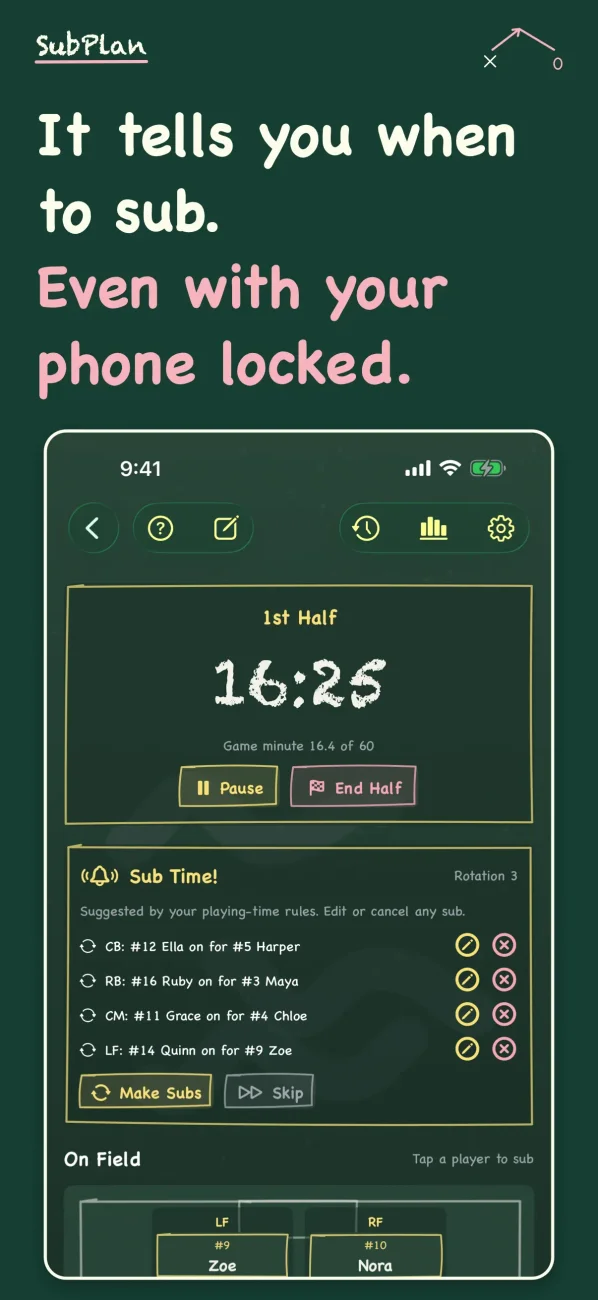
- A game clock with halves or quarters and pause that keeps time even when your phone is locked
- Sub Time alerts with sound and a Lock Screen notification
- Sub suggestions based on real minutes played, which you can edit, swap, cancel, or add to before you make them
- Playing-time rules: Equal Time, or a minimum number of minutes for everyone, with an option to keep your soccer goalie in goal
- Mark players as not here yet, injured, or left early, and the bench fills in
- A Sub Log of every change with its game time
PLAN YOUR LINEUP
- Create teams and rosters with player numbers and positions
- Set up games, scrimmages, and practices with opponent, location and rotation timing
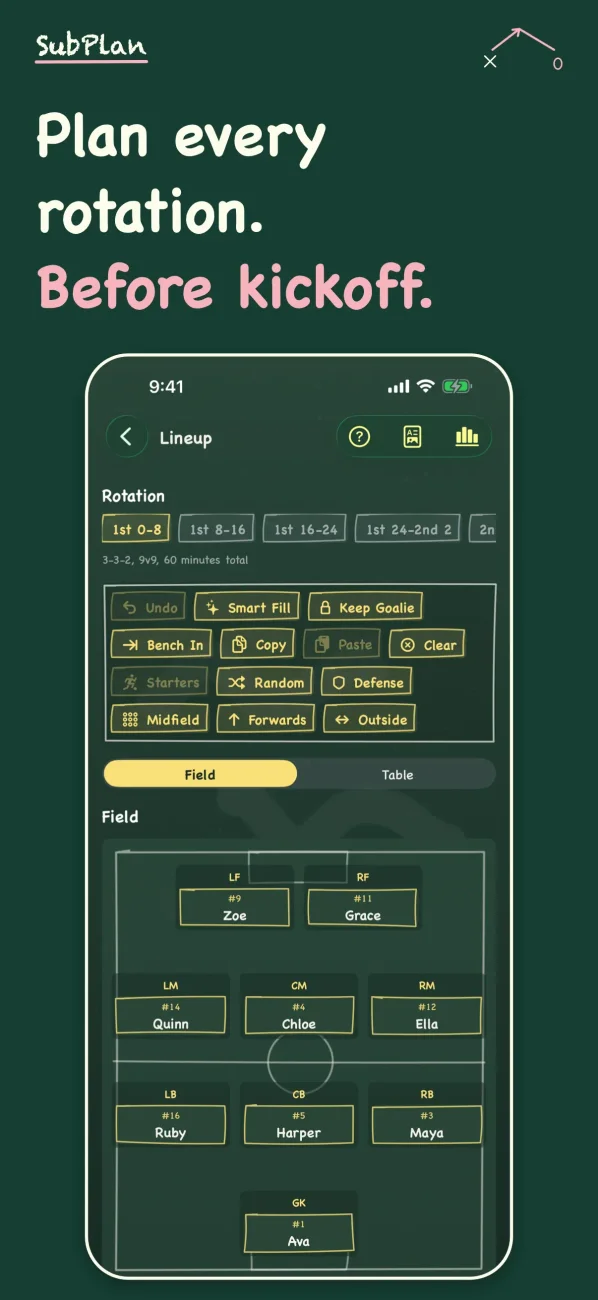
- Soccer formations for 5v5, 7v7, 9v9, and 11v11, or adjust the layout to fit your team
- Drag and drop players into position on the field or court, or switch to table view
FAST SUBSTITUTION TOOLS
- Smart Fill builds a balanced rotation for you
- Bench In brings bench players into the next rotation
- Sub by group: defense, midfield or forwards in soccer; guards, forwards or centers in basketball
- Keep Goalie subs the field while your soccer keeper stays in goal
- Copy, paste, random, and starters shortcuts
- Private player rankings help the tools choose when you have more players than spots
TRACK PLAYING TIME
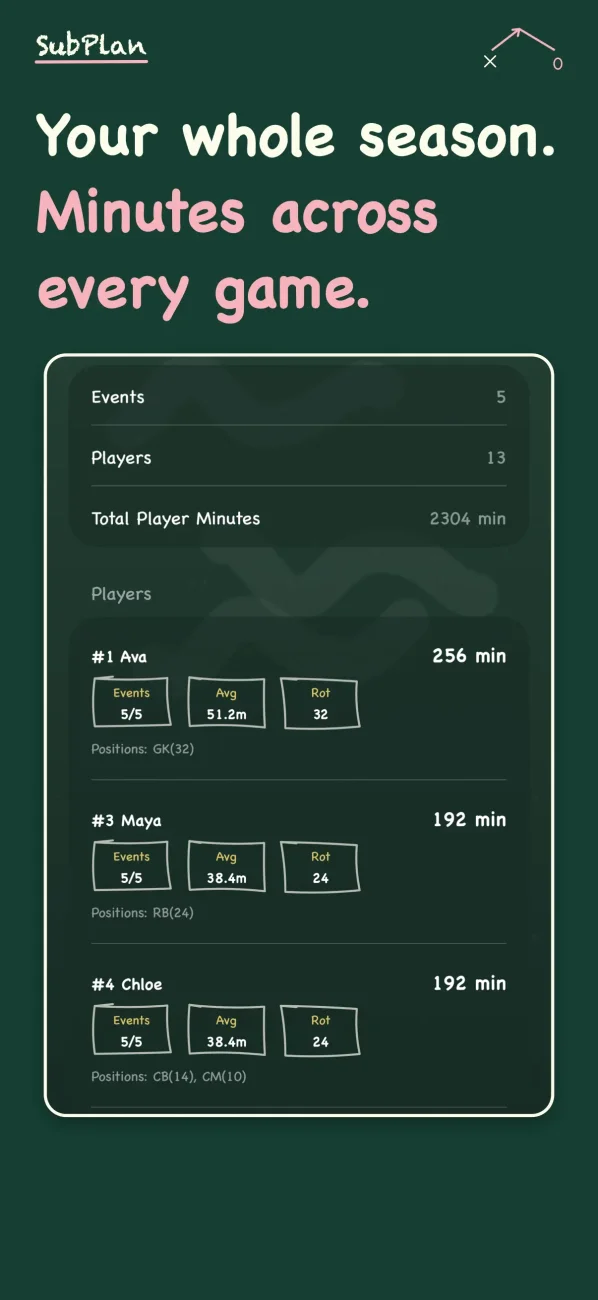
- See every player's minutes across the full event
- Live games record the minutes each player actually played, and the report and season stats use them
PRINT AND SHARE
- Export PDF lineup reports with a field or court view for each rotation, a minutes table, and color-coded changes
- Print blank lineup sheets, and share team or roster reports
BUILT FOR THE SIDELINE
- Designed for iPhone, iPhone Duo and iPad
- Your teams and plans sync across your devices with iCloud
- Available in English, Spanish, French and German
FREE AND PRO
The free version includes one team, one event (planned or live), all lineup planning tools, minutes review, and up to five event PDF exports.
SubPlan Pro unlocks unlimited teams, unlimited events, unlimited event PDF exports, sharing teams with other coaches, and Season Summary, which shows playing time across your whole schedule.
SubPlan Pro is available as a monthly or yearly auto-renewing subscription. Payment is charged to your Apple Account when you confirm the purchase. Subscriptions renew automatically unless canceled at least 24 hours before the end of the current period. You can manage or cancel your subscription in your App Store account settings.
Terms of Use: https://www.apple.com/legal/internet-services/itunes/dev/stdeula/
Privacy Policy: https://www.oakbrightlabs.com/apps/subplan/privacy
What’s new
Version 2.0 · Nov 24, 2026
SubPlan 2.0: now for basketball
- Basketball is here. When you create a team, pick soccer or basketball. Basketball teams get a court, PG, SG, SF, PF and C positions, and court setups like 3-Out 2-In, 4-Out 1-In, 5-Out, 1-3-1 and Horns.
- Halves or quarters, in either sport. Sub Live runs the clock for Q1 to Q4 with a halftime break.
- Rotation times now show their half or quarter, like "Q2 0-4" or "2nd 8-16", in the lineup builder and in reports.
- Team logos: add a picture for each team. It shows on your team list, the team page and printed reports.
- Game notes: write notes before, during or after any game. Coaches on a shared team see each other's notes, and notes from earlier games against the same opponent show on the event.
- Printed event reports show four field or court views on every page again, with every bench and sub note in full.
App privacy
What Christopher Walter declares on the App Store about how this app handles data.
-
Data not collected
The developer does not collect any data from this app.
Privacy practices may vary, for example with the features you use or your age.
Information
- Seller
- Christopher Walter
- Category
- Sports
- Version
- 2.0
- Updated
- Nov 24, 2026
- Released
- Oct 5, 2026
- Size
- 9.2 MB
- Requires
- iOS 18.0 or later
- Age rating
- 4+
- Price
- Free
- In-app purchases
- Yes
- Languages
- English, French, German, Spanish
- Copyright
- © 2026 Oakbright Labs LLC
You might also like
-
 DiamondSharkThe Ultimate Baseball App
-
 Winner PadelEvery point counts
-
 Pickleball ScorekeeperLet's go! 0-0-2
-
 Sub Coach: Soccer LineupsSoccer substitutions & timer
-
 IKU SurvivorOne team. Survive.
-
 GamePollSports
-
 Simple Soccer SubsSoccer fair play-time tracker
-
 JSport PlannerSimple Workout Tracking
-
 Squadly: Soccer Playing TimeSubstitutions & fair minutes
-
 BJJ MatesConnect, Roll and Evolve