
Super QR Code Reader
Scan QR Codes & Barcodes
Designed for iPhone, iPad, iPod touch
Free · In-app purchases
- Age rating17+
- CategoryUtilities
- DeveloperDavid Serrano Canales
- LanguagesEnglish+ 16 more
- Size50.9 MB
Links to the official App Store page
Download.org hosts no file of Super QR Code Reader. The button opens its official App Store page, published by David Serrano Canales. Listing last checked on Nov 20, 2026.
Screenshots


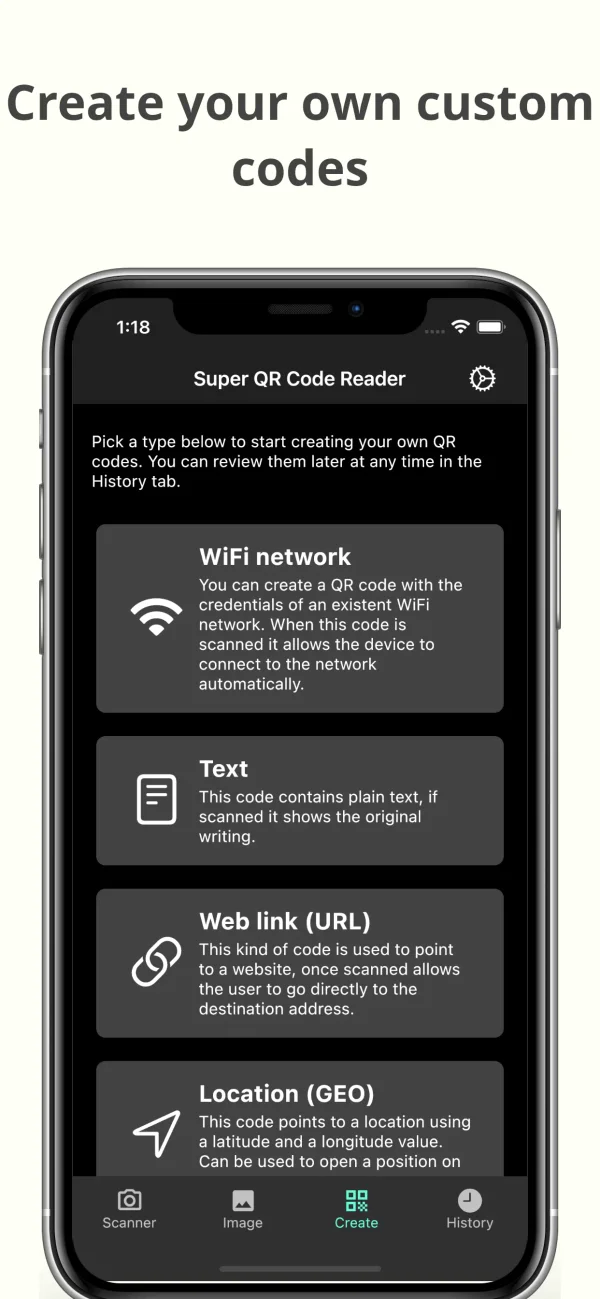
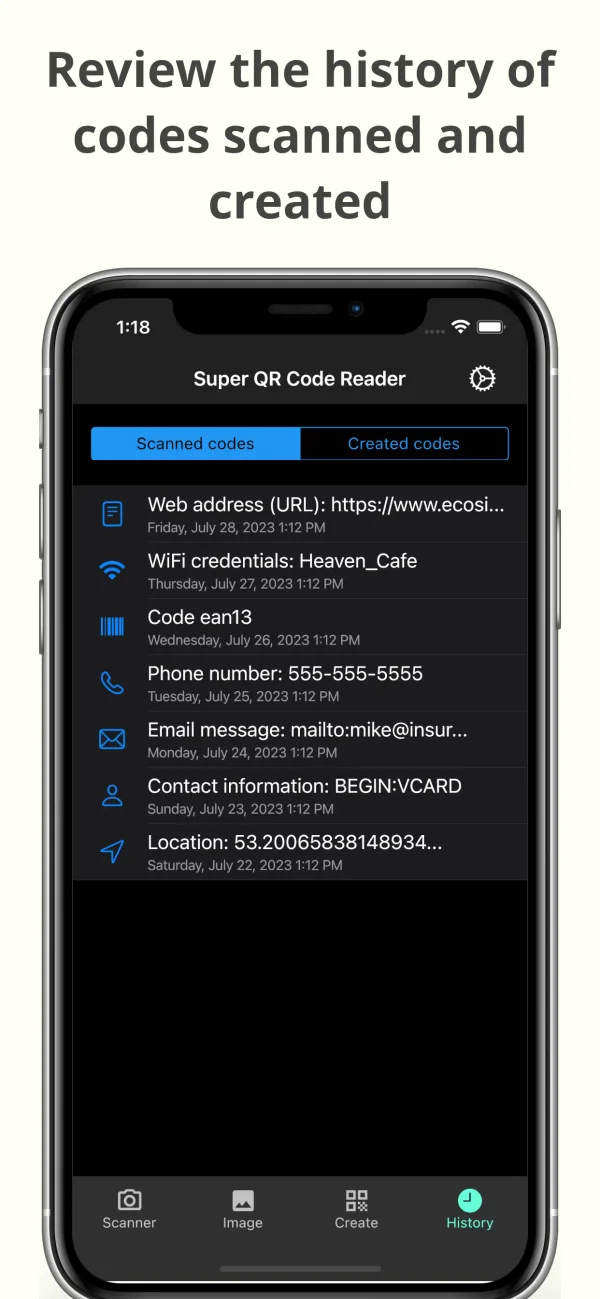
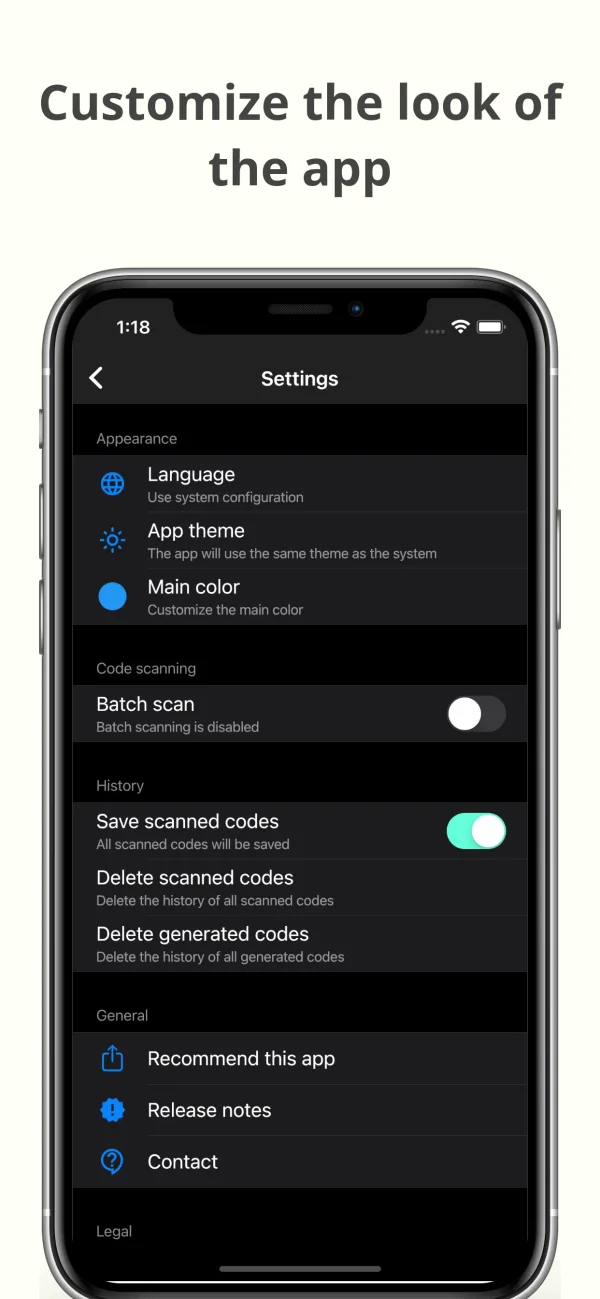

About
Super QR Code Reader is a QR code scanner and barcode reader that will allow you to read any code you find using your device's camera or by scanning an image. In addition, this application is also a free QR code generator and barcode generator, so you can create your own personalized QR codes and barcodes with the data you enter.
Features:
- Scan QR codes and barcodes with your device's camera
- Execute the correct action after scanning with the barcode reader: open websites, connect to WiFi networks...
- Read codes by scanning images of your device
- QR creator: create QR codes and barcodes
- Keep track of all codes read and created in the History section
- Customize the look and behavior of the app
> What steps do I have to follow to scan a code with the free QR scanner?
When you find a QR code or barcode and want to scan it to view its contents with the QR scanner, all you have to do is open the app and point your device's rear camera at the code. The reader feature will detect it and the details of it will automatically be shown to you. From there you can perform the appropriate action on the code depending on its type, for example opening a website or connecting to a WiFi network, as well as being able to view other details of the code.
> I have a code within an image, can this app scan it?
Yeah! This free barcode scanner app allows you to perform a scan of any image file you have saved on your device. To do this, go to the image scanning tab, press the scan button and a selector will open where you can choose the image to scan. The QR reader feature will try to detect QR codes or barcodes and show you the same information screen that would be shown if you had scanned the code with your device's camera.
> Is this app also a QR code creator?
Of course! Super QR Code Reader is not only a scanner app for reading and detecting QR codes, it also has a QR maker function. To use it as a QR code creator, go to the creation tab where you will see all the different types of QR codes that you can generate. Once the data is entered, the barcode generator function will create the code. Then, this code will be stored in your history section, where you can view it, execute your action, or share it.
> Will the codes I have read with the QR reader or created with the QR code creator be saved?
Of course. You can go to the History section at any time where you can review all the codes you have read with the barcode reader, either through your device's camera or by scanning an image file. In this same section you can also find the codes generated by you. In addition, you will have complete control over this section, you will not only be able to recover previous codes, but also delete them if you do not need them. Additionally, you can disable the save codes option in this section if you don't need it to save space.
In short, Super QR Code Reader is your all-terrain tool that will allow you to read any type of code, whether QR or barcode, to be able to see its details and be able to take the correct action on it. In addition, it will also help you create your own codes. Download now and get this utility for all your code scanning needs!
What’s new
Version 3.20.5 · Nov 17, 2026
This update includes minor improvements and bug fixes to provide a better experience.
App privacy
What David Serrano Canales declares on the App Store about how this app handles data.
-
Data used to track you
May be used to track you across apps and websites owned by other companies.
- Identifiers
- Usage data
- Diagnostics
-
Data linked to you
May be collected and linked to your identity.
- Identifiers
- Usage data
- Diagnostics
-
Data not linked to you
May be collected but is not linked to your identity.
- Diagnostics
Privacy practices may vary, for example with the features you use or your age.
Information
- Seller
- David Serrano Canales
- Category
- Utilities
- Version
- 3.20.5
- Updated
- Nov 17, 2026
- Released
- Mar 17, 2021
- Size
- 50.9 MB
- Requires
- iOS 15.6 or later
- Age rating
- 17+
- Price
- Free
- In-app purchases
- Yes
- Languages
- English, Catalan, Dutch, French, German, Hindi, Indonesian, Italian, Japanese, Korean, Polish, Portuguese + 5 more
- Copyright
- © 2023 David Serrano Canales
You might also like
-
 Wifi CodeGenerate & Scan Wifi QRCode
-
 Wifi Share Manager - Wifi QRQR WiFi Password Share
-
 QR Code Reader and Maker AppScan and Generate Barcodes
-
 QRFi - WiFi QR Code generatorStylish QR Codes for WiFi
-
 My Wi-Fi with QR CodeFast Network Sharing
-
 WiFi QR Code GeneratorGuest Password Sign & Widget
-
 AI QR Code Reader & GeneratorBarcode scanner & create code
-
 QR Code: Reader & ScannerBarcode Scanner & QR Generator
-
 Code Reader - QR ScannerRead, Generate & Save barcodes
-
 who is using my wifi scannerWiFi to QR code, Router Info