SuperTimetable: Class Schedule
Hand-drawn weekly timetable
Designed for iPhone, iPad
Free · In-app purchases
- Age rating4+
- CategoryProductivity
- DeveloperHyewon Lee
- LanguagesEnglish+ 17 more
- Size25.3 MB
Links to the official App Store page
Download.org hosts no file of SuperTimetable: Class Schedule. The button opens its official App Store page, published by Hyewon Lee. Listing last checked on Nov 20, 2026.
Screenshots


About
A timetable you can draw
Bring the week you have in mind to life on screen.
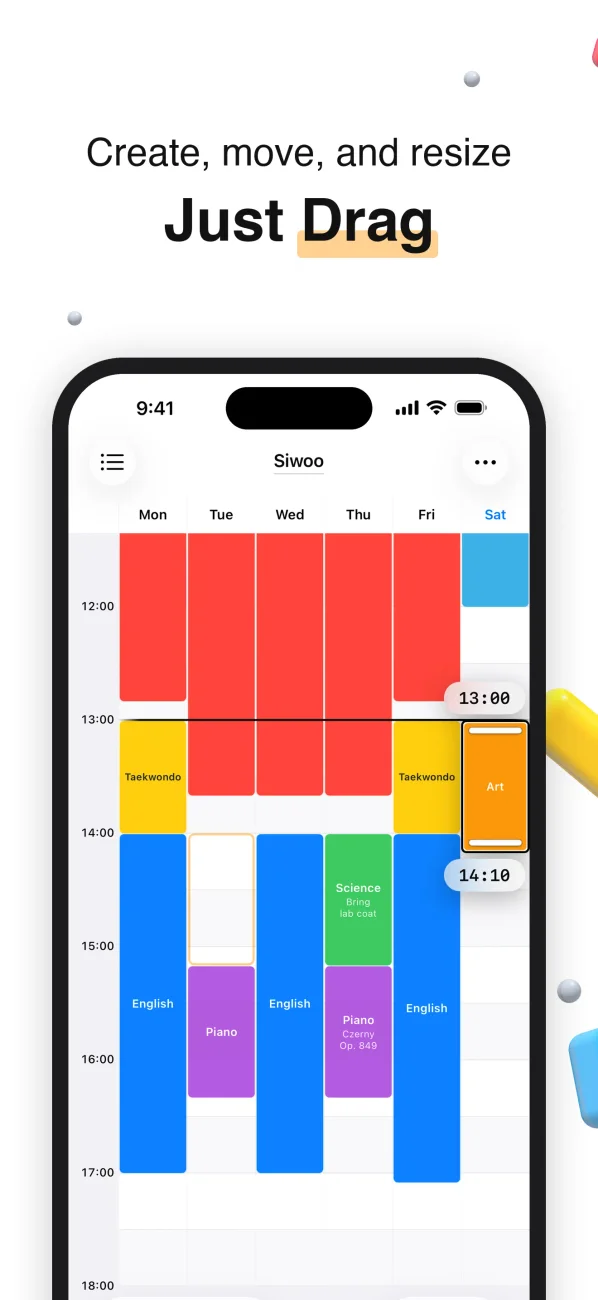
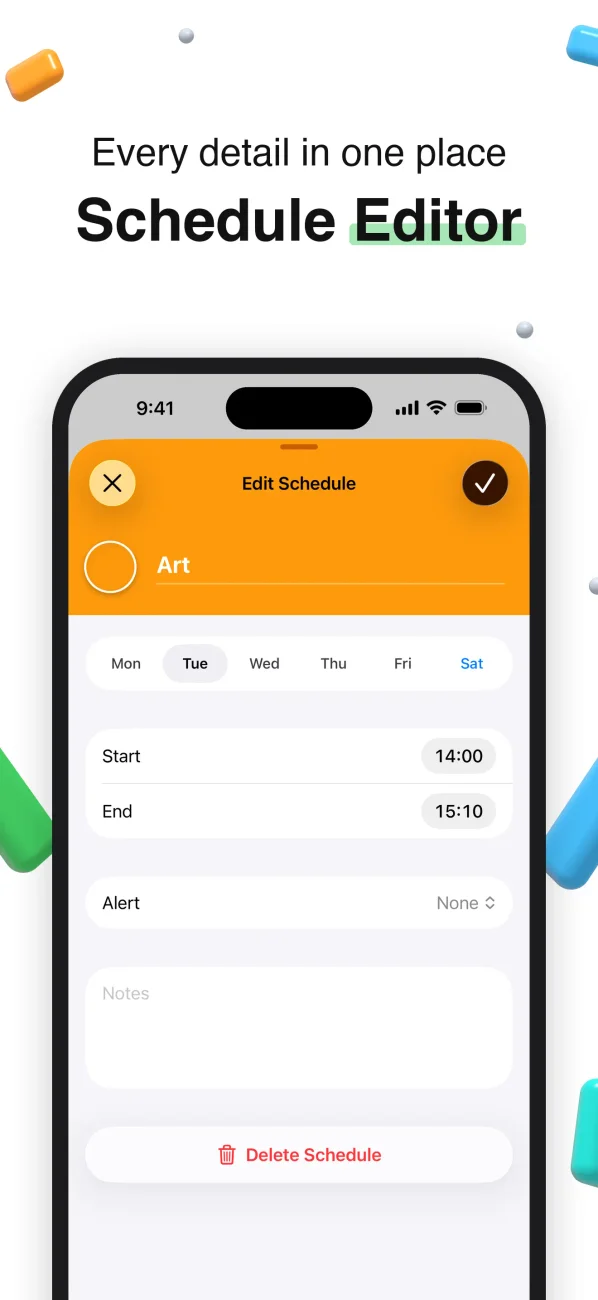
Drag across an empty time slot to create an event without entering start and end times one by one. Time labels and haptic feedback guide you as you drag, and you can fine-tune the times in the editor. Plan daily life by the clock or school classes by period.
■ Flexible editing, easy changes
A change of plans does not have to mean starting over.
· Drag event blocks to a different day or time.
· Use alignment guides to match nearby events’ start and end times.
· Undo a change or bring it back with redo.
· Lock a finished timetable to prevent accidental edits.
■ Simpler recurring events
Save yourself the work of editing every class or activity one by one.
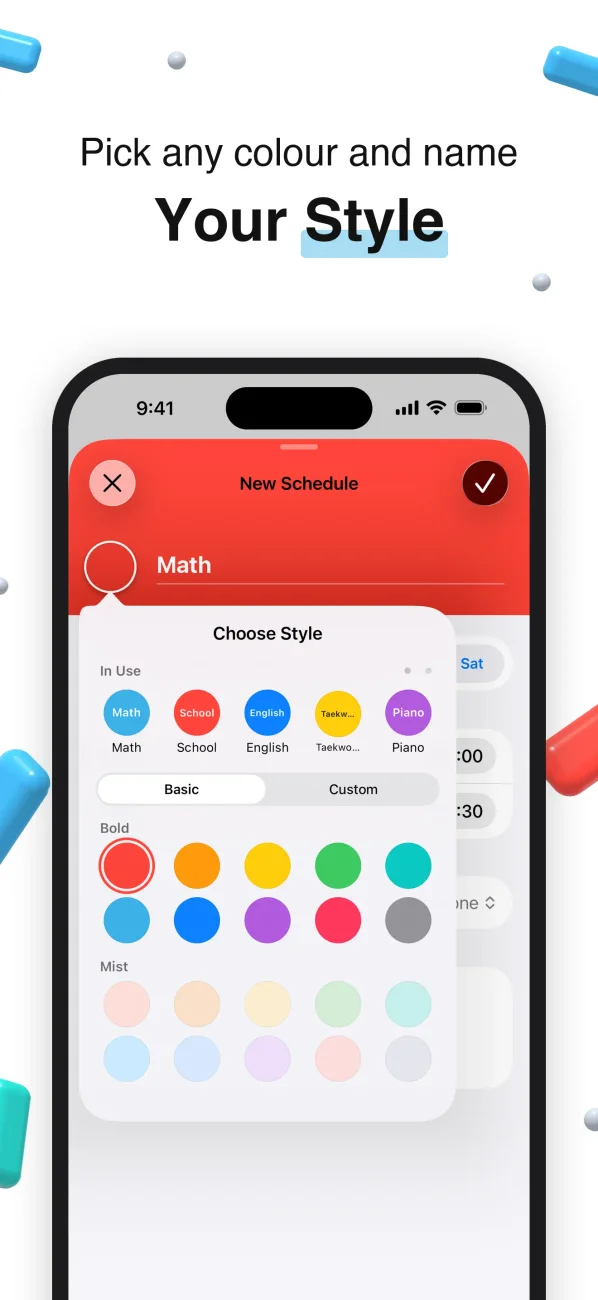
· Manage events with the same title and color as a group.
· Apply title or color changes to other events in the group.
· Compare the before and after before applying changes.
· Keep each event’s day, time, notes, and alerts unchanged.
· Reuse saved event names and colors to add events faster.
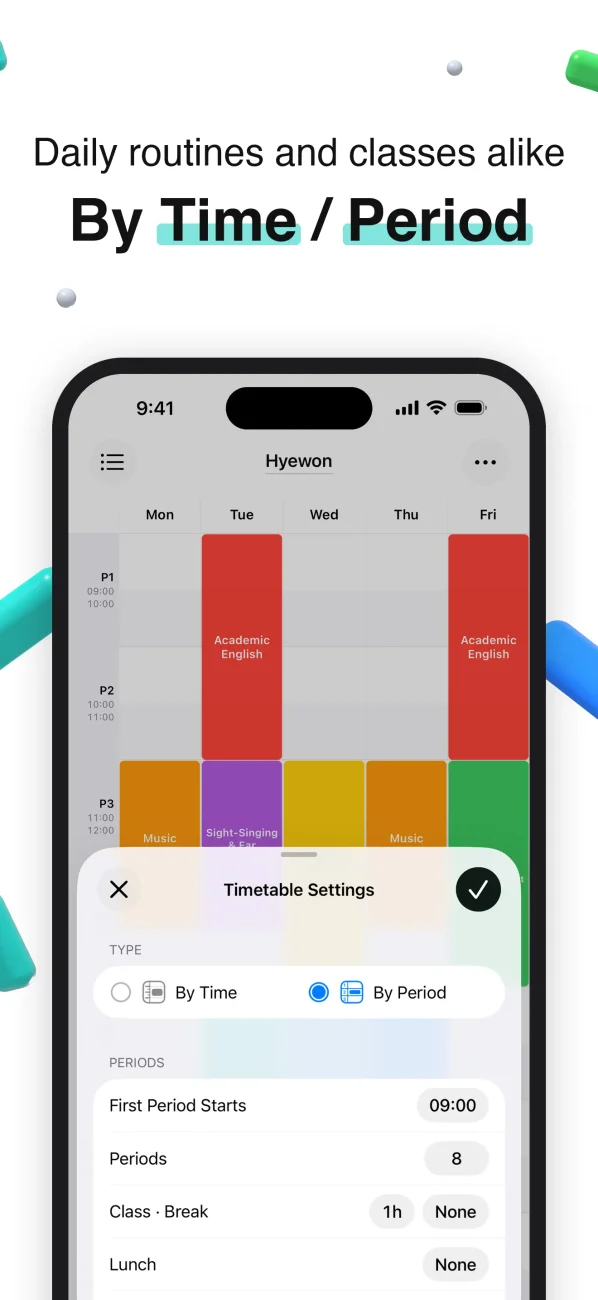
■ A timetable built around class periods
Organize school days by the periods you know, rather than clock times.
· Create a timetable with numbered class periods.
· Set class lengths, breaks, and lunch to build period times automatically.
· Switch between clock times and class periods as needed.
■ A view that fits your week
Focus on the days and hours that matter to you.
· Choose the days and time range shown in each timetable.
· Enlarge the hours you need for a closer look at your events.
· Choose the first day of the week and your time format.
· Select light or dark mode, or follow your device settings.
■ Alerts for getting ready and getting started
Make room for preparation before an event begins.
· Set up to two alerts for each event.
· Get separate alerts before an event and when it starts.
· Preview alert sounds and choose the one you like.
■ Your schedule beyond the app
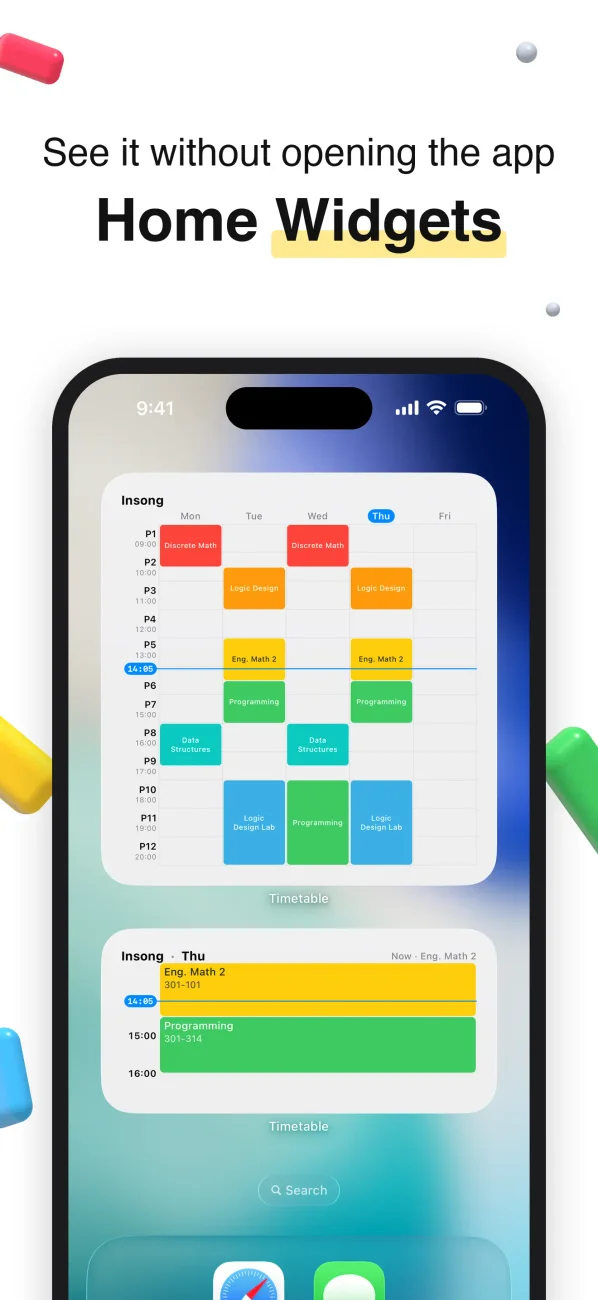
See today’s plans and what is next without opening the app.
· View your week at a glance with a Home Screen widget.
· See today’s events around the current time with the Today widget.
· Check your next event with a Lock Screen widget.
· Choose a separate timetable for each widget.
· Check today’s classes or your next event with Siri and Shortcuts.
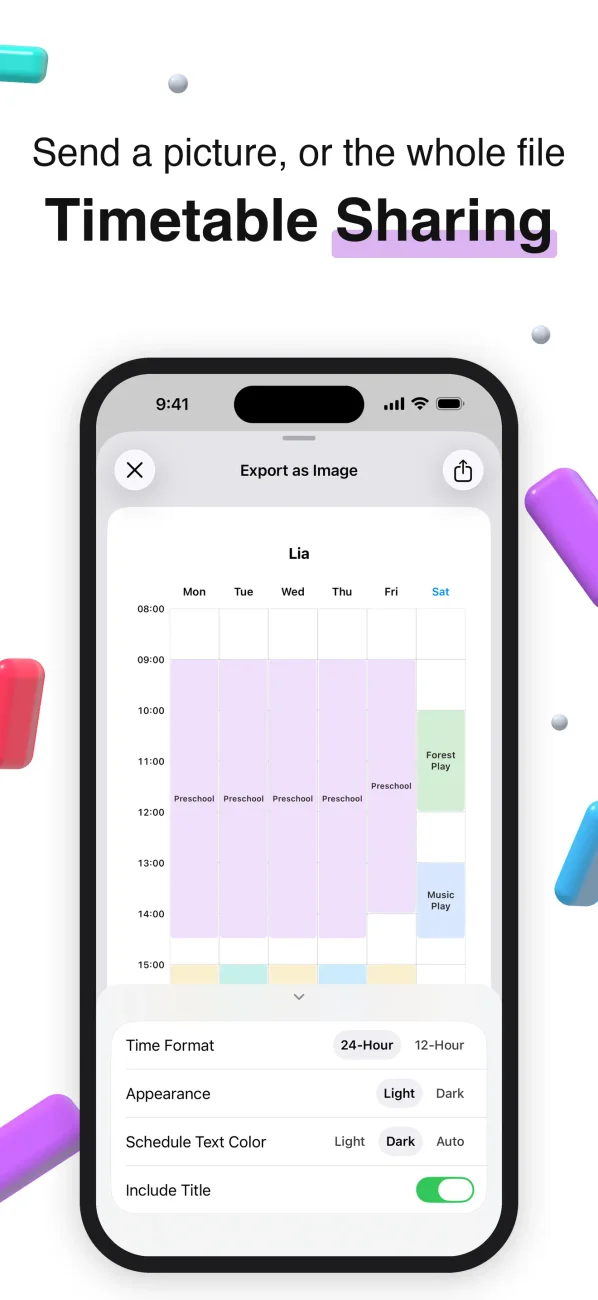
■ Sharing and printing beyond the screen
Put your timetable on the wall or share it with someone else.
· Choose a paper size and orientation, then print directly.
· Preview the finished result before saving it as an image.
· Export to a calendar app to see events alongside your other plans.
· Save a file for backup or sharing.
· Open a shared timetable as an editable copy and make it your own.
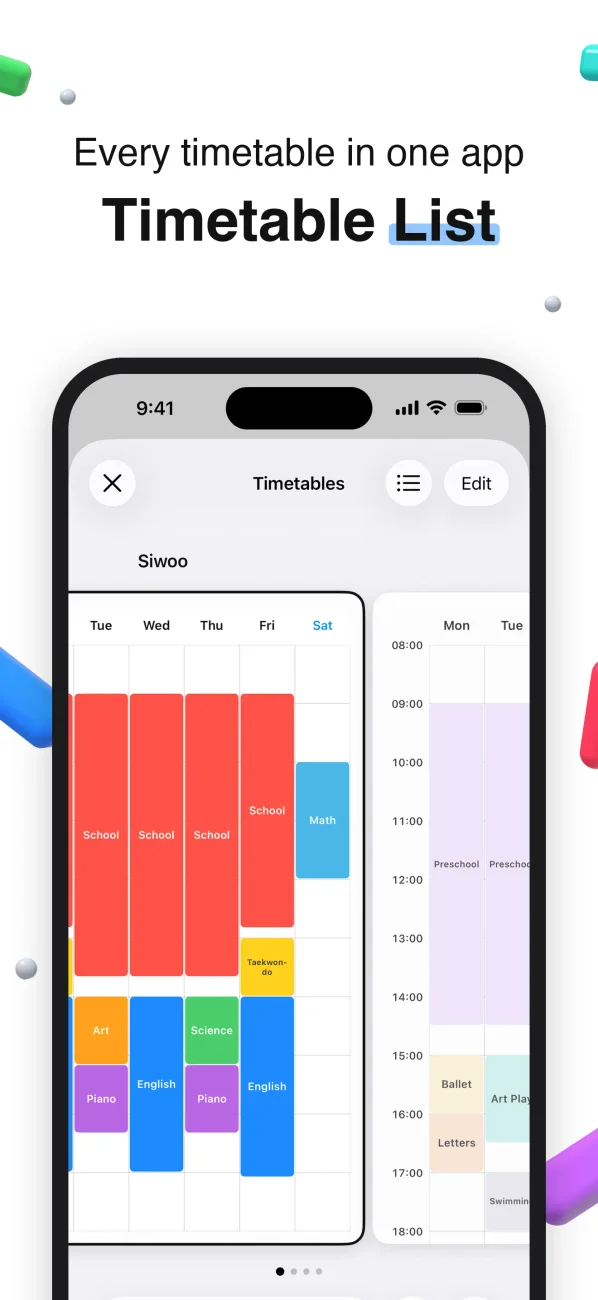
■ Separate timetables for different plans
Keep school, extra classes, family plans, and semesters organized separately.
· Create multiple timetables for different purposes.
· Duplicate a timetable and edit only what has changed.
· Swipe through previews to switch timetables quickly.
· On iPad, edit beside an event block while keeping your timetable in view.
Start right away without an account or login. Timetables are stored on your device.
Draw your week, right at your fingertips.
What’s new
Version 1.2.6 · Nov 10, 2026
- 18 languages: Added Arabic, German, Hindi, Indonesian, Italian, Russian, Thai, Turkish, Urdu, and Vietnamese. Arabic and Urdu read right to left.
- Rename timetables: In the timetable list's edit mode, tap Rename to change a timetable's name right there.
- Larger list cards: Show as Cards now has smaller margins, so timetable previews appear larger.
- Thumbnails in the list: With Show as List, each row now starts with a small preview of that timetable, so you can tell them apart at a glance.
- Empty timetable hint: A timetable with no events now tells you where to tap to add one.
- Quicker deleting: Deleting a single event no longer asks for confirmation; if it was a mistake, Undo brings it back.
- Lock reminder: Tapping events in a locked timetable a few times shows again how to unlock it.
- Larger text: Informational sheets now follow your device's text size.
- Widget titles: Long titles now shrink to fit their widget cells.
- Tutorial finger: The finger pointing at the day header now lands on a day column instead of a column border.
App privacy
What Hyewon Lee declares on the App Store about how this app handles data.
-
Data used to track you
May be used to track you across apps and websites owned by other companies.
- Location
- Identifiers
- Usage data
-
Data not linked to you
May be collected but is not linked to your identity.
- Purchases
- Location
- Identifiers
- Usage data
- Diagnostics
Privacy practices may vary, for example with the features you use or your age.
Information
- Seller
- Hyewon Lee
- Category
- Productivity
- Version
- 1.2.6
- Updated
- Nov 10, 2026
- Released
- Sep 22, 2026
- Size
- 25.3 MB
- Requires
- iOS 26.1 or later
- Age rating
- 4+
- Price
- Free
- In-app purchases
- Yes
- Languages
- English, Arabic, French, German, Hindi, Indonesian, Italian, Japanese, Korean, Portuguese, Russian, Simplified Chinese + 6 more
- Copyright
- © 2026 Hyewon & Insong
You might also like
-
 Routine Planner - Time BlockWeekly Schedule & Time Blocks
-
 Habit Maker & Weekly PlannerHabit Tracker for work & life
-
 SmallButBig - Goal PlannerPlan Your Day, See Time Spent
-
 Tengrid - Time Block PlannerPlan vs actual, 10-minute grid
-
 Time Blocking Planner: DatviDaily ADHD Calendar & To Do
-
 TimePlan - Schedule & RoutineTimetables, routines, pick-ups
-
 1TimeTable: Widgets & updatesShared schedules, live widgets
-
 DayLog – Time Journal & AuditDaily activity log & diary
-
 思考ノート(箇条書&チェックリスト)Productivity
-
 Productivity Planner: FocusTo-Dos, Habits & Routines