Tengrid - Time Block Planner
Plan vs actual, 10-minute grid
Designed for iPhone
Free · In-app purchases
- Age rating4+
- CategoryProductivity
- DeveloperYunseong Jung
- LanguagesEnglish+ 4 more
- Size22.0 MB
Links to the official App Store page
Download.org hosts no file of Tengrid - Time Block Planner. The button opens its official App Store page, published by Yunseong Jung. Listing last checked on Nov 12, 2026.
Screenshots


About
No ads, no account, no subscription, and repeat blocks are free.
A 10-minute grid for the plan you made and the day you actually had.
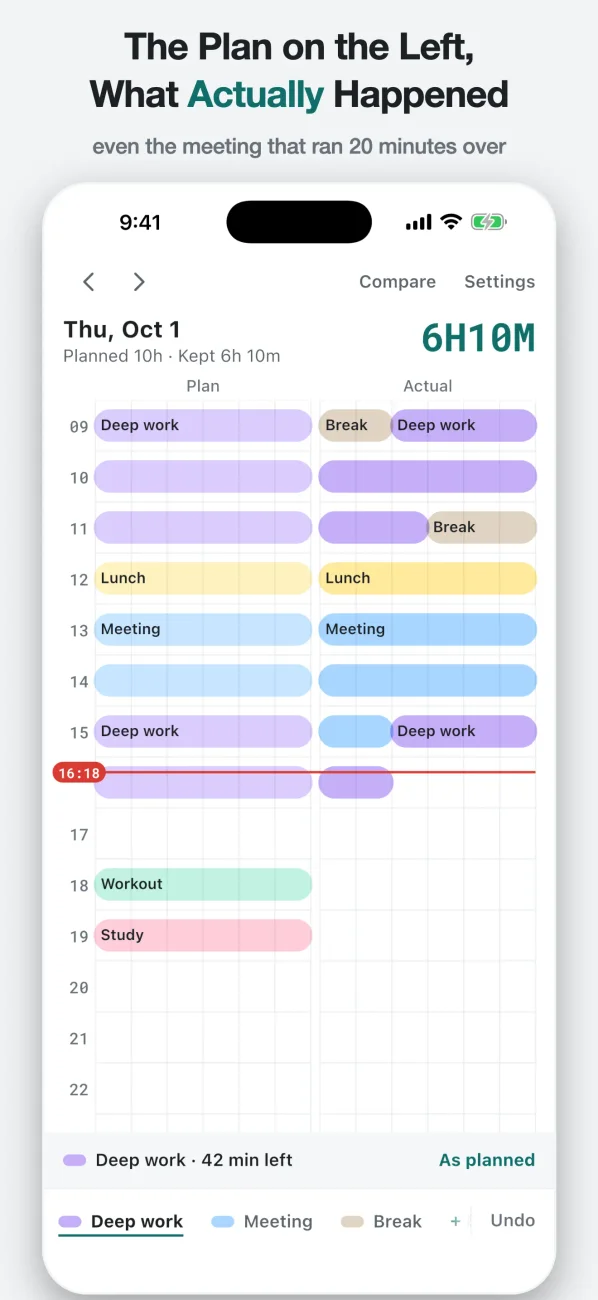
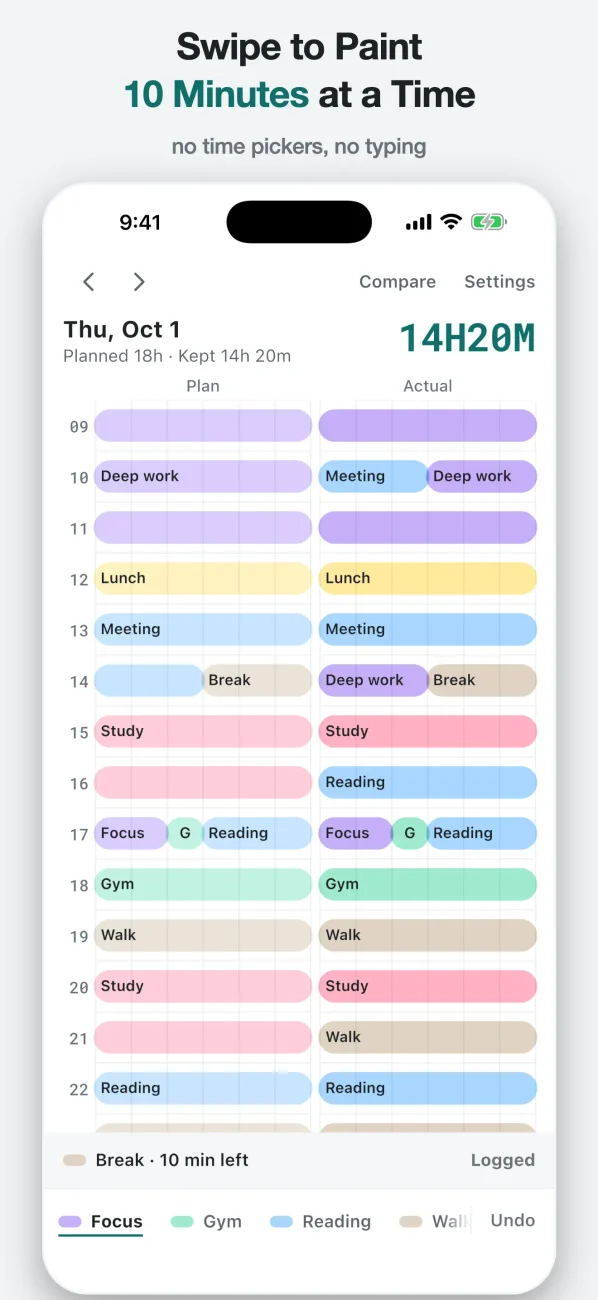
Tengrid is a time blocking grid in the spirit of the paper 10-minute study planner. Pick a highlighter pen, swipe across a row and the cells fill in. Swipe again in the Actual column as the day goes. The big number at the top counts the time you spent the way you planned, like 6H10M.
● Swipe to plan — drag across a row to paint, tap twice to fill several hours, tap a painted cell to clear it
● Plan and actual side by side — six cells for the plan, six for what happened, in the same row
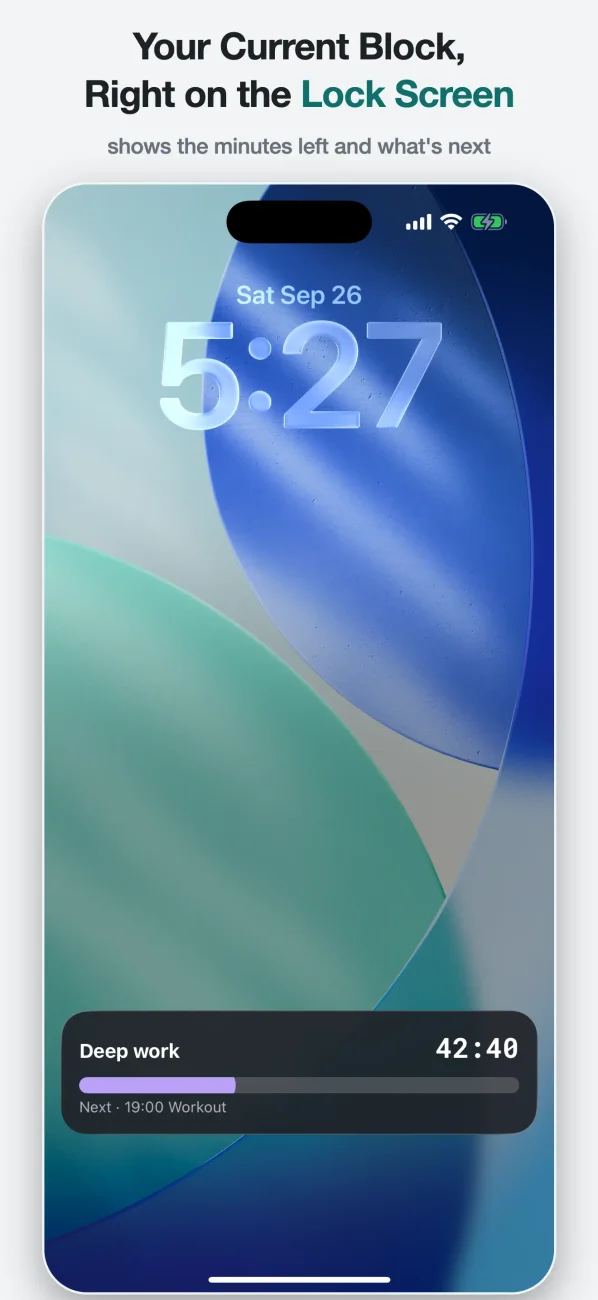
● The current block on your Lock Screen — a Live Activity and the Dynamic Island show what you are in and the minutes left
● Log it in one tap — tap an hour number and the Actual cells copy the plan. Tap "As planned" on the block-end alert and the plan is copied the next time you open the app
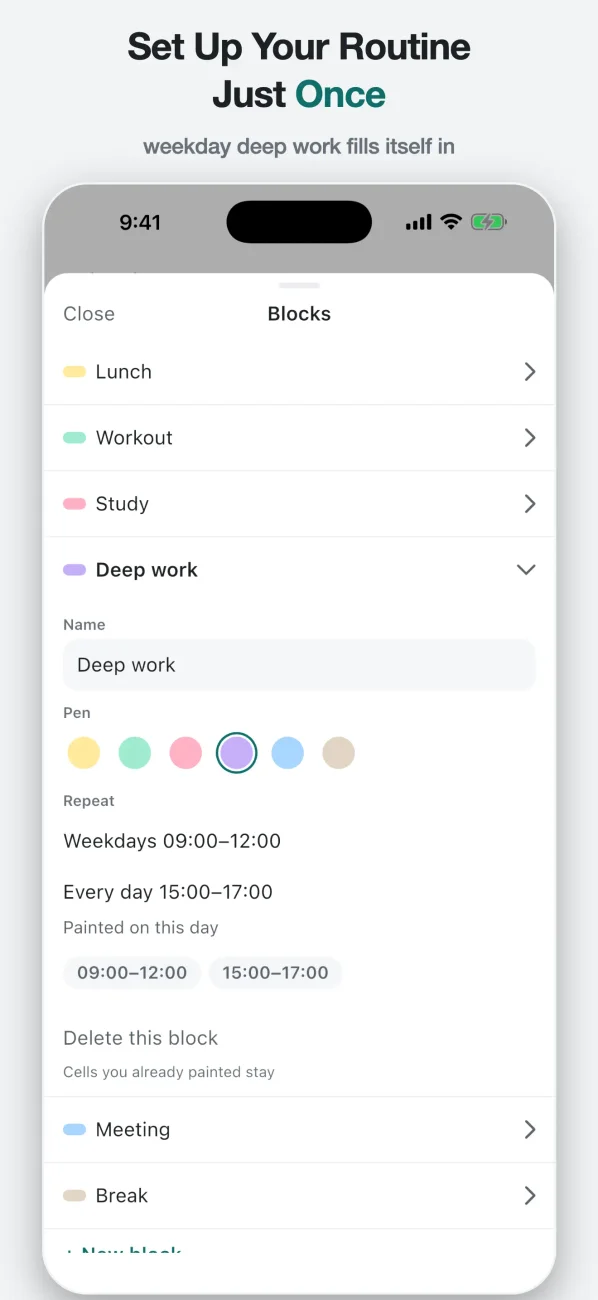
● Repeat blocks — weekday deep work or a daily lunch are painted in before you open the app
● Widgets — small and medium Home Screen widgets and a Lock Screen widget show the current block
Included without paying
- The grid, both columns, painting, erasing and undo
- Unlimited block types with six highlighter colors
- Repeat blocks, block start alerts, the Live Activity and all three widgets
- Every past day, dark mode, five languages
- A copy in your own iCloud (the last two years), which you can turn off
Lifetime unlock (one-time purchase)
- Compare by week and month: each day becomes one line of 10-minute pixels, and drift mode shows where the day left the plan
- Save as many day templates as you like (weekday, weekend, exam week) and apply one in a tap
- Three more pen sets and three more app icons
The lifetime unlock is a single payment. There is no subscription and no trial that turns into a charge. Restore Purchase is on the same screen.
No account and no sign-up. Your days stay on your iPhone and in your own iCloud, and nothing goes to our servers. Version 1.0 is iPhone only.
Terms of Use (EULA): https://www.apple.com/legal/internet-services/itunes/dev/stdeula/
Privacy Policy: https://aside.ai.kr/en/apps/timeblock/privacy
Support: https://aside.ai.kr/en/apps/timeblock/support
App privacy
What Yunseong Jung declares on the App Store about how this app handles data.
-
Data not collected
The developer does not collect any data from this app.
Privacy practices may vary, for example with the features you use or your age.
Information
- Seller
- Yunseong Jung
- Category
- Productivity
- Version
- 1.0
- Updated
- Oct 15, 2026
- Released
- Oct 15, 2026
- Size
- 22.0 MB
- Requires
- iOS 17.0 or later
- Age rating
- 4+
- Price
- Free
- In-app purchases
- Yes
- Languages
- English, German, Japanese, Korean, Spanish
- Copyright
- © 2026 Aside
You might also like
-
 Productivity Planner: FocusTo-Dos, Habits & Routines
-
 Min: Time Blocking PlannerPlan today, push back in a tap
-
 Superior 15: Time TrackerLive in 15-minute blocks
-
 TEMPO 템포: 타임블록 투두리스트&하루 일정 플래너Productivity
-
 Reasonly: Brain Dump & ClarityOrganize your thoughts with AI
-
 PDF Viewer and Editor - AIScan, Sign, Convert & Merge
-
 ADHD Hyper Plannerbuilt for the ADHD brain
-
 MyDay – Live Activity PlannerYour day, live on screen
-
 DewiserMake wise decisions
-
 Kanban Calendar - KanCalendarEisenhower Matrix, Note Taker